การแนะนำ
This manual provides detailed instructions for the setup, operation, maintenance, and troubleshooting of your Docooler Wireless Mechanical Keyboard, Fun Cake House edition. Please read this manual thoroughly before using the product to ensure optimal performance and longevity.
The Docooler Wireless Mechanical Keyboard features red switches, PBT keycaps, a high-clear display, and a volume control knob. It supports multiple connectivity options including 2.4G wireless, Bluetooth, and wired connections, and is compatible with Windows, Mac, iOS, and Android systems.
เนื้อหาแพ็คเกจ
ตรวจสอบว่ามีรายการทั้งหมดอยู่ในแพ็คเกจ:
- 1x Docooler Wireless Mechanical Keyboard (Fun Cake House)
- 1x USB Cable (for wired connection and charging)
- ตัวรับสัญญาณ USB 1x2.4G
- 1x คู่มือผู้ใช้ (เอกสารนี้)
การตั้งค่า
1. การชาร์จคีย์บอร์ด
Before initial use, fully charge the keyboard. Connect the provided USB cable to the keyboard's USB-C port and the other end to a USB power source (e.g., computer USB port, wall adapter). The display will indicate charging status. A full charge typically takes 2-3 hours.
The keyboard is equipped with an 1850mAh rechargeable lithium battery.
2. ตัวเลือกการเชื่อมต่อ
Your keyboard supports three connection modes: 2.4G Wireless, Bluetooth (BT), and Wired USB.
2.1. การเชื่อมต่อไร้สาย 2.4G
- Locate the 2.4G USB receiver, usually stored in a compartment on the keyboard.
- เสียบตัวรับสัญญาณ USB 2.4G เข้ากับพอร์ต USB ที่ว่างอยู่บนคอมพิวเตอร์ของคุณ
- Switch the keyboard's connection mode to 2.4G (refer to the โหมดการทำงาน section for details on switching modes).
- The keyboard should automatically connect. The display will show the 2.4G connection icon.
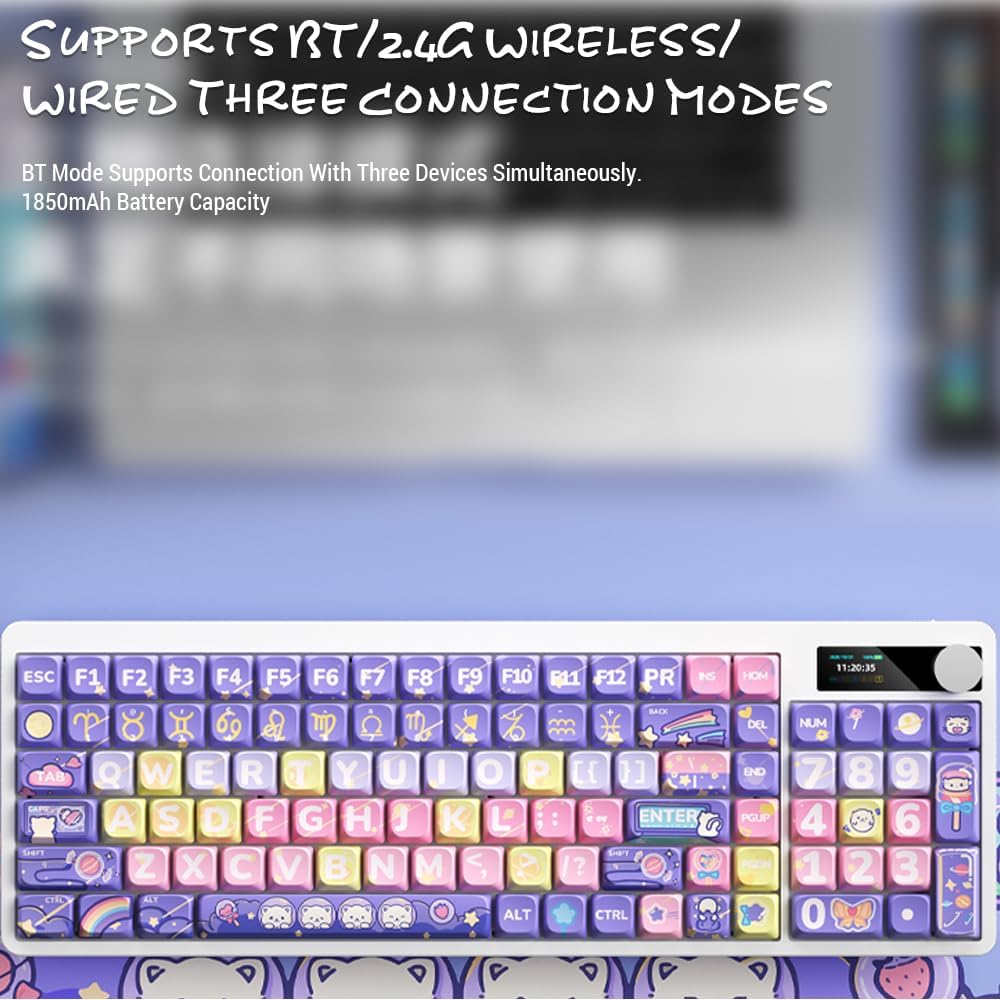
Image: Keyboard display showing 2.4G wireless connection status.
2.2. การเชื่อมต่อบลูทูธ (BT)
แป้นพิมพ์สามารถเชื่อมต่อกับอุปกรณ์ Bluetooth ได้สูงสุดสามเครื่องพร้อมกัน
- Switch the keyboard's connection mode to Bluetooth (BT1, BT2, or BT3).
- บนอุปกรณ์ของคุณ (คอมพิวเตอร์ แท็บเล็ต สมาร์ทโฟน) เปิดใช้งาน Bluetooth และค้นหาอุปกรณ์ใหม่
- Select "Docooler Keyboard" (or similar name) from the list of available devices.
- หากได้รับแจ้ง ให้ป้อนรหัสการจับคู่ที่ปรากฏบนหน้าจอของคุณ
- Once paired, the display will show the Bluetooth connection icon for the selected channel.
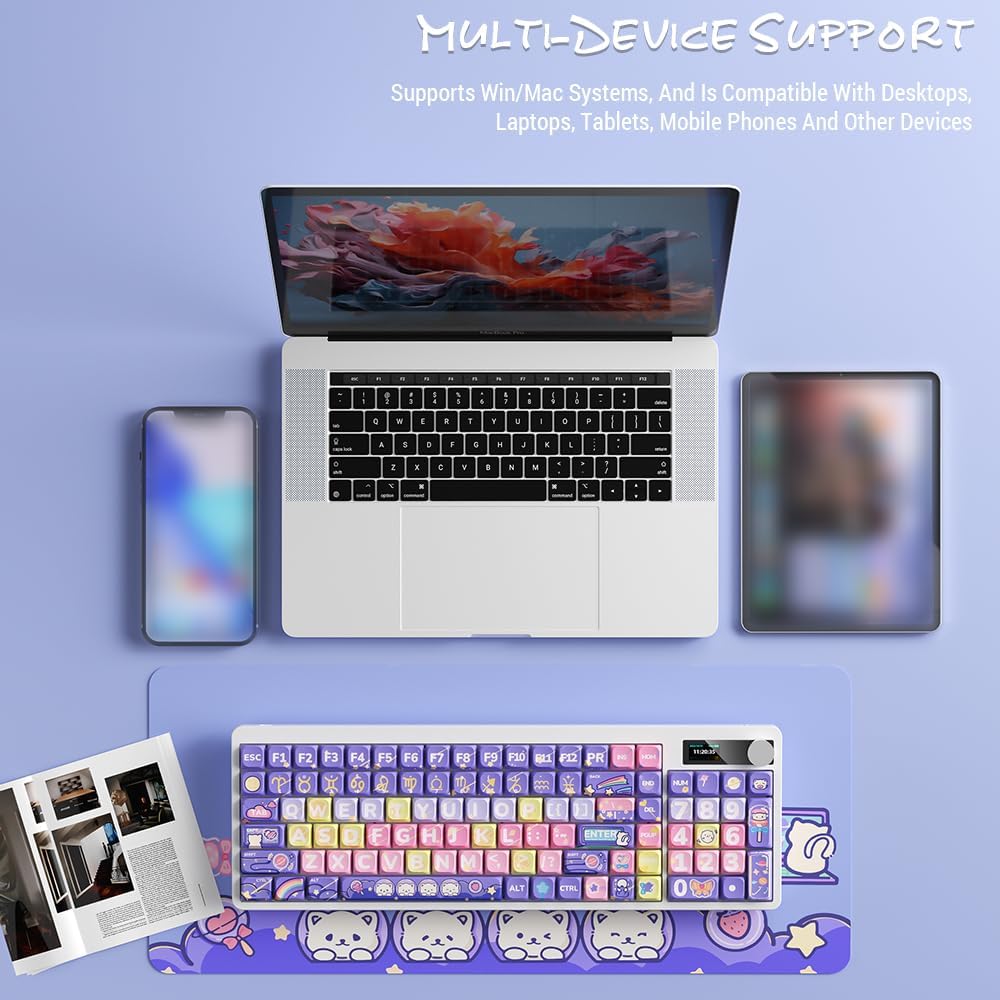
Image: Docooler keyboard demonstrating multi-device support, connected to a laptop, tablet, and smartphone via Bluetooth.
2.3. การเชื่อมต่อ USB แบบมีสาย
- Connect the provided USB cable directly from the keyboard to your computer's USB port.
- Switch the keyboard's connection mode to Wired (refer to the โหมดการทำงาน ส่วน).
- ระบบจะ 인식แป้นพิมพ์นี้ว่าเป็นแป้นพิมพ์ USB มาตรฐาน
คำแนะนำการใช้งาน
1. การสลับโหมดการเชื่อมต่อ
Use the dedicated mode switch or key combination (refer to the keyboard's specific function keys, often marked with icons for 2.4G, BT, and USB) to cycle through the connection modes. The display screen will clearly indicate the active mode.

Image: Close-up of the keyboard display showing indicators for Bluetooth, 2.4G, and wired connection modes, along with battery status and time.
2. High Clear Display Functions
The integrated display provides real-time information and customization options. It can show:
- วันที่และเวลา
- ระดับแบตเตอรี่
- Connection Mode (2.4G, BT1/2/3, Wired)
- การตั้งค่าไฟแบ็คไลท์
- ระดับเสียง
- Custom Images or Dynamic GIFs (customization via software, if available)

ภาพ: รายละเอียด view of the keyboard's high-clear display, illustrating various functions such as date, time, power, connection mode, and backlight settings.
3. ปุ่มควบคุมระดับเสียง
The metal knob located on the top right of the keyboard allows for quick adjustment of system volume. Rotate clockwise to increase volume, counter-clockwise to decrease. Pressing the knob typically mutes/unmutes audio.

Image: Close-up of the unique metal round knob, highlighting its function for adjusting brightness and volume.
4. การปรับแสงด้านหลัง
The keyboard features a colorful backlight. Use the dedicated function keys (often Fn + specific keys) or the display menu to cycle through different lighting effects, adjust brightness, and change colors. Refer to the display for visual feedback on backlight settings.
5. ปุ่มฟังก์ชัน (การกดปุ่ม Fn ร่วมกับปุ่มอื่นๆ)
ปุ่มหลายปุ่มมีฟังก์ชันรองที่สามารถเข้าถึงได้โดยการกดปุ่มค้างไว้ Fn key and pressing the desired key. Common Fn combinations include:
- Fn+F1-F12: Multimedia controls (play/pause, volume, track skip), application shortcuts.
- Fn + ปุ่มลูกศร: Backlight brightness/speed adjustment.
- Fn + วิน: Lock/unlock Windows key.
- Fn + Mode Key: Switch between 2.4G, BT, and Wired modes.
Consult the keycap legends for specific Fn functions on your "Fun Cake House" keyboard.
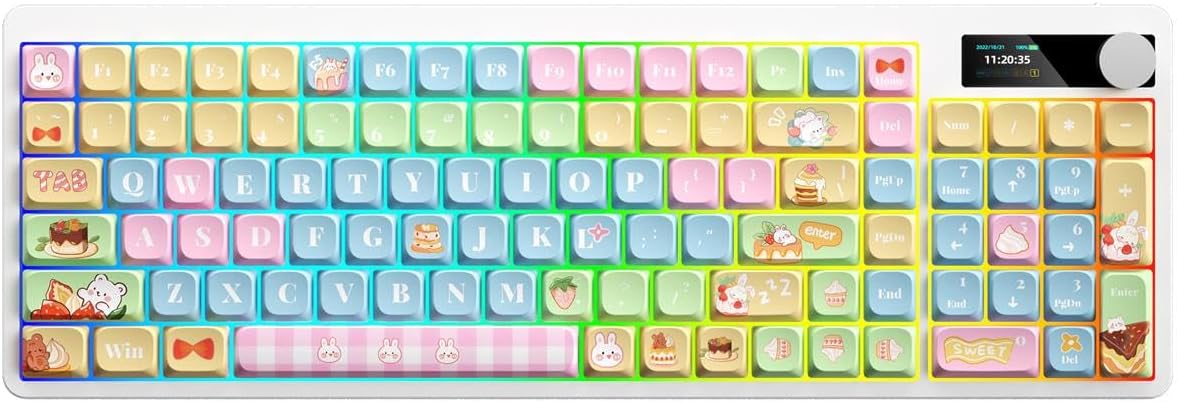
Image: Full layout of the Docooler Wireless Mechanical Keyboard in the Fun Cake House design, showing all 101 keys, the display, and the volume knob.
การซ่อมบำรุง
1. การทำความสะอาด
- ถอดปลั๊กคีย์บอร์ดออกจากแหล่งจ่ายไฟและอุปกรณ์ทั้งหมดก่อนทำความสะอาด
- ใช้ผ้านุ่มไม่เป็นขุยเช็ดเล็กน้อยampล้างออกด้วยน้ำหรือน้ำยาทำความสะอาดอ่อนๆ เพื่อเช็ดปุ่มกดและพื้นผิวแป้นพิมพ์
- สำหรับฝุ่นละอองและเศษต่างๆ ระหว่างคีย์แคป ให้ใช้ลมอัดหรือแปรงขนาดเล็ก
- หลีกเลี่ยงการใช้สารเคมีรุนแรง สารขัดถู หรือตัวทำละลาย เนื่องจากอาจทำให้พื้นผิวของแป้นพิมพ์และตัวอักษรบนปุ่มเสียหายได้
2. Keycap Removal (Optional)
The PBT keycaps can be removed for deeper cleaning or replacement. Use a keycap puller to gently lift keycaps straight up. Avoid excessive force to prevent damage to the switch stems.
3. การจัดเก็บ
When not in use for extended periods, store the keyboard in a cool, dry place away from direct sunlight and extreme temperatures. Ensure the battery is partially charged (around 50%) before long-term storage to preserve battery health.
การแก้ไขปัญหา
แป้นพิมพ์ไม่ตอบสนอง
- ตรวจสอบแบตเตอรี่: Ensure the keyboard is charged. Connect it via USB cable to charge.
- ตรวจสอบโหมดการเชื่อมต่อ: Verify the keyboard is in the correct mode (2.4G, BT, or Wired) for your device.
- 2.4G Issues: Ensure the USB receiver is securely plugged in. Try a different USB port.
- ปัญหาเกี่ยวกับบลูทูธ: Re-pair the keyboard with your device. Ensure Bluetooth is enabled on your device. Try forgetting the device and re-pairing.
- Wired Issues: Ensure the USB cable is securely connected to both the keyboard and the computer. Try a different USB cable or port.
- เริ่มต้นใหม่อีกครั้ง: รีสตาร์ทคอมพิวเตอร์/อุปกรณ์และคีย์บอร์ดของคุณ
ปุ่มไม่ทำงาน / พิมพ์ซ้ำ
- ทำความสะอาดคีย์แคป: Remove keycaps and clean any debris around the switch.
- อัพเดตเฟิร์มแวร์: Check the Docooler official webเว็บไซต์สำหรับอัพเดตเฟิร์มแวร์ที่มีสำหรับรุ่นของคุณ
แบ็คไลท์ไม่ทำงาน
- การตั้งค่าความสว่าง: Ensure the backlight brightness is not set to minimum or off. Adjust using Fn combinations or the display menu.
- ประหยัดพลังงาน: The backlight may turn off after a period of inactivity to save battery. Press any key to reactivate.
Display Screen Issues
- วงจรไฟฟ้า: ปิดคีย์บอร์ดแล้วเปิดใหม่อีกครั้ง
- ความสว่าง: Ensure the display brightness is not set too low.
ข้อมูลจำเพาะ
| แบบอย่าง | Docooler Wireless Mechanical Keyboard (Fun Cake House) |
| ประเภทสวิตซ์ | สวิตช์สีแดง |
| ปุ่มกด | พีบีที |
| การเชื่อมต่อ | 2.4G Wireless, Bluetooth (BT), Wired USB |
| แสงไฟแบ็คไลท์ | แสงไฟที่มีสีสัน |
| การพลิกกุญแจ | การโรลโอเวอร์คีย์แบบเต็ม |
| แสดง | High Clear Display |
| ลูกบิด | Metal Volume Control Knob |
| แบตเตอรี่ | แบตเตอรี่ลิเธียมแบบชาร์จไฟได้ 1850mAh 3.7V |
| เค้าโครงคีย์ | 101 Keys (with display screen + knob) |
| ระบบที่รองรับ | วินโดวส์, แมค, ไอโอเอส, แอนดรอยด์ |
| ขนาด | 39.7 13.4 X X 1.7 เซนติเมตร (x 15.6 5.3 0.7 x ใน) |
| น้ำหนัก | 621กรัม (1.37 ปอนด์) |

Image: Diagram illustrating the dimensions of the Docooler Wireless Mechanical Keyboard: 39.7cm (15.6in) length and 13.4cm (5.3in) width.
ข้อมูลการรับประกัน
Docooler products are covered by a limited warranty from the date of purchase. This warranty covers manufacturing defects in materials and workmanship. It does not cover damage caused by accident, misuse, abuse, modification, improper installation, or normal wear and tear.
For specific warranty terms and conditions, please refer to the warranty card included with your product or visit the official Docooler webเว็บไซต์.
การสนับสนุนลูกค้า
If you encounter any issues or have questions regarding your Docooler Wireless Mechanical Keyboard that are not addressed in this manual, please contact our customer support team.
- อีเมล: support@docooler.com
- Webเว็บไซต์: Visit the official Docooler website for FAQs, drivers, and additional support resources: www.docooler.com
When contacting support, please have your product model (B0DB7YPHFK) and purchase information ready.


