การแนะนำ
The XOSS XR01 Smart Bike Tail Light is designed to enhance cycling safety with its intelligent features and durable construction. This manual provides detailed instructions for the proper use, installation, and maintenance of your XR01 tail light.

Image: The XOSS XR01 Smart Bike Tail Light, a compact black device with a red lens, designed for rear visibility on bicycles.
คุณสมบัติผลิตภัณฑ์
- Automatic Switch & Brake Sensor: The XR01 automatically turns off after 30 seconds of inactivity and turns on when riding vibration is detected. Upon braking, brightness increases for 3 seconds to alert following vehicles, enhancing safety.
- Rechargeable & TYPE-C: Equipped with a 260 mAh TYPE-C rechargeable lithium battery, providing 7 to 16 hours of use (mode dependent) after a 1-hour full charge. Standby time is up to 3 months.
- 4 Modes & Mode Memory: Features four lighting modes: slow flash, breathing flash, fast flash, and steady on. The light remembers the last used mode for convenience.
- Innovative Optical Lenses: Utilizes an innovative optical lens for high visibility and an anti-glare function, ensuring safety without affecting the vision of others.
- IPX6 & Easy to Install: IPX6 waterproof rating allows use in heavy rain. Supports two mounting methods (saddle rail and seat post) and installs in seconds without tools.
เนื้อหาแพ็คเกจ
โปรดตรวจสอบว่ารายการทั้งหมดที่ระบุไว้ด้านล่างมีอยู่ในแพ็คเกจของคุณหรือไม่:

Image: Contents of the XOSS XR01 package, including the tail light, mounting accessories, and charging cable.
- XOSS XR01 Smart Bike Tail Light
- สายชาร์จ USB-C
- Saddle Rail Mount
- ที่ยึดหลักอาน
- Rubber Bands/Zip Ties for mounting
การติดตั้งและการตั้งค่า
การชาร์จอุปกรณ์
Before first use, fully charge the XR01 tail light. Connect the provided USB-C cable to the charging port on the light and plug the other end into a USB power source (e.g., computer, wall adapter). The indicator light will show charging status.

Image: The XOSS XR01 tail light connected to a laptop via its USB-C charging cable.
ตัวเลือกการติดตั้ง
The XR01 offers two primary mounting methods:

Image: Comparison of saddle mounting and seatpost mounting options for the XOSS XR01 tail light.
- Saddle Rail Mounting:
- Attach the saddle rail mount to the rails under your bicycle seat.
- Slide the XR01 tail light onto the mount until it clicks securely into place.
- Seat Post Mounting:
- Secure the seat post mount to your bicycle's seat post using the provided rubber bands or zip ties.
- Slide the XR01 tail light onto the mount until it clicks securely into place.
Ensure the light is firmly attached and facing directly backward for optimal visibility.
การดำเนินการ
เปิด/ปิดเครื่อง
- เปิด/ปิดด้วยตนเอง: Press and hold the power button located on the top of the light for approximately 2 seconds to turn the light on or off.
- Automatic On/Off (Vibration Sensing): The XR01 will automatically turn on when it detects riding vibration and turn off after 30 seconds of inactivity.

Image: The XOSS XR01 tail light demonstrating its automatic turn on/off feature based on vibration detection.
Mode Switching and Brightness Control
With the light on, short press the power button to cycle through the four lighting modes:
- แฟลชช้า
- แฟลชหายใจ
- แฟลชเร็ว
- มั่นคงต่อไป

Image: Visual representation of the four lighting modes: Normally On, Breathing Flash, Fast Flash, and Slow Flash.
To adjust brightness (when the light is off), long press the button to cycle through Low, Medium, and High brightness settings. The light will remember your last selected mode and brightness.
Brake Sensing
The XR01 features an intelligent brake sensing function. When the light detects a sudden deceleration (braking), its brightness will automatically increase for 3 seconds to provide a clear warning to vehicles behind you, significantly improving safety.
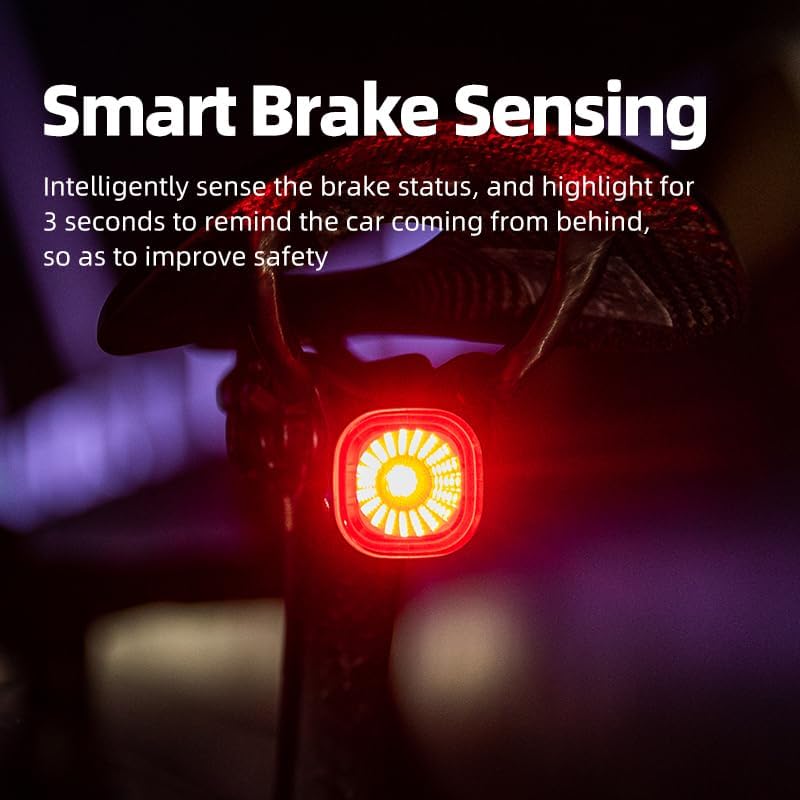
Image: The XOSS XR01 tail light mounted on a bike, illustrating the smart brake sensing feature with increased brightness.
การซ่อมบำรุง
การดูแลแบตเตอรี่
- Recharge the battery regularly, especially if the light has not been used for an extended period.
- เพื่อยืดอายุการใช้งาน ควรหลีกเลี่ยงการใช้แบตเตอรี่จนหมดเกลี้ยง
- ใช้เฉพาะสาย USB-C ที่ให้มาหรือสายที่ได้รับการรับรองเทียบเท่าสำหรับการชาร์จ
การทำความสะอาดและการเก็บรักษา
- เช็ดไฟอ่อนๆงamp ผ้าสำหรับเช็ดสิ่งสกปรกและเศษขยะ ห้ามใช้สารเคมีรุนแรงหรือน้ำยาทำความสะอาดที่มีฤทธิ์กัดกร่อน
- เก็บไฟไว้ในที่เย็นและแห้งเมื่อไม่ใช้งาน
ความต้านทานต่อน้ำ (IPX6)
The XR01 is rated IPX6 waterproof, meaning it is protected against high-pressure water jets from any direction. It can withstand heavy rain, but it is not designed for submersion in water.

Image: The XOSS XR01 tail light being sprayed with water, demonstrating its IPX6 waterproof rating.
การแก้ไขปัญหา
- ไฟไม่ติด: Ensure the battery is charged. Press and hold the power button for 2 seconds.
- Light not responding: Try charging the device. If issues persist, contact customer support.
- ระบบเซ็นเซอร์เบรกไม่ทำงาน: Ensure the light is mounted securely and is not obstructed. Test in a controlled environment.
- อายุการใช้งานแบตเตอรี่สั้น: Ensure the light is fully charged. Battery performance can vary with mode usage and temperature.
ข้อมูลจำเพาะ
| คุณสมบัติ | รายละเอียด |
|---|---|
| แบบอย่าง | เอ็กซ์อาร์01 |
| ยี่ห้อ | เอ็กซ์โอเอสเอส |
| วัสดุ | พลาสติก |
| แหล่งพลังงาน | Battery Powered (260 mAh Lithium) |
| ระดับความต้านทานต่อน้ำ | IPX6 |
| ประเภทการติดตั้ง | Seatpost Mount, Saddle Rail Mount |
| จำนวนการตั้งค่า | โหมดแสงสว่าง 4 โหมด |
| น้ำหนักสินค้า | 3.17 ออนซ์ |
| พอร์ตชาร์จ | ยูเอสบี-ซี |
การรับประกันและการสนับสนุน
For warranty information or technical support, please contact XOSS customer service through the official webโปรดเก็บหลักฐานการซื้อไว้เพื่อใช้ในการเคลมประกันสินค้า


