1. บทนำ
Thank you for choosing the BOOSANT 60-inch Smart Ceiling Fan with Light. This manual provides detailed instructions for the safe installation, operation, and maintenance of your new ceiling fan. This fan features a 6-speed DC motor, integrated dimmable LED lighting with three color temperatures, and multiple control options including remote, smartphone app, and voice commands via Alexa or Google Assistant. Its damp-proof blades make it suitable for both indoor and covered outdoor environments.
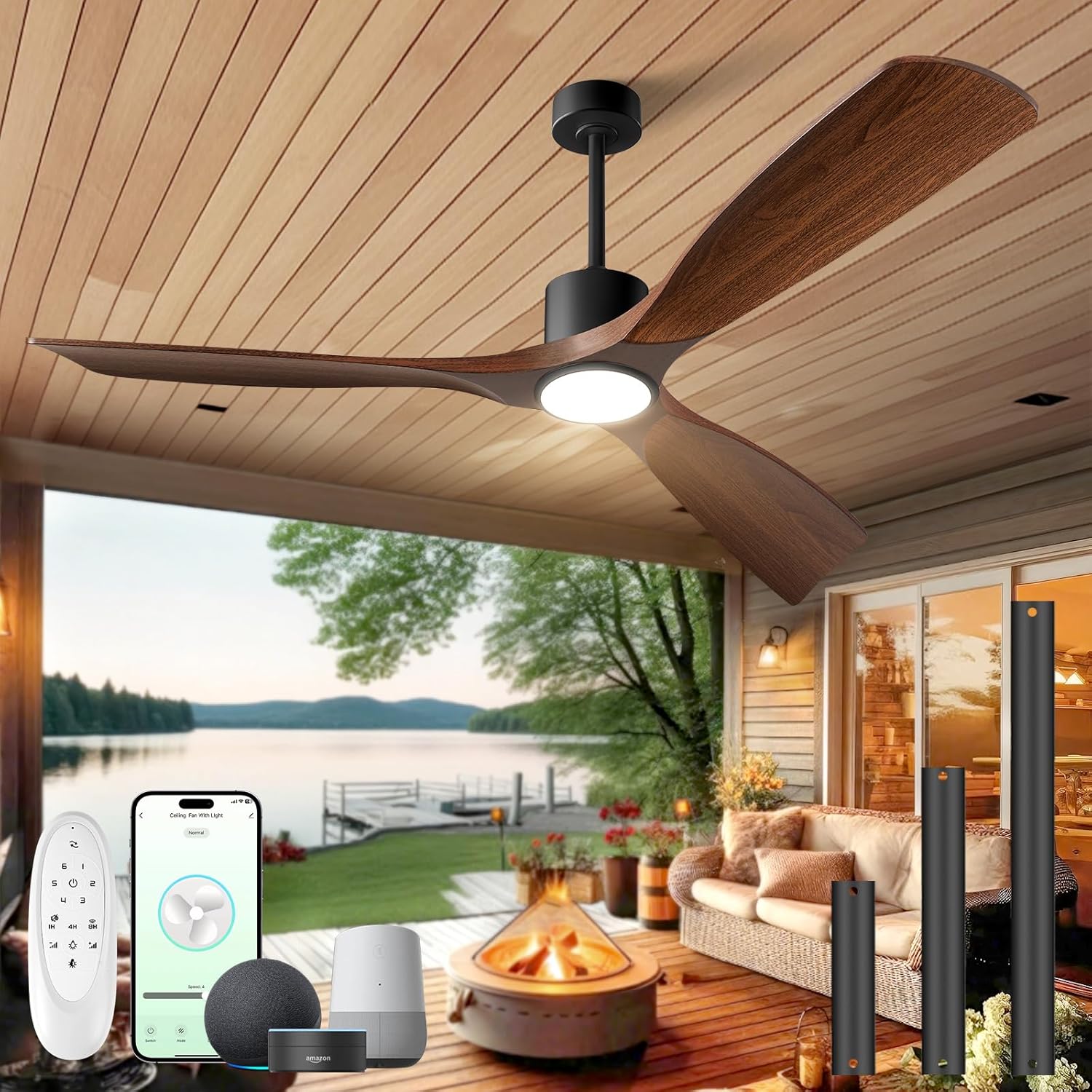
This image displays the BOOSANT 60-inch smart ceiling fan with its dark walnut blades and integrated light, installed on a covered outdoor patio overlooking a lake. The image also shows the remote control, a smartphone displaying the control app, and smart home devices (Alexa, Google Assistant) for voice control, along with various downrod lengths.
2. ข้อมูลด้านความปลอดภัย
Please read all instructions carefully before beginning installation. Failure to follow these instructions could result in electric shock, fire, or personal injury.
- โปรดตรวจสอบให้แน่ใจว่าได้ปิดสวิตช์ไฟที่ตัวตัดวงจรแล้วก่อนทำการติดตั้งหรือบำรุงรักษา
- การเดินสายไฟทั้งหมดต้องเป็นไปตามมาตรฐานไฟฟ้าทั้งระดับชาติและระดับท้องถิ่น หากคุณไม่คุ้นเคยกับการเดินสายไฟ โปรดปรึกษาช่างไฟฟ้าผู้เชี่ยวชาญ
- The mounting structure must be capable of supporting the weight of the fan (approximately 16.17 lbs).
- Do not connect the fan to a dimmer switch or variable speed controller other than the provided remote or app.
- ควรเว้นระยะห่างจากพื้นถึงใบพัดลมอย่างน้อย 7 ฟุต
- หลีกเลี่ยงการวางวัตถุขวางทางใบพัด
- พัดลมนี้เหมาะสำหรับ damp locations but not for direct water contact.
3. เนื้อหาบรรจุภัณฑ์
ตรวจสอบว่าส่วนประกอบทั้งหมดมีอยู่ก่อนการติดตั้ง:
- ชุดมอเตอร์พัดลม
- ใบพัดลม (3)
- ชุดไฟ
- รีโมทคอนโทรล
- Downrods (5-inch, 10-inch, 15-inch)
- ตัวยึด
- ชุดอุปกรณ์ฮาร์ดแวร์ (สกรู แหวนรอง ตัวเชื่อมสายไฟ)
- คู่มือการใช้งาน
4. ข้อมูลจำเพาะ
| คุณสมบัติ | ข้อมูลจำเพาะ |
|---|---|
| ยี่ห้อ | บูแซนท์ |
| ชื่อรุ่น | 102ล-60 |
| ขนาด | 60 นิ้ว |
| สี | วอลนัทสีเข้ม |
| แหล่งพลังงาน | DC |
| ประเภทมอเตอร์ | DC brushless |
| จำนวนใบมีด | 3 |
| ความจุการไหลของอากาศ | 4500 CFM (up to 7000+ CFM with turbo airflow) |
| ระดับเสียง | น้อยกว่า 30 เดซิเบล |
| วัดtage | 50 วัตต์ |
| เล่มที่tage | 120 โวลต์ |
| อุณหภูมิสีแสง | 3000K (Warm White), 4000K (Neutral White), 6000K (Daylight) |
| ไฟหรี่ได้ | 10% ถึง 100% |
| วิธีการควบคุม | แอป, รีโมท, เสียง (Alexa, Google Assistant) |
| การใช้งานภายใน/ภายนอกอาคาร | ภายในอาคาร, ภายนอกอาคารที่มีหลังคาคลุม |
| ประเภทการติดตั้ง | Downrod Mount with Slope Support (up to 15°) |
| น้ำหนักสินค้า | 16.17 ปอนด์ |
5. การตั้งค่าและการติดตั้ง
Installation typically takes around 30 minutes. Ensure you have the necessary tools (screwdriver, wire strippers, ladder) and follow these general steps:
- ปิดเครื่อง: Locate the circuit breaker for the fan's location and turn off the power.
- ตัวยึด: ติดตั้งขายึดเข้ากับกล่องเชื่อมต่อสายไฟบนเพดาน ตรวจสอบให้แน่ใจว่ากล่องเชื่อมต่อสายไฟนั้นรองรับพัดลมเพดานได้
- ประกอบก้านต่อ: Choose the appropriate downrod length (5", 10", or 15") for your ceiling height. Attach the downrod to the fan motor assembly.
- พัดแขวน: ยกชุดพัดลมขึ้นอย่างระมัดระวัง แล้วแขวนไว้กับขายึด
- การเดินสายไฟ: Connect the electrical wires according to the wiring diagram provided in the separate installation guide. Ensure all connections are secure.
- ติดใบมีด: Securely attach the three fan blades to the motor housing.
- ติดตั้งชุดไฟ: Connect and install the integrated LED light kit.
- พัดลมทดสอบ: Restore power at the circuit breaker and test the fan's functions using the remote control.
The fan supports both flat ceilings and sloped ceilings up to 15 degrees. A minimum ceiling height of 8 feet is recommended for optimal performance.

This image provides key dimensions for the 60-inch ceiling fan, including its width and height with different downrod options (5, 10, 15 inches). It also illustrates how the fan can be mounted on both flat ceilings and sloped ceilings (up to 15 degrees), with a minimum recommended height of 8 feet.
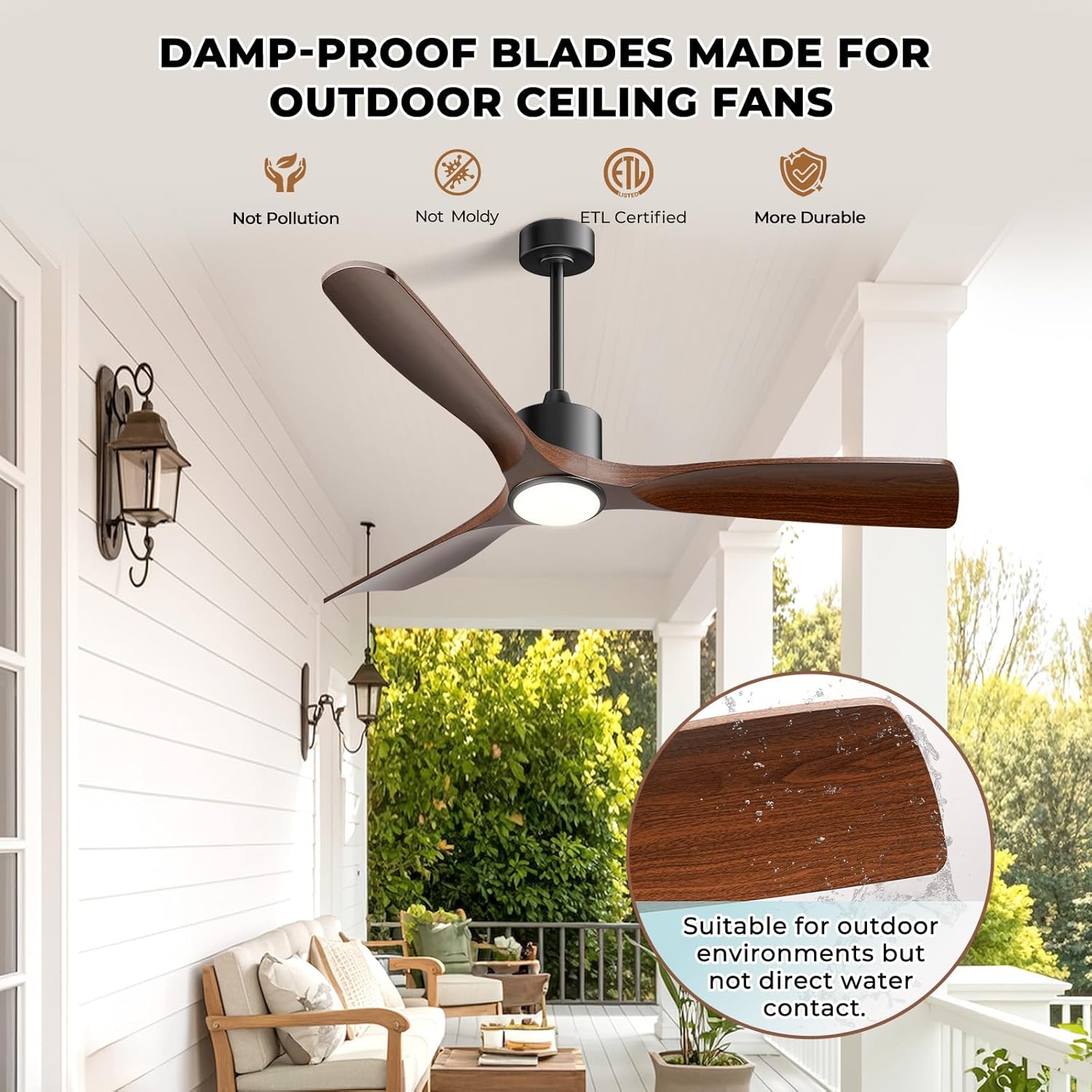
This image emphasizes the durability of the fan's damp-proof blades, suitable for covered outdoor areas. The fan is shown installed on a patio, and an inset image displays water droplets on a blade, indicating its moisture resistance. Text confirms suitability for outdoor environments but not direct water contact.
6. คู่มือการใช้งาน
6.1 การควบคุมระยะไกล
The included remote control allows for full functionality of the fan and light. Ensure batteries are correctly inserted.
- พัดลม เปิด/ปิด: กดเพื่อเปิดหรือปิดพัดลม
- Speed Control (1-6): Adjust fan speed from gentle breeze (1) to powerful airflow (6).
- เปิด/ปิดไฟ: กดเพื่อเปิดหรือปิดไฟ
- ความสว่าง +/-: ปรับความสว่างของแสงได้ตั้งแต่ 10% ถึง 100%
- อุณหภูมิสี: Cycle through 3000K (Warm White), 4000K (Neutral White), and 6000K (Daylight).
- ตัวจับเวลา: Set the fan to turn off after 1, 4, or 8 hours.
- มอเตอร์แบบย้อนกลับ: Switch between summer (downward airflow) and winter (upward airflow) modes.
- การจับคู่ Wi-Fi: Press and hold the designated button for 3 seconds to initiate Wi-Fi pairing.
การควบคุมแอพ 6.2 ตัว
Download the dedicated smartphone app (refer to the separate app guide for details) to control your fan from anywhere. The app provides all remote control functions and additional smart features.
6.3 การควบคุมด้วยเสียง
The fan is compatible with Amazon Alexa and Google Assistant. Link your fan to your smart home system through the app. Use simple voice commands such as:
- "Alexa, turn on the [Fan Name] fan."
- "Hey Google, set [Fan Name] speed to 3."
- "Alexa, turn off the [Fan Name] light."

This image illustrates the smart voice control capabilities of the BOOSANT ceiling fan. A family is shown in a kitchen setting, with speech bubbles indicating voice commands like 'Alexa, turn on the bedroom fan' and 'OK'. The fan is visible overhead, and logos for Amazon Alexa and Google Assistant are displayed.
6.4 ฟังก์ชั่นไฟส่องสว่าง
The integrated LED light offers personalized illumination:
- 3 Ambient Light Colors: Choose between 3000K Warm White, 4000K Neutral White, and 6000K Daylight to suit your mood or activity.
- หรี่แสงได้: Adjust brightness from 10% to 100% for perfect ambiance.
- ฟังก์ชั่นหน่วยความจำ: The light remembers your last setting when turned off and on.

This image highlights the adjustable lighting features of the ceiling fan. It shows the fan's integrated light emitting three distinct color temperatures: 6000K Cool White, 4500K Natural White, and 3000K Warm White. A horizontal bar indicates dimming capability from 12% to 100% brightness.
6.5 Fan Speeds and Airflow
The 6-speed DC motor provides powerful yet quiet airflow, up to 4500 CFM, with a turbo airflow capacity exceeding 7000 CFM.
- ความเร็ว 1-2: Gentle breeze, ideal for sleeping or minimal air circulation.
- ความเร็ว 3-4: Medium airflow for comfortable enjoyment in most settings.
- ความเร็ว 5-6: High airflow for rapid cooling, suitable for warmer conditions.

This image details the fan's 6-speed operation and powerful airflow. It shows the fan installed in a bedroom, with graphics illustrating different wind speeds (Speed 1-2 for Low Wind/sleep, Speed 3-4 for Medium/family enjoyment, Speed 5-6 for High Winds/summer cooling) and their corresponding CFM values.
6.6 Summer and Winter Modes
The reversible motor allows for year-round comfort:
- โหมดฤดูร้อน: Blades rotate counter-clockwise, pushing cool air downwards to create a refreshing breeze.
- โหมดฤดูหนาว: Blades rotate clockwise, drawing cool air up and pushing warm air down from the ceiling, helping to distribute heat more evenly.

This image illustrates the dual-use functionality of the fan's reversible motor. It shows two scenarios: one for summer with downward airflow for cooling, and another for winter with upward airflow to circulate warm air, helping to maintain comfort year-round.

This image highlights the fan's quiet operation, showing a child sleeping undisturbed in a bedroom with the fan running. Text indicates 'Night-Friendly Design' and 'Low Noise <30dB', along with features like 'Natural Wind' and 'Timer Setting (2H/4H/8H)' for enhanced sleep comfort.
7. การบำรุงรักษา
การบำรุงรักษาตามปกติจะช่วยให้พัดลมเพดานของคุณมีประสิทธิภาพสูงสุดและมีอายุการใช้งานยาวนาน
- การทำความสะอาด: ควรเช็ดใบพัดและตัวมอเตอร์ด้วยผ้าเนื้อนุ่มเป็นระยะๆamp ผ้า ห้ามใช้สารทำความสะอาดที่มีฤทธิ์กัดกร่อนหรือตัวทำละลาย
- ความสมดุลของใบมีด: If the fan wobbles, check that all blade screws are tight and that the blades are properly balanced. Balancing kits are available if needed.
- ชุดไฟ: The LED light source is integrated and generally does not require replacement. If issues arise, contact customer support.
- ขันสกรูให้แน่น: Annually check all screws and fasteners for tightness.
8 การแก้ไขปัญหา
หากคุณพบปัญหาเกี่ยวกับพัดลม โปรดดูปัญหาทั่วไปและวิธีแก้ไขต่อไปนี้:
| ปัญหา | สาเหตุที่เป็นไปได้ | สารละลาย |
|---|---|---|
| พัดลมไม่เริ่มทำงาน | No power, loose wiring, remote battery dead | Check circuit breaker, ensure wiring is secure, replace remote batteries. |
| พัดลมสั่น | Loose blades, unbalanced blades, loose mounting bracket | Tighten blade screws, use a blade balancing kit, ensure mounting bracket is secure. |
| ไฟไม่ทำงาน | Loose wiring, light kit connection issue | ตรวจสอบการเชื่อมต่อสายไฟของชุดไฟส่องสว่าง |
| รีโมทไม่ทำงาน | Dead batteries, remote not paired | Replace remote batteries, re-pair the remote with the fan (refer to pairing instructions). |
| App/Voice control not working | Wi-Fi connectivity issue, incorrect app setup | Check Wi-Fi connection, ensure fan is properly linked in the app and smart home system. |
If problems persist, please contact BOOSANT customer support.
9. การรับประกันและการสนับสนุน
BOOSANT is committed to providing quality products and customer satisfaction. This product comes with lifetime customer support.
For technical assistance, troubleshooting, or warranty inquiries, please contact BOOSANT customer service. Refer to the contact information provided with your purchase or on the official BOOSANT webเว็บไซต์.


