การแนะนำ
The Turtle Beach Kone II Air is an ergonomic wireless gaming mouse designed for unparalleled gaming freedom. It features exceptional battery life, precise tracking, and extensive customization options. This manual provides detailed instructions for setting up, operating, maintaining, and troubleshooting your Kone II Air mouse to ensure optimal performance.
มีอะไรอยู่ในกล่อง

Image: The retail package contents, including the mouse, USB receiver, charging cable, adapter, and grip tape.
- Turtle Beach Kone II Air Wireless Gaming Mouse
- ตัวรับสัญญาณไร้สาย USB-A
- PhantomFlex USB-C to USB-A Charging Cable
- USB-A to USB-C Receiver Adapter
- เทปกริป
- คู่มือเริ่มต้นอย่างรวดเร็ว
การตั้งค่า
1. การชาร์จครั้งแรก
Before first use, it is recommended to fully charge your Kone II Air mouse. Connect the PhantomFlex USB-C to USB-A charging cable to the USB-C port located at the front of the mouse and to a powered USB-A port on your computer or a USB wall adapter.
Image: The front of the mouse with the USB-C charging port visible.
2. การเชื่อมต่อเมาส์ของคุณ
The Kone II Air offers two wireless connection modes: 2.4 GHz Wireless and Bluetooth.
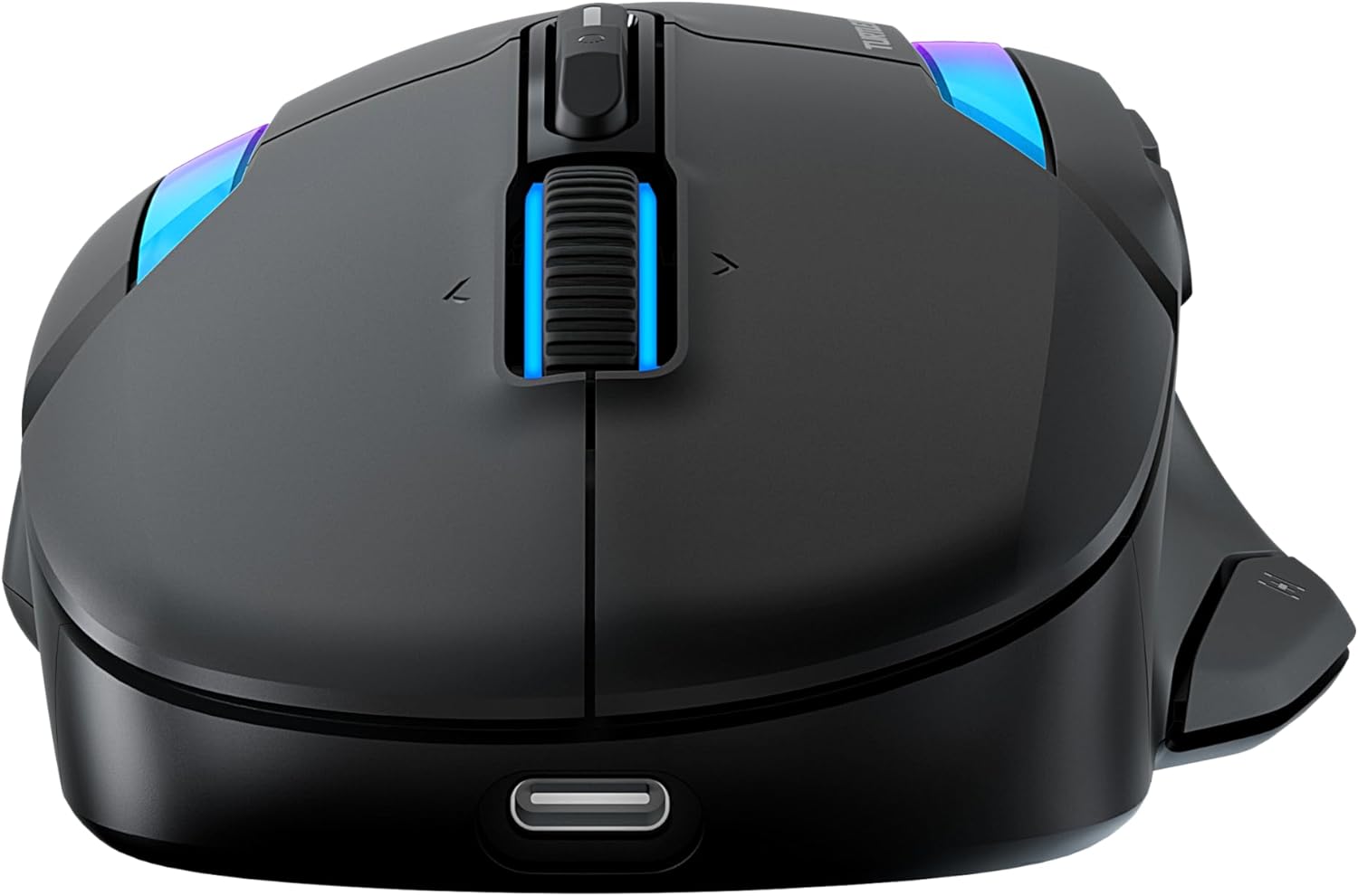
Image: The bottom of the mouse, highlighting the switch for 2.4GHz wireless and Bluetooth modes.
2.1. 2.4 GHz Wireless Connection (Low Latency)
- Locate the USB-A wireless receiver stored in the compartment on the underside of the mouse.
- Plug the USB-A wireless receiver directly into an available USB-A port on your computer. For convenience, you can use the included USB-A to USB-C adapter if your computer only has USB-C ports.
- Slide the switch on the underside of the mouse to the 2.4 GHz wireless icon.
- คอมพิวเตอร์ของคุณควรตรวจจับและติดตั้งไดรเวอร์ที่จำเป็นโดยอัตโนมัติ เมาส์พร้อมใช้งานแล้ว
2.2. Bluetooth Connection (Low Latency)
- Slide the switch on the underside of the mouse to the Bluetooth icon.
- บนคอมพิวเตอร์ของคุณ ไปที่การตั้งค่าบลูทูธ
- Select "Add a device" or "Pair new device".
- Select "Turtle Beach Kone II Air" from the list of available devices.
- ปฏิบัติตามคำแนะนำบนหน้าจอเพื่อดำเนินการจับคู่ให้เสร็จสมบูรณ์
3. Applying Grip Tape (Optional)
For enhanced control and grip, you can apply the included grip tape to the sides of the mouse. Ensure the mouse surface is clean and dry before applying for optimal adhesion.
การใช้งานเมาส์ของคุณ
1. Ergonomic Design and Grip
The Kone II Air is ergonomically designed to fit medium to large hands, accommodating various grip styles including palm, claw, and fingertip grips.
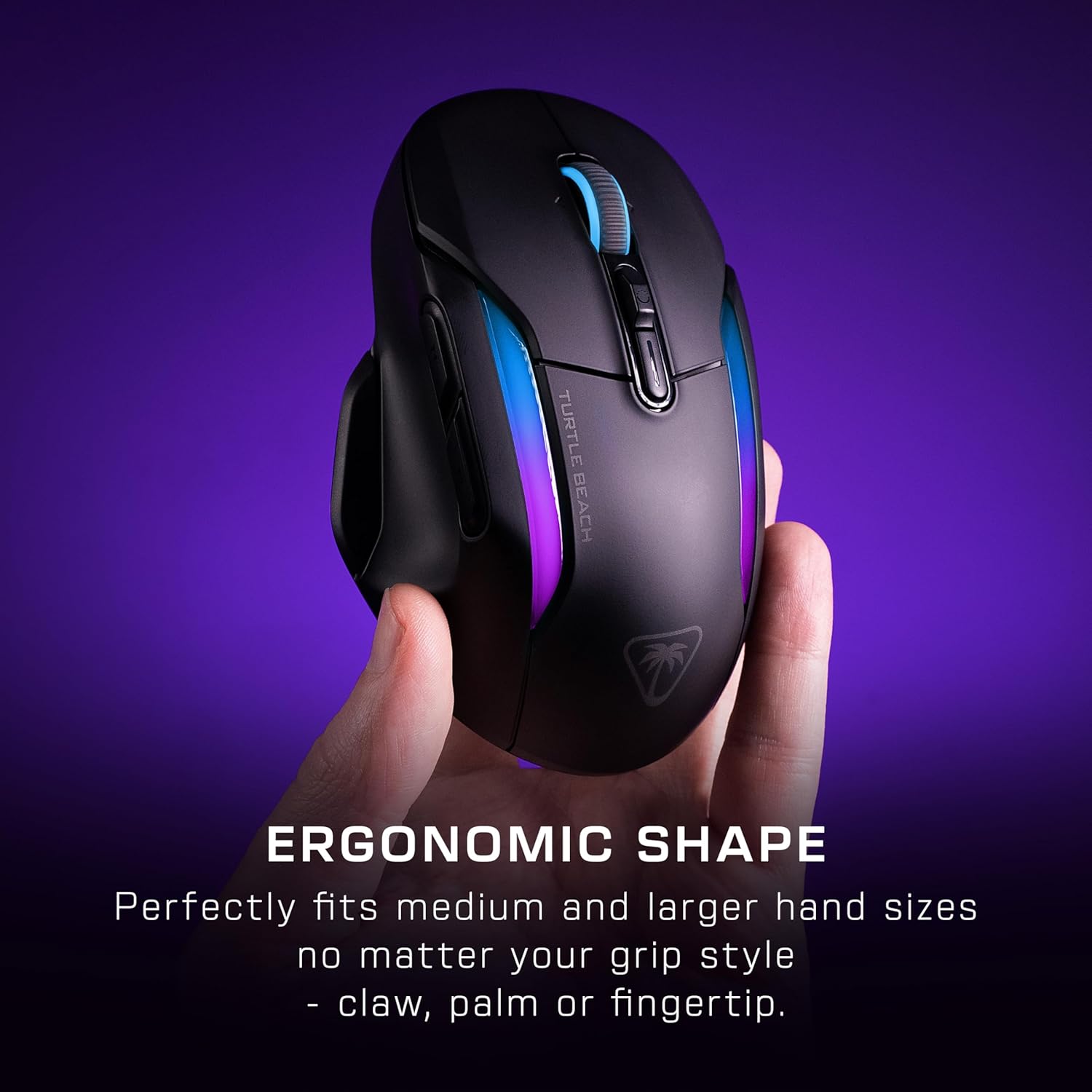
Image: A hand gripping the Kone II Air mouse, illustrating its comfortable ergonomic design.
2. Customizable Buttons and Easy-Shift[+]
The mouse features 7 programmable buttons and a 4D scroll wheel. With Easy-Shift[+] technology, you can expand these into 21 customizable functions, allowing for extensive personalization of your gaming experience.

ภาพ: เหนือศีรษะ view of the mouse with circles highlighting the 7 primary buttons and the Easy-Shift[+] button, indicating their customizability.
3. 4D Multifunction Scroll Wheel
The 4D scroll wheel offers both free-spin and tactile scrolling options, along with fully customizable tilt controls for fluid content navigation and additional in-game commands.
4. DPI Adjustment and Tracking
Equipped with the Owl-Eye 26,000 DPI optical sensor, the mouse provides exceptional tracking performance. DPI settings can be adjusted to suit your preference, ranging from 50 to 26,000 DPI, with a tracking speed of 650 IPS (16.5 m/s).
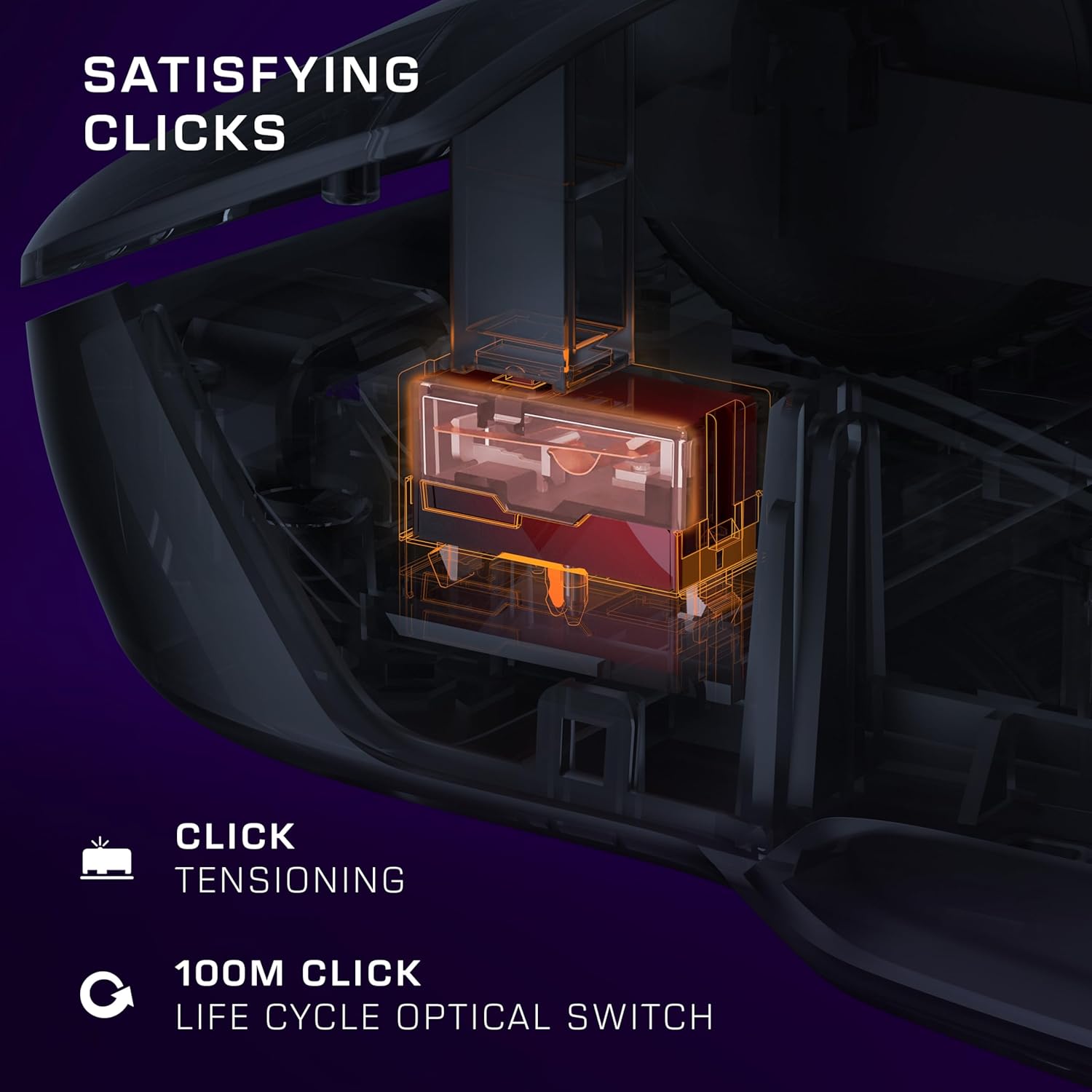
Image: A transparent overlay showing the internal components of the mouse, focusing on the 26K DPI optical sensor for smooth tracking.
5. Optical Switches and Click Tensioning
The Kone II Air features TITAN optical switches, ensuring precise and reliable clicks with a lifecycle of 100 million clicks. The pre-tensioned buttons provide satisfying and rapid click responses.
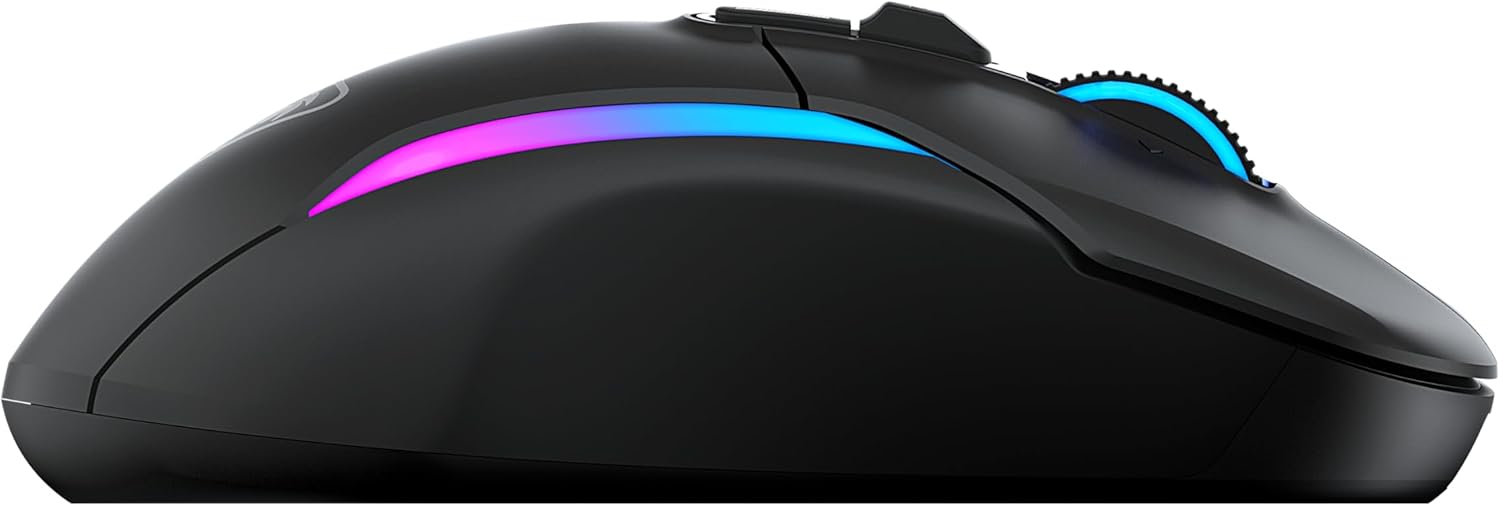
Image: A detailed internal view of the mouse, illustrating the optical switch mechanism responsible for click responsiveness and durability.
6. แสง RGB
Personalize your gaming setup with the dual-zone programmable RGB lighting. Settings can be adjusted via the companion software (if available, check Turtle Beach web(เว็บไซต์สำหรับดาวน์โหลดซอฟต์แวร์)
7. อายุการใช้งานแบตเตอรี่
Enjoy extended gaming sessions with up to 350 hours of battery life in low-latency Bluetooth connection or up to 130 hours in high-performance 2.4 GHz wireless mode.

Image: The mouse illuminated with RGB lighting, accompanied by icons indicating battery life for both 2.4GHz wireless and Bluetooth connections.
การซ่อมบำรุง
1. การทำความสะอาด
To maintain optimal performance and appearance, regularly clean your mouse. Use a soft, dry, lint-free cloth to wipe down the surface. For stubborn dirt, slightly dampชุบผ้าด้วยน้ำ หลีกเลี่ยงการใช้สารเคมีรุนแรง น้ำยาทำความสะอาดที่มีฤทธิ์กัดกร่อน หรือตัวทำละลาย
2. การดูแลแบตเตอรี่
To maximize battery lifespan, avoid fully discharging the mouse frequently. Recharge the mouse when the battery indicator suggests low power. Store the mouse in a cool, dry place when not in use for extended periods.
3. PTFE Feet
The mouse features pure, heat-treated PTFE feet for incredible glide. Keep the mousepad surface clean to prevent debris from accumulating on the feet, which can affect glide performance. Replacement feet may be available from Turtle Beach support if they wear out over time.

Image: The underside of the mouse, clearly showing the smooth, white PTFE feet designed for effortless gliding.
การแก้ไขปัญหา
1. เมาส์ไม่ตอบสนอง
- ตรวจสอบแบตเตอรี่: Ensure the mouse is charged. Connect it to the charging cable.
- ตรวจสอบโหมดการเชื่อมต่อ: Verify the switch on the underside of the mouse is set to the correct mode (2.4 GHz or Bluetooth) for your connection type.
- ไร้สาย 2.4 GHz: ตรวจสอบให้แน่ใจว่าเสียบตัวรับสัญญาณ USB เข้ากับพอร์ต USB ที่ใช้งานได้แน่นดีแล้ว ลองใช้พอร์ต USB อื่น
- บลูทูธ: Ensure Bluetooth is enabled on your computer and the mouse is paired. Try unpairing and re-pairing the mouse.
- เริ่มต้นใหม่อีกครั้ง: รีสตาร์ทเครื่องคอมพิวเตอร์ของคุณ
2. Erratic Tracking or Cursor Movement
- เซ็นเซอร์ทำความสะอาด: ตรวจสอบให้แน่ใจว่าเซ็นเซอร์แสงที่อยู่ด้านล่างของเมาส์สะอาดและปราศจากฝุ่นหรือสิ่งสกปรก
- พื้นผิว: Use the mouse on a clean, uniform, non-reflective surface. A good quality mousepad is recommended.
- การตั้งค่า DPI: หากเคอร์เซอร์ไวเกินไป ให้ปรับการตั้งค่า DPI ให้ต่ำลง
3. ปุ่มกดไม่ตอบสนอง
- ความขัดแย้งด้านซอฟต์แวร์: If you have other mouse software installed, it might conflict. Try uninstalling other mouse drivers/software.
- รีเซ็ต: Refer to the Quick Start Guide or Turtle Beach support for instructions on how to reset the mouse to factory settings, if available.
ข้อมูลจำเพาะ
| คุณสมบัติ | รายละเอียด |
|---|---|
| หมายเลขรุ่น | TBM-1104-05 |
| การเชื่อมต่อ | ระบบไร้สาย 2.4 GHz, บลูทูธ |
| เซ็นเซอร์ | Owl-Eye Optical Sensor |
| ช่วง DPI | 50 - 26,000 จุดต่อนิ้ว |
| ความเร็วในการติดตาม | 650 IPS (16.5 m/s) |
| สวิตซ์ | TITAN Optical Switches (100M click lifecycle) |
| ปุ่มที่สามารถตั้งโปรแกรมได้ | 7 buttons, 21 functions with Easy-Shift[+] |
| ล้อเลื่อน | 4D Multifunction (Free-spin & Tactile, Tilt) |
| Battery Life (2.4 GHz) | นานถึง 130 ชั่วโมง |
| อายุการใช้งานแบตเตอรี่ (บลูทูธ) | นานถึง 350 ชั่วโมง |
| ขนาด (กว้าง x ยาว x สูง) | 17.9 x 11.5 x 0.3 ซม. (โดยประมาณ อิงตามข้อมูลสินค้า) |
| น้ำหนัก | ไม่ได้ระบุไว้ในข้อมูลที่ให้ไว้ |
| ความเข้ากันได้ | PC (Windows 7, Windows XP, Linux), Personal Computer |
ข้อมูลการรับประกัน
The Turtle Beach Kone II Air Wireless Gaming Mouse comes with a การรับประกันจากผู้ผลิต 2 ปี. Please retain your proof of purchase for warranty claims. For detailed warranty terms and conditions, refer to the official Turtle Beach webไซต์หรือติดต่อฝ่ายสนับสนุนลูกค้าของพวกเขา
สนับสนุน
For further assistance, technical support, or to download the latest software and drivers for your Turtle Beach Kone II Air mouse, please visit the official Turtle Beach support webเว็บไซต์ คุณยังสามารถค้นหาคำถามที่พบบ่อยและฟอรัมชุมชนได้ที่นั่น
Official Turtle Beach Webเว็บไซต์: www.turtlebeach.com


