1. บทนำ
This manual provides comprehensive instructions for the ShanWan Bluetooth Gamepad Keychain Sized Mini Controller. Please read this manual carefully before use to ensure proper operation and to maximize your gaming experience. This device is designed for use with Android phones and tablets, PS4/Slim/Pro, iPhone, iPad, Nintendo Switch, and Windows PCs.
2. สินค้าหมดview
The ShanWan Mini Controller is a compact and versatile gamepad designed for portability and multi-platform compatibility. It features 17 buttons and a D-Pad, all within a keychain-sized form factor.
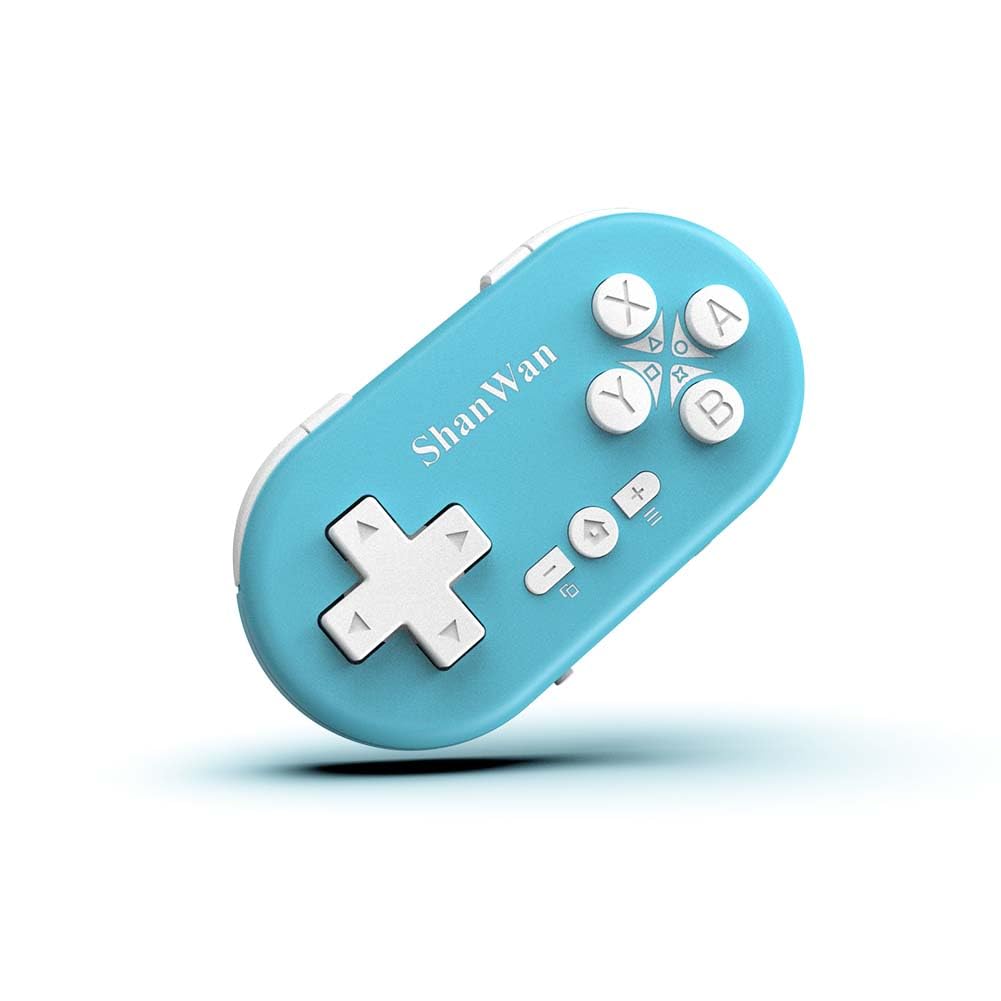
Figure 2.1: ShanWan Mini Bluetooth Gamepad, showcasing การออกแบบที่กะทัดรัดและเค้าโครงปุ่ม

Figure 2.2: Dimensions of the ShanWan Mini Bluetooth Gamepad, measuring 2.83 inches in length, 1.57 inches in width, and 0.55 inches in thickness.
2.1 เนื้อหาบรรจุภัณฑ์
- ShanWan Bluetooth Gamepad Keychain Sized Mini Controller
- สายชาร์จ USB
- คู่มือการใช้งาน (เอกสารนี้)
3. ข้อมูลจำเพาะ
| คุณสมบัติ | รายละเอียด |
|---|---|
| หมายเลขรุ่น | Q36-XPS-KABRILAN |
| การเชื่อมต่อ | บลูทูธไร้สาย |
| ความเข้ากันได้ | Android, iOS, Windows, Nintendo Switch, PlayStation 4 |
| ความจุของแบตเตอรี่ | ลิเธียมโพลิเมอร์ 180mAh (รวมอยู่ด้วย) |
| เวลาในการชาร์จ | ประมาณ 1 ชั่วโมง |
| เวลาดำเนินการ | นานถึง 5-6 ชั่วโมง |
| ช่วงสาย | สูงถึง 10 เมตร (33 ฟุต) |
| ขนาดสินค้า | 2.83 x 1.57 x 0.55 นิ้ว |
| น้ำหนักสินค้า | 1.44 ออนซ์ (ประมาณ 41 กรัม) |
| คุณสมบัติพิเศษ | Gyroscope motion sensing, One-button wake-up function |
4. การตั้งค่าและการจับคู่
4.1 การชาร์จคอนโทรลเลอร์
Before first use, fully charge the controller. Connect the provided USB charging cable to the controller's charging port and the other end to a USB power source (e.g., computer, USB wall adapter). The charging indicator light will show the charging status and turn off when fully charged. A full charge typically takes about 1 hour.
4.2 การเปิด/ปิดเครื่อง
- เปิดเครื่อง: Press and hold the Home button (usually the button with a house icon) for a few seconds until the indicator lights turn on.
- หมดแรง: Press and hold the Home button for approximately 5 seconds until the indicator lights turn off. The controller will also automatically power off after a period of inactivity to conserve battery.
4.3 คำแนะนำการจับคู่บลูทูธ
The controller supports multiple platforms. Ensure the mode switch on the controller is set to the correct platform before pairing.
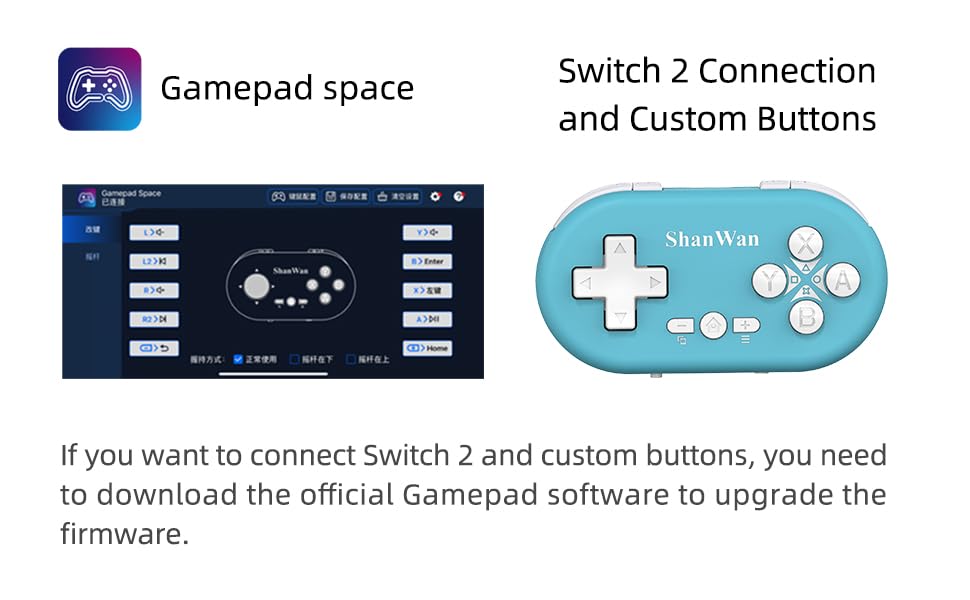
Figure 4.1: The mode switch on the controller, allowing selection between X (Xbox/PC), S (Switch), and P (PlayStation) modes for multi-device compatibility.
4.3.1 การจับคู่กับ Nintendo Switch
- บนเครื่อง Nintendo Switch ของคุณ ให้ไปที่เมนู HOME
- เลือก "ตัวควบคุม" จากนั้นเลือก "เปลี่ยนการจับ/ลำดับ"
- Set the controller's mode switch to "S" (Switch mode).
- Press and hold the "Pair" button on the controller until the indicator lights begin to blink rapidly.
- The Switch will detect the controller. Once paired, the LED indicator on the controller will remain solid, and the controller will be displayed on the Switch host screen.

Figure 4.2: Visual guide for connecting the controller to a Nintendo Switch, showing menu navigation and the pairing button location.
4.3.2 Pairing with Android/iOS Devices
- Set the controller's mode switch to the appropriate mode (e.g., "X" for Android, or a specific iOS mode if available, refer to device-specific instructions).
- On your Android or iOS device, go to Bluetooth settings.
- ตรวจสอบให้แน่ใจว่าเปิดใช้งาน Bluetooth แล้ว
- Press and hold the "Pair" button on the controller until the indicator lights blink rapidly.
- Select "ShanWan Controller" or a similar name from the list of available devices on your phone/tablet.
- เมื่อเชื่อมต่อแล้ว ไฟแสดงสถานะบนตัวควบคุมจะติดสว่างเป็นสีดำ
4.3.3 Pairing with PS4
- Set the controller's mode switch to "P" (PlayStation mode).
- On your PS4, go to "Settings" > "Devices" > "Bluetooth Devices".
- Press and hold the "Pair" button on the controller until the indicator lights blink rapidly.
- Select "ShanWan Controller" or a similar name from the list of available devices on your PS4.
- เมื่อเชื่อมต่อแล้ว ไฟแสดงสถานะบนตัวควบคุมจะติดสว่างเป็นสีดำ
4.3.4 Pairing with Windows PC
- Set the controller's mode switch to "X" (Xbox/PC mode).
- On your Windows PC, go to "Settings" > "Devices" > "Bluetooth & other devices".
- Ensure Bluetooth is enabled and click "Add Bluetooth or other device".
- เลือก "บลูทูธ"
- Press and hold the "Pair" button on the controller until the indicator lights blink rapidly.
- Select "ShanWan Controller" or a similar name from the list of available devices.
- เมื่อเชื่อมต่อแล้ว ไฟแสดงสถานะบนตัวควบคุมจะติดสว่างเป็นสีดำ
5. คู่มือการใช้งาน
5.1 ฟังก์ชันปุ่ม
The controller features standard gamepad buttons. Their specific function may vary slightly depending on the platform and game.
- ดี-แพด: การป้อนข้อมูลแบบทิศทาง
- ปุ่ม A, B, X, Y: ปุ่มการกระทำ
- ปุ่ม L1, L2, R1, R2: ปุ่มไหล่และปุ่มไกปืน
- ปุ่มโฮม: เปิด/ปิดเครื่อง กลับสู่หน้าจอหลัก (ขึ้นอยู่กับแพลตฟอร์ม)
- ปุ่มบวก (+) / ลบ (-): เริ่ม/เลือกหรือฟังก์ชั่นเมนู
- ปุ่มคู่: เริ่มการจับคู่บลูทูธ
5.2 คุณสมบัติพิเศษ
5.2.1 One-Button Wake-Up Function
After initial pairing, you can wake up the controller and reconnect it to the last paired device by simply pressing the Home button. This feature allows for quick resumption of gameplay.
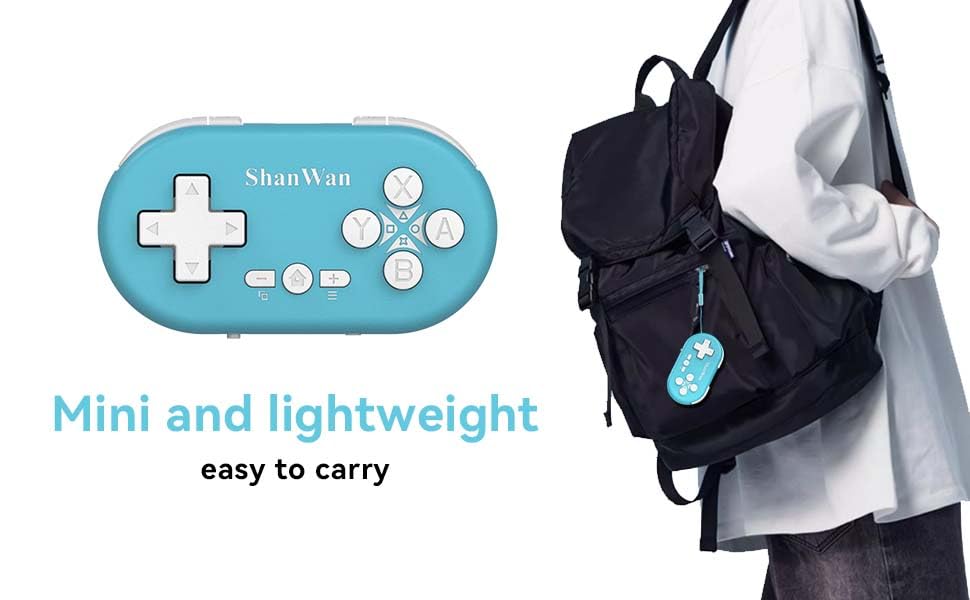
Figure 5.1: Illustration of the one-button wake-up function, highlighting the Home button used to quickly reactivate the controller.
5.2.2 Gyroscope Motion Sensing
The controller is equipped with a gyroscope for motion sensing effects, providing an immersive gaming experience in supported games, particularly on platforms like Nintendo Switch.
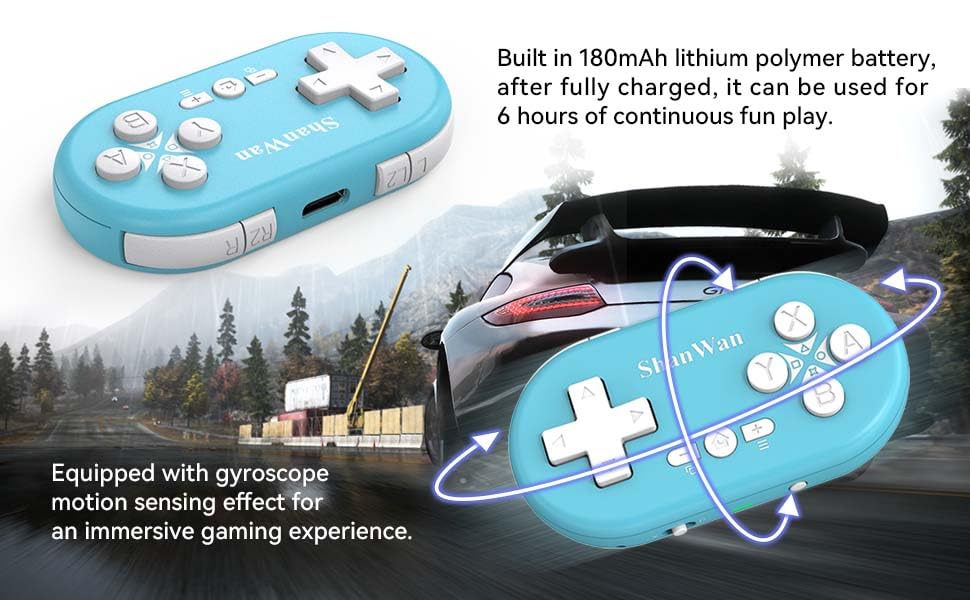
Figure 5.2: Visual representation of the gyroscope motion sensing effect, showing the controller being tilted to influence in-game actions.
5.2.3 Firmware Upgrade for Switch 2 and Custom Buttons
For compatibility with Switch 2 and to customize button mappings, it may be necessary to download the official Gamepad software and upgrade the controller's firmware. Refer to the manufacturer's official webเว็บไซต์สำหรับซอฟต์แวร์และคำแนะนำล่าสุด

Figure 5.3: Screenshot illustrating the "Gamepad Space" software interface, used for firmware upgrades and custom button configurations, particularly for Switch 2 compatibility.
6. การบำรุงรักษา
- การทำความสะอาด: ใช้ผ้านุ่มและแห้งทำความสะอาดคอนโทรลเลอร์ หลีกเลี่ยงการใช้สารเคมีรุนแรงหรือวัสดุที่มีฤทธิ์กัดกร่อน
- พื้นที่จัดเก็บ: เก็บตัวควบคุมไว้ในที่แห้งและเย็น ห่างจากแสงแดดโดยตรงและอุณหภูมิที่สูงหรือต่ำมาก
- การดูแลแบตเตอรี่ เพื่อยืดอายุการใช้งานแบตเตอรี่ ควรหลีกเลี่ยงการปล่อยประจุแบตเตอรี่จนหมดบ่อยๆ ควรชาร์จคอนโทรลเลอร์เป็นประจำ แม้จะไม่ได้ใช้งานเป็นเวลานานก็ตาม
- หลีกเลี่ยงผลกระทบ: อย่าทำคอนโทรลเลอร์ตกหรือกระแทกอย่างแรง เพราะอาจทำให้ชิ้นส่วนภายในเสียหายได้
7 การแก้ไขปัญหา
7.1 ตัวควบคุมไม่เปิดใช้งาน
- ตรวจสอบให้แน่ใจว่าตัวควบคุมชาร์จเต็มแล้ว เชื่อมต่อกับแหล่งจ่ายไฟและปล่อยให้ชาร์จอย่างน้อย 15 นาที ก่อนที่จะลองเปิดเครื่องอีกครั้ง
- ตรวจสอบว่าสายชาร์จและแหล่งจ่ายไฟใช้งานได้ปกติ
7.2 ไม่สามารถจับคู่คอนโทรลเลอร์ได้
- Ensure the controller is in pairing mode (indicator lights blinking rapidly).
- Check that the mode switch on the controller is set to the correct platform (S for Switch, X for Android/Windows, P for PS4).
- Make sure Bluetooth is enabled on your device (Switch, phone, PC, PS4).
- Move the controller closer to the device you are trying to pair with.
- ลบการจับคู่คอนโทรลเลอร์ก่อนหน้านี้ทั้งหมดออกจากการตั้งค่าบลูทูธของอุปกรณ์ของคุณและลองจับคู่ใหม่อีกครั้ง
- รีสตาร์ททั้งคอนโทรลเลอร์และอุปกรณ์ของคุณ
7.3 ความล่าช้าของอินพุตหรือการตัดการเชื่อมต่อ
- ตรวจสอบให้แน่ใจว่าตัวควบคุมอยู่ในระยะการใช้งานไร้สาย 10 เมตรจากอุปกรณ์ของคุณ
- ลดการรบกวนจากอุปกรณ์ไร้สายอื่นๆ (เราเตอร์ Wi-Fi, อุปกรณ์ Bluetooth อื่นๆ)
- ตรวจสอบให้แน่ใจว่าคอนโทรลเลอร์ชาร์จเต็มแล้ว แบตเตอรี่ที่อ่อนอาจส่งผลต่อความเสถียรของการเชื่อมต่อ
- ลองเชื่อมต่อคอนโทรลเลอร์กับอุปกรณ์ของคุณอีกครั้ง
- Update the controller's firmware if available (refer to Section 5.2.3).
7.4 ปุ่มกดทำงานไม่ตอบสนองอย่างถูกต้อง
- Test the controller on a different game or application to determine if the issue is game-specific.
- ตรวจสอบให้แน่ใจว่าเฟิร์มแวร์ของตัวควบคุมได้รับการอัปเดตแล้ว
- Perform a factory reset if possible (refer to manufacturer's support for specific instructions, as this model may not have a dedicated reset button).
8. การรับประกันและการสนับสนุน
ShanWan products are designed for reliability and performance. For warranty information, technical support, or further assistance, please visit the official ShanWan webหรือติดต่อฝ่ายบริการลูกค้า เก็บใบเสร็จรับเงินไว้เป็นหลักฐานการซื้อสำหรับการเรียกร้องการรับประกัน
Official ShanWan Store: ShanWan Store on Amazon
9. ข้อมูลเพิ่มเติม
The ShanWan Mini Controller's compact and lightweight design makes it highly portable, allowing users to carry it easily and enjoy gaming on the go.

Figure 9.1: The ShanWan Mini Bluetooth Gamepad attached to a backpack, illustrating its keychain-sized portability and ease of transport.

Figure 9.2: The ShanWan Mini Bluetooth Gamepad being used outdoors with a portable screen, demonstrating its ease of transport and use anywhere.


