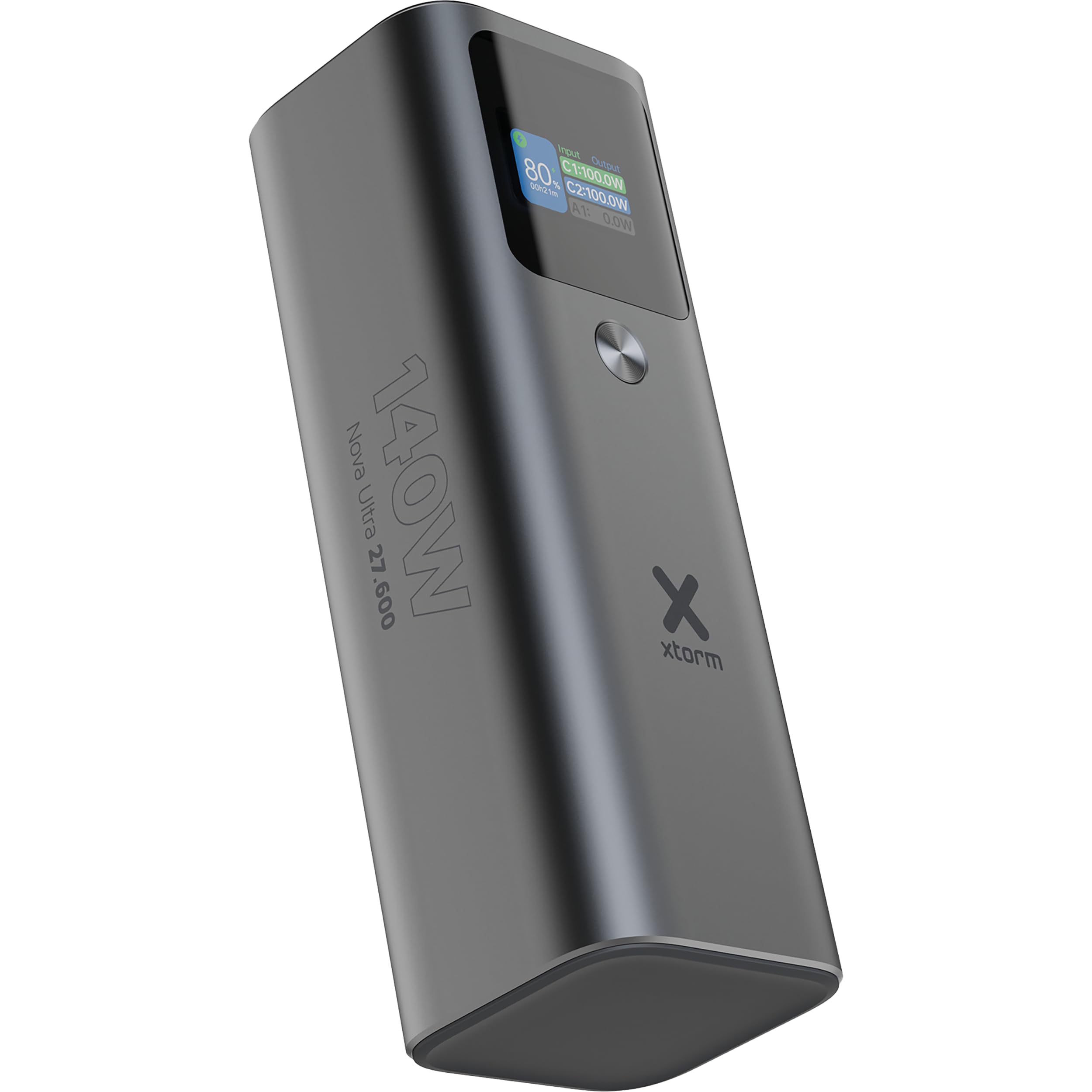
การแนะนำ
Thank you for choosing the Xtorm Nova Ultra Power Bank. This manual provides essential information for the safe and efficient use of your device. Please read it thoroughly before operation and retain it for future reference.
The Xtorm Nova Ultra Power Bank (Model XNP276) is a high-capacity portable charger designed to power a wide range of devices, including laptops, tablets, and smartphones, with its 27600 mAh battery and 140W output capabilities.
ข้อมูลด้านความปลอดภัย
เพื่อให้มั่นใจถึงการทำงานที่ปลอดภัยและป้องกันความเสียหาย โปรดปฏิบัติตามข้อควรระวังด้านความปลอดภัยต่อไปนี้:
- อย่าวางพาวเวอร์แบงค์ไว้ในที่ที่มีอุณหภูมิสูงหรือต่ำเกินไป (สูงกว่า 45°C หรือต่ำกว่า 0°C)
- หลีกเลี่ยงการทำตก กระแทก หรือถอดประกอบอุปกรณ์
- เก็บให้ห่างจากน้ำ ความชื้น และวัสดุไวไฟ
- ใช้เฉพาะสายชาร์จและอะแดปเตอร์ที่ผ่านการรับรองเท่านั้น
- Do not attempt to repair or modify the power bank yourself. Contact qualified service personnel.
- ทิ้งพาวเวอร์แบงค์อย่างมีความรับผิดชอบตามกฎระเบียบท้องถิ่น
- This power bank has a capacity of 99.9 Wh, making it compliant with maximum allowed standards for air travel in carry-on luggage. Always confirm with your airline's specific regulations before flying.
เนื้อหาแพ็คเกจ
กรุณาตรวจสอบแพ็คเกจสำหรับรายการต่อไปนี้:
- Xtorm Nova Ultra Power Bank (XNP276)
- สายชาร์จ USB-C เป็น USB-C
- คู่มือการใช้งาน
สินค้าเกินview
The Xtorm Nova Ultra Power Bank features a robust aluminum casing and an advanced intelligent display for real-time information.
พอร์ตและตัวเชื่อมต่อ:
- 2x USB-C PD Ports (Input/Output): Each capable of up to 140W Power Delivery for fast charging of laptops, tablets, and smartphones. These ports are used for both charging the power bank and charging other devices.
- 1x USB-A QC 3.0 Port (Output): Provides up to 22.5W output for charging smartphones and other compatible devices.
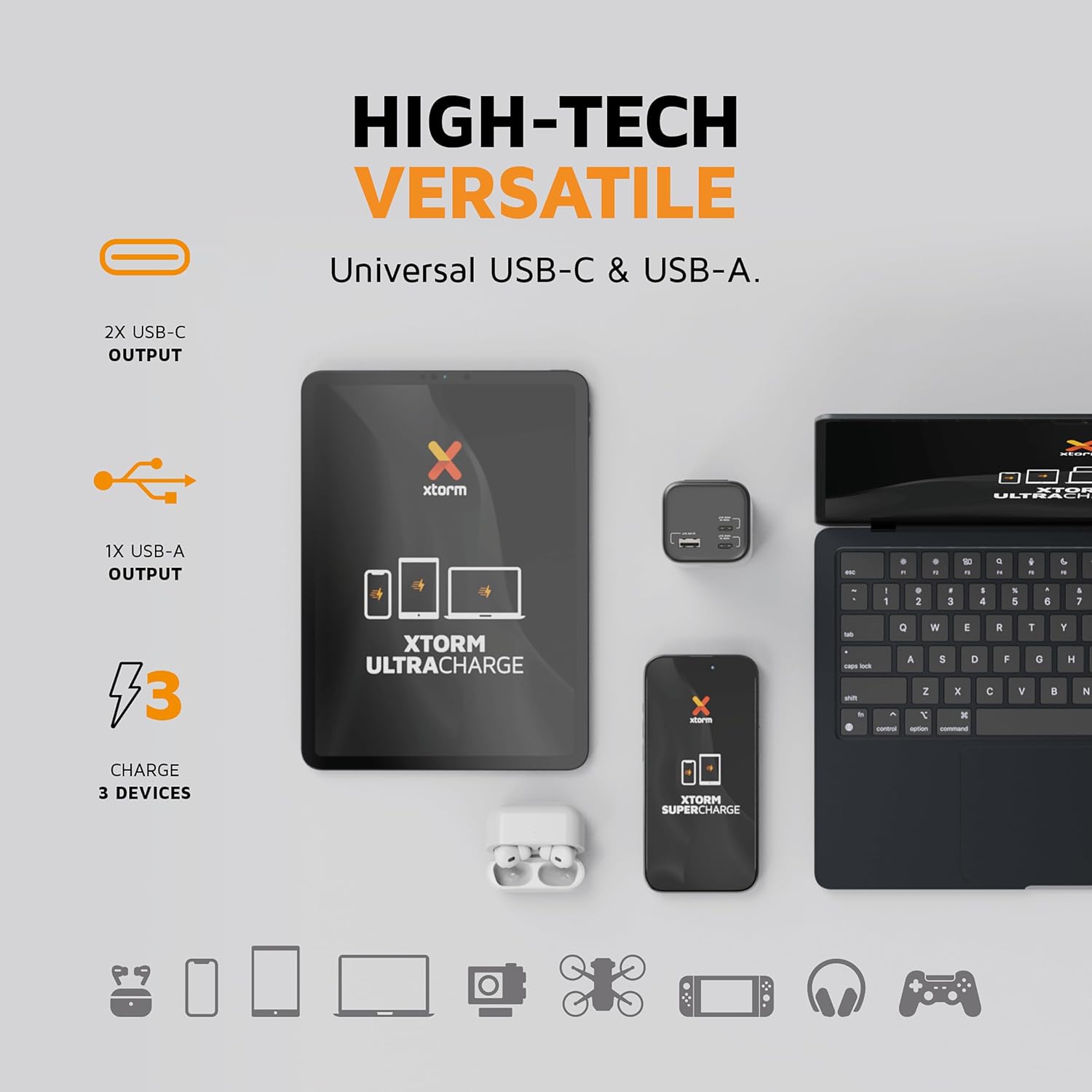
ภาพ: ภาพระยะใกล้ view of the Xtorm Nova Ultra Power Bank showing its two USB-C ports and one USB-A port, labeled with their respective power outputs.
จอแสดงผลอัจฉริยะ:
The integrated display provides real-time information on:
- เปอร์เซ็นต์แบตเตอรี่tagอีที่เหลืออยู่
- อินพุตวัดtage (when charging the power bank).
- เอาท์พุทวัตต์tage สำหรับอุปกรณ์ที่เชื่อมต่อแต่ละเครื่อง
- Estimated time remaining for charging or recharging.

ภาพ: รายละเอียด view of the Xtorm Nova Ultra Power Bank's intelligent display, showing battery level, input/output wattages for C1, C2, and A1 ports, and screen display time settings.
การตั้งค่า
Before initial use, it is recommended to fully charge your Xtorm Nova Ultra Power Bank.
- Connect one end of the provided USB-C cable to one of the USB-C PD ports on the power bank.
- Connect the other end of the USB-C cable to a compatible USB-C power adapter (not included) with a minimum output of 60W, preferably 100W or 140W for fastest charging.
- เสียบอะแดปเตอร์ไฟฟ้าเข้ากับเต้ารับไฟฟ้าที่ผนัง
- จอแสดงผลอัจฉริยะจะแสดงข้อมูลอินพุตtage and the battery percentagอี อินซีร์asing. The power bank is fully charged when the display shows 100%.
การชาร์จจนเต็มอาจใช้เวลาหลายชั่วโมง ขึ้นอยู่กับอะแดปเตอร์แปลงไฟที่ใช้
คำแนะนำการใช้งาน
การชาร์จอุปกรณ์ของคุณ:
The Xtorm Nova Ultra Power Bank can charge up to three devices simultaneously.
- Identify the appropriate charging cable for your device (USB-C to USB-C for laptops/tablets/phones, USB-A to desired connector for other devices).
- Connect one end of the charging cable to your device.
- Connect the other end of the charging cable to an available output port on the power bank (USB-C PD or USB-A QC 3.0).
- The power bank will automatically begin charging your device. The display will show the output wattage สำหรับแต่ละพอร์ตที่ใช้งานอยู่
Note on Laptop Charging: For optimal laptop charging speeds, use one of the USB-C PD ports. When charging a single laptop via one USB-C PD port, the power bank can deliver up to 140W. When charging two laptops simultaneously via both USB-C PD ports, the power output will be distributed.
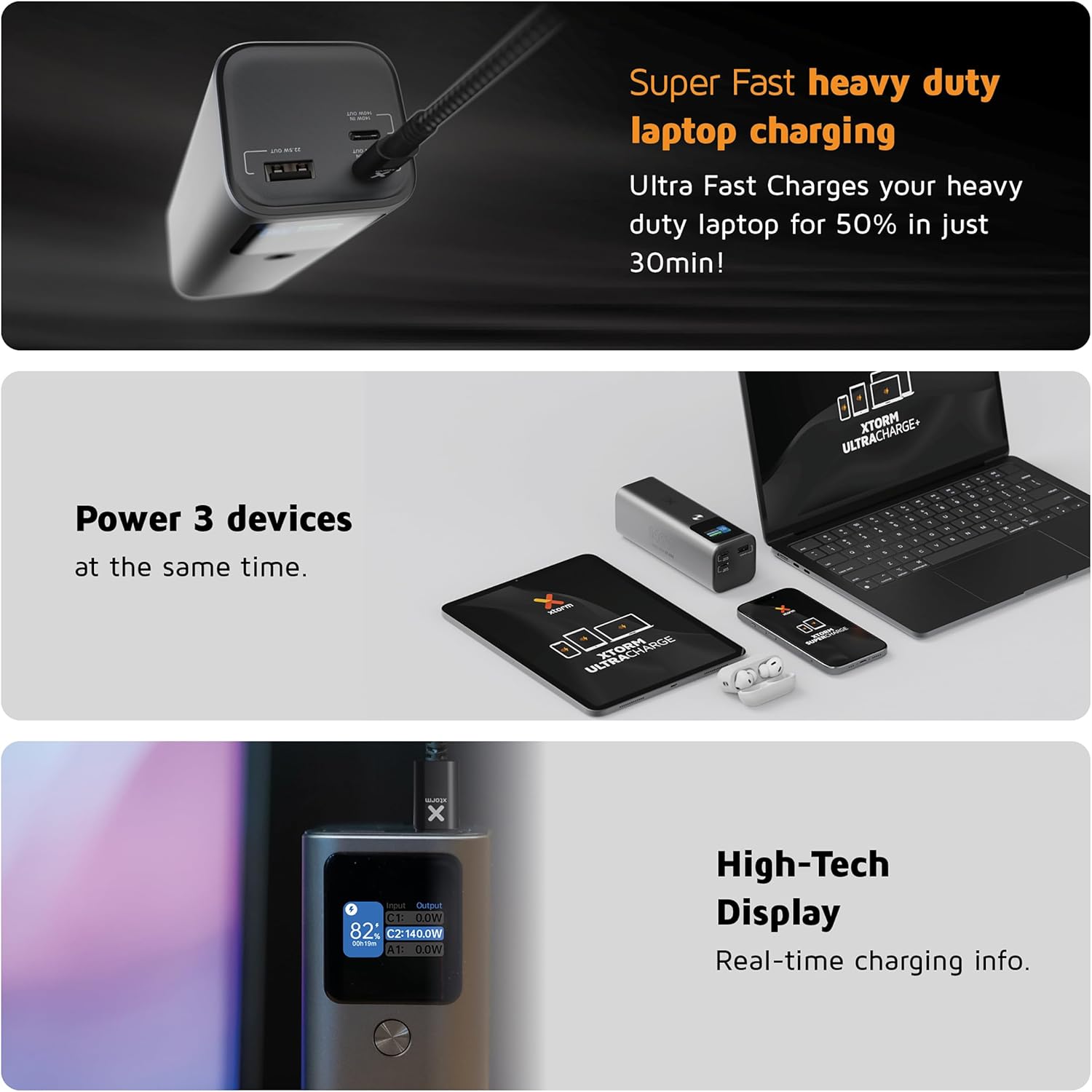
Image: A collage showing the Xtorm Nova Ultra Power Bank charging a laptop, a tablet, and a smartphone simultaneously, highlighting its ability to power three devices.
การตรวจสอบระดับแบตเตอรี่:
The intelligent display automatically activates when a device is connected or when the power bank is being charged. It shows the current battery percentage and real-time power flow.
การซ่อมบำรุง
- การทำความสะอาด: ใช้ผ้านุ่มและแห้งเช็ดทำความสะอาดภายนอกพาวเวอร์แบงค์ ห้ามใช้น้ำยาทำความสะอาดหรือวัสดุขัดถู
- พื้นที่จัดเก็บ: เก็บพาวเวอร์แบงค์ไว้ในที่แห้งและเย็น หลีกเลี่ยงแสงแดดโดยตรงและอุณหภูมิที่สูงหรือต่ำเกินไป สำหรับการเก็บรักษาในระยะยาว ควรชาร์จพาวเวอร์แบงค์ให้ได้ประมาณ 50-70% ทุกๆ สามเดือน เพื่อรักษาสภาพแบตเตอรี่ให้ใช้งานได้ดี
- การดูแลแบตเตอรี่ Avoid fully discharging the power bank regularly, as this can reduce its lifespan.
การแก้ไขปัญหา
- พาวเวอร์แบงค์ไม่ชาร์จ:
- - ตรวจสอบให้แน่ใจว่าสายชาร์จเชื่อมต่อกับพาวเวอร์แบงค์และอะแดปเตอร์ติดผนังอย่างแน่นหนาแล้ว
- - Verify that the wall adapter is functioning correctly and plugged into a live outlet.
- - Try a different USB-C cable and/or wall adapter.
- Devices are not charging from the power bank:
- - Check if the power bank has sufficient charge.
- - Ensure the charging cable is securely connected to both the power bank and your device.
- - Try a different charging cable or a different port on the power bank.
- - Some devices may require specific charging protocols; ensure compatibility.
- ความเร็วในการชาร์จช้า:
- - Ensure you are using a high-quality, compatible cable that supports fast charging.
- - For laptops, use the USB-C PD ports. Charging multiple devices simultaneously may reduce individual port output.
- - Check if your device supports the fast charging protocols (e.g., USB Power Delivery) offered by the power bank.
- Display is not working:
- - Connect a device or charger to activate the display. If it remains off, the power bank might be fully discharged or require service.
ข้อมูลจำเพาะ
| คุณสมบัติ | รายละเอียด |
|---|---|
| หมายเลขรุ่น | เอ็กซ์เอ็นพี276 |
| ความจุของแบตเตอรี่ | 27600 mAh (99.9 วัตต์ชั่วโมง) |
| USB-C PD Output (x2) | Up to 140W each (Total shared output) |
| USB-A QC 3.0 Output (x1) | สูงสุดถึง 22.5W |
| รวมเอาท์พุตสูงสุด | 140วัตต์ |
| อินพุต (USB-C PD) | สูงสุดถึง 140W |
| ขนาด | 15.5L x 5.3W x 5H ซม |
| น้ำหนัก | 910 กรัม |
| องค์ประกอบของแบตเตอรี่ | ลิเธียมไอออน |
| อุปกรณ์ที่รองรับ | Smartphone, Smartwatch, Tablet, Laptop |
| ประเทศต้นกำเนิด | ประเทศเยอรมนี |

Image: The Xtorm Nova Ultra Power Bank held in a hand, illustrating its compact size and lightweight design. While the image indicates 647 grams, the product specifications state a weight of 910 grams.
ข้อมูลการรับประกัน
Xtorm products are designed and manufactured to the highest quality standards. This product is covered by a standard manufacturer's warranty against defects in materials and workmanship from the date of purchase. Please refer to the official Xtorm website or your retailer for specific warranty terms and conditions applicable to your region.
เก็บหลักฐานการซื้อของคุณไว้ (ใบเสร็จรับเงินหรือใบแจ้งหนี้) เนื่องจากจะต้องใช้หลักฐานนี้ในการเรียกร้องการรับประกันใดๆ
สนับสนุน
For technical support, product inquiries, or further assistance, please visit the official Xtorm website or contact their customer service department. Contact details can typically be found on the Xtorm webไซต์หรือภายในบรรจุภัณฑ์ผลิตภัณฑ์ของคุณ
Webเว็บไซต์: www.xtorm.eu


