1. บทนำ
Thank you for choosing the PRIXTON Multisport DV800 Action Camera. This manual provides essential information for setting up, operating, and maintaining your device. Please read it thoroughly before use to ensure optimal performance and longevity of your camera.
2. เนื้อหาบรรจุภัณฑ์
ตรวจสอบว่ารายการทั้งหมดที่ระบุไว้ด้านล่างนี้รวมอยู่ในแพ็คเกจของคุณ:
- PRIXTON Multisport DV800 Action Camera
- เคสกันน้ำ
- แบตเตอรี่แบบชาร์จไฟได้
- สาย USB
- ที่ยึดจักรยาน
- คลิป
- อะแดปเตอร์สำหรับยึด
- Three Helmet Mounts
- Strap/Bandage
- กาว 3เอ็ม
- คู่มือการใช้งาน

Image: The PRIXTON DV800 Action Camera and its various accessories, including mounts, cables, and the waterproof case.
3. สินค้าหมดview
The PRIXTON DV800 features a compact design with dual screens for versatile shooting and monitoring. It is designed for capturing high-quality video and photos in various environments.
คุณสมบัติหลัก:
- หน้าจอคู่: Front screen for selfies and a rear screen for camera control.
- ความละเอียดวิดีโอ 5K: Up to 5K at 30 frames per second (FPS).
- 24 MP Photo Resolution: High-quality still images.
- 6-AXIS EIS Optical Stabilizer: For smooth and stable footage.
- กันน้ำ: Up to 30 meters with the included waterproof case.
- การเชื่อมต่อ: Built-in Wi-Fi for mobile app control and content transfer.
- พื้นที่จัดเก็บ: Supports MicroSD cards up to 128 GB.

Image: The PRIXTON DV800 Action Camera, showcasing its dual-screen capability and the waterproof housing, alongside several mounting accessories.
4. การตั้งค่า
4.1. การติดตั้งแบตเตอรี่
- ค้นหาช่องใส่แบตเตอรี่บนกล้อง
- เปิดฝาครอบช่อง
- ใส่แบตเตอรี่แบบชาร์จไฟได้ โดยตรวจสอบให้แน่ใจว่าใส่ขั้วถูกต้อง
- ปิดฝาช่องใส่แบตเตอรี่ให้แน่น
4.2. การใส่การ์ด MicroSD
A MicroSD card (up to 128 GB, not included) is required to store recordings and photos.
- หาช่องเสียบการ์ด MicroSD ที่ด้านข้างของกล้อง
- Gently insert the MicroSD card with the contacts facing the correct direction until it clicks into place.
- ในการถอด ให้กดการ์ดเข้าไปด้านในจนกว่าการ์ดจะเด้งออกมา
4.3. การติดตั้งเคสกันน้ำ
For underwater use or protection against impacts, place the camera inside the waterproof case.
- เปิดตัวล็อคบนเคสกันน้ำ
- Carefully place the camera inside the case, ensuring it fits snugly.
- Close the latch firmly to seal the case. Ensure no debris is caught in the seal.
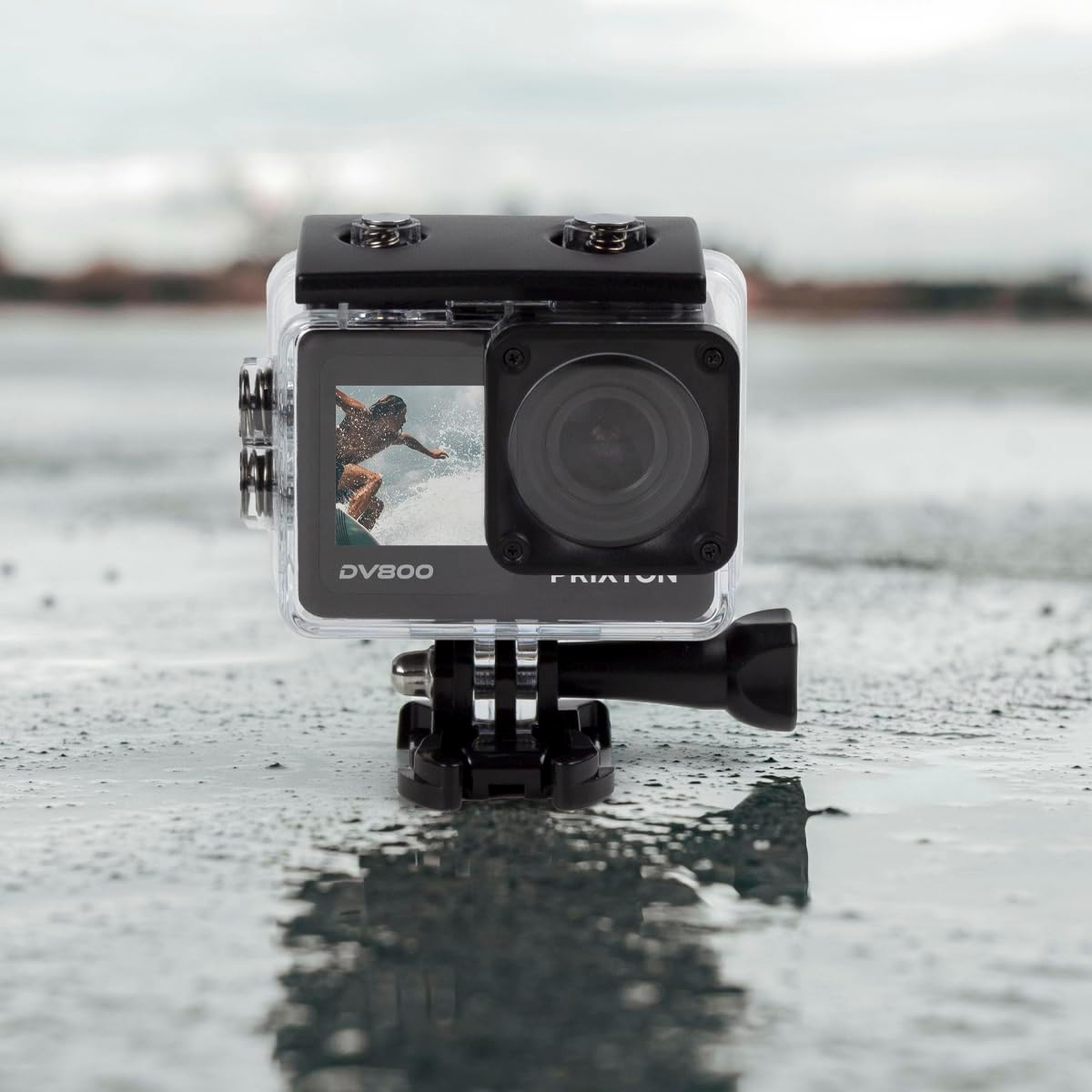
Image: The PRIXTON DV800 Action Camera securely housed within its waterproof casing, ready for use in aquatic environments.
5. คู่มือการใช้งาน
5.1. เปิด/ปิดเครื่อง
- การเปิดเครื่อง: กดปุ่มเปิด/ปิดค้างไว้สองสามวินาทีจนกว่าหน้าจอจะสว่างขึ้น
- วิธีปิดเครื่อง: กดปุ่มเปิด/ปิดค้างไว้อีกครั้งจนกว่าหน้าจอจะดับลง
5.2. การเลือกโหมด
กดปุ่มเปิด/ปิด/โหมดซ้ำๆ เพื่อสลับไปมาระหว่างโหมดต่างๆ ได้แก่ วิดีโอ ภาพถ่าย การเล่น และการตั้งค่า
5.3. การบันทึกวิดีโอ
- เปลี่ยนเป็นโหมดวิดีโอ
- กดปุ่มชัตเตอร์/ตกลงเพื่อเริ่มบันทึก ไฟแสดงสถานะสีแดงจะกะพริบ
- กดปุ่มชัตเตอร์/ตกลงอีกครั้งเพื่อหยุดบันทึก ไฟแสดงสถานะจะหยุดกะพริบ
5.4.การถ่ายภาพ
- เปลี่ยนไปใช้โหมดถ่ายภาพ
- จัดกรอบภาพของคุณโดยใช้หน้าจอ
- กดปุ่มชัตเตอร์/OK เพื่อถ่ายภาพ
5.5. Wi-Fi Connectivity and Mobile App
The camera can connect to your mobile device via Wi-Fi using the "XDV PRO" application.
- Download and install the "XDV PRO" app on your smartphone or tablet.
- On the camera, navigate to the settings menu and enable Wi-Fi.
- On your mobile device, connect to the camera's Wi-Fi network (SSID and password will be displayed on the camera screen).
- Open the "XDV PRO" app to control the camera, view อยู่ footagและโอนย้าย files.

Image: A close-up of the PRIXTON DV800 Action Camera's rear screen, showing its 5K Ultra HD capability and Wi-Fi connectivity.
5.6. Using as a Webลูกเบี้ยว
เชื่อมต่อกล้องเข้ากับคอมพิวเตอร์ผ่านสาย USB เพื่อใช้งาน webลูกเบี้ยว.
- เชื่อมต่อกล้องเข้ากับคอมพิวเตอร์ของคุณโดยใช้สาย USB ที่ให้มา
- Select the 'PC Camera' or 'Webcam' option on the camera's screen if prompted.
- คอมพิวเตอร์ของคุณควรจะรู้จักกล้องตัวนี้ว่าเป็นอุปกรณ์ webcam, which can then be selected in video conferencing applications.
6. การบำรุงรักษา
6.1. การทำความสะอาด
- Use a soft, lint-free cloth to clean the camera lens and screens.
- For the waterproof case, rinse with fresh water after saltwater use and allow it to air dry.
- หลีกเลี่ยงการใช้สารเคมีรุนแรงหรือวัสดุที่มีฤทธิ์กัดกร่อน
6.2. การดูแลแบตเตอรี่
- ชาร์จแบตเตอรี่ให้เต็มก่อนใช้งานครั้งแรก
- อย่าให้แบตเตอรี่สัมผัสกับอุณหภูมิที่สูงเกินไป
- หากจะเก็บกล้องไว้เป็นเวลานาน ควรถอดแบตเตอรี่ออก
6.3. การจัดเก็บ
Store the camera in a cool, dry place away from direct sunlight and dust when not in use.
7 การแก้ไขปัญหา
- กล้องไม่เปิด: ตรวจสอบให้แน่ใจว่าได้ชาร์จแบตเตอรี่แล้วและใส่แบตเตอรี่อย่างถูกต้อง
- ปัญหาการบันทึก: Check if the MicroSD card is inserted correctly and has sufficient free space. Format the card if necessary (this will erase all data).
- ปัญหาการเชื่อมต่อ Wi-Fi: Ensure Wi-Fi is enabled on the camera and your mobile device. Restart both devices if issues persist.
- คุณภาพของภาพ/วิดีโอไม่ดี: Clean the lens. Ensure adequate lighting. Check resolution settings.
8. ข้อมูลจำเพาะ
| ชื่อรุ่น | DV800 |
| ยี่ห้อ | พรีกซ์ตัน |
| ความละเอียดในการจับภาพวิดีโอ | 5K |
| เทคโนโลยีโฟโต้เซนเซอร์ | อื่น |
| ประเภทหน่วยความจำแฟลช | การ์ด MicroSD (สูงสุด 128GB) |
| รูปแบบการจับภาพวิดีโอ | เอ็มโอวี |
| รูปแบบเสียงที่รองรับ | เอ็มพี 4 |
| เทคโนโลยีการเชื่อมต่อ | ไวไฟ |
| สี | สีดำ |
| ประเภทกล้องวีดีโอ | กล้อง Action |
| อายุการใช้งานแบตเตอรี่ | ประมาณ 90 นาที |
9. การรับประกันและการสนับสนุน
The PRIXTON Multisport DV800 Action Camera comes with a standard manufacturer's warranty. For detailed warranty information, technical support, or service inquiries, please refer to the warranty card included in your package or visit the official PRIXTON webไซต์ โปรดเก็บใบเสร็จรับเงินไว้เป็นหลักฐานการซื้อสำหรับการเรียกร้องการรับประกัน


