การแนะนำ
Thank you for choosing the E-YOOSO CQ109 Wired RGB Gaming Keyboard and Mouse Combo. This manual provides detailed instructions for setting up, operating, and maintaining your new gaming peripherals. Please read this manual thoroughly before use to ensure optimal performance and longevity of your product.
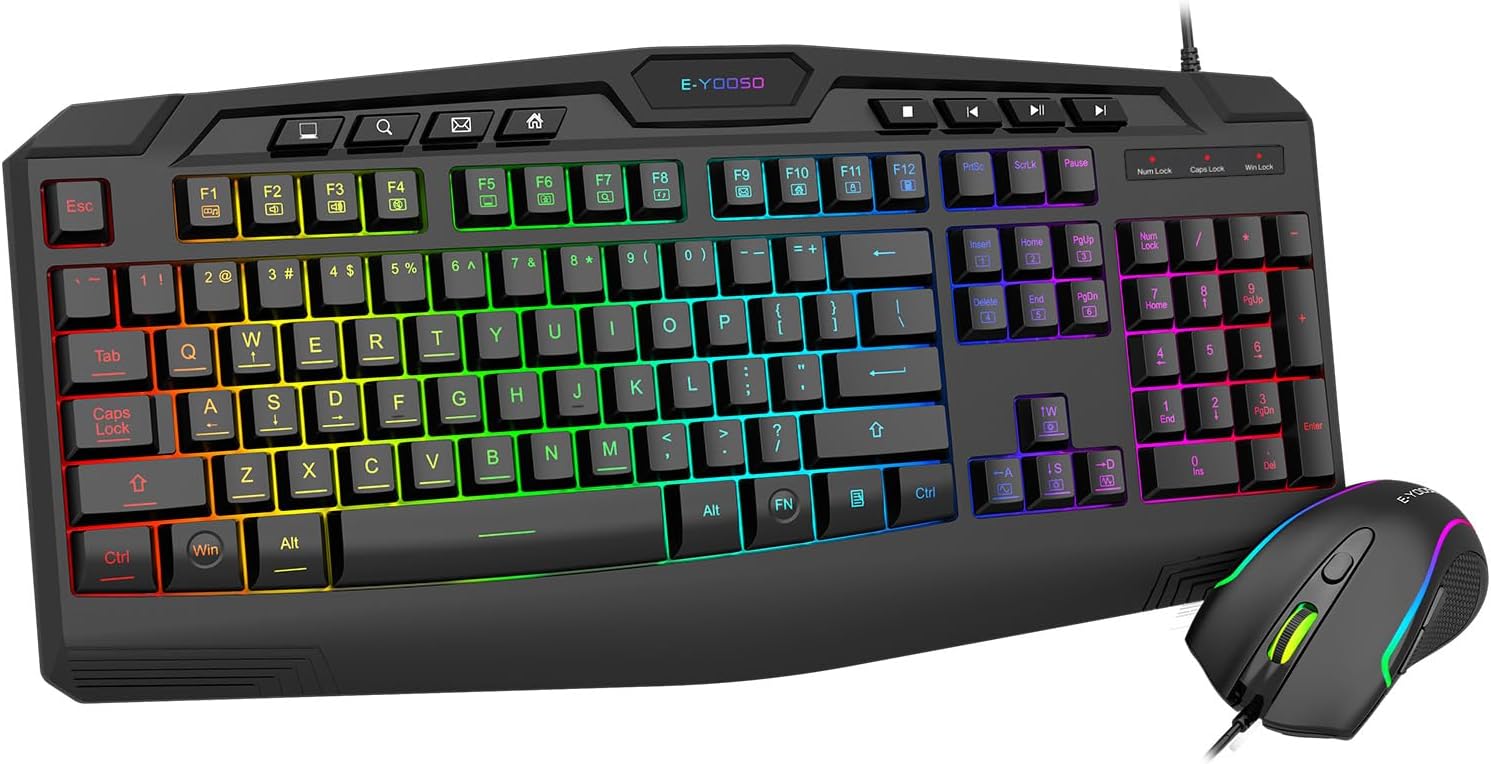
Image: E-YOOSO CQ109 Wired RGB Gaming Keyboard and Mouse Combo, showcasing the full keyboard and mouse with RGB lighting.
ข้อมูลด้านความปลอดภัย
To prevent damage and ensure safe operation, please observe the following:
- เก็บอุปกรณ์ให้ห่างจากน้ำ ความชื้น และอุณหภูมิที่สูงเกินไป
- อย่าพยายามถอดประกอบหรือซ่อมแซมอุปกรณ์ด้วยตนเอง โปรดติดต่อช่างผู้ชำนาญเพื่อขอรับบริการ
- หลีกเลี่ยงการทำอุปกรณ์หล่นหรือกระแทกอย่างรุนแรง
- ทำความสะอาดอุปกรณ์ด้วยผ้านุ่มและแห้ง ห้ามใช้สารเคมีรุนแรงหรือน้ำยาทำความสะอาดที่มีฤทธิ์กัดกร่อน
เนื้อหาแพ็คเกจ
The E-YOOSO CQ109 combo includes:
- 1 x E-YOOSO CQ109 Wired RGB Gaming Keyboard
- 1 x E-YOOSO Wired RGB Gaming Mouse
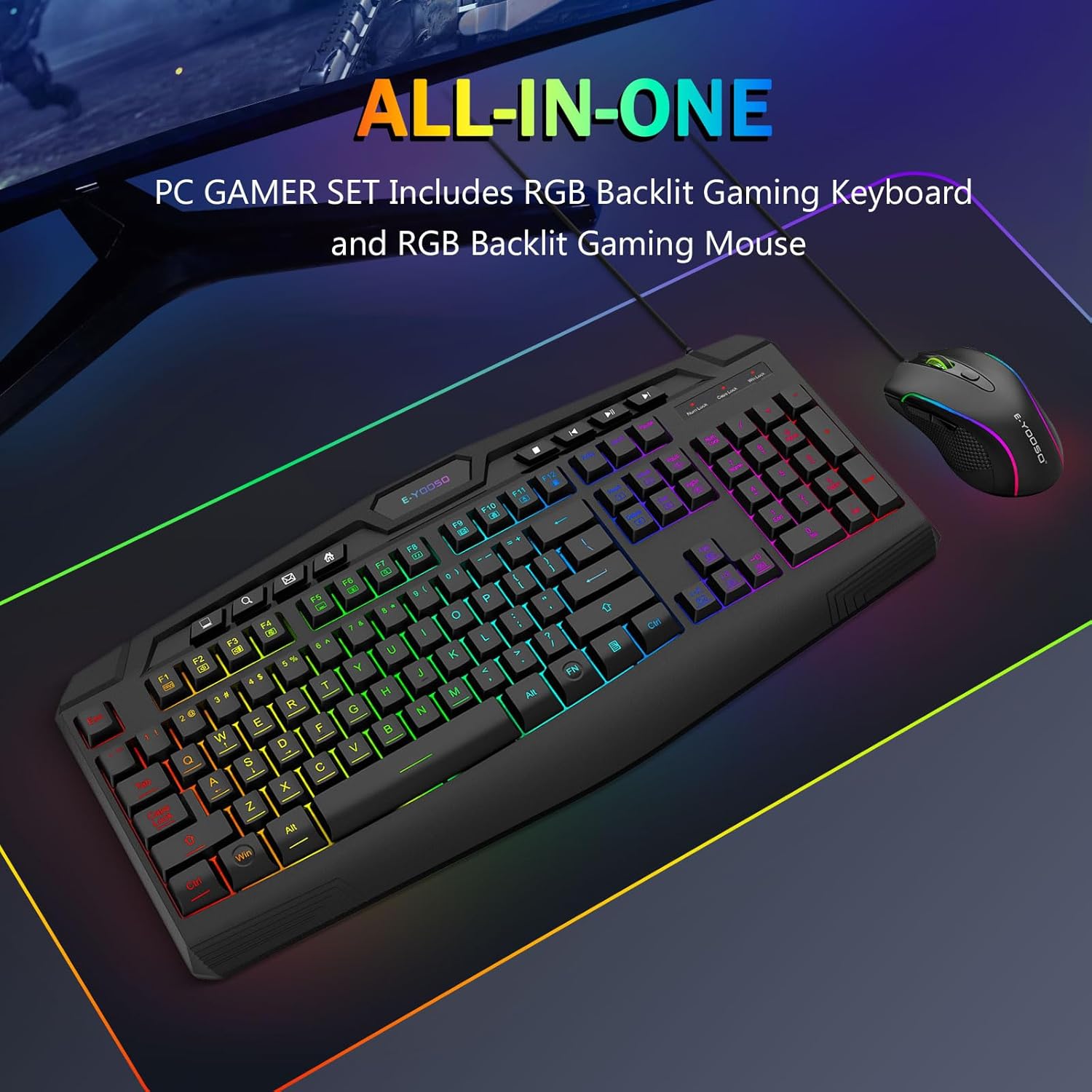
Image: The E-YOOSO CQ109 keyboard and mouse combo displayed on a gaming mat, highlighting the 'ALL-IN-ONE PC GAMER SET' feature.
การตั้งค่า
การเชื่อมต่อคีย์บอร์ดและเมาส์
- Locate an available USB port on your computer, gaming console (PS4/PS5, Xbox), or laptop.
- Plug the USB connector of the E-YOOSO CQ109 Gaming Keyboard into the USB port.
- Plug the USB connector of the E-YOOSO Gaming Mouse into another available USB port.
- The devices are plug-and-play; no additional drivers are typically required. The RGB lighting will illuminate upon successful connection.
ความเข้ากันได้
The E-YOOSO CQ109 combo is compatible with:
- Windows 11, Windows 10, Windows 8, Windows 7, Windows Vista, Windows XP
- Limited Mac OS keyboard support
- PS4, PS5, Xbox (compatibility may vary with specific console models and games)
คำแนะนำการใช้งาน
คุณสมบัติของแป้นพิมพ์
- โหมดแสง RGB: The keyboard features 7 different RGB lighting modes and effects. Cycle through these modes by pressing the FN + ล็อคเลื่อน กุญแจ
- ความสว่างของแบ็คไลท์: Adjust the backlight brightness through 4 levels using the FN + เลื่อนหน้าขึ้น (เพิ่ม) และ FN + เลื่อนหน้าลง (decrease) keys.
- Adjustable Breathing Speed: Modify the breathing speed of certain lighting modes using FN + "-" (ช้าลง) และ FN + "+" (faster) keys.
- คีย์มัลติมีเดีย: The keyboard includes 8 dedicated multimedia keys and 12 additional FN+ multimedia keys (total 112 keys) for quick access to media controls, email, and web เรียกดู
- ป้องกันภาพซ้อน: Enjoy precise input with 26 conflict-free (N-Key Rollover) keys, ensuring all your commands are registered during intense gaming sessions.
- WIN Key Lock: To prevent accidental interruptions during gaming, press FN + วิน เพื่อล็อคหรือปลดล็อคคีย์ Windows
- WASD and Arrow Key Swap: For certain games, you can swap the functionality of the WASD keys with the arrow keys by pressing FN + ว.
- การออกแบบตามหลักสรีรศาสตร์: The keyboard is ergonomically designed with an integrated wrist rest for comfort during extended use.
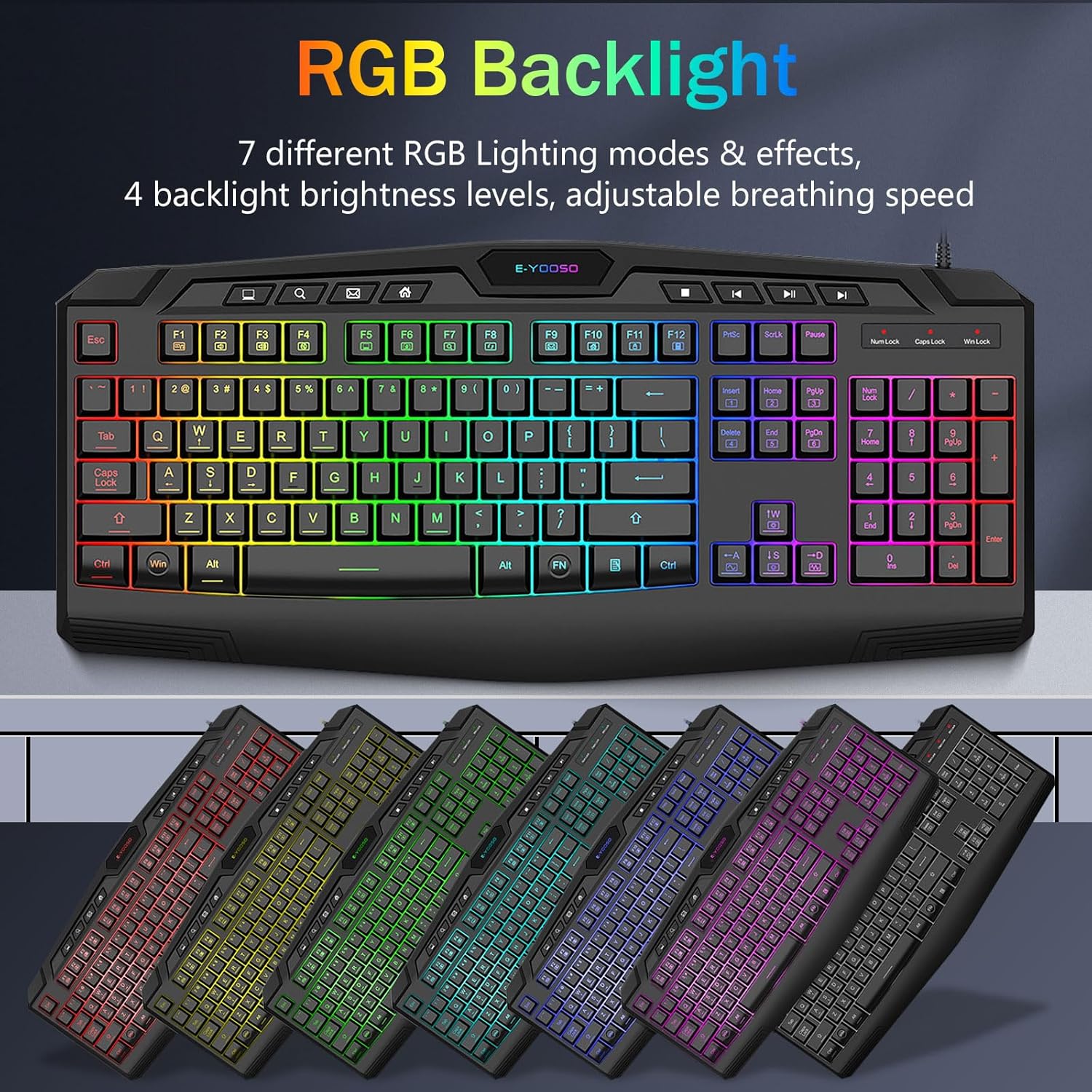
Image: Keyboard showcasing various RGB backlight modes and effects.

Image: Close-up of keyboard highlighting multimedia keys and anti-ghosting features.
คุณสมบัติของเมาส์
- แสงไฟ RGB: The mouse features 5 RGB lighting modes. These can be changed via a button on the bottom of the mouse.
- DPI ที่ปรับได้: Cycle through 4 DPI levels (1000/1600/2400/3200 DPI) using the DPI button located on top of the mouse, allowing for precise control in various applications and games.
- 6 ปุ่ม: The mouse is equipped with 6 buttons, including left-click, right-click, scroll wheel, DPI button, and two side buttons (forward/backward) for enhanced functionality.
- เซ็นเซอร์ความแม่นยำสูง: The gaming-grade micro switches and high-precision sensor deliver accurate tracking and responsiveness.
- การออกแบบตามหลักสรีรศาสตร์: The contoured shape of the mouse is designed to fit comfortably in your hand, reducing fatigue during long gaming sessions.

Image: E-YOOSO RGB mouse with an illustration of its adjustable DPI settings.
วิดีโอผลิตภัณฑ์อย่างเป็นทางการ
Video: Demonstrates the various RGB lighting effects and modes of the CQ109 Gaming Keyboard.
วิดีโอ: จบแล้วview of the CQ109 Wired Gaming Keyboard and Mouse combo, highlighting key features and design.
การซ่อมบำรุง
- การทำความสะอาด: Regularly clean your keyboard and mouse to prevent dust and debris buildup. Use a soft, lint-free cloth. For stubborn dirt, slightly dampen the cloth with water or a mild cleaning solution. Ensure devices are unplugged before cleaning.
- การรั่วไหลของของเหลว: The gaming keyboard is built to withstand average liquid spills. In case of a spill, immediately unplug the keyboard, turn it upside down to drain liquid, and allow it to dry completely before reconnecting.
- การจัดการสายเคเบิล: Avoid sharp bends or excessive pulling on the USB cables to prevent internal damage.
การแก้ไขปัญหา
- อุปกรณ์ไม่ตอบสนอง:
- ตรวจสอบให้แน่ใจว่าเสียบสาย USB เข้ากับพอร์ต USB ของคอมพิวเตอร์แน่นสนิทแล้ว
- ลองเสียบอุปกรณ์เข้ากับพอร์ต USB อื่น
- รีสตาร์ทคอมพิวเตอร์หรือคอนโซลเกมของคุณ
- ไฟ RGB ไม่ทำงาน:
- For the keyboard, ensure it is properly connected and try cycling through lighting modes using FN + ล็อคเลื่อน.
- For the mouse, check the button on the bottom to activate or change lighting modes.
- Keys or Mouse Buttons Not Working:
- Check for any physical obstructions or debris under the keys or buttons.
- Test the devices on another computer to rule out system-specific issues.
ข้อมูลจำเพาะ
| คุณสมบัติ | ข้อมูลจำเพาะ |
|---|---|
| หมายเลขรุ่น | ซีคิว109 |
| เทคโนโลยีการเชื่อมต่อ | สาย USB |
| ประเภทแป้นพิมพ์ | Membrane, Anti-ghosting (26 keys) |
| แป้นคีย์บอร์ด | 104 Keys + 8 Dedicated Multimedia Keys + 12 FN+ Multimedia Keys |
| Backlight แป้นพิมพ์ | RGB LED (7 modes, 4 brightness levels, adjustable breathing speed) |
| DPI ของเมาส์ | 1000/1600/2400/3200 DPI (Adjustable) |
| ปุ่มเมาส์ | 6 ปุ่ม |
| แสงพื้นหลังของเมาส์ | RGB LED (5 modes) |
| ขนาดสินค้า (คีย์บอร์ด) | 17.3 x 6.9 x 1.1 นิ้ว |
| น้ำหนักสินค้า | 1.1 ปอนด์ |
| อุปกรณ์ที่รองรับ | PC, Laptop, Mac (limited), PS4, PS5, Xbox |
การรับประกันและการสนับสนุน
E-YOOSO products are designed for quality and reliability. For warranty information, technical support, or customer service inquiries, please refer to the contact information provided with your product packaging or visit the official E-YOOSO webไซต์นี้ โปรดเก็บใบเสร็จรับเงินที่ซื้อไว้เพื่อใช้เรียกร้องการรับประกัน


