การแนะนำ
This manual provides comprehensive instructions for the setup, operation, maintenance, and troubleshooting of your Bloody x Savage Impact AT87 Alpha Optical Switch Performance Keyboard. Designed for optimal gaming performance, this keyboard features adjustable actuation points, durable PBT keycaps, and quiet typing.
การตั้งค่า
การเชื่อมต่อคีย์บอร์ดของคุณ
The AT87-Renegade keyboard connects to your computer via a standard USB-A cable. Simply plug the USB-A connector into an available USB port on your PC. The keyboard is plug-and-play, requiring no additional drivers for basic functionality.
Cable Management and Height Adjustment
The keyboard features a 3-direction cable management system, allowing you to route the cable neatly to the left, right, or center from the keyboard's central connector. Additionally, adjustable dual-height feet are provided for customizing the keyboard's elevation to your preferred typing angle.

Image: The underside of the keyboard illustrating the 3-direction cable management channels and the two adjustable height settings for the feet.
คำแนะนำการใช้งาน
Alpha Optical Switches and Adjustable Actuation Point
The AT87-Renegade utilizes Alpha Optical Switches, offering precision-tuned actuation points and forces for enhanced speed and tactile feedback. A key feature is the adjustable actuation point, which can be customized from 1.0mm to 2.6mm. This allows users to tailor the responsiveness of each key to their specific gaming style or typing preference.
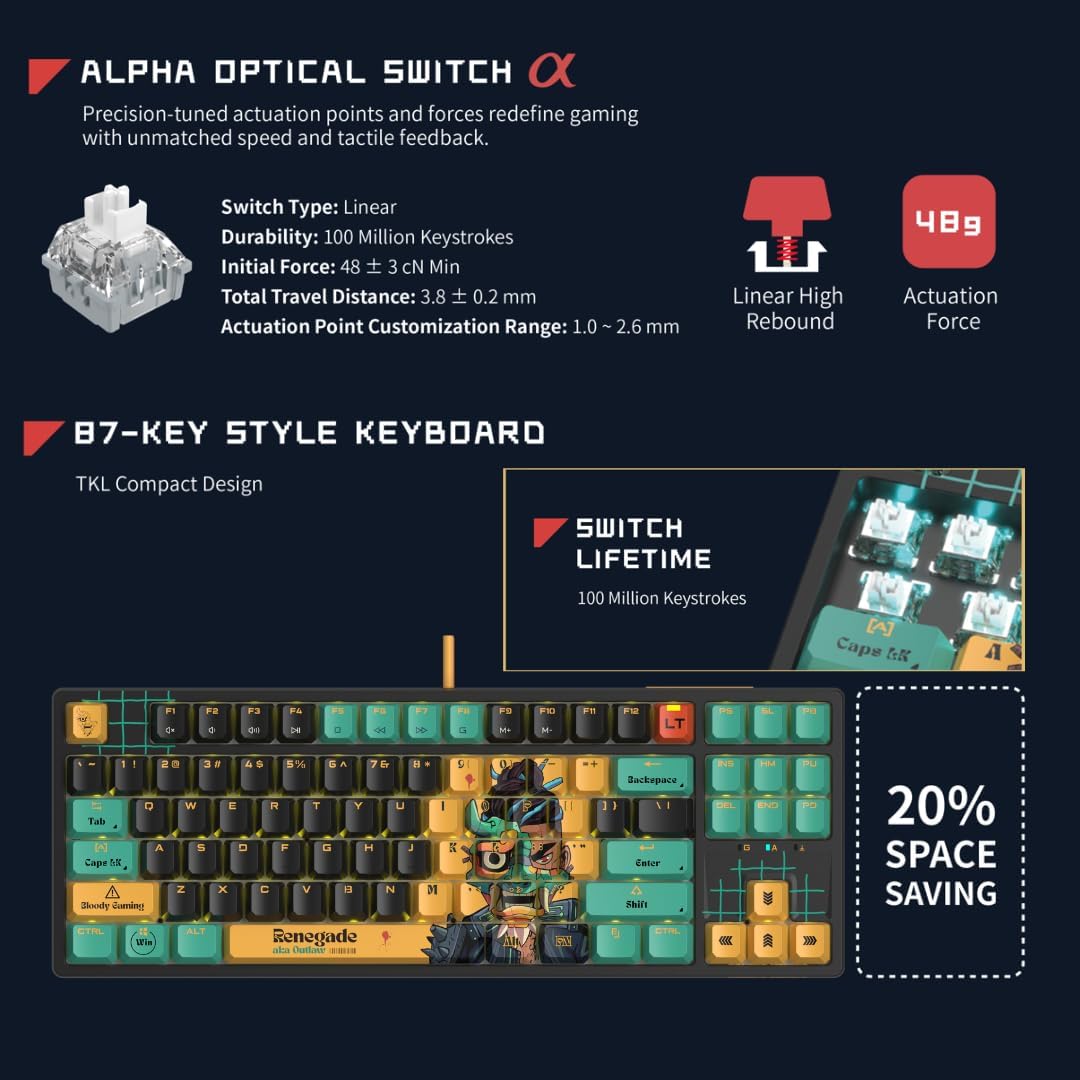
ภาพ: รายละเอียด view of the Alpha Optical Switch, highlighting its linear switch type, 100 million keystroke durability, 48g initial force, 3.8mm total travel distance, and 1.0-2.6mm actuation point customization range. Also shows the compact 87-key layout.
โปรปรับแต่งได้files
The keyboard supports 4 customizable variable speed profiles, allowing you to quickly switch between different actuation point settings. This feature is particularly useful for adapting to various game genres or tasks that require different levels of key responsiveness.
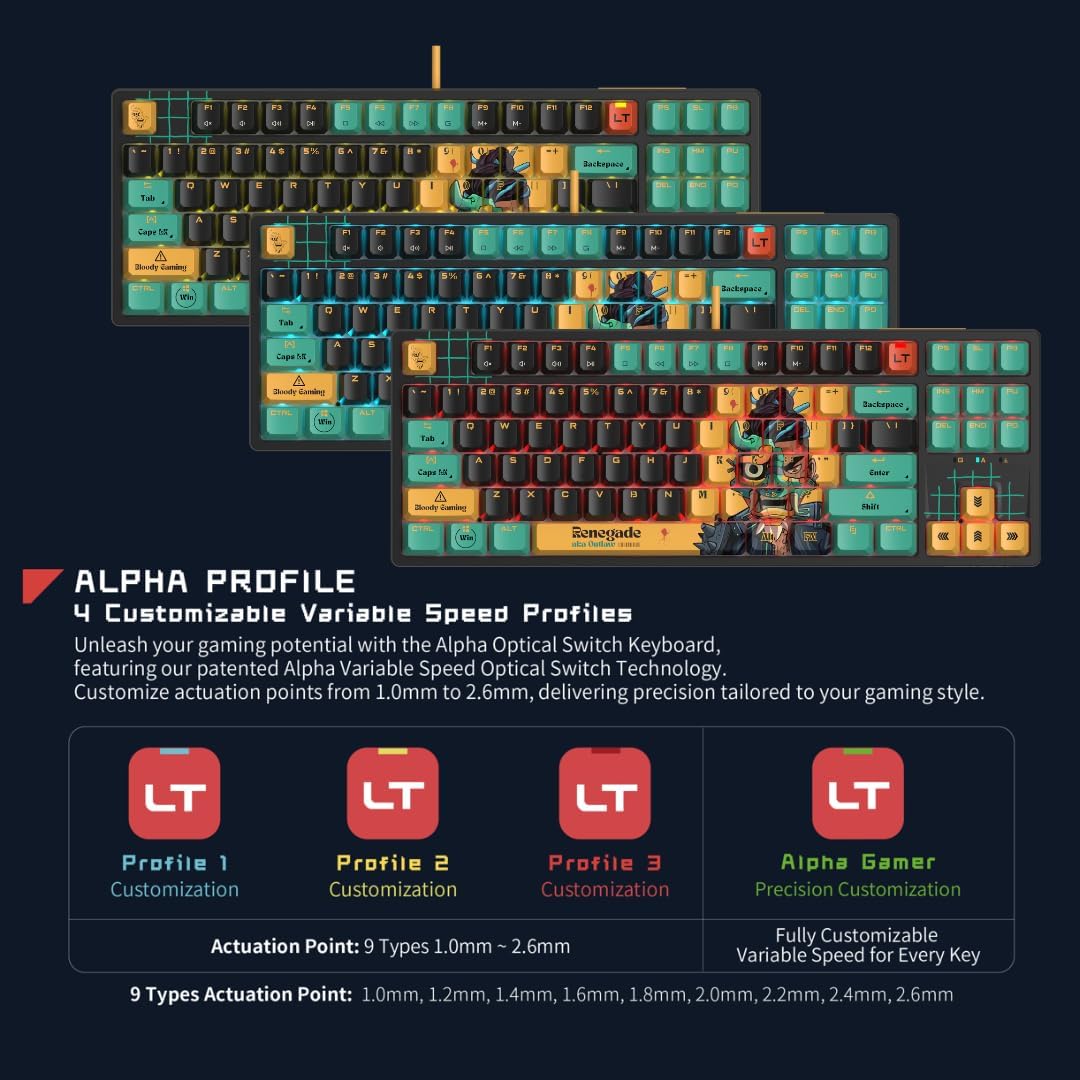
Image: Visual representation of the four customizable variable speed profiles (โปรfile 1, โปรfile 2, โปรfile 3, and Alpha Gamer), demonstrating how actuation points can be tailored from 1.0mm to 2.6mm.
Stealth Quiet Typing
The AT87-Renegade is engineered for silent keystrokes, enhancing your gaming and typing experience without disruptive noise. This is achieved through precision-tuned actuation points, silicon filling to reduce typing resonance, and silicon pads to absorb noise from interior collision.
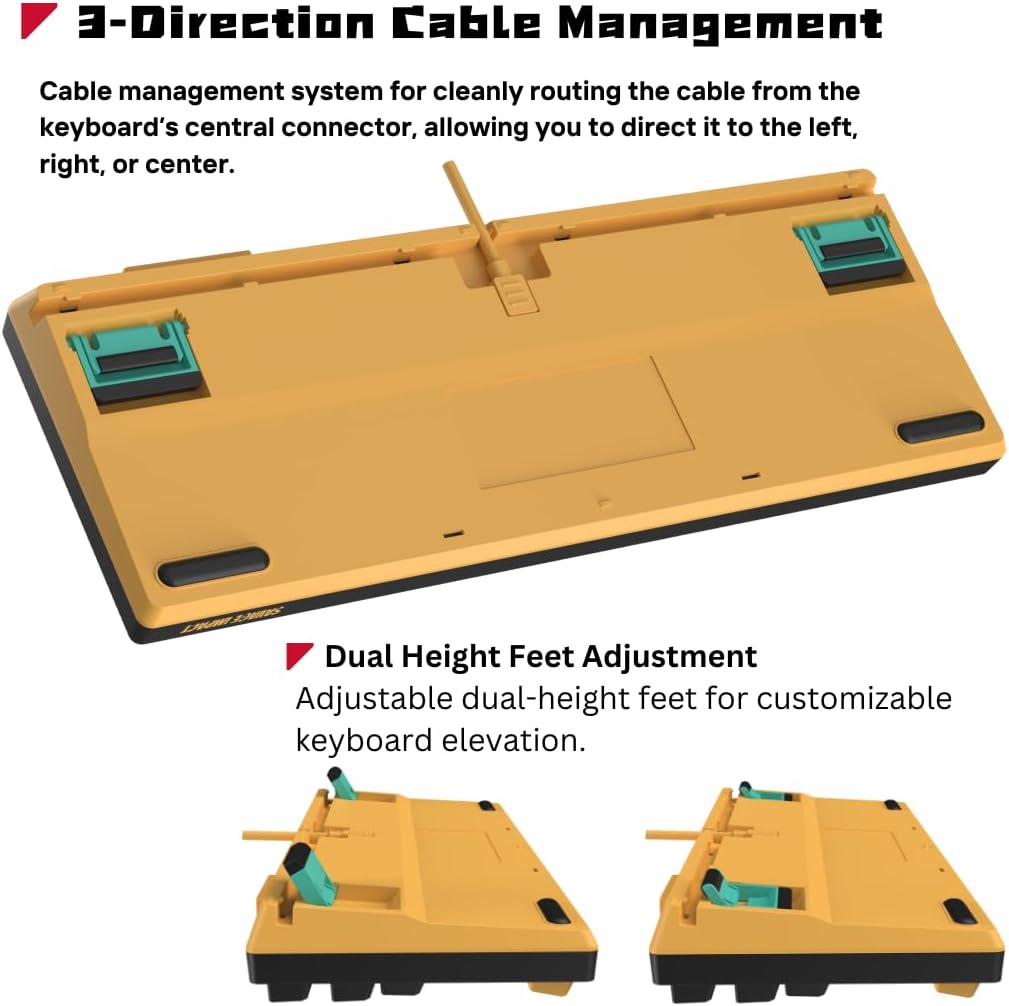
Image: An exploded diagram showing the internal structure of the keyboard, highlighting the LT Alpha Optical Switches, Silicon Filling, and Silicon Pads, all contributing to the stealth quiet typing feature.
Gaming PBT Keycaps
The keyboard features durable PBT keycaps, known for their resistance to wear and shine, ensuring longevity and a consistent feel. These keycaps are designed for quick bounce back, which is beneficial for rapid keystrokes during gaming.

ภาพ: จากบนลงล่าง view of the Bloody x Savage Impact AT87 keyboard, showcasing the PBT keycaps with their unique "Renegade" design and overall layout.
RGB Backlit Effects
Customize your gaming ambiance with 7 adjustable RGB backlit effects. Refer to the keyboard's quick start guide or manufacturer's software (if applicable) for instructions on cycling through and customizing these lighting modes.
การซ่อมบำรุง
ทำความสะอาดคีย์บอร์ดของคุณ
To maintain optimal performance and appearance, regularly clean your keyboard. Use a soft, dry cloth to wipe down the keycaps and chassis. For deeper cleaning, you may use a can of compressed air to remove dust and debris from between the keys. Avoid using harsh chemicals or abrasive materials.
ป้องกันฝุ่น
When not in use, it is recommended to cover the keyboard with a dust cover to prevent dust accumulation, which can affect key performance and longevity.
การแก้ไขปัญหา
แป้นพิมพ์ไม่ตอบสนอง
- ตรวจสอบให้แน่ใจว่าสาย USB เชื่อมต่อกับคีย์บอร์ดและคอมพิวเตอร์อย่างแน่นหนา
- ลองเสียบคีย์บอร์ดเข้ากับพอร์ต USB อื่นบนคอมพิวเตอร์ของคุณ
- รีสตาร์ทเครื่องคอมพิวเตอร์ของคุณ
- หากเป็นไปได้ ควรทดสอบแป้นพิมพ์บนคอมพิวเตอร์เครื่องอื่นเพื่อตรวจสอบว่าปัญหาอยู่ที่แป้นพิมพ์หรือระบบของคุณ
ปัญหาเรื่องแสงสว่าง
- Check if the RGB lighting is enabled via the keyboard's function keys or software.
- Ensure the keyboard's firmware is up to date (check the manufacturer's webเว็บไซต์).
Key Input Problems
- Clean any debris from under the affected keycap.
- If a specific key is not registering, it might indicate a hardware issue.
For persistent issues not resolved by the above steps, please contact Bloody customer support.
ข้อมูลจำเพาะ
| คุณสมบัติ | รายละเอียด |
|---|---|
| ชื่อรุ่น | AT87 Renegade |
| สไตล์ | 87 Keys (TKL Compact Design) |
| ประเภทสวิตซ์ | Alpha Optical Switch (Linear) |
| Actuation Point Customization | 1.0มม. ถึง 2.6มม. |
| วัสดุปุ่มกด | Gaming PBT Keycaps |
| การแบ็คไลท์ | RGB (7 adjustable effects) |
| การเชื่อมต่อ | ยูเอสบี-เอ |
| อุปกรณ์ที่รองรับ | PC |
| น้ำหนักสินค้า | 3.3 ปอนด์ |
| ขนาดแพ็คเกจ | 16 x 7.5 x 2.5 นิ้ว |
| ผู้ผลิต | BLOODY |
การรับประกันและการสนับสนุน
การรับประกันสินค้า
For information regarding the product warranty, please refer to the warranty card included with your purchase or visit the official Bloody webไซต์ เงื่อนไขการรับประกันอาจแตกต่างกันไปในแต่ละภูมิภาค
แผนการคุ้มครองแบบขยาย
Extended protection plans may be available for purchase to provide additional coverage beyond the standard manufacturer's warranty. Options may include 3-Year Protection Plan, 4-Year Protection Plan, and Complete Protect plans.
การสนับสนุนลูกค้า
For technical assistance, troubleshooting, or warranty claims, please contact Bloody customer support. You can typically find contact information on the manufacturer's official webไซต์หรือผ่านร้านค้าปลีกที่ซื้อผลิตภัณฑ์
เยี่ยมชม ร้าน Bloody Store บน Amazon สำหรับข้อมูลผลิตภัณฑ์และทรัพยากรสนับสนุนเพิ่มเติม


