1. บทนำ
This manual provides instructions for the safe and efficient operation of the Chainway C71 Android Barcode Scanner. The C71 is a robust and versatile handheld device designed for various applications, including warehouse inventory management and forklift operations. It features a Zebra SE55 long-range 2D/1D/QR code reader, runs on Android 13, and offers comprehensive connectivity options.
โปรดอ่านคู่มือนี้อย่างละเอียดก่อนใช้งานอุปกรณ์ และเก็บรักษาไว้เพื่อใช้อ้างอิงในอนาคต
2. สินค้าหมดview
2.1 คุณสมบัติหลัก
- ดีไซน์ทนทานและใช้งานได้หลากหลาย: Suitable for both indoor and outdoor environments, ideal for warehouse inventory and forklift scanning.
- Zebra SE55 Long Range Scanner: Capable of scanning 2D, 1D, and QR codes from distances up to 40 feet (depending on barcode size and media).
- ระบบปฏิบัติการ Android 13: Provides access to the latest Android features and the Google Play Store for application downloads.
- การเชื่อมต่อไร้สาย: Features fast and reliable WiFi, Bluetooth 5.0, NFC, and GPS for seamless data transmission and real-time updates.
- Large Vivid Screen: A bright and clear display for easy reading and interaction in various lighting conditions.
- แบตเตอรี่ความจุสูง: มาพร้อมแบตเตอรี่ 5000mAh เพื่อการใช้งานที่ยาวนานขึ้น
- โปรเซสเซอร์อ็อกตาคอร์: Ensures fast and responsive performance for demanding applications.
2.2 ส่วนประกอบของอุปกรณ์
The Chainway C71 scanner features a robust design with an integrated display, scanning engine, and various ports and buttons.
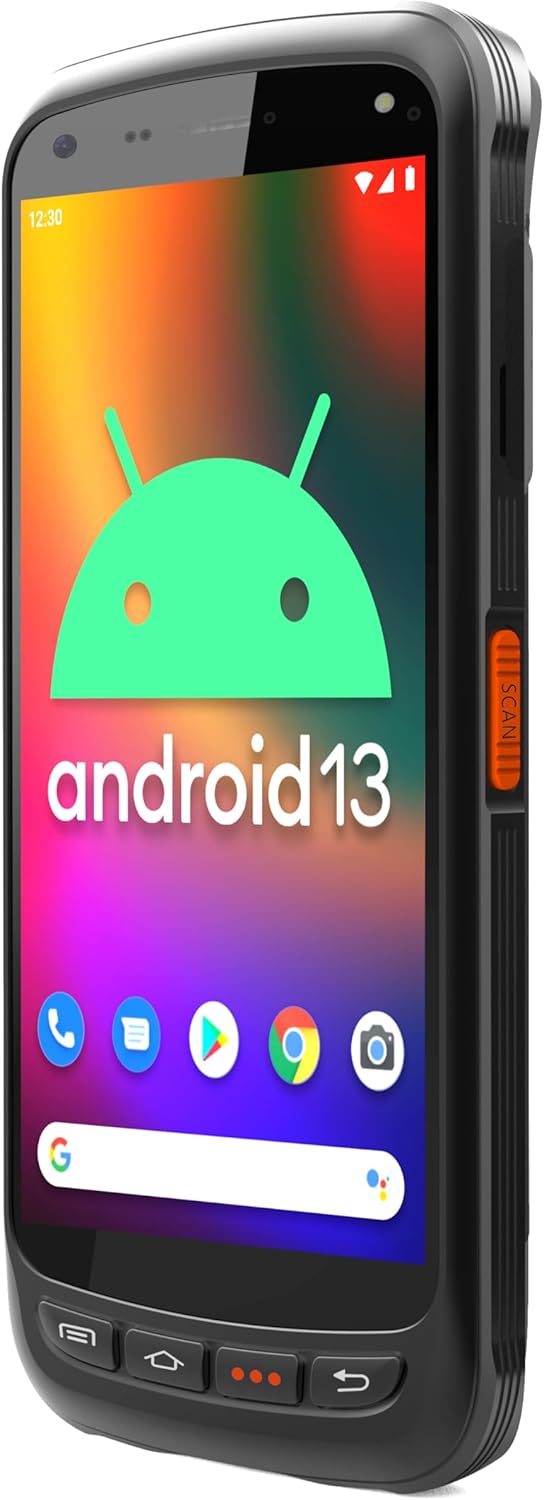
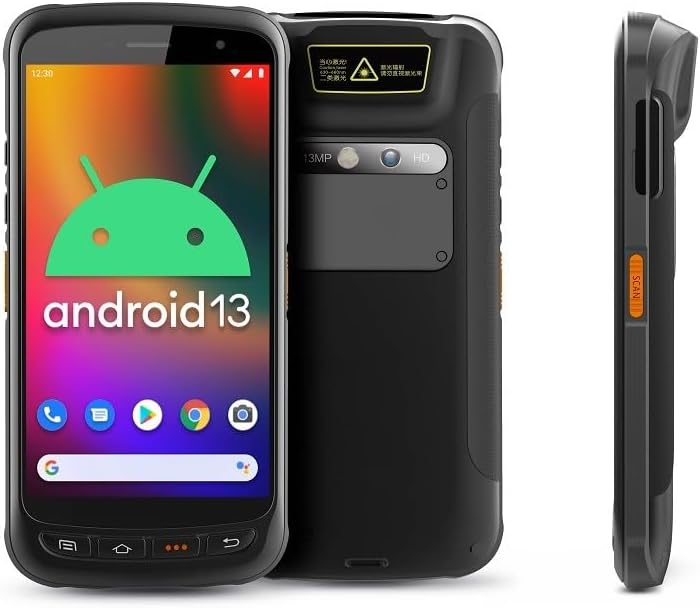
- แสดง: Large vivid touchscreen for user interaction.
- ปุ่มสแกน: Located on the side for convenient barcode scanning activation.
- Zebra SE55 Scan Engine: Integrated at the top rear for long-range barcode capture.
- กล้องหลัง: For image capture (13MP).
- กล้องหน้า: For video calls or selfies (5MP).
- ปุ่มทางกายภาพ: Power, volume, and programmable function keys.
- พอร์ต: พอร์ต USB-C สำหรับชาร์จและถ่ายโอนข้อมูล
3. การตั้งค่า
3.1 การติดตั้งและการชาร์จแบตเตอรี่
The Chainway C71 requires one Lithium Ion battery for operation. Ensure the battery is correctly installed before first use.
- หาฝาปิดช่องใส่แบตเตอรี่ที่ด้านหลังของอุปกรณ์
- Open the cover and insert the Lithium Ion battery, ensuring the contacts align correctly.
- ปิดฝาช่องใส่แบตเตอรี่ให้แน่น
- Connect the device to a power source using the provided USB-C cable and power adapter. The device will begin charging.

3.2 การเปิดเครื่องครั้งแรก
- Press and hold the Power button (usually on the side) until the device vibrates and the screen illuminates.
- Follow the on-screen prompts to complete the initial Android 13 setup, including language selection, Wi-Fi connection, and Google account login.
4. คู่มือการใช้งาน
4.1 Barcode Scanning with Zebra SE55 Engine
The Chainway C71 is equipped with a powerful Zebra SE55 scan engine for efficient barcode capture.
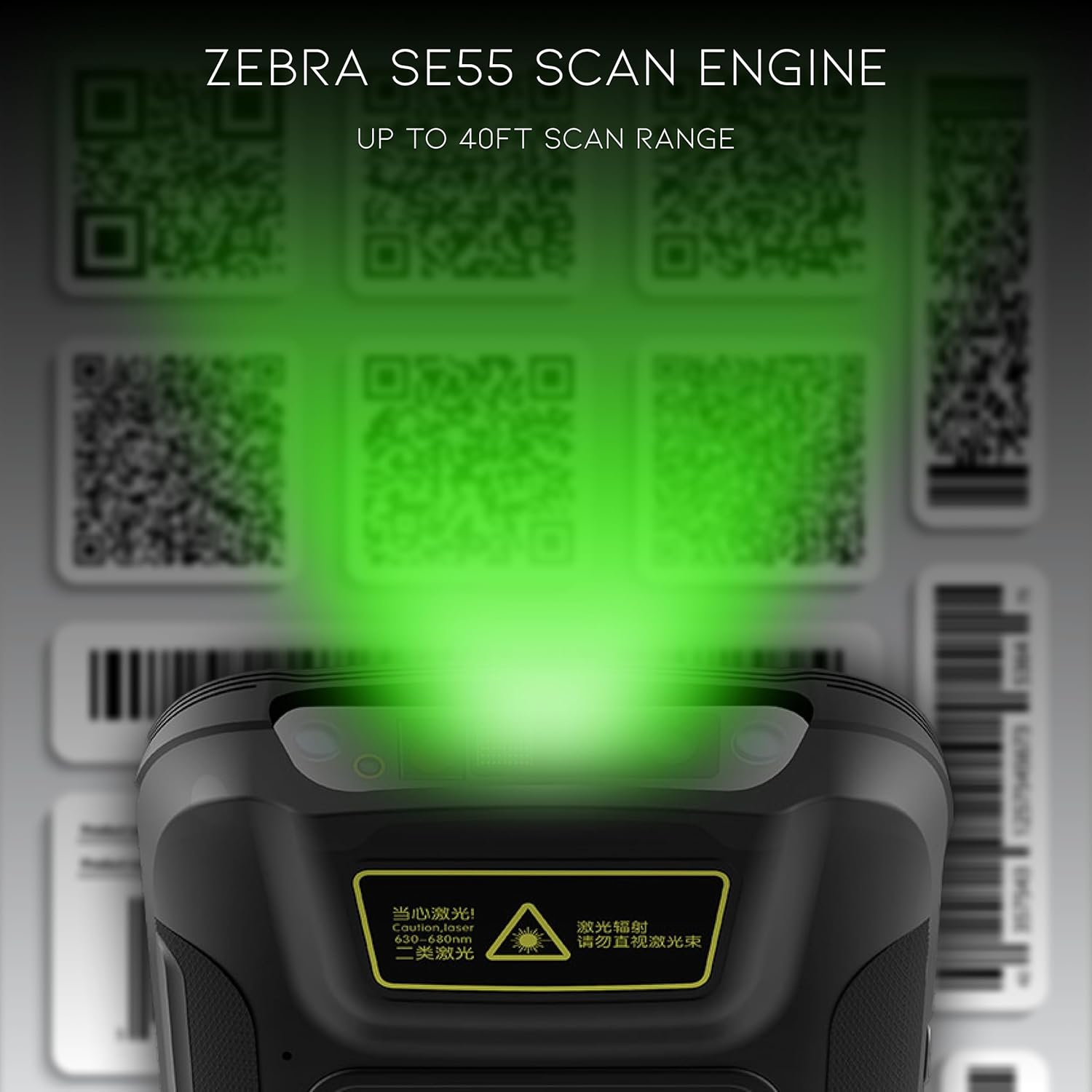
- Open the desired application that requires barcode scanning (e.g., inventory management app).
- Point the top of the device, where the scan engine is located, towards the barcode.
- Press the dedicated scan button on the side of the device. A green aiming pattern will appear.
- Align the aiming pattern with the barcode. The device will emit a sound or vibrate upon successful scan.
- The scanned data will be input into the active field of your application.
บันทึก: The Zebra SE55 can scan barcodes from up to 40 feet away, depending on the barcode size and quality. For optimal performance, ensure clear line of sight and adequate lighting.
ระบบปฏิบัติการ Android 13 4.2
The C71 runs on Android 13, providing a familiar and intuitive user experience. You can navigate the interface using touch gestures.

- หน้าจอหลัก: เข้าถึงแอปพลิเคชันและวิดเจ็ตที่คุณติดตั้งไว้
- การแจ้งเตือน: ปัดลงจากด้านบนของหน้าจอไปที่ view การแจ้งเตือนและการตั้งค่าด่วน
- ร้านค้า Google Play: Download and install additional applications relevant to your workflow.
4.3 การเชื่อมต่อ
The device supports multiple connectivity options for data transfer and communication.
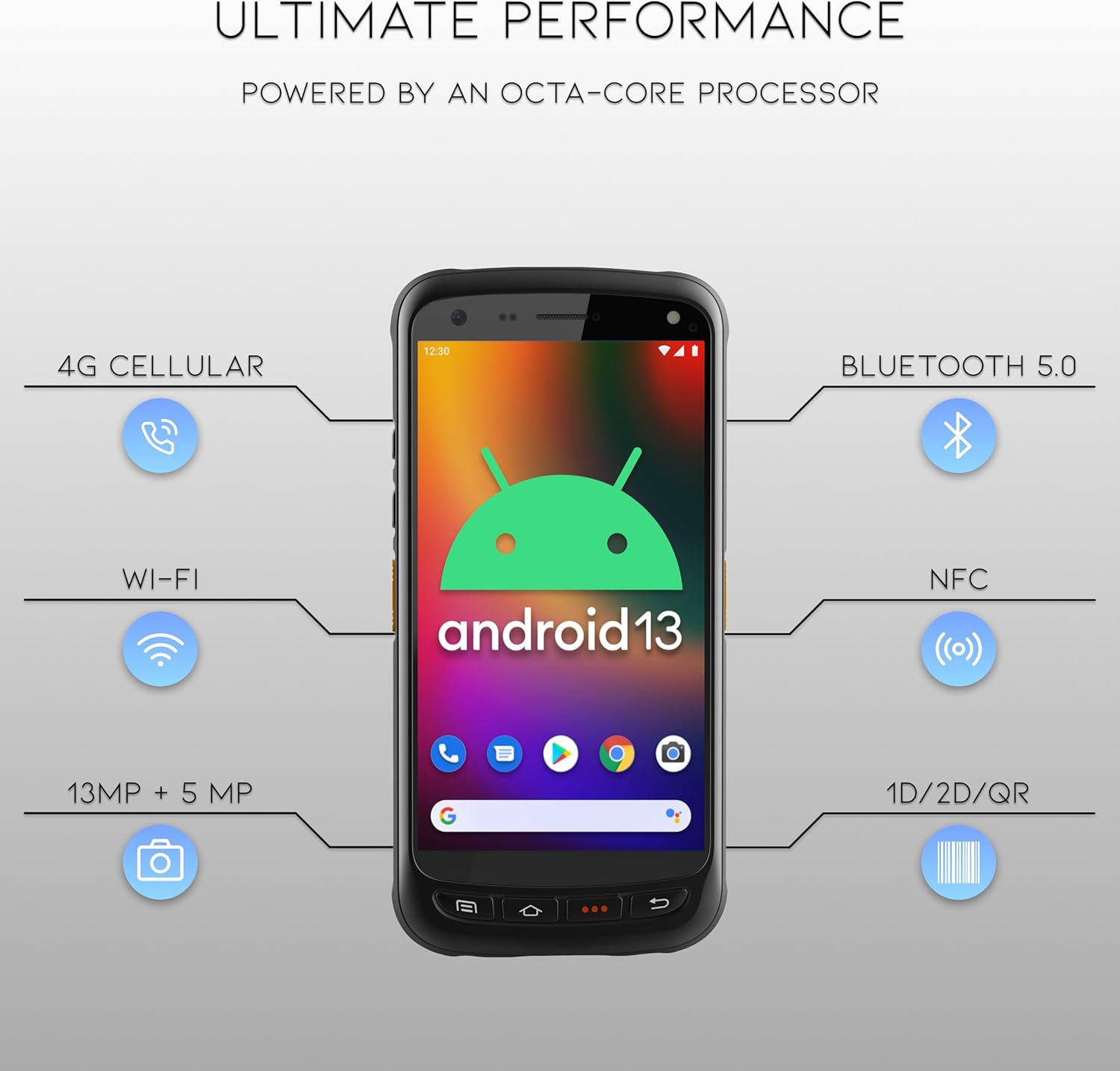
- ไวไฟ : Connect to wireless networks for internet access and data synchronization. Go to การตั้งค่า > เครือข่ายและอินเทอร์เน็ต > Wi-Fi.
- Bluetooth 5.0: Pair with Bluetooth-enabled devices such as headsets or printers. Go to การตั้งค่า > อุปกรณ์ที่เชื่อมต่อ > บลูทูธ.
- NFC: For near-field communication applications.
- จีพีเอส: For location-based services.
- 4G เซลลูล่าร์: (If equipped with SIM card slot) For mobile data connectivity.
5. การบำรุงรักษา
5.1 การทำความสะอาดเครื่อง
- ใช้ผ้านุ่มไม่เป็นขุยเช็ดเล็กน้อยampened with water or a mild, non-abrasive cleaning solution to clean the screen and exterior.
- ห้ามใช้สารเคมีรุนแรง ตัวทำละลาย หรือวัสดุที่มีฤทธิ์กัดกร่อน เนื่องจากอาจทำให้เครื่องเสียหายได้
- ตรวจสอบให้แน่ใจว่าไม่มีของเหลวเข้าไปในช่องหรือรูต่างๆ
5.2 การดูแลแบตเตอรี่
- หลีกเลี่ยงการให้แบตเตอรี่สัมผัสกับอุณหภูมิที่สูงหรือต่ำเกินไป (ร้อนหรือเย็น)
- ควรชาร์จแบตเตอรี่เป็นประจำ แต่ควรหลีกเลี่ยงการปล่อยให้แบตเตอรี่หมดเกลี้ยงเป็นเวลานาน
- Use only the manufacturer-approved charging accessories.
6 การแก้ไขปัญหา
This section addresses common issues you might encounter with your Chainway C71 scanner.
6.1 อุปกรณ์ไม่เปิดเครื่อง
- ตรวจสอบให้แน่ใจว่าแบตเตอรี่ได้รับการติดตั้งอย่างถูกต้องและชาร์จจนเต็ม
- Connect the device to the charger and attempt to power it on after a few minutes.
- หากปัญหายังคงอยู่ โปรดติดต่อฝ่ายสนับสนุนลูกค้า
6.2 Barcode Not Scanning
- Verify that the scanning application is open and ready to receive input.
- Ensure the barcode is clean, undamaged, and within the scanner's range (up to 40 feet).
- Check for adequate lighting; extreme glare or insufficient light can affect scanning performance.
- Confirm the scan engine is pointed directly at the barcode.
6.3 ปัญหาการเชื่อมต่อ Wi-Fi
- Check if Wi-Fi is enabled in the device settings.
- Ensure you are within range of a known Wi-Fi network.
- ตรวจสอบรหัสผ่าน Wi-Fi หากเชื่อมต่อกับเครือข่ายใหม่
- Restart the device and the Wi-Fi router if necessary.
7. ข้อมูลจำเพาะ
Technical specifications for the Chainway C71 Android Barcode Scanner.
| คุณสมบัติ | รายละเอียด |
|---|---|
| หมายเลขรุ่น | ซี71 |
| ระบบปฏิบัติการ | แอนดรอยด์ 13 |
| เครื่องสแกนบาร์โค้ด | Zebra SE55 (2D/1D/QR, up to 40ft range) |
| โปรเซสเซอร์ | 2.0 GHz Octa-Core Processor |
| แบตเตอรี่ | ลิเธียมไออน 5000mAh (ต้องใช้ 1) |
| การเชื่อมต่อ | Wi-Fi, Bluetooth 5.0, NFC, GPS, 4G Cellular (optional) |
| กล้องถ่ายรูป | ด้านหลัง 13MP, ด้านหน้า 5MP |
| อุปกรณ์ที่รองรับ | Smartphone, Tablet (as a handheld device) |
| แหล่งพลังงาน | ใช้พลังงานจากแบตเตอรี่ |
| ผู้ผลิต | เชนเวย์ |

8. การรับประกันและการสนับสนุน
For warranty information and technical support, please contact the seller, BARCODE-USA. Details regarding specific warranty periods and coverage will be provided at the point of purchase or upon request from the seller.
ผู้ขาย: BARCODE-USA
For assistance, refer to your purchase documentation or visit the BARCODE-USA store page on Amazon: BARCODE-USA Store


