1. บทนำ
The Phomemo M832 is a portable, inkless thermal printer designed for convenience and efficiency. This device utilizes advanced thermal technology to print documents, images, and various other content without the need for ink cartridges, toner, or ribbons. Its compact design makes it suitable for travel, business trips, and use in various environments such as small offices, vehicles, and educational settings. This manual provides detailed instructions for setting up, operating, maintaining, and troubleshooting your Phomemo M832 printer.
The Phomemo M832 printer supports multiple paper sizes and types, including 8.5" x 11" US Letter, A4, 2.08" (53mm), 3.15" (80mm), and 4.33" (110mm) thermal paper. It is compatible with thermal roll paper, folded thermal paper, and ordinary thermal paper.

Image: The Phomemo M832 printer demonstrating its ability to print on various paper sizes, including US Letter, A4, 110mm, 80mm, and 53mm, with a smartphone wirelessly connected.
2. เนื้อหาบรรจุภัณฑ์
กรุณาตรวจสอบสิ่งของภายในบรรจุภัณฑ์เมื่อแกะกล่องเพื่อให้แน่ใจว่ามีสินค้าครบทั้งหมด:
- เครื่องพิมพ์ความร้อนพกพา Phomemo M832
- 3 Rolls of 110mm Thermal Printer Paper
- สาย USB
- คู่มือการใช้งาน (เอกสารนี้)
3. คุณสมบัติของผลิตภัณฑ์
The Phomemo M832 printer offers several key features:
- การออกแบบพกพา: Weighing approximately 1.5 lbs, the M832 is compact and easily fits into a backpack or briefcase, making it ideal for mobile use.
- การพิมพ์แบบไร้หมึก: Utilizes advanced thermal technology, eliminating the need for ink, toner, or ribbons, which reduces operational costs and maintenance.
- Integrated Paper Bin: Features a built-in roll paper bin, allowing for convenient paper storage and transport.
- อุปกรณ์รองรับกระดาษอเนกประสงค์: Compatible with 8.5" x 11" US Letter, A4, 2.08" (53mm), 3.15" (80mm), and 4.33" (110mm) thermal paper. Supports thermal roll paper, folded thermal paper, and ordinary thermal paper.
- ความเข้ากันได้ในวงกว้าง: Connects via Bluetooth to iPhone, Android phones, and iPad. Can also connect via USB cable to laptops and computers running Windows, macOS, Chrome OS, and Linux.
- Multi-purpose Printing: Suitable for printing office documents, receipts, contracts, resumes, invoices, drawings, school notes, shopping lists, labels, boarding passes, and DIY projects.

Image: The Phomemo M832 printer's compact dimensions (10.39in x 3.07in x 1.77in) are highlighted, demonstrating its portability for use anytime, anywhere.
4. คู่มือการติดตั้ง
4.1. การชาร์จเครื่องพิมพ์
Before initial use, fully charge the printer using the provided USB cable. Connect the USB cable to the printer's charging port and a compatible USB power adapter (not included) or computer USB port. The indicator light will show charging status.
4.2. การใส่กระดาษความร้อน
The Phomemo M832 supports various thermal paper types and sizes. Follow these steps to load paper:
- เปิดฝาครอบช่องใส่กระดาษ
- Insert the thermal paper roll or folded paper stack into the compartment, ensuring the printable side faces the print head. For roll paper, ensure the paper feeds smoothly from the bottom of the roll.
- Adjust the paper guides to fit the width of your paper snugly.
- Close the paper compartment cover. Ensure a small portion of paper extends from the output slot.

Image: The Phomemo M832 printer demonstrating its flexibility with various paper types, including thermal roll paper, continuous thermal paper, and ordinary thermal paper, with an adjustable baffle for different widths.
4.3. App Installation (for Mobile Devices)
To use the printer with your smartphone or tablet, download the official "Phomemo" app:
- ค้นหา "Phomemo" in the Apple App Store (for iOS devices) or Google Play Store (for Android devices).
- ดาวน์โหลดและติดตั้งแอปพลิเคชัน
4.4. Driver Installation (for Computers)
For printing from a laptop or desktop computer via USB, you may need to install the appropriate driver:
- เยี่ยมชมเว็บไซต์ทางการของ Phomemo webเว็บไซต์: M832.phomemo.com
- Download the driver compatible with your operating system (Windows, macOS, Chrome OS, Linux).
- ปฏิบัติตามคำแนะนำบนหน้าจอเพื่อดำเนินการติดตั้งไดรเวอร์ให้เสร็จสมบูรณ์
5. การดำเนินการ
5.1. Connecting via Bluetooth (Mobile Devices)
- โปรดตรวจสอบให้แน่ใจว่าเครื่องพิมพ์ Phomemo M832 เปิดใช้งานอยู่
- เปิดใช้งานบลูทูธบนอุปกรณ์เคลื่อนที่ของคุณ
- เปิดแอป "Phomemo"
- Within the app, navigate to the device connection section and select your M832 printer from the list of available devices. The app will guide you through the pairing process.

Image: The Phomemo M832 printer demonstrating both Bluetooth connectivity with a mobile device (iOS, Android, iPad) and USB connectivity with a laptop (Windows, Mac OS, Chrome OS, Linux).
5.2. Connecting via USB (Computers)
- โปรดตรวจสอบให้แน่ใจว่าเครื่องพิมพ์ Phomemo M832 เปิดใช้งานอยู่
- เชื่อมต่อเครื่องพิมพ์เข้ากับคอมพิวเตอร์ของคุณโดยใช้สาย USB ที่ให้มา
- After driver installation (if required), your computer should recognize the printer.
- You can now print directly from your computer's applications.
5.3. การพิมพ์เอกสาร
Once connected, you can print various types of content:
- จากแอปพลิเคชันบนมือถือ: Use the Phomemo app to select documents (PDF, Word), images, web pages, or create custom content for printing. The app provides options for editing and previewing before printing.
- จากคอมพิวเตอร์: Open the document or image you wish to print in your preferred application (e.g., Microsoft Word, Adobe Reader, web browser). Select the Phomemo M832 as your printer from the print dialog box and adjust settings as needed before initiating the print job.

ภาพ: อดีตamples of practical applications for the Phomemo M832 printer, including printing photos, creating scrapbook elements, organizing study notes, and generating to-do lists.
6. การบำรุงรักษา
6.1. การทำความสะอาดหัวพิมพ์
เพื่อให้ได้คุณภาพการพิมพ์ที่ดีที่สุด ควรทำความสะอาดหัวพิมพ์เป็นระยะ:
- ปิดเครื่องพิมพ์และถอดปลั๊กออกจากแหล่งจ่ายไฟทั้งหมด
- เปิดฝาครอบช่องใส่กระดาษ
- Gently wipe the print head with a soft, lint-free cloth lightly dampล้างด้วยไอโซโพรพิลแอลกอฮอล์ ห้ามใช้น้ำหรือน้ำยาทำความสะอาดที่มีฤทธิ์กัดกร่อน
- รอให้หัวพิมพ์แห้งสนิทก่อนปิดฝาและเปิดเครื่องพิมพ์
6.2. การจัดเก็บกระดาษความร้อน
Thermal paper is sensitive to heat, light, and certain chemicals. Store thermal paper in a cool, dry place away from direct sunlight and heat sources to preserve its printability and image duration. The included 110mm thermal paper is designed for an image duration of up to 10 years under proper storage conditions.
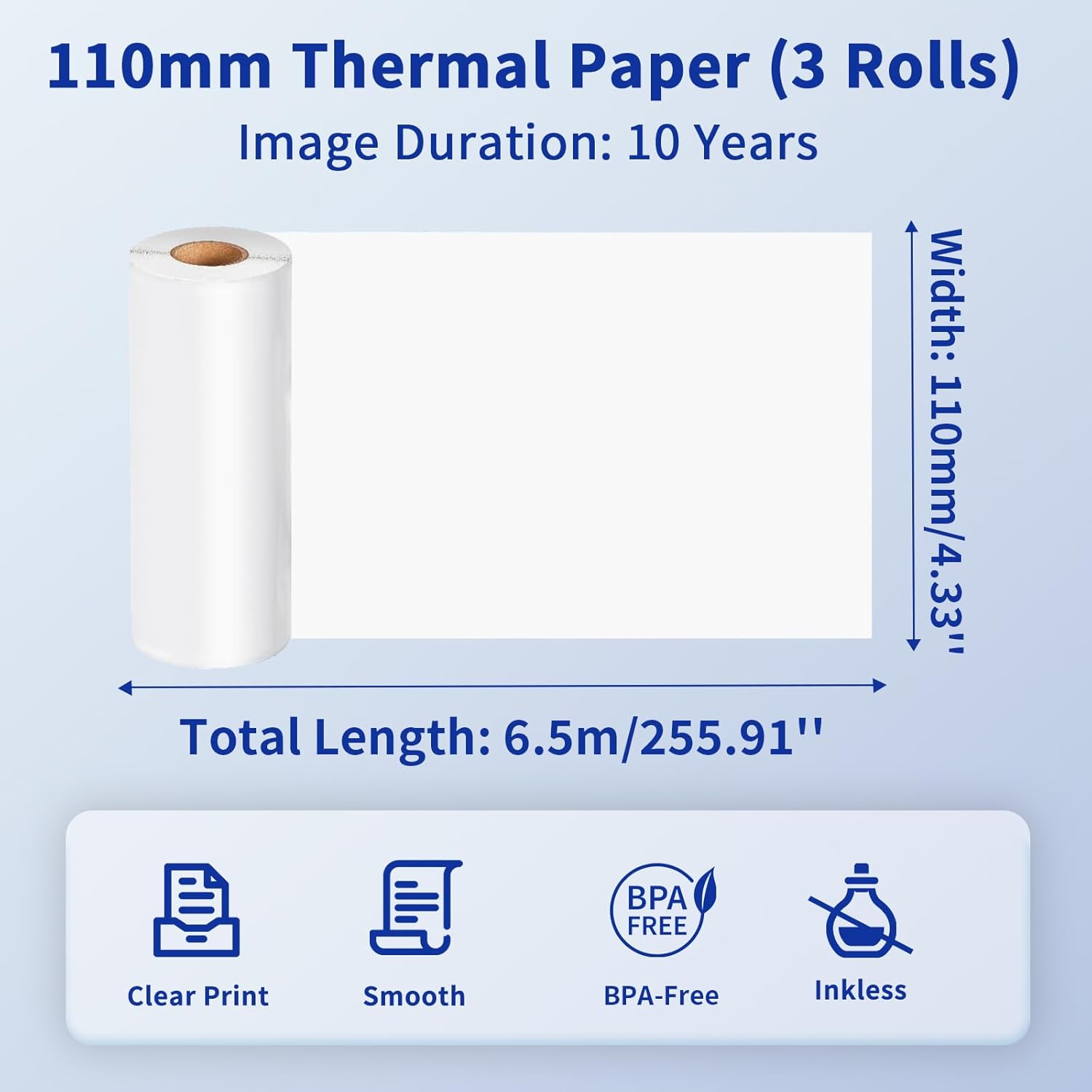
Image: Details of the 110mm thermal paper, including its dimensions (110mm width, 6.5m length) and key attributes such as clear print, smooth texture, BPA-free composition, and inkless operation, with an image duration of 10 years.
7 การแก้ไขปัญหา
หากคุณพบปัญหาเกี่ยวกับเครื่องพิมพ์ Phomemo M832 โปรดดูปัญหาและวิธีแก้ไขทั่วไปต่อไปนี้:
| ปัญหา | สาเหตุที่เป็นไปได้ | สารละลาย |
|---|---|---|
| เครื่องพิมพ์ไม่สามารถเปิดได้ | ปัญหาแบตเตอรี่หรือพลังงานต่ำ | ชาร์จเครื่องพิมพ์ให้เต็ม ตรวจสอบให้แน่ใจว่าได้กดปุ่มเปิด/ปิดเครื่องอย่างถูกต้องแล้ว |
| ไม่สามารถเชื่อมต่อผ่านบลูทูธได้ | Bluetooth is off, printer not discoverable, or app issue | Ensure Bluetooth is enabled on your device. Restart the printer and the app. Try re-pairing the device within the Phomemo app. |
| คุณภาพการพิมพ์ไม่ดี / การพิมพ์ว่างเปล่า | Incorrect paper loading, dirty print head, or low battery | Ensure thermal paper is loaded correctly with the printable side facing up. Clean the print head as described in Section 6.1. Charge the printer. |
| กระดาษติด | การใส่กระดาษไม่ถูกต้อง หรือมีสิ่งแปลกปลอมอยู่ภายใน | Turn off the printer. Carefully open the paper compartment and remove any jammed paper or obstructions. Reload paper correctly. |
| คอมพิวเตอร์ไม่รู้จักเครื่องพิมพ์ | Driver not installed or USB cable issue | Install the correct driver from M832.phomemo.com. Try a different USB port or cable. |
8. ข้อมูลจำเพาะ
Below are the technical specifications for the Phomemo M832 Portable Thermal Printer:
- แบบอย่าง: M832
- เทคโนโลยีการพิมพ์: เทอร์มอล
- การเชื่อมต่อ: บลูทูธ, ยูเอสบี
- เอาต์พุตเครื่องพิมพ์: เอกรงค์
- วิธีการควบคุม: App (Phomemo App)
- อุปกรณ์ที่รองรับ: Laptops, PCs, iPhone, Android Phone, iPad
- ระบบปฏิบัติการที่รองรับ: iOS, Android, iPadOS, Windows, macOS, Chrome OS, Linux
- Supported Print Media: Thermal Roll Paper, Folded Thermal Paper, Ordinary Thermal Paper
- Supported Sheet Sizes: 8.5" x 11" (ขนาดกระดาษ US Letter), A4, 2.08" (53 มม.), 3.15" (80 มม.), 4.33" (110 มม.)
- คุณสมบัติพิเศษ: พกพาสะดวก ไม่ต้องใช้หมึก
- น้ำหนัก: ประมาณ 1.5 ปอนด์
- มีจำหน่ายครั้งแรก: 31 พฤษภาคม 2024

Image: The Phomemo M832 printer's broad compatibility across multiple operating systems, including iOS, Android, iPad, Mac OS, Windows, Chrome OS, and Linux.
9. การรับประกันและการสนับสนุน
Phomemo products are designed for reliability and performance. For warranty information and customer support, please refer to the official Phomemo webหรือติดต่อฝ่ายบริการลูกค้าโดยตรง โปรดเก็บใบเสร็จรับเงินไว้เป็นหลักฐานการซื้อสำหรับการเรียกร้องการรับประกัน
For additional resources and product information, visit the official Phomemo Store on Amazon: ร้านโฟเมโม


