1. บทนำ
This manual provides essential information for setting up, operating, maintaining, and troubleshooting your ACEMAGIC AX16 Pro laptop. Please read this guide thoroughly to ensure optimal performance and longevity of your device.

ภาพ: ด้านหน้า view of the ACEMAGIC AX16 Pro laptop.
2. สินค้าหมดview
The ACEMAGIC AX16 Pro is a high-performance 16.1-inch laptop designed for various computing tasks, from daily productivity to entertainment. It features an AMD Ryzen 7 5700U processor, ampหน่วยความจำและพื้นที่จัดเก็บข้อมูล และตัวเลือกการเชื่อมต่อขั้นสูง
คุณสมบัติหลัก:
- โปรเซสเซอร์: AMD Ryzen 7 5700U (8 คอร์, 16 เธรด, สูงสุด 4.3GHz)
- แสดง: 16.1-inch FHD (1920x1080) IPS Display
- หน่วยความจำ: แรม DDR16 4GB
- พื้นที่จัดเก็บ: 512GB SSD NVMe ความจุ
- ระบบปฏิบัติการ: วินโดวส์ 11
- การเชื่อมต่อไร้สาย: ไวไฟ 6, บลูทูธ 5.2
- พอร์ต: HDMI, Type-C (Full Function & DC Jack), USB 3.2, USB 2.0, 3.5mm Audio Jack, TF Card Slot

Image: Visual summary of the laptop's core specifications including CPU, GPU, RAM, SSD, display, and connectivity.
3. การตั้งค่า
Initial Power-On and Windows Setup:
- ชาร์จแล็ปท็อป: Before first use, connect the laptop to a power outlet using the provided original AC adapter. Ensure the battery is sufficiently charged.
- เปิดเครื่อง: เปิดฝาแล็ปท็อปและกดปุ่มเปิด/ปิด
- ปฏิบัติตามคำแนะนำบนหน้าจอ: The laptop will guide you through the Windows 11 initial setup process. This includes selecting your region, language, connecting to a Wi-Fi network, and creating a user account.
- สำคัญ: Ensure a stable internet connection during the setup process. Do not power off or restart the laptop until the setup is complete to avoid system corruption.
การเชื่อมต่ออุปกรณ์ต่อพ่วง:
- อุปกรณ์ยูเอสบี: Connect USB mice, keyboards, or external drives to the available USB 3.2 or USB 2.0 ports.
- จอแสดงผลภายนอก: ใช้พอร์ต HDMI เพื่อเชื่อมต่อจอภาพหรือโปรเจ็กเตอร์ภายนอก
- อุปกรณ์เสียง: Plug headphones or external speakers into the 3.5mm audio jack.
- การ์ดหน่วยความจำ: Insert TF cards into the designated slot for data transfer.

ภาพ: รายละเอียด view of the laptop's various input/output ports, including USB, HDMI, Type-C, and audio jack.
4. คู่มือการใช้งาน
Display and Visuals:
The 16.1-inch Full HD (1920x1080) IPS display offers clear and vibrant visuals. Adjust brightness and display settings through Windows settings for optimal viewความสะดวกสบาย

Image: Close-up of the laptop's 16.1-inch FHD 1080P screen, highlighting its resolution and IPS technology.
คีย์บอร์ดและทัชแพด:
The laptop features a comfortable keyboard and a large touchpad for precise navigation. An included Japanese keyboard cover can be placed over the English layout for localized input.

Image: Diagram illustrating the keyboard layout and touchpad area, with a focus on ease of input.
การเชื่อมต่อไร้สาย:
Utilize WiFi 6 for high-speed internet access and Bluetooth 5.2 for connecting wireless peripherals like headphones or speakers. These technologies provide stable and efficient wireless communication.

Image: Icons representing WiFi 6 and Bluetooth 5.2, indicating advanced wireless capabilities.
ระบบเสียง:
The laptop features a dual-speaker sound system designed to deliver clear and immersive audio for an enhanced user experience.

Image: Laptop displaying a concert scene, with visual cues indicating high-quality, immersive sound from dual speakers.
5. การบำรุงรักษา
การทำความสะอาด:
- ใช้ผ้าที่ไม่เป็นขุยและนุ่มเพื่อทำความสะอาดหน้าจอและพื้นผิวภายนอก
- สำหรับรอยฝังแน่น ให้ลบออกเล็กน้อยampชุบผ้าด้วยน้ำหรือน้ำยาทำความสะอาดที่ปลอดภัยต่อหน้าจอ
- หลีกเลี่ยงสารเคมีที่รุนแรงหรือวัสดุที่มีฤทธิ์กัดกร่อน
การดูแลแบตเตอรี่
The laptop is equipped with a 53.58Wh battery, providing extended usage time. To maximize battery lifespan:
- หลีกเลี่ยงการปล่อยแบตเตอรี่จนหมดบ่อยครั้ง
- อย่าวางแล็ปท็อปไว้ในที่ที่มีอุณหภูมิสูงหรือต่ำเกินไป
- If storing the laptop for a long period, charge it to about 50-60% before turning it off.
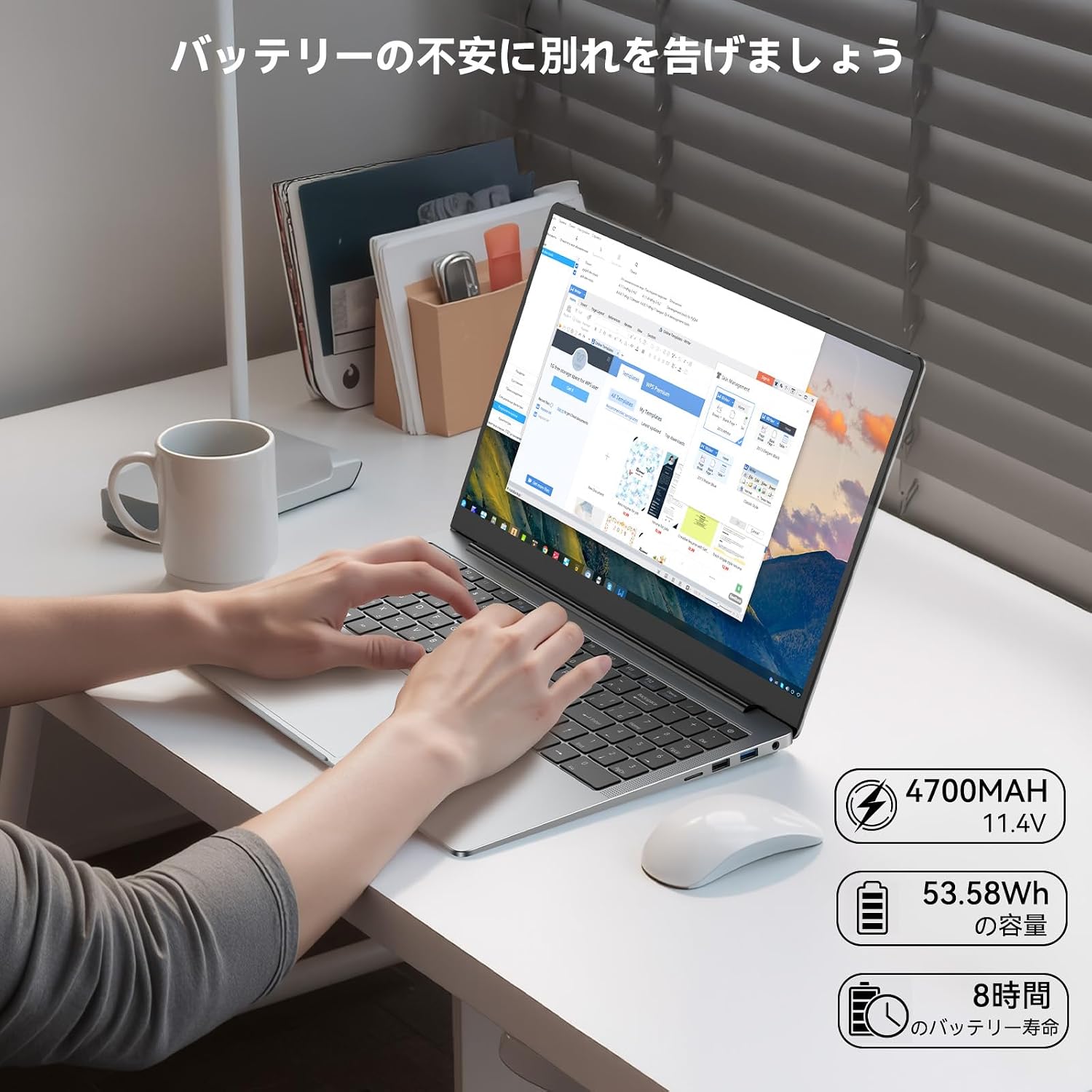
Image: Laptop in use on a desk, with icons indicating 4700mAh, 53.58Wh capacity, and 8 hours of battery life.
ระบบระบายความร้อน :
The laptop features a high-speed, quiet cooling fan to maintain optimal operating temperatures and prevent performance throttling. Ensure the vents are not obstructed to allow proper airflow.

Image: Diagram illustrating the laptop's internal cooling system with a high-speed fan and dual heat pipes for efficient heat dissipation.
6 การแก้ไขปัญหา
ปัญหาทั่วไปและวิธีแก้ไข:
- แล็ปท็อปไม่สามารถเปิดเครื่องได้: Ensure the AC adapter is securely connected and the power outlet is functional. Check if the battery has sufficient charge.
- หน้าจอว่างเปล่า: Connect an external monitor to check if the display output is working. Adjust screen brightness.
- ปัญหาการเชื่อมต่อ Wi-Fi: ตรวจสอบให้แน่ใจว่าได้เปิดใช้งาน Wi-Fi ในการตั้งค่า Windows แล้ว รีสตาร์ทเราเตอร์และแล็ปท็อป ตรวจสอบไดรเวอร์เครือข่ายที่อัปเดตแล้ว
- ประสิทธิภาพช้า: ปิดแอปพลิเคชันที่ไม่จำเป็น ตรวจสอบกระบวนการเบื้องหลังที่ใช้ทรัพยากรจำนวนมาก และตรวจสอบให้แน่ใจว่ามีพื้นที่เก็บข้อมูลว่างเพียงพอ
- ความร้อนสูงเกินไป: Ensure cooling vents are clear of obstructions. Use the laptop on a hard, flat surface.
If you encounter persistent issues not resolved by these steps, please refer to the Warranty and Support section for assistance.
7. ข้อมูลจำเพาะ
| คุณสมบัติ | ข้อมูลจำเพาะ |
|---|---|
| ยี่ห้อ | อะเซเมจิก |
| ชื่อรุ่น | AX16 Pro (NoteBook) |
| สี | สีเทา |
| ฟอร์มแฟกเตอร์ | แล็ปท็อป |
| ขนาดหน้าจอ | 16.1 นิ้ว |
| ปณิธาน | 1920x1080 พิกเซล (FHD) |
| แบรนด์ CPU | เอเอ็มดี |
| ประเภทซีพียู | เอเอ็มดี Ryzen 7 5700U |
| ความเร็วซีพียู | 1.8 GHz (Base), up to 4.3 GHz (Turbo) |
| จำนวนโปรเซสเซอร์ | 8 |
| ขนาดแรม | 16GB |
| ประเภทแรม | DDR4 SODIMM |
| หน่วยความจำสูงสุดที่รองรับ | 64GB |
| ขนาดฮาร์ดดิสก์ | 512GB |
| ประเภทฮาร์ดดิสก์ | เอสดีเอสดี |
| โคโปรเซสเซอร์กราฟิก | AMD Radeon RX Vega 8 |
| ประเภทการ์ดจอ | บูรณาการ |
| ประเภทไร้สาย | Bluetooth, Wi-Fi (802.11ax / WiFi 6) |
| พอร์ต USB 2.0 | 1 |
| พอร์ต USB 3.0 | 2 |
| พอร์ต HDMI | 1 |
| ด้านหน้า Webความละเอียดของกล้อง | 1 MP |
| ระบบปฏิบัติการ | วินโดวส์ 11 |
| น้ำหนักสินค้า | 2.87 กิโลกรัม |
8. การรับประกันและการสนับสนุน
การรับประกันจากผู้ผลิต:
Your ACEMAGIC AX16 Pro laptop comes with an 18-month manufacturer warranty from the date of purchase. This warranty covers defects in materials and workmanship under normal use.
ติดต่อฝ่ายสนับสนุน:
For any product defects, malfunctions, or technical assistance during the warranty period, please contact ACEMAGIC customer support. You can typically find contact information through your purchase platform or the official ACEMAGIC website. When contacting support, please provide your purchase details and a clear description of the issue.
For Amazon purchases, navigate to 'Your Account' → 'Order History' → 'Sold by' → 'Ask a question'. Support aims to respond within 24 hours.


