
การแนะนำ
Thank you for choosing the OLEVS Men's Classic Business Analog Quartz Watch. This manual provides essential information for the proper setup, operation, and maintenance of your timepiece. Please read these instructions carefully to ensure optimal performance and longevity of your watch.

Image: OLEVS Men's Classic Business Analog Quartz Watch on a wrist.
คุณสมบัติผลิตภัณฑ์
- การเคลื่อนไหวของควอตซ์: รับประกันการบอกเวลาที่แม่นยำ
- โครงสร้างสแตนเลส: ตัวเรือนและสายนาฬิกาทนทาน เหมาะสำหรับการใช้งานในชีวิตประจำวัน
- จอแสดงผลเรืองแสง: Hands and markers glow in low-light conditions for enhanced readability.
- การแสดงวันที่และวันในสัปดาห์: ฟังก์ชันปฏิทินที่ใช้งานสะดวก
- ความต้านทานน้ำ: Designed to withstand daily water exposure (e.g., hand washing, splashes).
- High Hardness Coated Glass Mirror: Provides wear and scratch resistance.

Image: Close-up of the watch face.
การตั้งค่า
การตั้งเวลาและวันที่
- ดึงมงกุฎออก: Gently pull the crown (the knob on the side of the watch) to the first or second position.
- Set the date/day: Rotate the crown in one direction (usually clockwise) to adjust the date and day. Avoid setting the date/day between 9 PM and 3 AM, as this can interfere with the automatic date change mechanism.
- ตั้งเวลา: Pull the crown out to the furthest position. Rotate the crown to set the hour and minute hands. Ensure the AM/PM is correctly set if your watch has a 24-hour indicator or if you are setting the date.
- กดมงกุฎเข้าไป: เมื่อตั้งเวลาและวันที่เสร็จแล้ว ให้ดันเม็ดมะยมกลับไปที่ตำแหน่งเดิมเพื่อเริ่มการทำงานของนาฬิกา
Adjusting the Metal Bracelet
The metal bracelet can be adjusted by removing or adding links to achieve a comfortable fit. A watch band adjustment tool is typically required for this process.
Video: Instructions for removing and installing metal watch band links. This video demonstrates how to use a link removal tool to adjust the size of the watch bracelet.
- Determine required links: Try on the watch to determine how many links need to be removed for a comfortable fit. It is recommended to remove an equal number of links from both sides of the clasp to maintain balance.
- Position the band: Place the watch band into the link removal tool. Align the tool's pin with the link pin on the watch band.
- Push out the pin: Slowly rotate the tool's thimble to push the link pin out.
- Remove links: Once the pin is removed, detach the desired number of links.
- Reconnect the band: Realign the remaining band sections and insert the link pin in the direction of the arrow on the band. Use the tool to gently push the pin back into place until it is flush with the band.
- ตรวจสอบความปลอดภัย: Ensure all connections are firm. Keep any removed links for future use.
คำแนะนำการใช้งาน
การใช้ในชีวิตประจำวัน
- Wear the watch comfortably on your wrist.
- ควรหลีกเลี่ยงการนำนาฬิกาไปวางไว้ในที่ที่มีอุณหภูมิสูงหรือต่ำเกินไป หรือในบริเวณที่มีสนามแม่เหล็กแรงสูง
ความต้านทานต่อน้ำ
This watch is rated for 30 meters (100 feet) of water resistance. This means it is suitable for daily use and can withstand splashes, rain, and brief immersion in water, such as during hand washing. It is ไม่ recommended for swimming, diving, or showering with hot water, as steam and pressure changes can compromise the seals.
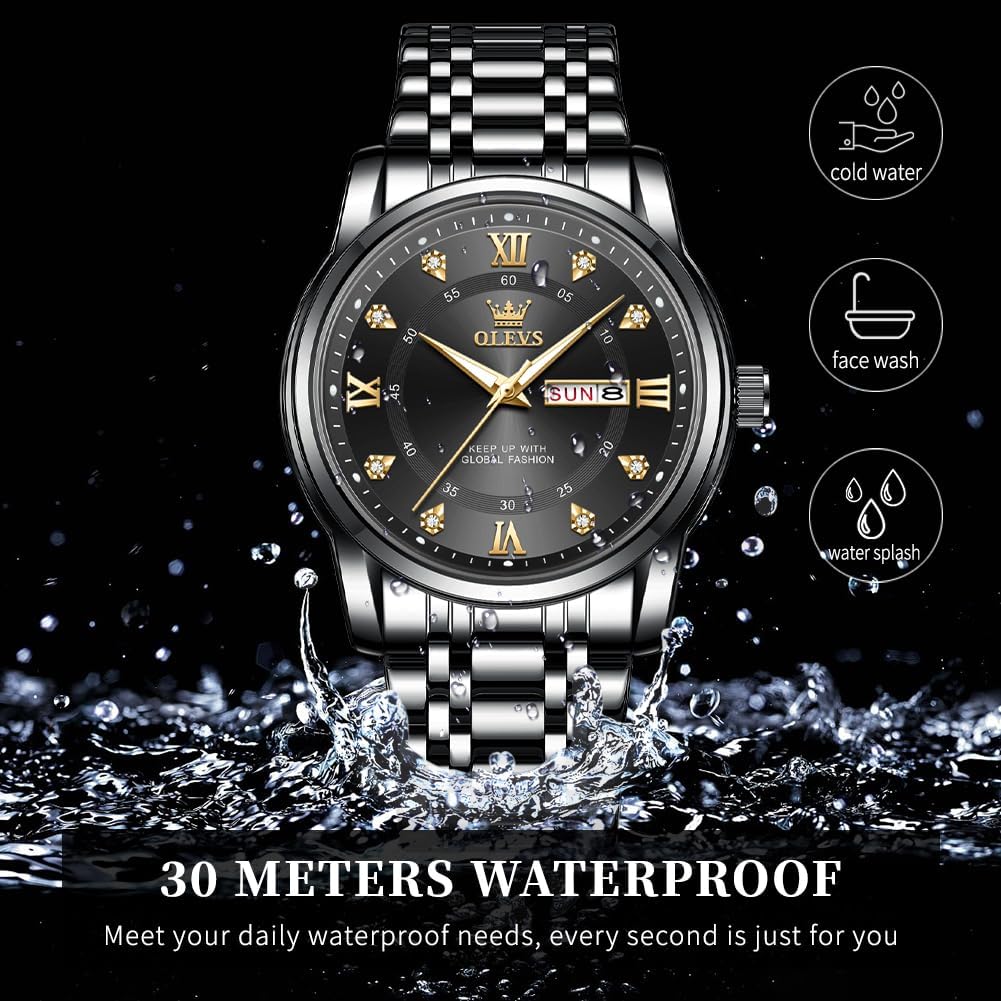
Image: Watch demonstrating 30-meter water resistance.
การซ่อมบำรุง
การทำความสะอาด
- ควรเช็ดตัวเรือนนาฬิกาและสายนาฬิกาด้วยผ้าแห้งเนื้อนุ่มเป็นประจำเพื่อขจัดฝุ่นและสิ่งสกปรก
- สำหรับสิ่งสกปรกฝังแน่น ให้เช็ดออกเล็กน้อยamp สามารถใช้ผ้าแล้วเช็ดให้แห้งทันที
- หลีกเลี่ยงการใช้สารเคมีรุนแรง ตัวทำละลาย หรือน้ำยาทำความสะอาดที่มีฤทธิ์กัดกร่อน
การเปลี่ยนแบตเตอรี่
The watch is powered by a quartz battery. When the watch stops or the second hand begins to skip, the battery may need replacement. It is recommended to have the battery replaced by a qualified watch technician to ensure the water resistance seals are properly maintained.
พื้นที่จัดเก็บ
เมื่อไม่ใช้งาน ควรเก็บนาฬิกาไว้ในที่แห้งและเย็น หลีกเลี่ยงแสงแดดโดยตรงและอุณหภูมิที่สูงหรือต่ำเกินไป กล่องนาฬิกาเดิมเหมาะสำหรับการเก็บรักษาเป็นอย่างยิ่ง
การแก้ไขปัญหา
| ปัญหา | สาเหตุที่เป็นไปได้ | สารละลาย |
|---|---|---|
| นาฬิกาไม่ทำงาน | Dead battery, crown not pushed in, internal malfunction. | Ensure crown is fully pushed in. If not, replace battery (professional service recommended). If problem persists, contact support. |
| เวลา/วันที่ไม่ถูกต้อง | Time/date not set correctly, crown pulled out. | Refer to "Setting Time and Date" section. Ensure crown is fully pushed in after setting. |
| ไอน้ำเกาะภายในนาฬิกา | การสัมผัสกับการเปลี่ยนแปลงอุณหภูมิอย่างรุนแรงหรือการรั่วซึมของน้ำ | หลีกเลี่ยงการเปลี่ยนแปลงอุณหภูมิอย่างรวดเร็ว หากยังคงมีไอน้ำเกาะอยู่ ให้รีบติดต่อผู้เชี่ยวชาญทันทีเพื่อป้องกันความเสียหาย |
ข้อมูลจำเพาะ
| คุณสมบัติ | รายละเอียด |
|---|---|
| หมายเลขรุ่น | YPF-S-G5513-HH |
| ประเภทการเคลื่อนไหว | ควอตซ์ |
| วัสดุตัวเรือน | สแตนเลส |
| วัสดุของวงดนตรี | สแตนเลส |
| เส้นผ่านศูนย์กลางตัวเรือน | 40 มิลลิเมตร |
| ความหนาของเคส | 11 มิลลิเมตร |
| ความกว้างของแถบ | 20 มิลลิเมตร |
| ความยาวสาย | 200 มิลลิเมตร |
| ความลึกของการต้านทานน้ำ | 30 เมตร (100 ฟุต) |
| ประเภทคริสตัล | High hardness coated glass mirror surface |
| น้ำหนักสินค้า | 105 กรัม |

Image: Detailed watch parameters.
การรับประกันและการสนับสนุน
This product is covered by a seller warranty. For any warranty claims, technical support, or service inquiries, please contact the seller directly through your purchase platform. Ensure you have your purchase details and model number (YPF-S-G5513-HH) available when contacting support.