การแนะนำ
This manual provides essential instructions for the setup, operation, and maintenance of your iRobot Roomba i5+ Combo Robot Vacuum and Mop. This device is designed to automate floor cleaning by vacuuming and mopping hard surfaces. Please read this manual thoroughly before using the product to ensure proper function and safety.
มีอะไรอยู่ในกล่อง
ตรวจสอบว่ามีส่วนประกอบทั้งหมดอยู่ครบเมื่อแกะกล่อง:
- iRobot Roomba i5+ Combo Robot Vacuum and Mop
- Clean Base Automatic Dirt Disposal (Docking Station)
- แผ่นซับ
- สายไฟ
- คู่มือการใช้งาน (เอกสารนี้)

Image: The iRobot Roomba i5+ Combo robot vacuum and mop, shown with its Clean Base automatic dirt disposal station.
การตั้งค่า
- Unpack the Robot and Clean Base: Remove all packaging materials from the robot and the Clean Base.
- วางฐานที่สะอาด: Position the Clean Base against a wall in an open, uncluttered area. Ensure there is at least 0.5 meters (1.5 feet) of clear space on either side and 1.2 meters (4 feet) in front of the base.
- เชื่อมต่อพลังงาน: Plug the Clean Base power cord into a wall outlet.
- ชาร์จหุ่นยนต์: Place the Roomba robot onto the Clean Base. The robot will automatically begin charging. Allow at least 3 hours for the initial charge.
- ดาวน์โหลดแอพ iRobot Home: For full functionality, download the iRobot Home app from your device's app store. Follow the in-app instructions to connect your robot to your Wi-Fi network and complete the setup.
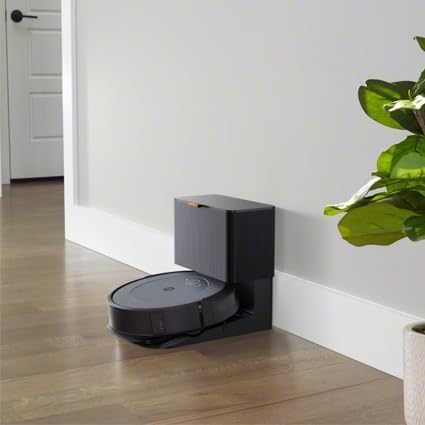
Image: The iRobot Roomba i5+ Combo robot vacuum docked on its Clean Base for charging.
คำแนะนำการใช้งาน
โหมดดูดฝุ่น
To initiate a cleaning cycle in vacuuming mode, ensure the dustbin is properly installed. Press the CLEAN button on the robot or use the iRobot Home app to start, pause, or stop cleaning. The robot will automatically return to its Clean Base when the battery is low or when cleaning is complete.

Image: The iRobot Roomba i5+ Combo robot vacuum cleaning debris from a hard floor.

ภาพ: เหนือศีรษะ view of the iRobot Roomba i5+ Combo robot vacuum demonstrating its systematic cleaning path on a floor.
โหมดถูพื้น
To use the mopping function, remove the vacuuming dustbin and install the mopping attachment with a clean mop pad. Fill the mopping reservoir with water or a compatible cleaning solution. The robot will then be ready to mop hard floors. Do not use the mopping attachment on carpets or rugs.

Image: The iRobot Roomba i5+ Combo robot vacuum shown with its interchangeable vacuum dustbin and mopping attachment.
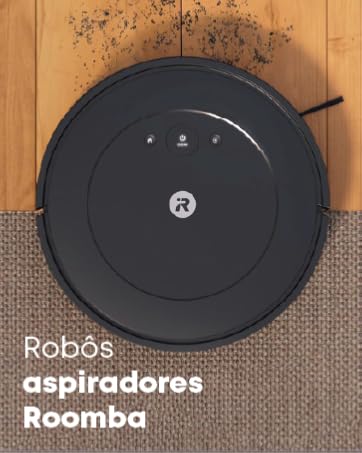
Image: A person filling the mopping reservoir of the iRobot Roomba i5+ Combo with water at a sink.
Smart Mapping and Scheduling
The iRobot Home app allows you to create Smart Maps of your home, define cleaning zones, and set schedules for automated cleaning. You can also direct the robot to clean specific rooms or areas.
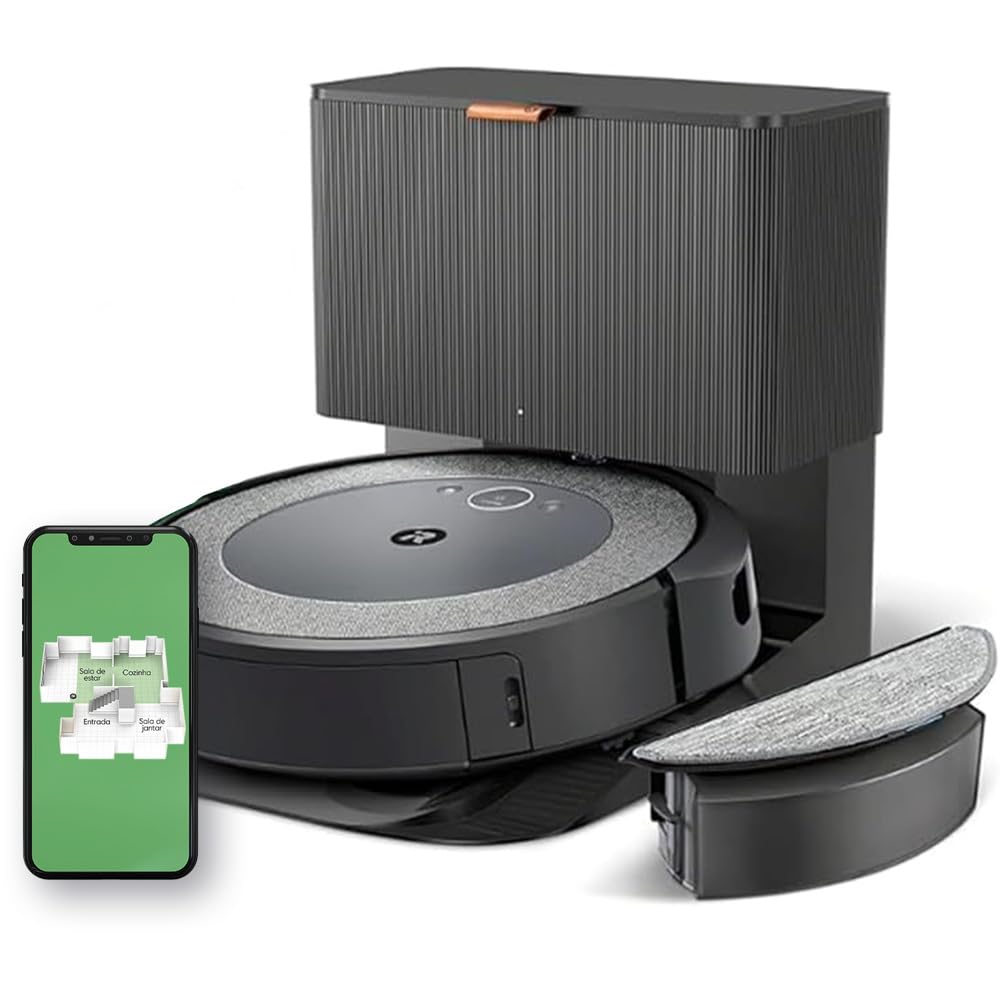
Image: A diagram illustrating the iRobot Roomba i5+ Combo's 4-stage cleaning system, including edge-sweeping brush, dual multi-surface rubber brushes, power-lifting suction, and mop pad.
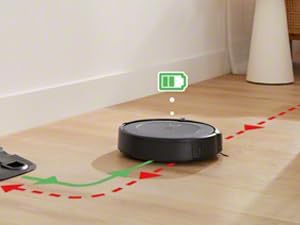
Image: The iRobot Roomba i5+ Combo robot vacuum shown mapping the layout of a house, indicating different rooms like living room, kitchen, entryway, and dining room.
Video: This video demonstrates the iRobot Roomba i5+ Combo's powerful suction and mopping capabilities, highlighting its 4-stage cleaning system and automatic dirt disposal. It also shows how to select specific rooms for cleaning using the iRobot OS app.
การซ่อมบำรุง
Regular maintenance ensures optimal performance of your Roomba i5+ Combo.
- ล้างถังขยะ: The Clean Base automatically empties the robot's dustbin. However, manually check and empty the dustbin if the Clean Base is not used or if the robot indicates it's full.
- ทำความสะอาดแผ่นม็อป: After each mopping cycle, remove and clean the mop pad. It can be hand-washed or machine-washed according to care instructions.
- แปรงทำความสะอาด: Regularly remove hair and debris from the edge-sweeping brush and the dual multi-surface rubber brushes. Use the cleaning tool provided.
- ทำความสะอาดตัวกรอง: Tap the filter clean to remove debris. Replace the filter every 2-3 months, or as needed.
- ทำความสะอาดเซ็นเซอร์และจุดสัมผัสการชาร์จ: Wipe the robot's sensors and charging contacts, as well as the Clean Base charging contacts, with a clean, dry cloth.
การแก้ไขปัญหา
| ปัญหา | สารละลาย |
|---|---|
| หุ่นยนต์ไม่ชาร์จ | Ensure the Clean Base is plugged in and the robot is properly aligned with the charging contacts. Clean the charging contacts on both the robot and the base. |
| หุ่นยนต์ติดขัดบ่อยมาก | Clear obstacles from the cleaning area. Ensure virtual walls or keep-out zones are set up in the app for problem areas. Clean the robot's sensors. |
| ประสิทธิภาพการทำความสะอาดแย่ | Empty the dustbin, clean the brushes, and replace the filter if necessary. Ensure the mop pad is clean and wet for mopping. |
| หุ่นยนต์ไม่เชื่อมต่อกับ Wi-Fi | Ensure your Wi-Fi network is 2.4 GHz. Restart your router and the robot. Follow the in-app instructions for Wi-Fi setup carefully. |
ข้อมูลจำเพาะ
| คุณสมบัติ | รายละเอียด |
|---|---|
| ยี่ห้อ | ไอโรบอท |
| แบบอย่าง | Roomba i5+ Combo |
| สี | White (Note: Product images often show a dark grey/black unit) |
| อุปกรณ์ที่รองรับ | Alexa or Google Assistant compatible devices |
| คุณสมบัติพิเศษ | Scheduling, Anti-fall, Self-emptying, Pet hair capture, Automatic dust collection |
| แหล่งพลังงาน | ไฟฟ้าพร้อมสายไฟ |
| ประเภทแบตเตอรี่ | ลิเธียมไอออน |
| ฟอร์มแฟกเตอร์ | กลม |
| ขนาดสินค้า | กว้าง 12.7 ยาว 41.9 สูง 45 เซนติเมตร |
| คำแนะนำด้านพื้นผิว | Multiple surfaces |
การรับประกันและการสนับสนุน
สำหรับข้อมูลการรับประกันและการสนับสนุนทางเทคนิค โปรดดูที่ iRobot อย่างเป็นทางการ webหรือติดต่อฝ่ายบริการลูกค้าของ iRobot เก็บใบเสร็จรับเงินไว้เป็นหลักฐานการซื้อ
iRobot อย่างเป็นทางการ Webเว็บไซต์: www.irobot.com