การแนะนำ
This manual provides essential instructions for the safe and efficient use of your Sencor SRV 1550WH Robot Vacuum Cleaner and Mop. Please read this manual thoroughly before operating the device and keep it for future reference.
สินค้าเกินview
The Sencor SRV 1550WH is a robot vacuum cleaner and mop designed for autonomous cleaning. It vacuums dirt and simultaneously mops dust from hard floors. Equipped with two side brushes, it effectively cleans along walls and in corners. Its ultra-slim design allows it to navigate under furniture and around obstacles. The SENCOR Smart Room technology ensures efficient movement, and the device features intelligent impact and fall sensors for safe operation.
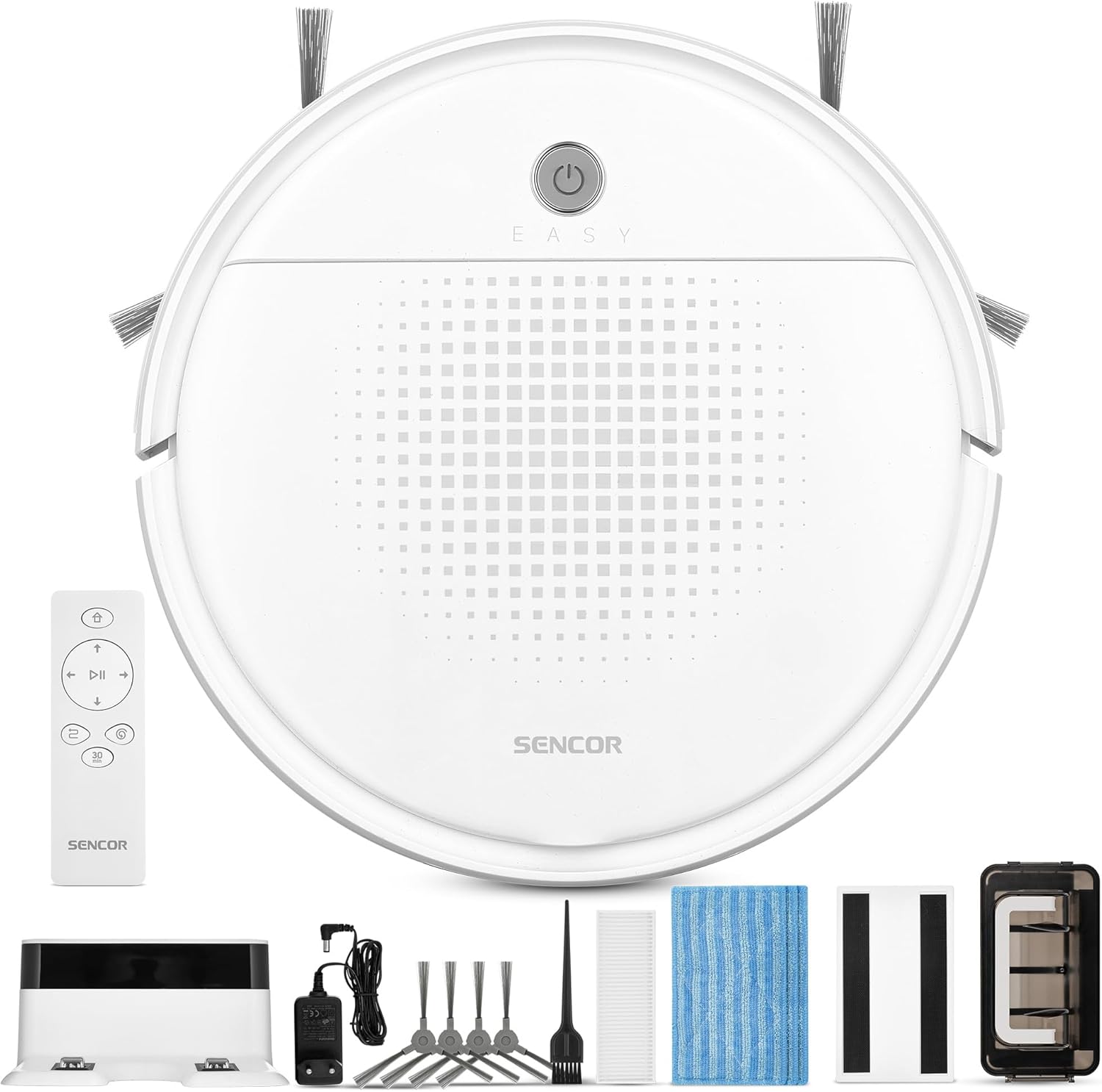
ภาพที่ 1: Sencor SRV 1550WH Robot Vacuum Cleaner and Mop with its included accessories, including the charging station, remote control, side brushes, mop pads, and cleaning tools.
เนื้อหาแพ็คเกจ
- Robot vacuum cleaner (including two side brushes and filters)
- สถานีชาร์จแบตเตอรี่
- อุปกรณ์ทำความสะอาด
- 3x textile mop sleeves
- รีโมทคอนโทรล
- 2x AAA batteries (for remote control)
- 2x spare rotating side brushes
- อะแดปเตอร์แปลงไฟ
- 1x spare HEPA filter
- แปรงทำความสะอาด
คำแนะนำเพื่อความปลอดภัย
Before using the appliance, please read all safety warnings and instructions. Failure to follow these instructions may result in electric shock, fire, or serious injury. Keep this manual in a safe place for future reference.
- เด็กอายุตั้งแต่ 8 ปีขึ้นไป รวมไปถึงบุคคลที่มีความบกพร่องทางร่างกาย ประสาทสัมผัส หรือจิตใจ หรือขาดประสบการณ์และความรู้ สามารถใช้เครื่องใช้ไฟฟ้านี้ได้ หากมีการดูแลหรือได้รับคำแนะนำเกี่ยวกับการใช้เครื่องใช้ไฟฟ้าในลักษณะที่ปลอดภัย และเข้าใจถึงอันตรายที่อาจเกิดขึ้น
- เด็กไม่ควรเล่นเครื่องใช้ไฟฟ้านี้ ไม่ควรทำความสะอาดและบำรุงรักษาเครื่องโดยเด็กโดยไม่มีผู้ดูแล
- Only use the original power adapter and charging station provided by the manufacturer.
- ห้ามใช้เครื่องในสภาพแวดล้อมที่เปียกชื้นหรือใกล้แหล่งน้ำ
- ตรวจสอบให้แน่ใจว่าได้วางแท่นชาร์จบนพื้นผิวเรียบและมั่นคงชิดผนัง โดยมีพื้นที่ว่างรอบๆ แท่นชาร์จ
- ก่อนเริ่มการทำความสะอาด โปรดนำสายไฟที่หลวม วัตถุขนาดเล็ก หรือสิ่งของที่แตกหักง่ายออกจากบริเวณที่จะทำความสะอาด
- Do not operate the robot over open flames or hot ashes.
- ห้ามปล่อยให้หุ่นยนต์หยิบจับวัตถุขนาดใหญ่ ของเหลว หรือวัสดุที่กำลังลุกไหม้/มีควัน
- ทำความสะอาดแปรงและตัวกรองอย่างสม่ำเสมอเพื่อรักษาประสิทธิภาพการทำงานให้อยู่ในระดับสูงสุด
การตั้งค่า
1. การแกะกล่องและการตรวจสอบเบื้องต้น
Carefully remove all components from the packaging. Check for any signs of damage. Retain the packaging for future transport or storage.
2. การจัดวางตำแหน่งสถานีชาร์จ
Place the charging station against a wall in an open area. Ensure there is at least 1 meter (3 feet) of clear space on both sides and 2 meters (6 feet) in front of the charging station for the robot to easily dock. Connect the power adapter to the charging station and plug it into a power outlet.
3. การติดตั้งแปรงด้านข้าง
Turn the robot upside down. Align the side brushes with the corresponding posts on the bottom of the robot and press them down until they click into place. Ensure they are securely attached.
4. ค่าธรรมเนียมเริ่มต้น
Place the robot onto the charging station. Ensure the charging contacts on the robot align with those on the station. The indicator light on the robot will show its charging status. For first-time use, charge the robot for at least 5-6 hours to ensure the battery is fully conditioned.
การใช้งานหุ่นยนต์ดูดฝุ่น
1. การเปิด/ปิดเครื่อง
Press and hold the power button on the robot for a few seconds to turn it on or off. Alternatively, use the power button on the remote control.

ภาพที่ 2: A hand holding the remote control for the Sencor robot vacuum, with the robot and charging station visible in the background, illustrating remote operation.
2. การเริ่มวงจรการทำความสะอาด
กดปุ่ม "ทำความสะอาด" button on the robot or the remote control to start a cleaning cycle. The robot will automatically select a cleaning path using SENCOR Smart Room technology.
3. โหมดการทำความสะอาด
- การทำความสะอาดอัตโนมัติ: The robot navigates and cleans the entire accessible area.
- 30-Minute Program: Ideal for smaller areas or a single room, the robot cleans for approximately 30 minutes before returning to the charging station. Activate this mode via the remote control.
4. Mop Function
To use the mop function, attach a clean textile mop sleeve to the bottom of the robot. The robot will vacuum and mop simultaneously. Ensure the water tank (if applicable, though not explicitly mentioned for this model, it's implied by "laveur") is filled if a wet mop is desired. For this model, it uses an antistatic mop for dust wiping.
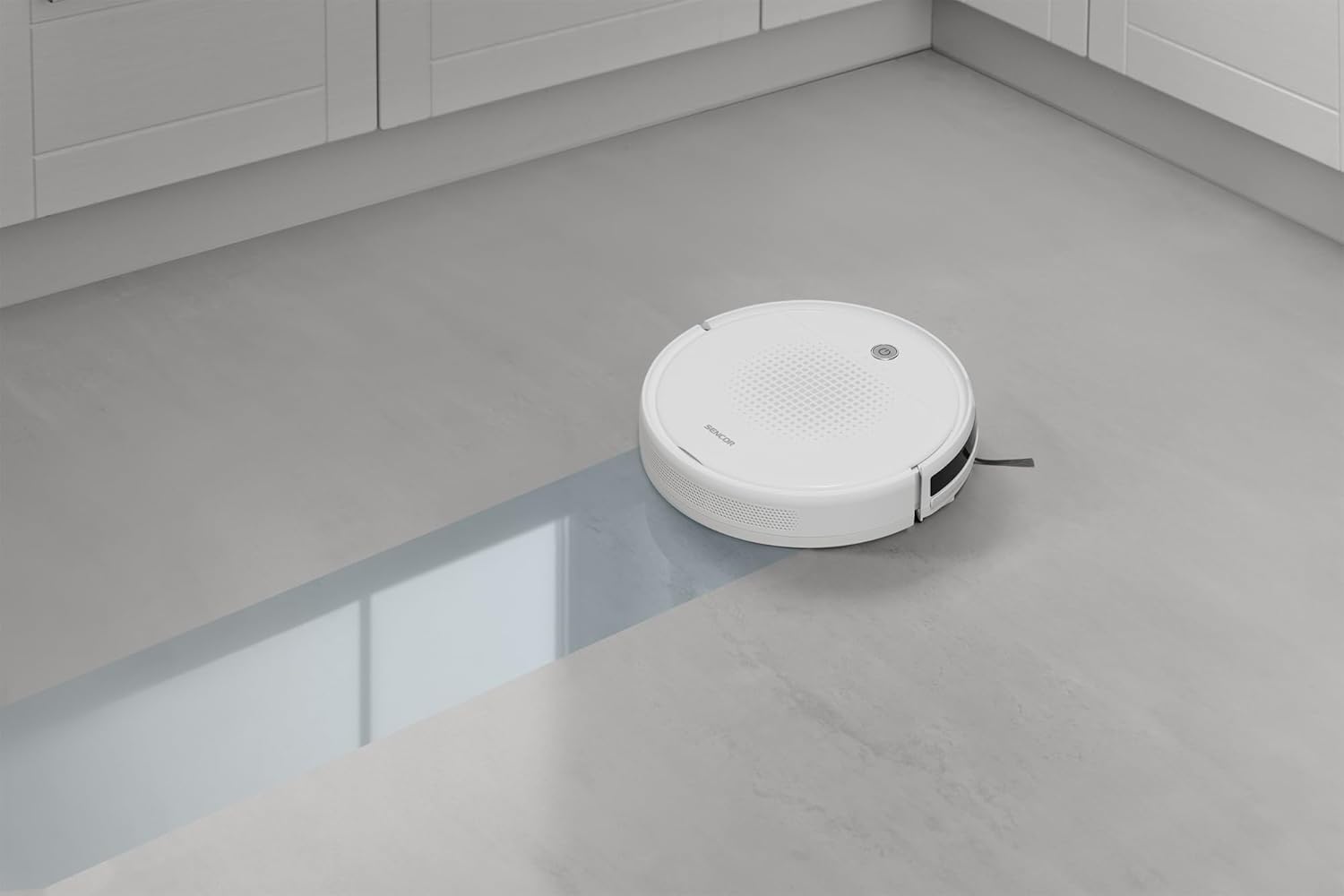
ภาพที่ 3: The Sencor robot vacuum cleaner actively mopping a hard floor, leaving a clean path behind it.
5. Automatic Docking and Charging
When the battery is low or a cleaning cycle is complete, the robot will automatically return to its charging station. Ensure the charging station is accessible and powered on.

ภาพที่ 4: The Sencor robot vacuum cleaner moving from a carpeted area to a hard floor, demonstrating its ability to clean different surfaces and pick up debris.

ภาพที่ 5: The Sencor robot vacuum cleaner operating under a sofa, highlighting its ultra-slim 7 cm design for accessing hard-to-reach areas.
การซ่อมบำรุง
การบำรุงรักษาตามปกติจะช่วยให้หุ่นยนต์ดูดฝุ่นของคุณทำงานได้อย่างเหมาะสมที่สุดและยืดอายุการใช้งาน
1. การล้างถังขยะ
Press the release button to remove the dust bin. Open the dust bin cover and empty its contents into a trash can. It is recommended to empty the dust bin after each cleaning cycle.
2. การทำความสะอาด/เปลี่ยนไส้กรอง
Remove the HEPA filter and primary filter from the dust bin. Tap the filters gently to remove dust. The HEPA filter is not washable; replace it every 3-6 months depending on usage. The primary filter can be rinsed with water and air-dried completely before reinstallation.
3. ทำความสะอาดแปรงข้าง
Periodically remove the side brushes by pulling them upwards. Use the provided cleaning brush or a pair of scissors to remove any tangled hair or debris. Reinstall them securely.
4. การทำความสะอาดแผ่นม็อป
Remove the textile mop sleeve after each use. Rinse it thoroughly with water and allow it to air dry. Replace mop sleeves when they show signs of wear or reduced effectiveness.
5. การทำความสะอาดเซ็นเซอร์และหน้าสัมผัสการชาร์จ
Wipe the anti-drop sensors, bumper sensors, and charging contacts on both the robot and the charging station with a clean, dry cloth to ensure proper function.
การแก้ไขปัญหา
หากหุ่นยนต์ดูดฝุ่นของคุณพบปัญหา โปรดดูปัญหาและวิธีแก้ไขทั่วไปต่อไปนี้:
| ปัญหา | สาเหตุที่เป็นไปได้ | สารละลาย |
|---|---|---|
| หุ่นยนต์ไม่เปิด | แบตเตอรี่เหลือน้อย ชาร์จไม่เข้า | วางหุ่นยนต์ลงบนแท่นชาร์จและตรวจสอบให้แน่ใจว่าชาร์จเต็มแล้ว |
| หุ่นยนต์ไม่ชาร์จเงิน | Charging contacts are dirty; charging station not powered. | Clean charging contacts on both robot and station. Ensure charging station is plugged in and powered. |
| หุ่นยนต์ติดขัดบ่อยครั้ง | สิ่งกีดขวางในเส้นทางการทำความสะอาด; แปรงพันกัน | Clear the cleaning area of loose cables, small objects. Clean side brushes for tangled hair. |
| ประสิทธิภาพการทำความสะอาดไม่ดี | Full dust bin; dirty filters; worn brushes. | Empty dust bin. Clean or replace filters. Clean or replace side brushes. |
| หุ่นยนต์ไม่กลับไปยังแท่นชาร์จ | Charging station is blocked or not powered; robot too far from station. | Ensure charging station is accessible and powered. Manually place robot near station to assist docking. |
ข้อมูลจำเพาะ
| ยี่ห้อ | SENCOR |
| หมายเลขรุ่น | เอสอาร์วี 1550WH |
| สี | สีขาว |
| ขนาด (กว้าง x ยาว x สูง) | 29 x 29 x 7 ซม. (11.4 x 11.4 x 2.7 นิ้ว) |
| น้ำหนัก | 1.9 กิโลกรัม (4.19 ปอนด์) |
| ความจุถังเก็บฝุ่น | 200 มิลลิลิตร |
| เล่มที่tage | 220 โวลต์ |
| วัสดุ | พลาสติก |
| ระดับเสียง | 60 เดซิเบล |
| อายุการใช้งานแบตเตอรี่ (รันไทม์) | ไม่เกิน 60 นาที (1 ชั่วโมง) |
| คุณสมบัติพิเศษ | Automatic docking, Anti-fall, Anti-collision, Automatic stop, Continuous suction, Simultaneous suction and cleaning, Dirt detection sensor, Logical navigation, Programmable, Pet hair pickup, Easy-to-empty dirt container, Cordless, Bagless, Low noise level, Washable primary filter, HEPA filter. |
| ประเภทตัวกรอง | แผ่นกรอง HEPA |
| ประเภทตัวควบคุม | รีโมทคอนโทรล |
การรับประกันและการสนับสนุน
Sencor offers a satisfaction guarantee for this product. Please refer to your purchase documentation for specific warranty terms and conditions.
- การรับประกันความพึงพอใจ: A 30-day satisfaction guarantee is offered.
- อะไหล่: ขณะนี้ยังไม่มีข้อมูลเกี่ยวกับความพร้อมของอะไหล่
- For further assistance or technical support, please contact Sencor customer service through their official webเว็บไซต์หรือข้อมูลการติดต่อที่ให้มาพร้อมกับการซื้อของคุณ


