การแนะนำ
Thank you for choosing the TIDRADIO 11-inch AirBand Antenna. This antenna is designed to enhance airband signal reception for compatible walkie-talkies. Please read this manual thoroughly to ensure proper installation and optimal performance.
ข้อมูลจำเพาะ
| ประเภทขั้วต่อ | SMA-เพศหญิง |
| ช่วงความถี่ | Air Band 108-136MHz |
| ได้รับ | 3.5dBi |
| ค่า VSWR | น้อยกว่า 1.5 |
| กำลังไฟฟ้าเข้าสูงสุด | 25วัตต์ |
| อิมพีแดนซ์ | 50 โอห์ม |
| ความยาว | 28 CM / 11 inches |
| น้ำหนักสินค้า | 1.76 ออนซ์ |
| ขนาดแพ็คเกจ | 15.79 x 3.46 x 0.59 นิ้ว |
คำแนะนำการตั้งค่า
Follow these steps to properly attach your TIDRADIO AirBand Antenna to a compatible device:
- ระบุตัวเชื่อมต่อ: The TIDRADIO 11-inch AirBand Antenna features an SMA-Female connector. Ensure your walkie-talkie or radio has a compatible SMA-Male connector.
- Align the Connectors: Carefully align the SMA-Female connector on the antenna with the SMA-Male connector on your radio.
- Screw On the Antenna: Gently screw the antenna onto the radio's connector in a clockwise direction. Do not overtighten, as this can damage both the antenna and the radio. Tighten until snug.
- การตรวจสอบความเข้ากันได้: This antenna is compatible with various models including BAOFENG UV-5R Mini, UV-32, DM-32, F8HP PRO, 5RM, 5RH PRO, K5PLUS, TIDRADIO TD-H3Plus, TD-H3, Quansheng UV-K5/UV-K6/UV-TK11, and Radioddity RT-470/Airband two-way radios.

Operating the Antenna
Once the antenna is securely attached, your radio is ready for enhanced airband signal reception. The antenna is designed for optimal performance within the 108-136MHz airband frequency range.
- การรับสัญญาณ: The 3.5dBi gain of this antenna helps improve the clarity and range of received airband signals.
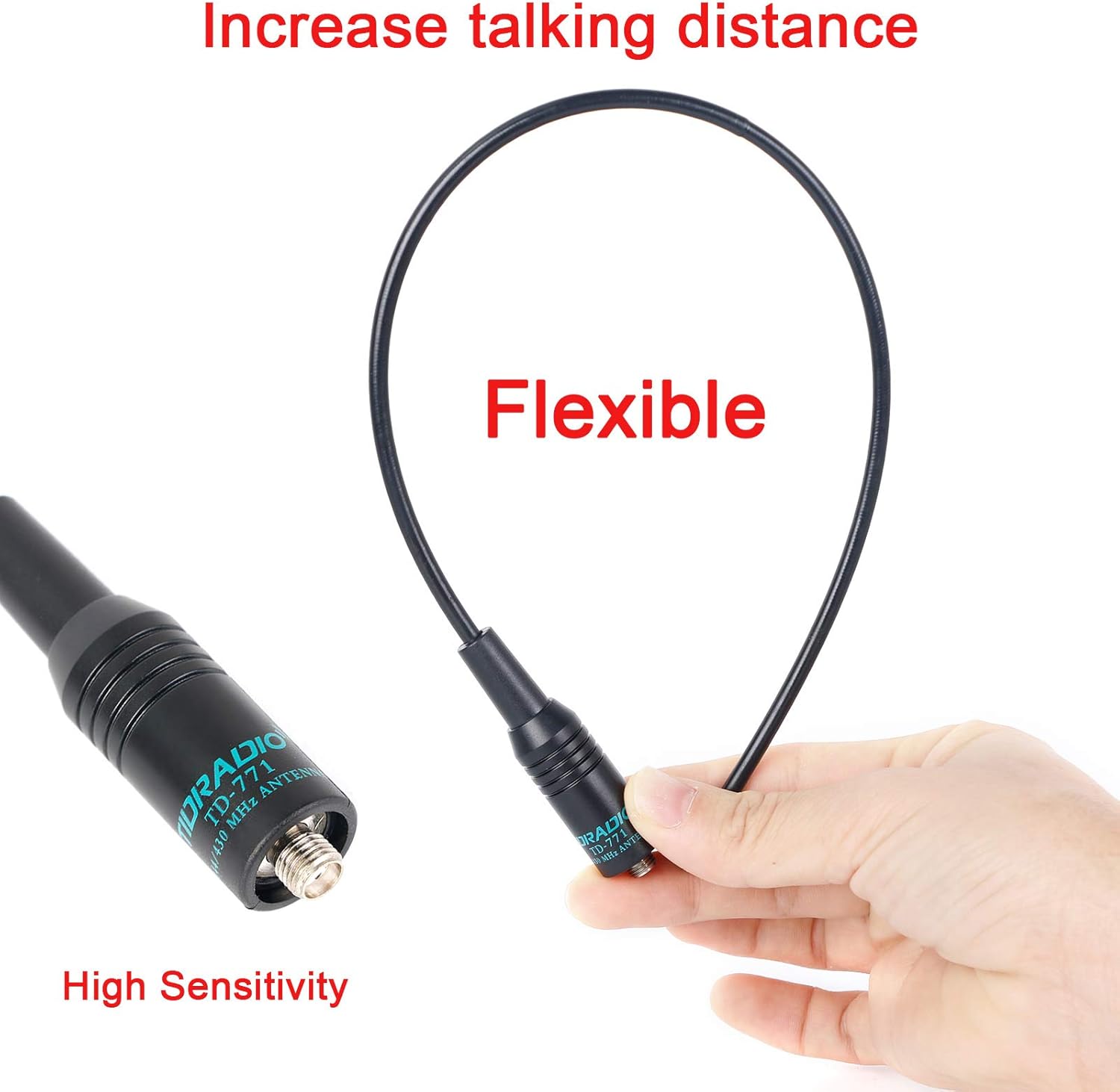
- ความยืดหยุ่น: The antenna is designed to be flexible, allowing for some bending without damage, which can be beneficial in various operating conditions.
- การจัดการพลังงาน: The antenna can handle a maximum input power of 25W. Ensure your radio's output power does not exceed this limit to prevent damage.

การบำรุงรักษาและการดูแล
Proper maintenance ensures the longevity and performance of your antenna:
- การทำความสะอาด: Wipe the antenna with a soft, dry cloth to remove dust and dirt. Avoid using harsh chemicals or abrasive materials.
- พื้นที่จัดเก็บ: When not in use, store the antenna in a cool, dry place away from direct sunlight and extreme temperatures.
- การจัดการ: While the antenna is designed to be durable and stretchable, avoid excessive bending or sharp impacts that could damage the internal elements or connector.
- การเชื่อมต่อ: Periodically check the connection to your radio to ensure it remains snug and free from corrosion.
การแก้ไขปัญหา
If you experience issues with signal reception, consider the following:
- การรับสัญญาณไม่ดี:
- Ensure the antenna is securely attached to your radio. A loose connection can significantly degrade performance.
- Verify that your radio is tuned to the correct airband frequency (108-136MHz).
- Check for environmental obstructions such as large buildings, hills, or dense foliage that might block signals. Try moving to a different location.
- Confirm that your radio's settings are correctly configured for external antenna use, if applicable.
- Antenna Damage: Inspect the antenna for any visible signs of damage, such as cracks in the casing or a bent connector. If damaged, replace the antenna.
For issues related to your walkie-talkie's functionality, refer to its specific instruction manual.
การรับประกันและการสนับสนุน
TIDRADIO products are manufactured to high-quality standards. For specific warranty information or technical support, please refer to the warranty card included with your purchase or visit the official TIDRADIO website. You may also contact TIDRADIO customer service directly for assistance.


