1. บทนำ
Thank you for choosing the BONTEC TV Wall Mount. This manual provides detailed instructions for the safe and proper installation, operation, and maintenance of your new TV wall mount. Please read this manual thoroughly before installation and keep it for future reference.

Image 1.1: The BONTEC TV Wall Mount, designed for secure and flexible TV placement.
2. ข้อมูลด้านความปลอดภัย
Please observe the following safety precautions to prevent personal injury or property damage:
- ความจุน้ำหนัก: Do not exceed the maximum load capacity of 45 kg (99 lbs). Overloading can result in serious injury or damage.
- ขนาดหน้าจอ: ขาตั้งนี้ออกแบบมาสำหรับหน้าจอขนาด 26-65 นิ้ว โปรดตรวจสอบให้แน่ใจว่าทีวีของคุณอยู่ในช่วงขนาดดังกล่าว
- ความเข้ากันได้ของ VESA: Verify your TV's VESA pattern (100x100mm to 400x400mm) matches the mount's compatibility.
- ประเภทผนัง: This mount is intended for installation on solid concrete walls, brick walls, or wood studs. ห้ามติดตั้งบนผนังยิปซัมเพียงอย่างเดียว
- การติดตั้งโดยมืออาชีพ: หากคุณไม่แน่ใจเกี่ยวกับขั้นตอนการติดตั้งหรือประเภทของผนัง โปรดปรึกษาผู้เชี่ยวชาญที่มีคุณสมบัติเหมาะสม
- การตรวจสอบปกติ: ตรวจสอบสกรูและจุดเชื่อมต่อทั้งหมดเป็นระยะ เพื่อให้แน่ใจว่ายังคงแน่นหนาดีอยู่

Image 2.1: Illustration of compatible wall types: concrete, wood studs, and brick. A warning indicates not to mount on drywall alone.
3. เนื้อหาบรรจุภัณฑ์
Before beginning installation, please verify that all components are present and undamaged. If any parts are missing or damaged, contact customer support.
- ชุดติดตั้งทีวีติดผนัง
- ชุดอุปกรณ์ติดตั้ง (สกรู พุก และแหวนรองต่างๆ)
- สาย HDMI 1.8 ม.
- 5 ผูกสาย
- ระดับน้ำ
- คู่มือการใช้งาน

Image 3.1: Accessories included with the BONTEC TV Wall Mount, such as the spirit level, HDMI cable, and cable ties.
4. การตั้งค่าและการติดตั้ง
4.1 ก่อนการติดตั้ง
Before mounting, ensure your television is compatible with this wall mount. Check your TV's screen size and VESA mounting pattern.
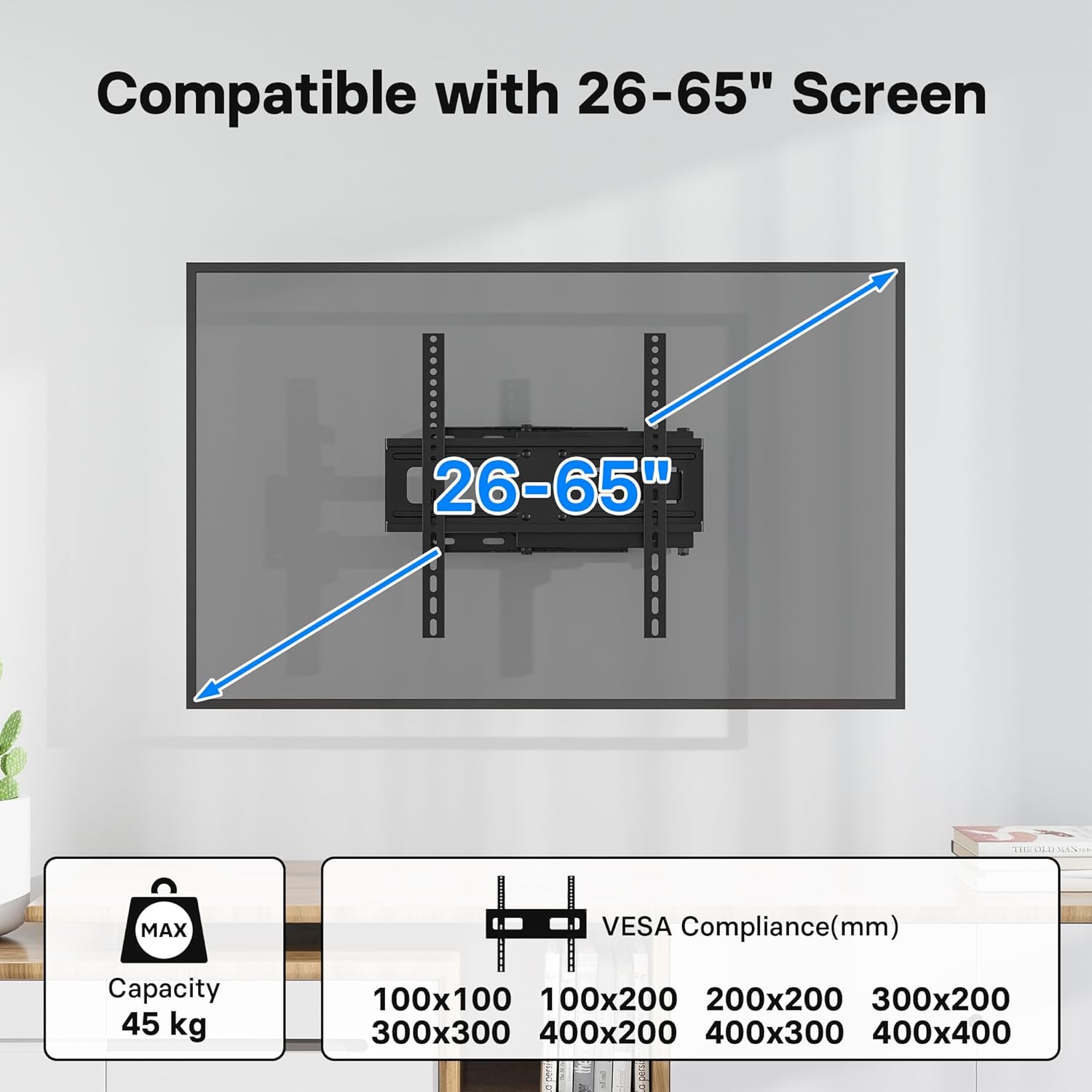
Image 4.1: Compatibility details showing support for 26-65 inch screens and various VESA patterns (100x100 to 400x400mm), with a maximum capacity of 45 kg.
4.2 ขั้นตอนการติดตั้ง
Follow these steps for a secure and easy installation. The process typically takes about 15 minutes.
- ค้นหาตำแหน่งติดตั้ง: Determine the desired height and position for your TV. Use the included spirit level to ensure the wall plate is perfectly horizontal.
- เจาะรูนำ: Mark the drilling points through the wall plate. Drill pilot holes according to the recommended drill bit size for your wall type.
- ติดแผ่นผนัง: Secure the wall plate to the wall using the appropriate screws and anchors from the hardware kit. Ensure it is firmly attached.
- ติดตั้งขายึดทีวี: Fasten the two vertical TV brackets to the back of your television using the correct VESA screws and spacers.
- ติดตั้งทีวีบนขาตั้ง: Carefully lift the TV with the attached brackets and hook them onto the wall mount arm. Ensure the TV is securely seated.
- ทีวีที่ปลอดภัย: Tighten any safety screws or locking mechanisms on the brackets to prevent the TV from accidentally lifting off the mount.

Image 4.2: Visual representation of the easy installation process, showing the TV being attached to the pre-mounted arm.
Note: No official product videos with 'Seller' as creator type were available in the provided data to embed in this manual.
5. การดำเนินการ
5.1 Adjusting the TV Mount
This BONTEC TV mount offers flexible viewing angles to enhance your experience:
- เอียง: Adjust the screen tilt from +5° to -10° to reduce glare and optimize viewการไอเอ็นจี
- หมุน: Swivel the TV up to ±90° (left/right) to view from different seating positions or rooms.
- การปรับระดับ: Fine-tune the horizontal level by ±3° after installation for a perfectly straight screen.
- ส่วนขยาย: The articulated arm allows the TV to extend from a minimum of 80mm (3.1 inches) from the wall to a maximum of 500mm (19.7 inches).

Image 5.1: Demonstrates the flexible viewing angles, including ±90° swivel, +5°/-10° tilt, and ±3° level adjustment.

Image 5.2: Shows the mount's extension capability, from a minimum of 80mm to a maximum of 500mm from the wall.
The mount's design also makes it ideal for corner wall mounting, optimizing space in various room layouts.
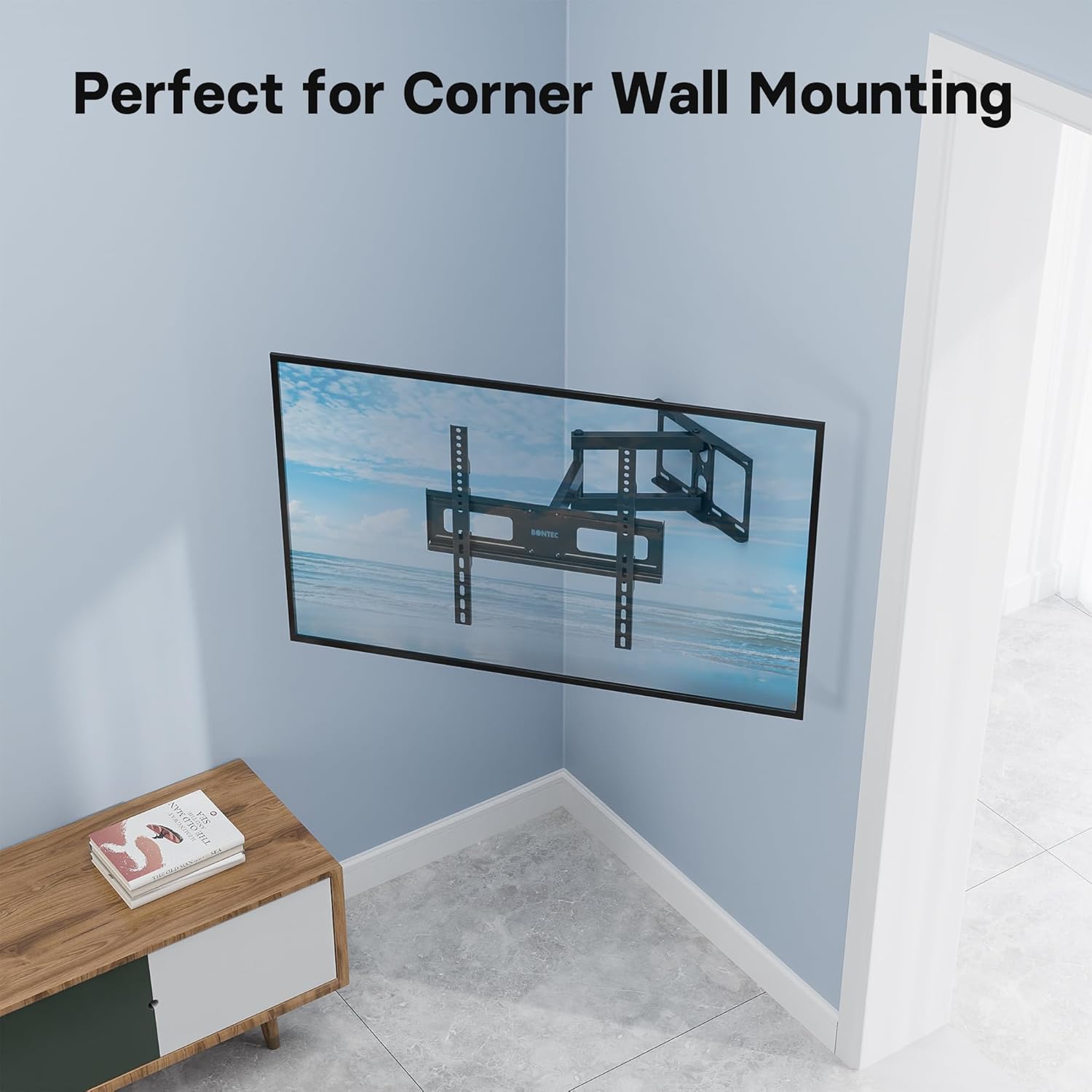
Image 5.3: The mount's design allows for effective corner wall installation, saving space.
6. การบำรุงรักษา
เพื่อให้มั่นใจได้ว่าขาแขวนทีวีติดผนังของคุณจะมีอายุการใช้งานยาวนานและปลอดภัย โปรดปฏิบัติตามคำแนะนำในการบำรุงรักษาดังต่อไปนี้:
- Regular Screw Checks: Periodically (e.g., every 6 months) check all mounting screws and bolts to ensure they are tight and secure. Vibrations or movement can sometimes loosen connections over time.
- การทำความสะอาด: Clean the mount with a soft, dry cloth. Avoid using abrasive cleaners or solvents, as they may damage the finish.
- การหล่อลื่น: If the articulating arms become stiff over time, a small amount of silicone-based lubricant can be applied to the pivot points. Do not use oil-based lubricants.
- หลีกเลี่ยงการโอเวอร์โหลด: Never exceed the specified weight capacity of 45 kg.
7 การแก้ไขปัญหา
If you encounter any issues with your BONTEC TV wall mount, refer to the following common problems and solutions:
- ทีวีไม่ตั้งตรง: Use the ±3° level adjustment feature to fine-tune the horizontal position. Ensure the wall plate was installed level using the spirit level.
- ฐานยึดดูหลวม: Immediately check all wall mounting screws and TV bracket screws. Tighten any loose connections. If the issue persists, re-evaluate your wall type and consider professional assistance.
- Difficulty moving the arm/TV: Ensure no cables are snagged or obstructing movement. Check if any pivot points require lubrication (refer to Maintenance section). Do not force movement.
- ส่วนที่หายไป: Refer to the Package Contents section. If parts are missing upon unboxing, contact BONTEC customer support immediately.
8. ข้อมูลจำเพาะ
| คุณสมบัติ | ข้อมูลจำเพาะ |
|---|---|
| ยี่ห้อ | บอนเทค |
| หมายเลขรุ่น | MG400-FBA |
| อุปกรณ์ที่รองรับ | Television (LED, LCD, OLED flat and curved screens) |
| ความเข้ากันได้ของขนาดหน้าจอ | 26 - 65 นิ้ว |
| ความเข้ากันได้ของ VESA (มม.) | 100x100, 100x200, 200x200, 300x200, 300x300, 400x200, 400x300, 400x400 |
| ความจุในการรับน้ำหนักสูงสุด | 45 กก. (99 ปอนด์) |
| มุมเอียง | +5° / -10° |
| มุมหมุน | ±90° |
| การปรับระดับ | ±3° |
| ส่วนต่อเติมจากผนัง | 80 มม. (ต่ำสุด) ถึง 500 มม. (สูงสุด) |
| วัสดุ | Metal (Thick Steel) |
| สี | สีดำ |
9. การรับประกันและการสนับสนุน
BONTEC products are manufactured to high-quality standards. For information regarding warranty coverage, technical support, or replacement parts, please refer to the warranty card included with your product or visit the official BONTEC website. Please have your model number (MG400-FBA) ready when contacting support.
Regularly checking the screws and avoiding overloading will help prolong the lifespan of your TV wall mount.


