1. บทนำ
The Mastech MS5908C Circuit Analyzer is a professional instrument designed for comprehensive electrical circuit analysis. It is capable of measuring AC voltage, performing RCD (Residual Current Device) and GFCI (Ground Fault Circuit Interrupter) tests, and analyzing circuit impedance. This device is suitable for use in environments with 220V AC input voltage and features an EU plug for the European market. It provides accurate readings for phase voltage, neutral wire voltage, ฉบับที่tage to earth, frequency, and conductor impedance for live, neutral, and earth wires.
คุณสมบัติที่สำคัญ ได้แก่:
- True RMS (TRMS) AC Voltagอีการวัด
- Artificial load testing (5A, 8A, 10A) for wire drop measurement.
- Measurement of phase voltage, neutral wire voltage, ฉบับที่tage to earth, and frequency.
- Measurement of phase (live wire), neutral wire, and earth wire conductor impedance.
- Automatic power off to conserve battery life.
- Data hold function for convenient reading.
- Low battery display indicator.
2. ข้อมูลด้านความปลอดภัย
Before operating the Mastech MS5908C Circuit Analyzer, please read and understand all safety instructions. Failure to follow these instructions may result in electric shock, fire, or serious injury.
- ตรวจสอบให้แน่ใจเสมอว่าอุปกรณ์อยู่ในสภาพใช้งานได้ดีก่อนใช้งาน
- Do not use the device if it appears damaged or if the insulation is compromised.
- ห้ามพยายามวัดปริมาตรเด็ดขาดtagหรือกระแสไฟฟ้าที่เกินกว่าพิกัดสูงสุดที่กำหนดไว้
- Always disconnect the device from the circuit before opening the battery compartment.
- Use caution when working with live electrical circuits.
- This device is rated for CAT III 300V and Pollution Degree 2 environments. Adhere to these ratings.
- ทำให้อุปกรณ์แห้งและสะอาด
3. สินค้าหมดview
The Mastech MS5908C Circuit Analyzer features a robust design with an LCD display and intuitive controls for various electrical measurements.

รูปที่ 3.1 : ด้านหน้า view of the Mastech MS5908C Circuit Analyzer, showing the LCD screen and control buttons.
The device includes a clear LCD display for readings and indicators, along with several function buttons:
- ปุ่มเปิด/ปิด: เพื่อเปิดหรือปิดอุปกรณ์
- ปุ่ม FUNC: To cycle through different measurement functions.
- ปุ่มถือ: เพื่อหยุดการแสดงค่าปัจจุบันบนหน้าจอ
- ปุ่มแบ็คไลท์: To activate or deactivate the display backlight.
- ปุ่มทดสอบ: To initiate specific tests, such as RCD/GFCI tests.
- ปุ่มลูกศรขึ้น/ลง: For navigation or adjusting settings.

Figure 3.2: Dimensional drawing of the Mastech MS5908C Circuit Analyzer, showing its physical measurements.
4. การตั้งค่า
4.1 การติดตั้งแบตเตอรี่
The Mastech MS5908C requires 6 AAA batteries for operation. These batteries are included with the device.
- ค้นหาช่องใส่แบตเตอรี่ที่ด้านหลังของอุปกรณ์
- ใช้ไขควงเปิดฝาช่องใส่แบตเตอรี่
- Insert 6 AAA batteries, ensuring correct polarity as indicated inside the compartment.
- ใส่ฝาปิดช่องใส่แบตเตอรี่และขันให้แน่นด้วยสกรู

รูปที่ 4.1: ย้อนกลับ view of the MS5908C with the battery compartment open, illustrating battery placement.
4.2 การเปิดเครื่องครั้งแรก
After installing the batteries, press the power button to turn on the device. The LCD display will illuminate, and a self-test sequence may run briefly before displaying the default measurement mode.
5. คู่มือการใช้งาน
The MS5908C offers various measurement modes accessible via the FUNC button.
5.1 เล่มพื้นฐานtage และการวัดความถี่
- Plug the MS5908C into the electrical socket to be tested.
- อุปกรณ์จะแสดงแรงดันไฟฟ้ากระแสสลับโดยอัตโนมัติtagอีและความถี่
- Press the FUNC button to cycle through different voltage readings, such as phase voltage, neutral wire voltage และ voltage สู่โลก
5.2 Impedance Measurement
To measure the impedance of the live, neutral, and earth conductors:
- Ensure the device is plugged into the socket.
- Press the FUNC button until the impedance measurement mode is displayed.
- The device will show the impedance values for each conductor.
5.3 RCD/GFCI Testing
The MS5908C can test the trip time and current of RCDs and GFCIs.
- Plug the device into a socket protected by an RCD/GFCI.
- Press the FUNC button to select the RCD or GFCI test mode.
- Press the TEST button to initiate the test. The device will simulate a fault condition and measure the trip time and current.
- Observe the displayed results. A successful test indicates the RCD/GFCI is functioning correctly.
- Reset the RCD/GFCI after the test.
5.4 Wire Drop Measurement (Artificial Load)
This function measures the voltage drop under specific artificial loads (5A, 8A, 10A).
- Plug the device into the circuit.
- Press the FUNC button to select the wire drop measurement mode.
- Use the arrow buttons to select the desired artificial load (5A, 8A, or 10A).
- The device will display the voltagเปอร์เซ็นต์การหยดtage.
5.5 การเก็บข้อมูลและแสงไฟพื้นหลัง
- การเก็บข้อมูล: Press the HOLD button to freeze the current reading on the display. Press it again to release.
- แสงไฟด้านหลัง: Press the backlight button to illuminate the display for use in low-light conditions. Press it again to turn off the backlight.
6. การบำรุงรักษา
6.1 การทำความสะอาด
To clean the device, wipe the casinจีกับโฆษณาamp cloth and a mild detergent. Do not use abrasive cleaners or solvents. Ensure the device is completely dry before storage or next use.
6.2 การเปลี่ยนแบตเตอรี่
When the low battery indicator appears on the display, replace all 6 AAA batteries as described in Section 4.1. Always use new batteries of the same type.
6.3 พื้นที่จัดเก็บ
If the device will not be used for an extended period, remove the batteries to prevent leakage. Store the circuit analyzer in a cool, dry place, away from direct sunlight and extreme temperatures.
7 การแก้ไขปัญหา
This section provides solutions to common issues you might encounter with your MS5908C Circuit Analyzer.
- อุปกรณ์ไม่เปิดเครื่อง: ตรวจสอบว่าติดตั้งแบตเตอรี่อย่างถูกต้องและมีประจุเพียงพอ เปลี่ยนแบตเตอรี่หากจำเป็น
- การอ่านค่าที่ไม่ถูกต้อง: Ensure the device is properly plugged into the socket. Verify that the correct measurement mode is selected.
- RCD/GFCI test fails: Ensure the RCD/GFCI is functional and properly wired. If the issue persists, consult a qualified electrician.
- จอภาพมืดหรือกะพริบ: โดยปกติแล้วสิ่งนี้จะบ่งชี้ว่าแบตเตอรี่ใกล้หมด ให้เปลี่ยนแบตเตอรี่
If you encounter problems not listed here or if the issue persists, contact Mastech customer support.
8. ข้อมูลจำเพาะ
Detailed technical specifications for the Mastech MS5908C Circuit Analyzer are provided below.
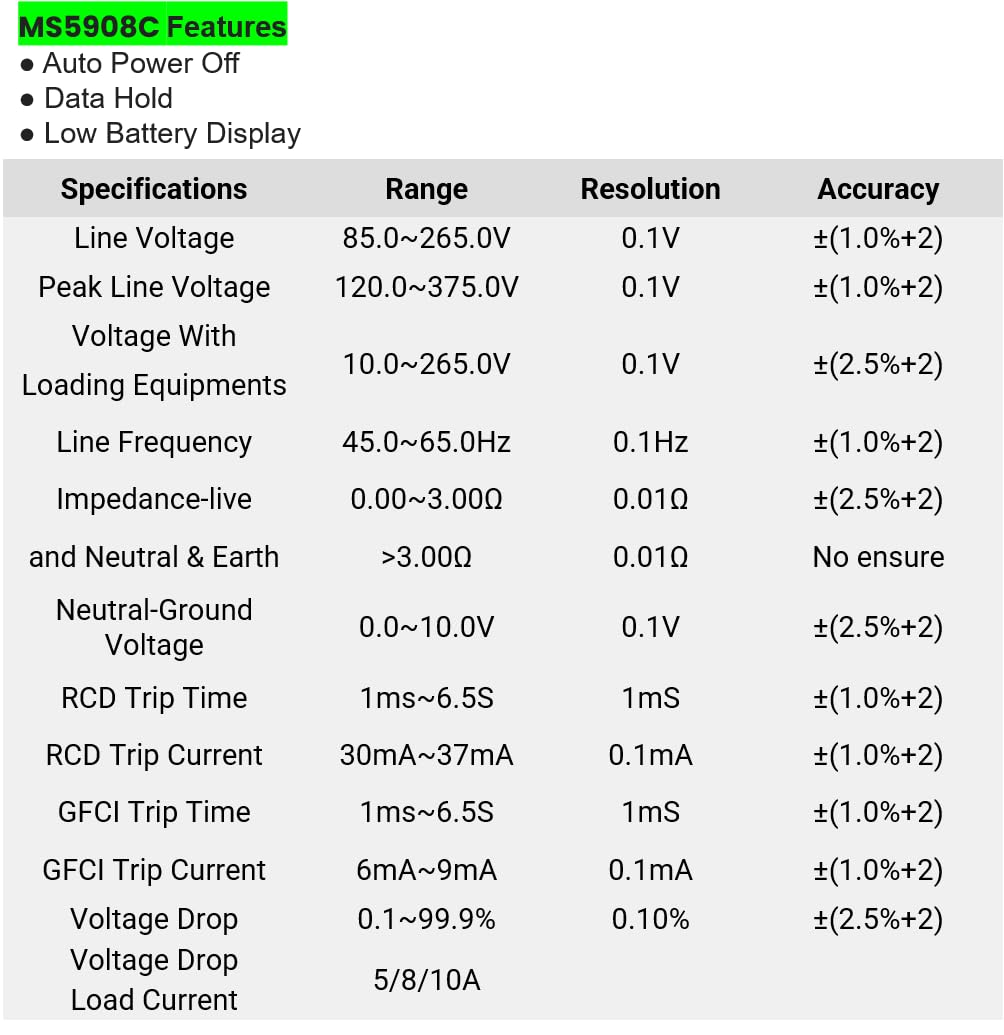
Figure 8.1: Detailed specifications table for the MS5908C, including ranges, resolutions, and accuracies.
| พารามิเตอร์ | พิสัย | ปณิธาน | ความแม่นยำ |
|---|---|---|---|
| บรรทัดฉบับtage | 85.0~265.0โวลต์ | 0.1โวลต์ | ±(1.0%+2) |
| พีคไลน์ฉบับtage | 120.0~375.0โวลต์ | 0.1โวลต์ | ±(1.0%+2) |
| เล่มที่tage With Loading Equipments | 10.0~265.0โวลต์ | 0.1โวลต์ | ±(2.5%+2) |
| ความถี่ของสาย | 45.0~65.0เฮิรตซ์ | 0.1เฮิรตซ์ | ±(1.0%+2) |
| Impedance (Live and Neutral & Earth) | 0.00~3.00Ω > 3.00 โอห์ม | 0.01Ω | ±(2.5%+2) No ensure |
| เป็นกลาง-กราวด์Voltage | 0.0~10.0โวลต์ | 0.1โวลต์ | ±(2.5%+2) |
| เวลาการเดินทาง RCD | 1 มิลลิวินาที ~ 6.5 วินาที | 1มิลลิวินาที | ±(1.0%+2) |
| RCD ทริปปัจจุบัน | 30mA ~ 37mA | 0.1มิลลิแอมป์ | ±(1.0%+2) |
| เวลาเดินทาง GFCI | 1 มิลลิวินาที ~ 6.5 วินาที | 1มิลลิวินาที | ±(1.0%+2) |
| GFCI ทริปปัจจุบัน | 6mA ~ 9mA | 0.1มิลลิแอมป์ | ±(1.0%+2) |
| เล่มที่tage วาง | 0.1~99.9% | 0.10% | ±(2.5%+2) |
| กระแสโหลด | 5/8/10เอ | ไม่มีข้อมูล | ไม่มีข้อมูล |
ข้อมูลจำเพาะทั่วไป:
- ขนาดสินค้า : 7.87 x 5.91 x 9.84 นิ้ว (200 x 150 x 250 มม.)
- น้ำหนักสินค้า: 2.2 Pounds (1 Kilogram)
- แหล่งพลังงาน: Battery Powered (6 x AAA batteries, included)
- ระดับความปลอดภัย: CAT III 300V, Pollution Degree 2
9. การรับประกันและการสนับสนุน
9.1 ข้อมูลการรับประกัน
The Mastech MS5908C Circuit Analyzer comes with a 1-year limited warranty from the date of purchase. This warranty covers defects in materials and workmanship under normal use. It does not cover damage caused by misuse, accident, unauthorized modification, or neglect. Please retain your proof of purchase for warranty claims.
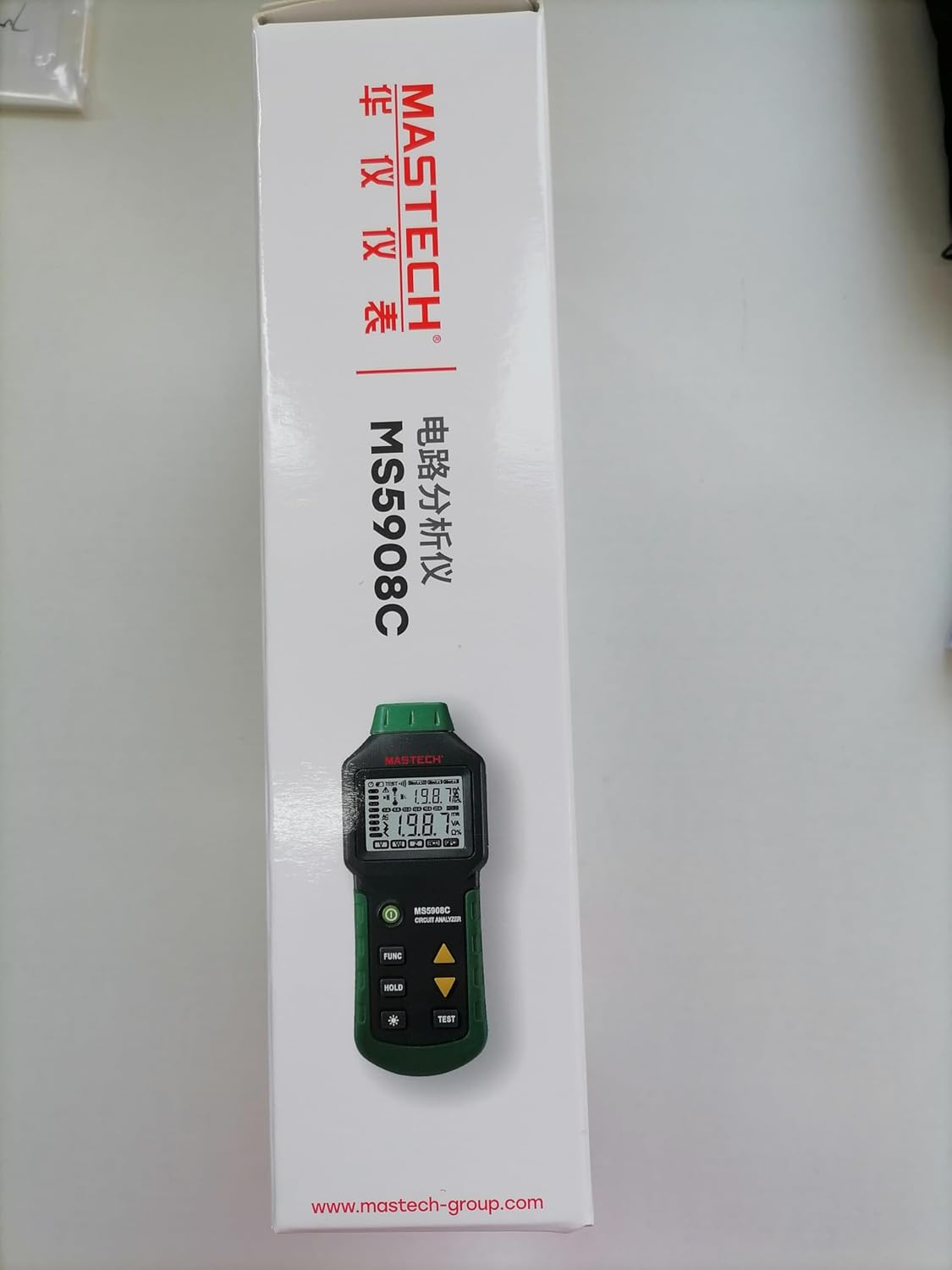
Figure 9.1: Product packaging indicating a 1-year limited warranty.
9.2 การสนับสนุนลูกค้า
For technical assistance, warranty service, or general inquiries, please refer to the contact information provided on the Mastech official website or the documentation included with your product. When contacting support, please have your product model (MS5908C) and purchase details ready.


