การแนะนำ
This manual provides detailed instructions for the safe and efficient use of your LG SQC2 2.1 Channel Soundbar with Wireless Subwoofer. Please read this manual thoroughly before operating the unit and retain it for future reference. The LG SQC2 system is designed to enhance your home entertainment experience with clear audio and powerful bass, featuring 2.1 channel sound and a wireless subwoofer for flexible placement.
คุณสมบัติที่สำคัญ ได้แก่:
- 2.1 Channel Audio: Delivers a balanced sound experience.
- Wireless Subwoofer: Provides deep bass without the need for audio cables to the soundbar.
- Bluetooth Connectivity: Allows wireless streaming from compatible devices.
- Adaptive Sound Control (ASC): Optimizes sound settings based on content.
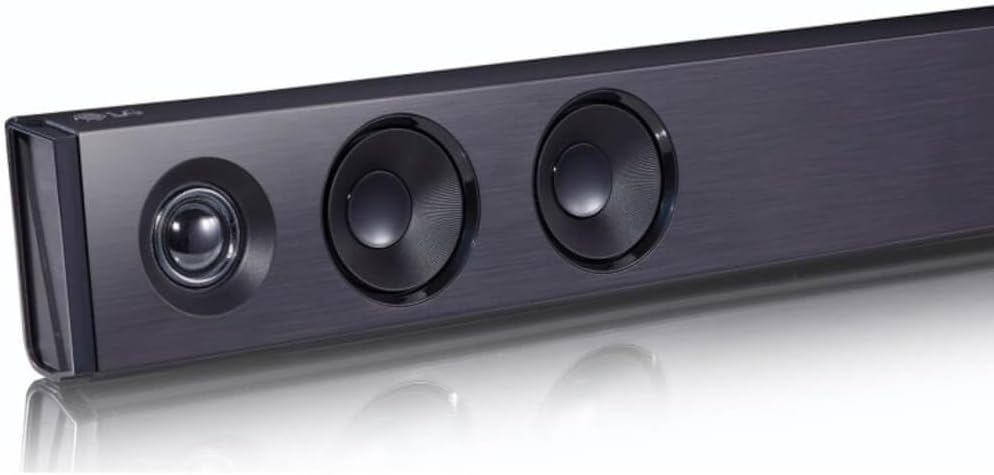
ภาพ: มุมเอียง view of the LG SQC2 Soundbar, showcasing its front speakers and sleek profile.
มีอะไรอยู่ในกล่อง
Carefully unpack all items and ensure you have the following components:
- LG SQC2 Soundbar
- ซับวูฟเฟอร์ไร้สาย
- Expected Accessories: Remote Control, Power Cords (for Soundbar and Subwoofer)

ภาพ: ด้านหน้า view of the LG SQC2 Soundbar, showcasing its sleek design and speaker grilles.

Image: The LG SQC2 Wireless Subwoofer, a compact black unit designed to deliver deep bass.
การตั้งค่า
1 การวาง
ซาวด์บาร์: Place the soundbar on a flat, stable surface directly in front of your television. Ensure there are no obstructions blocking the front speakers. The soundbar is designed for tabletop mounting.
ซับวูฟเฟอร์ไร้สาย: Position the wireless subwoofer anywhere in the room where it can receive power and is within range of the soundbar. For optimal bass performance, avoid placing it directly in a corner or enclosed space.
2. การเชื่อมต่อไฟฟ้า
Connect the power cord to the soundbar's power input and then to a wall outlet. Do the same for the wireless subwoofer. The subwoofer will automatically attempt to pair with the soundbar once both are powered on.
3. Audio Connection to TV
Choose one of the following methods to connect the soundbar to your television:
- Optical Digital Audio Cable: Connect an optical cable from the OPTICAL ใน port on the soundbar to the Optical Digital Output port on your TV. This is the recommended connection for high-quality digital audio.
- บลูทูธ: For wireless audio from your TV (if supported) or other devices, refer to the "Bluetooth Pairing" section under Operating.
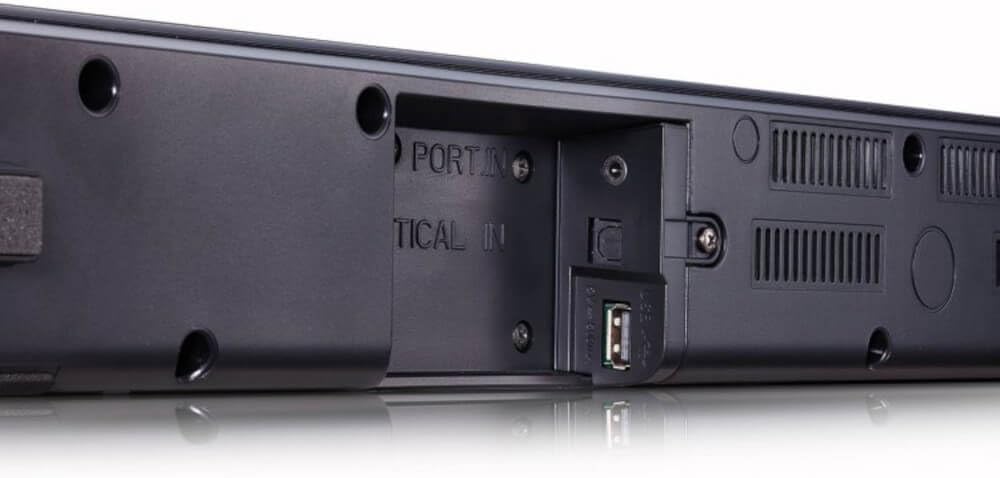
ภาพ: ด้านหลัง view of the LG SQC2 Soundbar, highlighting the "OPTICAL IN" port and other connection options.
คำแนะนำการใช้งาน
1. เปิด/ปิดเครื่อง
กดปุ่ม พลัง กดปุ่มบนรีโมทคอนโทรลหรือซาวด์บาร์เพื่อเปิดหรือปิดเครื่อง
2. การเลือกอินพุต
กดปุ่ม การทำงาน button on the remote control or the soundbar repeatedly to cycle through available input sources (e.g., OPTICAL, BLUETOOTH).

ภาพ: ด้านบน view of the LG SQC2 Soundbar, showing the integrated control buttons for power, volume, and function selection.
3. การควบคุมระดับเสียง
ใช้ เพิ่มระดับเสียง (+) และ ลดเสียงลง (-) buttons on the remote control or the soundbar to adjust the master volume. The subwoofer volume can often be adjusted independently via the remote control.
4. การจับคู่บลูทู ธ
วิธีเชื่อมต่ออุปกรณ์บลูทูธ (เช่น สมาร์ทโฟน แท็บเล็ต):
- กดปุ่ม การทำงาน button on the soundbar or remote until "BT" (Bluetooth) is displayed.
- บนอุปกรณ์ Bluetooth ของคุณ ให้เปิดใช้งาน Bluetooth และค้นหาอุปกรณ์ที่พร้อมใช้งาน
- Select "LG SQC2" from the list of devices. Once paired, the soundbar will indicate a successful connection.
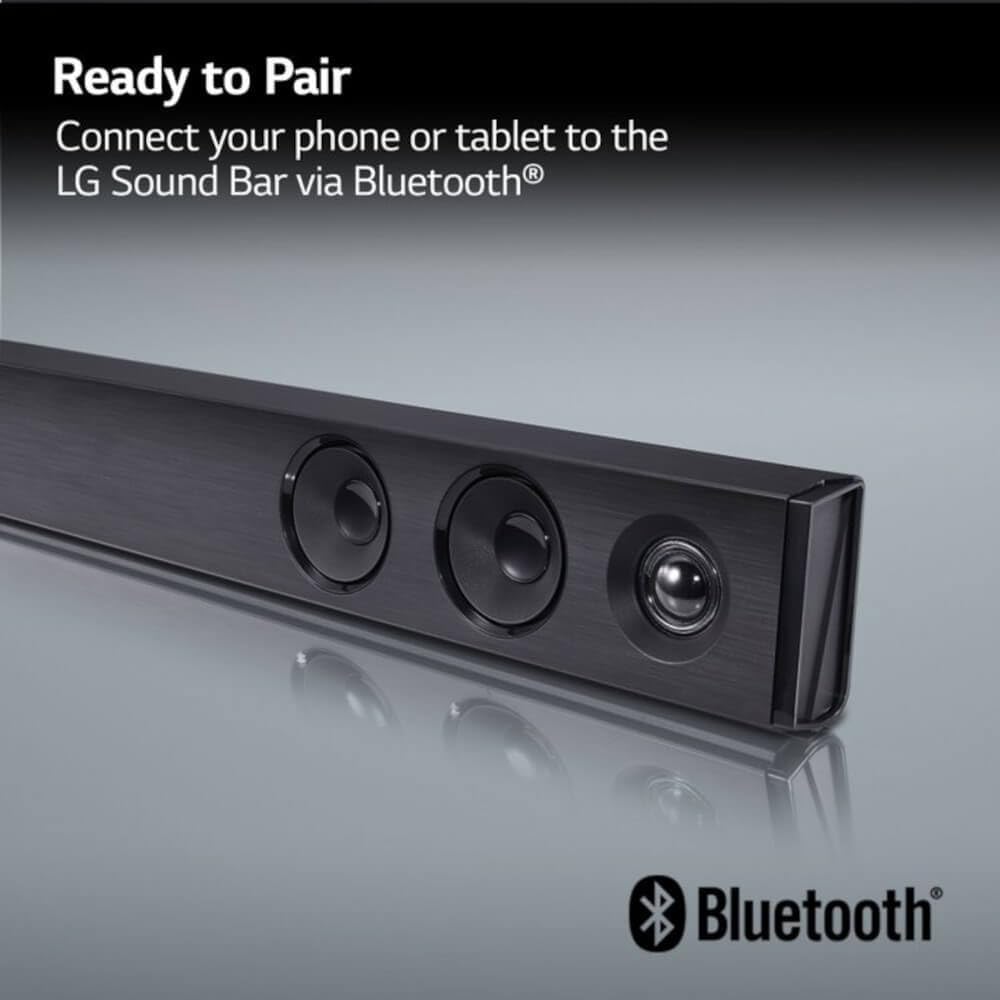
Image: The LG Soundbar displaying "Ready to Pair" with the Bluetooth logo, indicating it is in pairing mode.
5. โหมดเสียง
The LG SQC2 features Adaptive Sound Control (ASC), which automatically analyzes content and optimizes sound settings. Other sound modes may be available via the remote control to suit different audio types (e.g., Movie, Music, Standard).
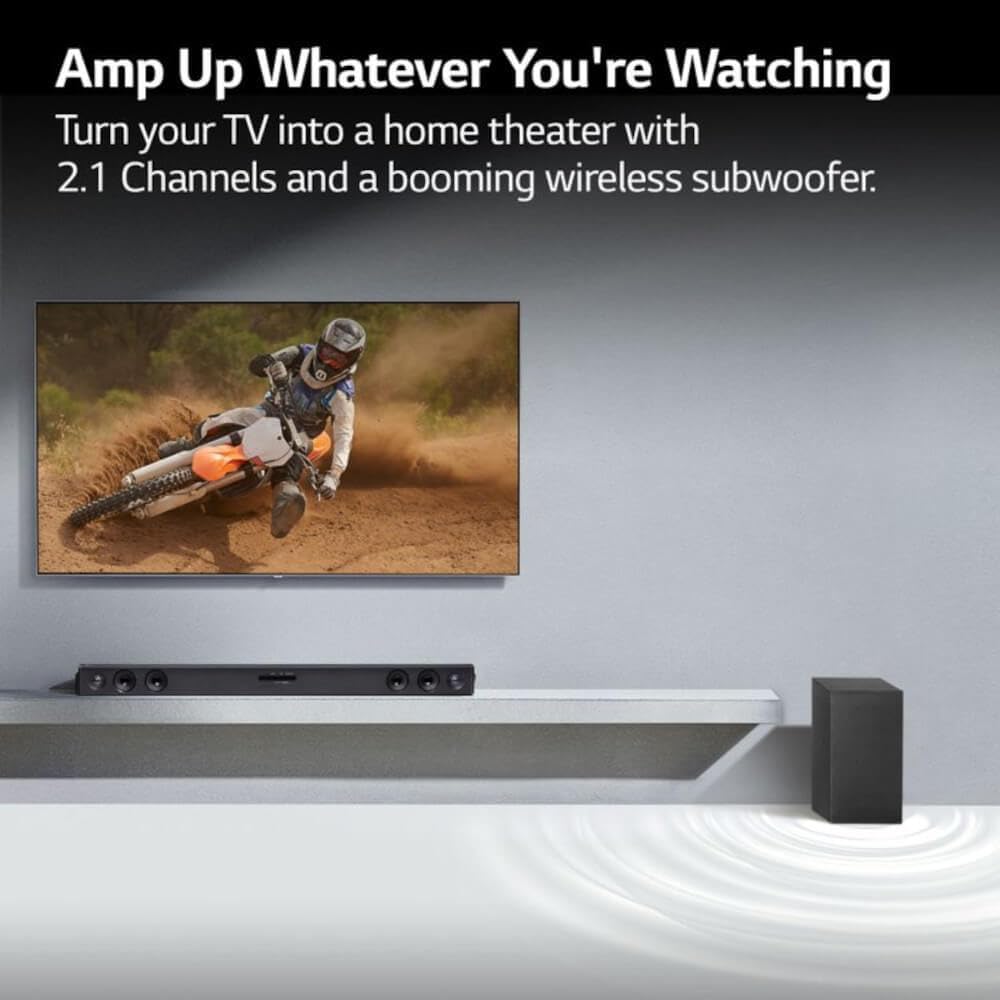
Image: An LG Soundbar and wireless subwoofer positioned below a television, illustrating their role in enhancing the audio experience for various content.
การซ่อมบำรุง
การทำความสะอาด
To clean the soundbar and subwoofer, use a soft, dry cloth. Do not use liquid cleaners, abrasive cleaners, or sprays, as these can damage the finish or internal components. Ensure the units are unplugged before cleaning.
พื้นที่จัดเก็บ
หากจะเก็บเครื่องไว้เป็นเวลานาน ควรถอดปลั๊กออกจากเต้ารับไฟฟ้า และเก็บไว้ในที่แห้งและเย็น หลีกเลี่ยงแสงแดดโดยตรงและอุณหภูมิที่สูงหรือต่ำเกินไป
การแก้ไขปัญหา
If you experience issues with your LG SQC2 soundbar system, refer to the following common problems and solutions:
- ไม่มีไฟฟ้า:
- Check if the power cords for both the soundbar and subwoofer are securely plugged into the wall outlets and the units.
- ตรวจสอบว่าปลั๊กไฟใช้งานได้หรือไม่ โดยลองเสียบอุปกรณ์อื่นเข้าไป
- ไม่มีเสียง:
- Ensure the soundbar is powered on and the correct input source (e.g., OPTICAL, BLUETOOTH) is selected.
- Check the volume level on both the soundbar and your TV/connected device.
- If using an optical cable, ensure it is securely connected at both ends and that your TV's audio output is set to "Optical" or "External Speaker."
- หากใช้บลูทูธ โปรดตรวจสอบให้แน่ใจว่าอุปกรณ์ได้จับคู่และเชื่อมต่ออย่างถูกต้องแล้ว
- ซับวูฟเฟอร์ไม่จับคู่:
- ตรวจสอบให้แน่ใจว่าทั้งซาวด์บาร์และซับวูฟเฟอร์เปิดอยู่
- The subwoofer should automatically pair. If not, check the subwoofer's indicator light. If it's blinking, it's searching for a connection. If it's solid, it's connected.
- Refer to the specific pairing instructions in your full LG manual if automatic pairing fails. Sometimes a manual pairing button is available on the subwoofer.
- Try restarting both the soundbar and subwoofer by unplugging them for a minute and then plugging them back in.
- ปัญหาการเชื่อมต่อบลูทูธ:
- ตรวจสอบให้แน่ใจว่าซาวด์บาร์อยู่ในโหมดบลูทูธ
- Make sure your Bluetooth device is within range (typically 10 meters or 33 feet) and there are no significant obstructions.
- ลองยกเลิกการจับคู่แล้วจับคู่อุปกรณ์ใหม่อีกครั้ง
- Clear the Bluetooth memory on your device and the soundbar (if applicable) and try again.
ข้อมูลจำเพาะ
| คุณสมบัติ | รายละเอียด |
|---|---|
| ชื่อรุ่น | LG SQC2 |
| ประเภทลำโพง | ซาวด์บาร์ ซับวูฟเฟอร์ไร้สาย |
| การกำหนดค่าช่องเสียงรอบทิศทาง | 2.1 |
| กำลังขับสูงสุดของลำโพง | 300 วัตต์ |
| เทคโนโลยีการเชื่อมต่อ | บลูทูธ, ออปติคอล |
| เทคโนโลยีการสื่อสารไร้สาย | บลูทูธ |
| เทคโนโลยีการเชื่อมต่อซับวูฟเฟอร์ | ไร้สาย |
| วิธีการควบคุม | ระยะไกล |
| อุปกรณ์ที่รองรับ | โทรทัศน์ |
| การใช้ที่แนะนำ | Home Entertainment, Watching TV, Listening to Music |
| คุณสมบัติพิเศษ | Bass Boost, Adaptive Sound Control (ASC) |
| วัสดุ | พลาสติก |
| Product Dimensions (Overall System) | 41.1 x 16.4 x 8.5 นิ้ว |
| Item Weight (Overall System) | 18.39 ปอนด์ |
| ประเภทการติดตั้ง | ที่วางบนโต๊ะ |
| ผู้ผลิต | LG |
| ยูพีซี | 796575215764 |
การรับประกันและการสนับสนุน
The LG SQC2 2.1 Channel Soundbar with Wireless Subwoofer comes with a Limited Warranty. For specific details regarding warranty coverage, duration, and terms, please refer to the warranty card included with your product or visit the official LG webเว็บไซต์.
For technical support, service, or further assistance, please contact LG Customer Service. Contact information can typically be found on the LG official webเว็บไซต์หรือในบรรจุภัณฑ์ของผลิตภัณฑ์
When contacting support, please have your product model number (SQC2) and serial number ready.