1. บทนำ
The Ameta Morpho Drone (Model DR-ATM10B) is a compact and user-friendly quadcopter designed for beginners and young pilots. It features a 1080P HD camera for capturing aerial photos and videos, real-time First Person View (FPV) transmission, and 32 vibrant RGB lights with multiple effects. Built with durability in mind, it includes propeller guards and a loss prevention buzzer for enhanced safety and ease of use. This manual provides comprehensive instructions for safe operation, setup, and maintenance of your Ameta Morpho Drone.

Image 1.1: Ameta Morpho Drone with its main accessories.
2. คำแนะนำด้านความปลอดภัย
- ควรควบคุมโดรนในพื้นที่เปิดโล่ง ห่างจากผู้คน สัตว์ และสิ่งกีดขวาง
- ตรวจสอบให้แน่ใจว่าโดรนชาร์จแบตเตอรี่เต็มแล้วก่อนทำการบินทุกครั้ง
- ห้ามบินโดรนในบริเวณที่มีลมแรงหรือสภาพอากาศเลวร้าย
- โปรดระวังอย่าให้มือและผมอยู่ใกล้ใบพัดที่กำลังหมุน
- ผู้ใช้ที่มีอายุต่ำกว่า 14 ปี ควรมีผู้ใหญ่ดูแล
- Avoid flying near airports, restricted airspace, or private property.
- If the drone flies out of range, use the built-in buzzer to locate it.
3. เนื้อหาบรรจุภัณฑ์
ตรวจสอบว่ามีส่วนประกอบทั้งหมดอยู่ในแพ็คเกจของคุณ:
- Ameta Morpho Drone
- รีโมทคอนโทรล
- แบตเตอรี่โมดูลาร์ (x2)
- ใบพัดสำรอง
- สายชาร์จ USB
- เครื่องมือกำจัดใบพัด
- คู่มือการใช้งาน

Image 3.1: Complete package contents of the Ameta Morpho Drone.
4. การตั้งค่า
4.1. การติดตั้งและการชาร์จแบตเตอรี่
- Insert the modular batteries into the drone's battery compartment until they click securely into place.
- Use the provided USB charging cable to charge the batteries. The indicator light on the cable will show charging status (e.g., red for charging, green for fully charged).
- For the remote controller, install 3 AAA batteries (not included) into its battery compartment.
4.2. Drone and Controller Pairing
- วางโดรนบนพื้นผิวเรียบและแนวนอน
- Press and hold the power button on the drone until its indicator lights begin to flash.
- Turn on the remote controller. The controller will automatically pair with the drone. A solid light on both the drone and controller indicates successful pairing.
5. คู่มือการใช้งาน
5.1. การควบคุมการบินขั้นพื้นฐาน
- บินขึ้น/ลงจอดด้วยการคลิกเพียงครั้งเดียว: Press the dedicated button on the controller for automatic takeoff or landing.
- การรักษาระดับความสูง: The drone maintains a stable altitude, allowing for easier control and smoother footage.
- โหมดไม่มีหัว: In this mode, the drone's orientation is relative to the pilot, simplifying flight control regardless of the drone's front direction.
- การปรับความเร็ว: The drone offers multiple speed settings (e.g., low, medium, high) to suit different skill levels and environments.

Image 5.1: Beginner-friendly features like one-key takeoff, altitude hold, and headless mode.
5.2. คุณสมบัติการบินขั้นสูง
- การพลิกภาพ 3 มิติ: Execute impressive 360-degree flips with a press of a button and a joystick movement.
- วงกลมบิน: The drone can perform circular flight patterns, adding dynamic movement to your aerial displays.

Image 5.2: The drone executing 3D flips and circular flight patterns.
5.3. การกำหนดตำแหน่งด้วยการไหลของแสง (Optical Flow Positioning)
The drone utilizes optical flow positioning for enhanced stability, especially during indoor flights. This technology helps the drone maintain its position accurately, contributing to smoother control and clearer video capture.

Image 5.3: Optical flow positioning ensures stable hovering.
5.4. Loss Prevention Buzzer
Should the drone fly out of sight or range, a built-in buzzer can be activated via the controller to help locate it, minimizing the risk of loss.

Image 5.4: The remote controller features a button to activate the drone's loss prevention buzzer.
6. การทำงานของกล้อง
The Ameta Morpho Drone is equipped with an 80° 1080P HD camera, allowing you to capture clear photos and videos from an aerial perspective. Utilize the companion app for real-time FPV (First Person View) transmission directly to your smartphone, enabling you to see what the drone sees as it flies.
- จับภาพ: Use the app or a designated button on the controller to take still images.
- การบันทึกวิดีโอ: Start and stop video recording via the app or controller.
- การส่งสัญญาณ FPV: เชื่อมต่อสมาร์ทโฟนของคุณกับเครือข่าย Wi-Fi ของโดรนเพื่อ view อยู่ footage.
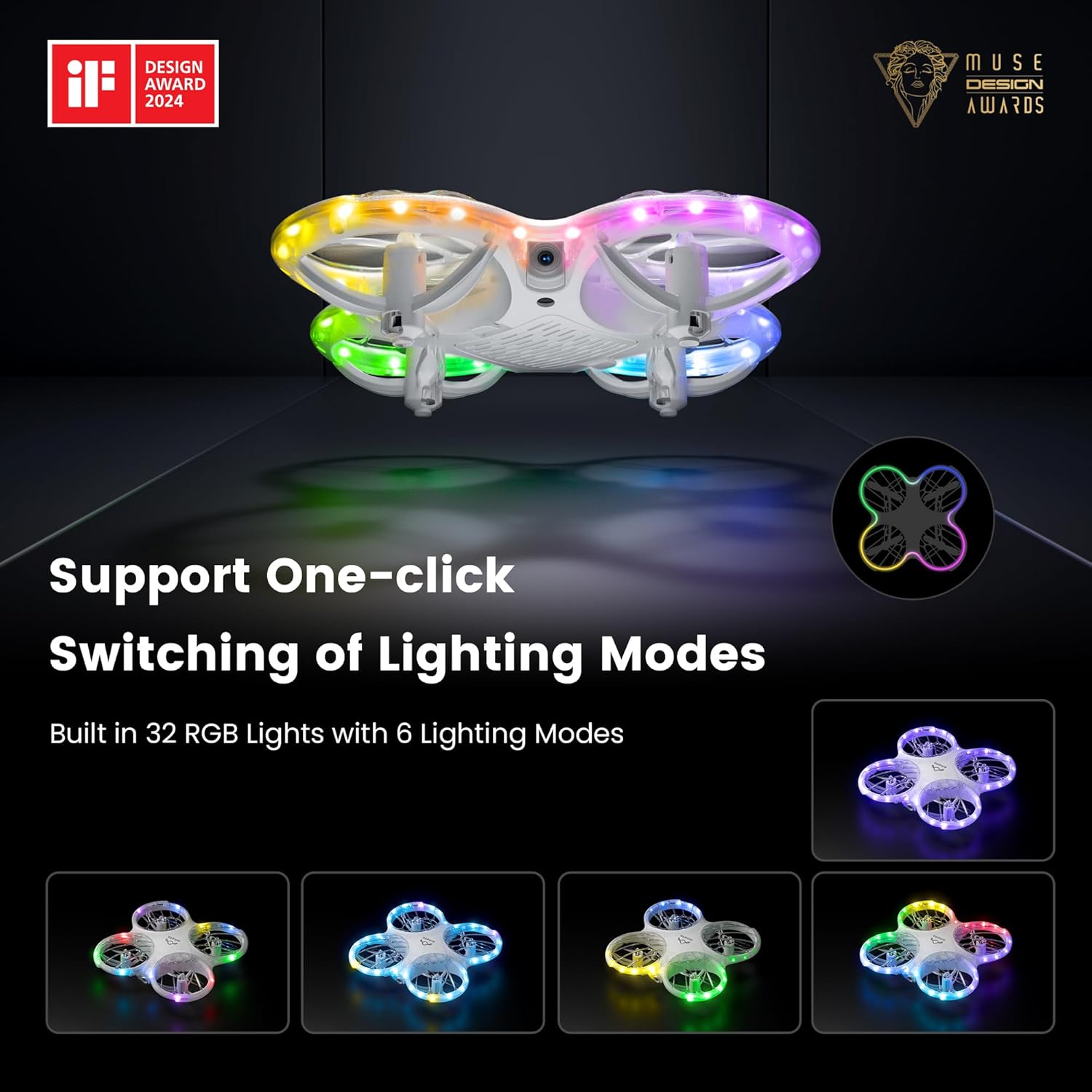
Image 6.1: The drone's 1080P HD camera for capturing high-definition media.
7. STEM Learning Module
The Ameta companion app integrates a simple STEM (Science, Technology, Engineering, and Mathematics) module. This feature allows users, particularly children, to engage in basic coding by combining flying modules, offering an educational approach to understanding drone technology and programming principles.

Image 7.1: The Ameta app's STEM module for programming flight paths.
8. ไฟ RGB
The drone features 32 RGB lights with 6 dazzling effects, creating a visually engaging experience during flight. These lights enhance visibility and add an element of fun, especially when flying in low-light conditions.

Image 8.1: The drone showcasing its multiple RGB lighting modes.
9. การบำรุงรักษา
9.1. การเปลี่ยนใบพัด
In case of damage, replace propellers using the provided tool and spare parts. Ensure correct orientation (A and B markings) for optimal flight performance.
9.2. การดูแลแบตเตอรี่
To prolong battery life, avoid overcharging or fully discharging the batteries. Store them in a cool, dry place when not in use.
9.3. การทำความสะอาด
Gently wipe the drone with a soft, dry cloth to remove dust and debris. Avoid using liquids or harsh chemicals.
10 การแก้ไขปัญหา
- Drone Drifts: Calibrate the gyroscope as per the instructions in the app or manual. Check for damaged propellers.
- ไม่มีไฟฟ้า: Ensure batteries are fully charged and correctly installed in both the drone and controller.
- การเชื่อมต่อขาดหาย: Re-pair the drone and controller. Ensure no strong interference sources are nearby.
- เสียงเตือนไม่ทำงาน: Check battery levels. Ensure the drone is within operational range for the buzzer to function effectively.
11. ข้อมูลจำเพาะ
| คุณสมบัติ | รายละเอียด |
|---|---|
| ยี่ห้อ | อเมต้า |
| ชื่อรุ่น | มอร์โฟ |
| หมายเลขรุ่นสินค้า | DR-ATM10B |
| ขนาดสินค้า | 13.8 x 13.4 x 3.4 ซม. |
| น้ำหนักสินค้า | 72 กรัม |
| แบตเตอรี่ | แบตเตอรี่ลิเธียมไอออน 2 ก้อน (รวมอยู่ด้วย) |
| กล้อง | 1080P HD, 80° FOV |
| คุณสมบัติพิเศษ | Speed Adjustment, FPV, 32 RGB Lights, Optical Flow Positioning, Loss Buzzer, STEM Learning Module |
| เวลาบิน | สูงสุด 18 นาที (พร้อมแบตเตอรี่ 2 ก้อน) |
| ช่วงอายุ (คำอธิบาย) | 14 years and above (with parental supervision for younger users) |
| ประเทศต้นกำเนิด | จีน |
12. การรับประกันและการสนับสนุน
For warranty information or technical support, please refer to the contact details provided on the product packaging or visit the official Ameta webไซต์ โปรดเก็บใบเสร็จรับเงินไว้เป็นหลักฐานการซื้อ