1. บทนำและเรื่องอื่นๆview
The MARSTEK M2200 Portable Power Station is a versatile and robust power solution designed for various applications, including outdoor camping, home backup, and professional work. It features a high-capacity 2240Wh LiFePO4 (LFP) battery, capable of 6000 charge cycles, ensuring a long lifespan. With its fast charging capabilities and expandable design, the M2200 provides reliable power for a wide range of appliances.

Image: The MARSTEK M2200 Portable Power Station, showcasinด้วยการออกแบบที่กะทัดรัดและจอแสดงผลแบบบูรณาการ
2. อะไรอยู่ในกล่อง
โปรดตรวจสอบว่าแพ็คเกจของคุณมีส่วนประกอบทั้งหมดดังต่อไปนี้:
- สถานีพลังงานแบบพกพา MARSTEK M2200
- สายชาร์จ AC
- สายชาร์จรถยนต์
- คู่มือการใช้งาน
- Professional Service Card
3. คุณสมบัติของผลิตภัณฑ์
3.1 Faster Charging
The M2200 supports ultra-fast AC charging, allowing it to reach 80% capacity in just 60 minutes and a full 100% in 70 minutes. This rapid charging capability is ideal for quick power replenishment before trips or during emergencies.

Image: The M2200 connected to an AC outlet, illustrating its fast charging speed compared to other devices.
3.2 Long-Lasting LFP Battery
Equipped with a self-developing LiFePO4 (LFP) battery cell, the M2200 offers an impressive 6000 charge cycles while maintaining over 80% of its original capacity. This translates to a potential lifespan of 10 years with daily use, or up to 25 years with less frequent use, providing stable and reliable performance over time.
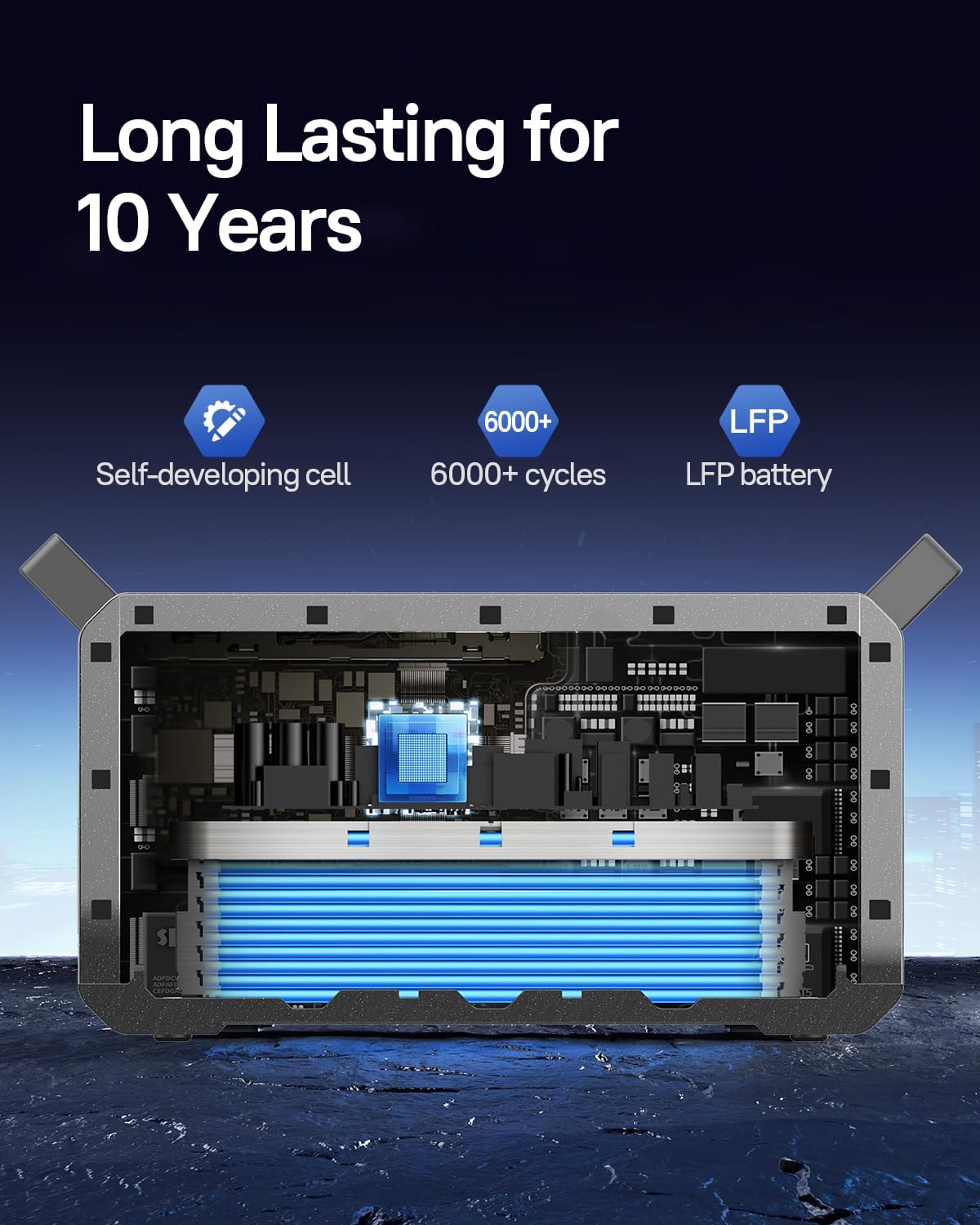
ภาพ: ภายใน view of the M2200, highlighting the long-lasting LFP battery cells.
3.3 ความจุที่ขยายได้
The M2200 is designed for expandability, featuring two additional expansion ports. Its capacity can be expanded from 2240Wh up to a maximum of 6720Wh by connecting external battery packs (sold separately). This modular design allows for increased power storage to meet larger energy demands.

Image: Multiple M2200 units stacked, demonstrating the expandable and flat-stack design.
3.4 Powerful Output and Multiple Ports
With a powerful inverter and 16 output ports, the M2200 can power up to 99% of common appliances. It delivers a maximum output of 2400W, making it suitable for high-power devices such as coffee makers, refrigerators, microwaves, and even electric picks.

Image: The M2200 shown powering various household appliances, illustrating its versatility.
3.5 การควบคุมแอพอัจฉริยะ
The MARSTEK M2200 can be monitored and controlled remotely via a dedicated smartphone application. The app allows users to check charging status, control output ports, and manage settings conveniently through Bluetooth or Wi-Fi connectivity.

Image: A smartphone displaying the MARSTEK app interface, showing battery status and control options.
3.6 Efficient Solar Charging
The M2200 supports up to 1000W of solar panel input, enabling it to be fully charged by solar power in approximately 2.3 hours. This feature provides an environmentally friendly and efficient charging option for off-grid use.

Image: Two M2200 units in a field with solar panels, demonstrating solar charging capabilities.
4. คู่มือการติดตั้ง
4.1 การแกะบรรจุภัณฑ์และการตรวจสอบ
- ถอดสถานีพลังงานและอุปกรณ์เสริมทั้งหมดออกจากบรรจุภัณฑ์อย่างระมัดระวัง
- ตรวจสอบตัวเครื่องว่ามีร่องรอยความเสียหายระหว่างการขนส่งหรือไม่ หากพบความเสียหาย โปรดติดต่อฝ่ายบริการลูกค้าทันที
- ตรวจสอบให้แน่ใจว่ามีส่วนประกอบทั้งหมดที่ระบุไว้ในส่วนที่ 2 อยู่
4.2 การชาร์จเริ่มต้น
- Before first use, it is recommended to fully charge the M2200.
- Connect the AC charging cable to the AC input port on the power station and then to a standard wall outlet.
- The display will indicate the charging status. Charge until the battery indicator shows 100%.
5. คู่มือการใช้งาน
5.1 การเปิด/ปิดเครื่อง
- To power on the unit, press and hold the main power button for 3 seconds. The display will illuminate.
- To power off, press and hold the main power button again for 3 seconds until the display turns off.
5.2 การใช้งานเอาต์พุต AC
- Press the AC output button to activate the AC outlets. The AC indicator on the display will light up.
- Plug your AC appliances into the available outlets. Ensure the total power consumption does not exceed 2400W.
- Press the AC output button again to turn off the AC outlets when not in use.
5.3 Using DC and USB Output
- Press the DC output button to activate the DC and USB ports. The corresponding indicators will light up.
- Connect your DC-powered devices or USB devices to the respective ports.
- Press the DC output button again to turn off these ports.
5.4 ทำความเข้าใจกับจอแสดงผล
The integrated display provides real-time information about the power station's status:
- ระดับแบตเตอรี่: แสดงเปอร์เซ็นต์แบตเตอรี่ปัจจุบันtage.
- กำลังไฟฟ้าเข้า: Displays the current power input (e.g., from AC, solar, or car charger).
- กำลังขับ: แสดงกำลังไฟฟ้ารวมที่อุปกรณ์ที่เชื่อมต่อใช้ไป
- Remaining Runtime/Charge Time: Estimates the remaining operating time or time to full charge based on current power usage/input.
- ตัวบ่งชี้ข้อผิดพลาด: Alerts for overload, over-temperature, or other system warnings.
6. วิธีการชาร์จ
6.1 การชาร์จไฟบ้านด้วยไฟ AC
- Connect the provided AC charging cable to the AC input port on the M2200.
- Plug the other end into a standard 100-120V AC wall outlet.
- The power station will begin fast charging automatically.
6.2 Solar Panel Charging
- Connect compatible solar panels (up to 1000W input) to the solar input port on the M2200.
- Ensure solar panels are placed in direct sunlight for optimal charging efficiency.
- The display will show the incoming solar power.
6.3 การชาร์จรถยนต์
- Use the provided car charging cable.
- Plug one end into the car's 12V cigarette lighter socket and the other end into the car charging input port on the M2200.
- This method is suitable for charging while on the go.
7. การบำรุงรักษา
7.1 แนวทางการจัดเก็บข้อมูล
- เก็บสถานีพลังงานไว้ในสถานที่แห้งและเย็น หลีกเลี่ยงแสงแดดโดยตรงและอุณหภูมิที่สูงหรือต่ำเกินไป
- For long-term storage, charge the unit to approximately 50-80% every 3-6 months to preserve battery health.
- Avoid storing in environments with high humidity or corrosive substances.
7.2 การทำความสะอาด
- Use a soft, dry cloth to wipe the exterior of the power station.
- ห้ามใช้น้ำยาทำความสะอาดที่มีฤทธิ์กัดกร่อนหรือตัวทำละลาย
- รักษาช่องระบายอากาศให้สะอาดปราศจากฝุ่นและเศษขยะ
8 การแก้ไขปัญหา
| ปัญหา | สาเหตุที่เป็นไปได้ | สารละลาย |
|---|---|---|
| เครื่องไม่เปิด | Battery is completely depleted; Power button not held long enough. | Charge the unit using the AC adapter; Press and hold the power button for 3 seconds. |
| เอาต์พุต AC ไม่ทำงาน | AC output not activated; Overload protection triggered; Device power consumption too high. | Press the AC output button; Reduce connected load; Restart the unit. |
| การชาร์จช้าด้วยพลังงานแสงอาทิตย์ | Insufficient sunlight; Panels not optimally angled; Panels not compatible. | Ensure direct sunlight and proper angle; Verify panel specifications and connections. |
| จอแสดงผลไม่ทำงาน | Unit is off; Software glitch. | Power on the unit; Try restarting the unit. If issue persists, contact support. |
9. ข้อมูลจำเพาะ
| ข้อมูลจำเพาะ | รายละเอียด |
|---|---|
| ยี่ห้อ | มาร์สเทค |
| ชื่อรุ่น | สถานีไฟฟ้าพกพา M2200 |
| แหล่งพลังงาน | พลังงานแสงอาทิตย์, เครื่องปรับอากาศ, รถยนต์ |
| ประเภทแบตเตอรี่ | ลิเธียมไอออนฟอสเฟต (LFP) |
| ความจุของแบตเตอรี่ | 2240 วัตต์ชั่วโมง (ขยายได้ถึง 6720 วัตต์ชั่วโมง) |
| วงจรชีวิต | 6000 รอบถึงความจุ 80%+ |
| เอาท์พุต วัดtagอี (สูงสุด) | 2400วัตต์ |
| AC Input Charging Time (0-80%) | 60 นาที |
| ปริมาณพลังงานแสงอาทิตย์ขาเข้า (สูงสุด) | 1000วัตต์ |
| น้ำหนักสินค้า | 52.91 ปอนด์ |
| ขนาดสินค้า | ยาว 16.1 นิ้ว x กว้าง 11.77 นิ้ว x สูง 12.09 นิ้ว |
| วัสดุ | เอบีเอส + พีซี + โลหะ |
| จำนวนพอร์ต | 16 |
10. การรับประกันและการสนับสนุน
10.1 ข้อมูลการรับประกัน
The MARSTEK M2200 Portable Power Station comes with a รับประกัน 2 ปี นับจากวันที่ซื้อ การรับประกันนี้ครอบคลุมถึงความบกพร่องของวัสดุและฝีมือการผลิตภายใต้การใช้งานปกติ โปรดเก็บหลักฐานการซื้อไว้เพื่อขอรับสิทธิ์การรับประกัน
10.2 การสนับสนุนลูกค้า
For technical assistance, warranty claims, or any questions regarding your MARSTEK M2200, please contact our customer support team. Refer to the professional service card included in your package for specific contact details or visit the official MARSTEK webเว็บไซต์.

Image: MARSTEK customer service representatives, indicating available support.


