1. สินค้าหมดview
The Retevis B3S is a portable FRS two-way radio designed for clear and efficient communication. It features an LCD display, a 1620mAh rechargeable battery, and comes with a 6-way multi-unit charger and earpieces for convenient use in various professional settings.

Image: Package contents including 6 walkie-talkies, belt clips, earpieces, adapter, charger, and user manual.
อะไรอยู่ในกล่อง:
- 6 x Retevis B3S Walkie Talkie (with 1620 mAh Li-ion battery included)
- คลิปหนีบเข็มขัด 6 ชิ้น
- 6 x หูฟัง
- อะแดปเตอร์ 1 ตัว
- 1 x 6-Way Multi-Unit Charger
- 1 x คู่มือผู้ใช้
2. การตั้งค่า
2.1 Charging the Radios
The Retevis B3S radios come with a 6-way multi-unit charger, allowing you to charge up to six radios simultaneously. This saves space and time compared to individual charging.

Image: Six Retevis B3S walkie-talkies charging in a multi-unit charging station.
การชาร์จ:
- Connect the adapter to the 6-way multi-unit charger.
- เสียบอะแดปเตอร์เข้ากับเต้ารับไฟฟ้า
- Place each Retevis B3S radio into an available slot on the charger. The indicator light on the charger will show the charging status.
Alternatively, each radio can be charged individually via its USB-C port.
Video: Demonstrates the Retevis B3S walkie-talkie with its 6-way multi-unit charger, highlighting its charging capabilities.
2.2 การติดคลิปหนีบเข็มขัด
Each Retevis B3S radio includes a belt clip for convenient carrying. The clip is designed for easy attachment and removal.

ภาพ: ด้านหลัง view of the Retevis B3S walkie-talkie, showing the attached belt clip and product information.
2.3 การเชื่อมต่อหูฟัง
For discreet communication and clear audio in noisy environments, connect the included earpiece to the radio's dedicated port.

Image: A Retevis B3S walkie-talkie with an earpiece connected, demonstrating discreet communication.
Video: Shows the Retevis B3S walkie-talkie being used with headphones, emphasizing its discreet communication feature.
3. คู่มือการใช้งาน
3.1 Power On/Off and Channel Selection
To power on the radio, rotate the knob clockwise. The LCD display will show the current channel and battery status. Rotate the knob to select your desired channel (1-16).

Image: Comparison of a Retevis B3S with an LCD display showing channel and battery information versus a radio without a display.
Video: Highlights the LCD display of the Retevis B3S, showing channel and battery information.
3.2 การส่งและรับ
To transmit, press and hold the Push-to-Talk (PTT) button on the side of the radio and speak clearly into the microphone. Release the PTT button to receive.
3.3 VOX Hands-free Function
The VOX (Voice Operated Exchange) function allows for hands-free communication. When activated, the radio will transmit automatically when it detects your voice.

Image: A Retevis B3S walkie-talkie demonstrating the VOX hands-free function, allowing communication without pressing buttons.
3.4 การแจ้งเตือนฉุกเฉิน
In case of an emergency, the radio features an alarm function. Long press the defined side key to activate the emergency alarm. Press the PTT button to exit the alarm mode.
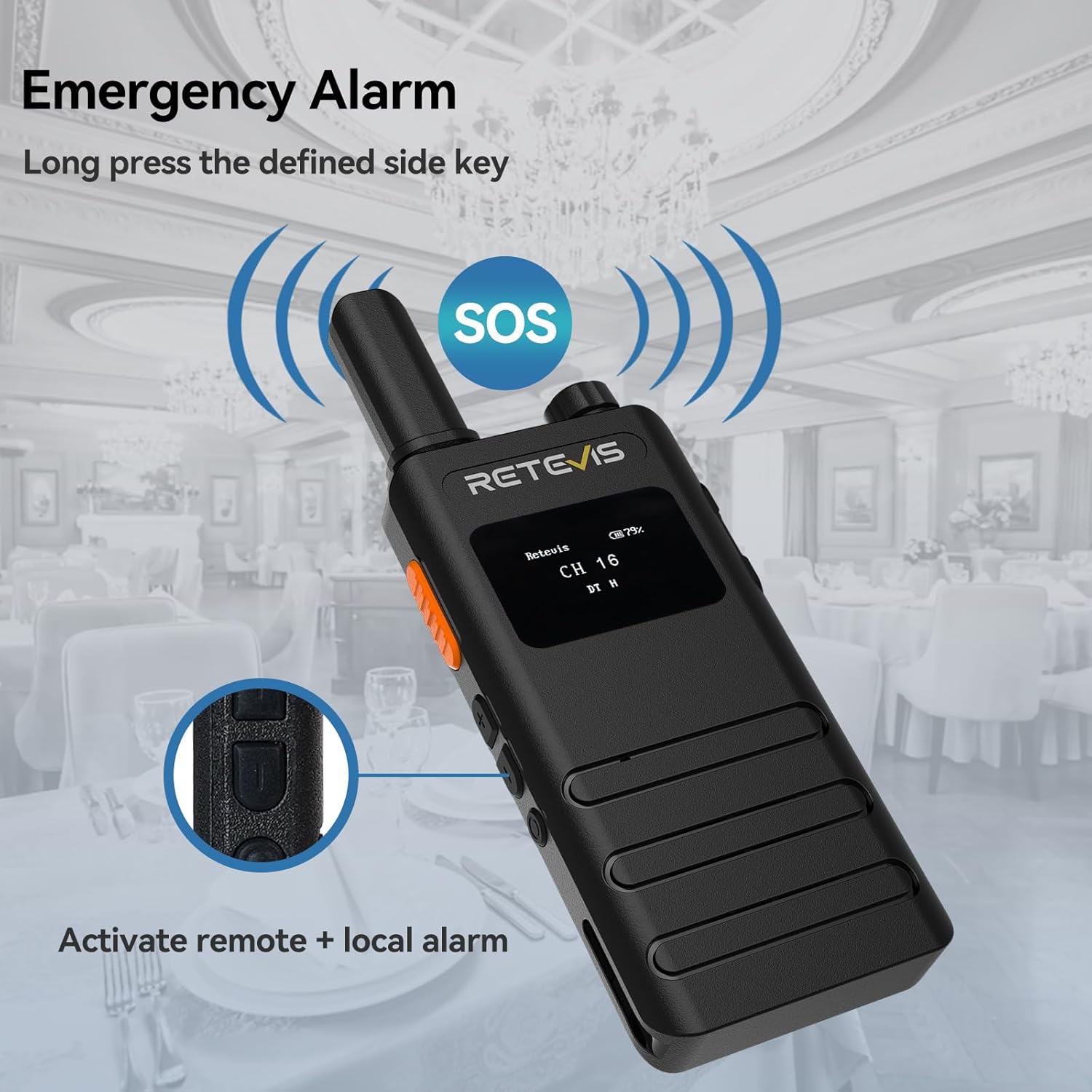
Image: A Retevis B3S walkie-talkie displaying an SOS icon, indicating the emergency alarm is active.
Video: Demonstrates how to activate and deactivate the emergency alarm function on the Retevis B3S walkie-talkie.
3.5 ไฟฉาย
The radio includes a built-in flashlight for use in low-light conditions. Refer to the user manual for specific activation instructions.
3.6 กุญแจล็อค
To prevent accidental changes to settings, the radio features a key lock function. Consult the user manual for details on how to activate and deactivate this feature.
3.7 ฟังก์ชันตัดเสียงรบกวน
The squelch function helps to suppress weak signals and background noise, ensuring clearer communication. The LCD display can show the squelch level.
4. การบำรุงรักษา
4.1 การดูแลแบตเตอรี่
The Retevis B3S is equipped with a 1620mAh large-capacity Li-ion battery, providing approximately 18 hours of continuous operation and up to 49 hours of standby time. To maximize battery life, ensure regular charging using the provided multi-unit charger or USB-C port.
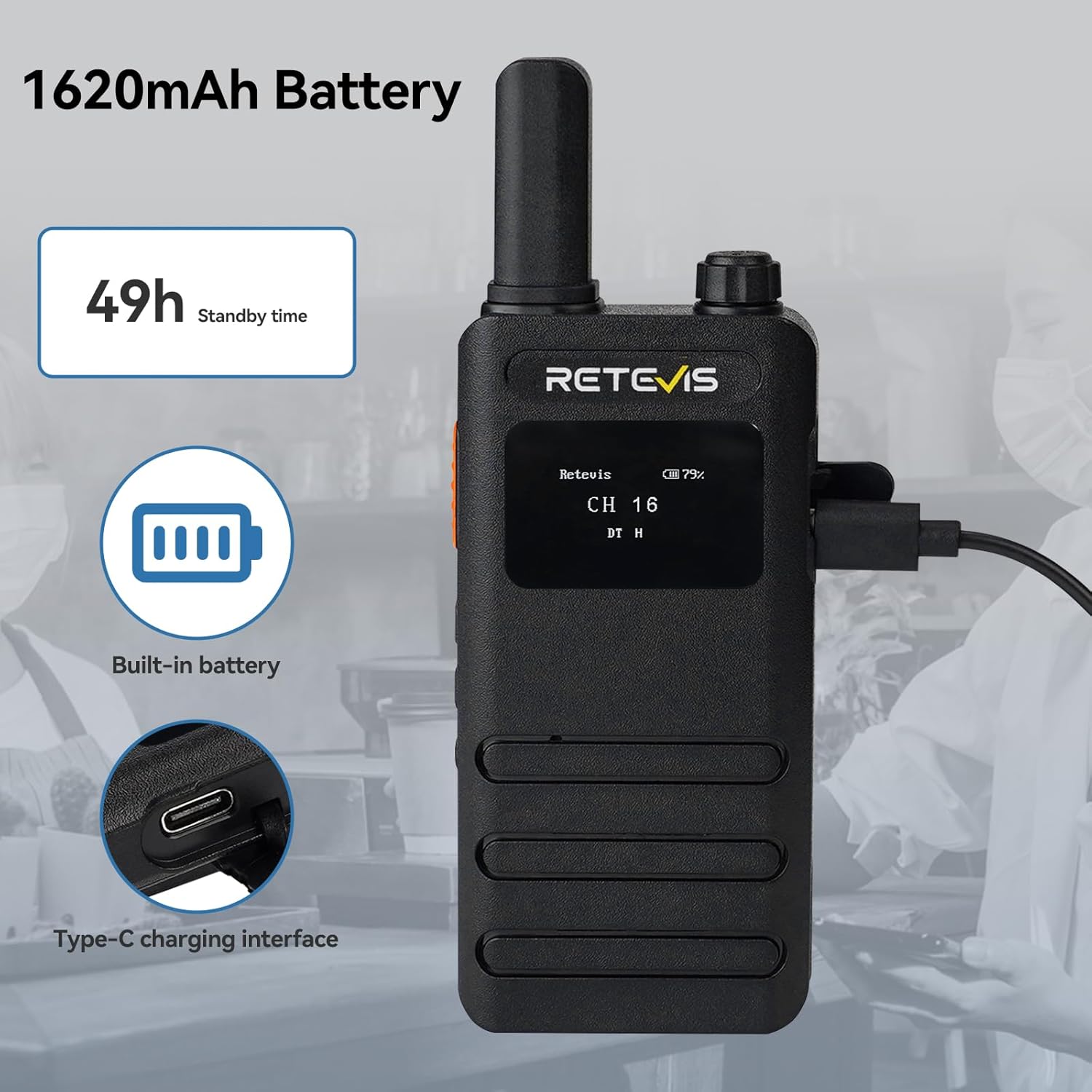
Image: A Retevis B3S walkie-talkie showing its 1620mAh battery capacity and USB-C charging interface.
4.2 การทำความสะอาด
Wipe the radio and charger with a soft, dry cloth. Avoid using harsh chemicals or abrasive cleaners.
5 การแก้ไขปัญหา
If you encounter issues with your Retevis B3S radio, please refer to the detailed troubleshooting section in the included user manual. Common issues may include:
- No power: Ensure the battery is charged and properly inserted.
- No sound: Check volume levels and earpiece connection.
- Cannot transmit/receive: Verify both radios are on the same channel and within range.
6. ข้อมูลจำเพาะ
| คุณสมบัติ | ข้อมูลจำเพาะ |
|---|---|
| น้ำหนักสินค้า | 4.97 ปอนด์ (สำหรับแพ็ค 6 ชิ้น) |
| ขนาดสินค้า | 0.59 x 0.59 x 0.59 นิ้ว (ต่อวิทยุ) |
| หมายเลขรุ่นสินค้า | B3S |
| แบตเตอรี่ | ต้องใช้แบตเตอรี่ลิเธียมไอออน 6 ก้อน (รวมอยู่ด้วย) |
| ยี่ห้อ | เรเทวิส |
| สี | สีดำ |
| จำนวนช่องสัญญาณ | 16 |
| คุณสมบัติพิเศษ | 1620 mAh Long lasting battery; LCD display screen |
| ช่วงความถี่ | เอฟอาร์เอส |
| ระยะการสนทนาสูงสุด | 2 กิโลเมตร |
| เล่มที่tage | 3.7 โวลต์ |
| ระดับความต้านทานต่อน้ำ | ไม่ทนน้ำ |
7. การรับประกันและการสนับสนุน
7.1 ข้อมูลการรับประกัน
Retevis ให้การรับประกันตัววิทยุ 2 ปี และรับประกันอุปกรณ์เสริม 1 ปี นอกจากนี้ยังมีนโยบายคืนสินค้าภายใน 30 วันโดยไม่ต้องระบุเหตุผล หลังจากหมดระยะเวลารับประกันแล้ว สามารถขอรับบริการซ่อมบำรุงได้ แต่ผู้ซื้อต้องรับผิดชอบค่าใช้จ่ายที่เกี่ยวข้อง
7.2 การสนับสนุนลูกค้า
For any questions or support needs, please contact Retevis customer service on Amazon. They aim to reply within 12 hours.


