1. บทนำ
This manual provides essential information for the safe and effective use of your UREVO Strol 2E Smart 2-in-1 Folding Treadmill. This versatile fitness equipment is designed for both walking and running, offering a compact solution for home and office environments. It features app connectivity for tracking progress and various workout modes.
โปรดอ่านคู่มือนี้อย่างละเอียดก่อนใช้งานลู่วิ่ง และเก็บรักษาไว้เพื่อใช้อ้างอิงในอนาคต
2. ข้อมูลด้านความปลอดภัย
เพื่อให้การใช้งานปลอดภัยและป้องกันการบาดเจ็บ โปรดปฏิบัติตามแนวทางความปลอดภัยต่อไปนี้:
- โปรดอ่านคำแนะนำทั้งหมดในคู่มือนี้ก่อนใช้งานลู่วิ่ง
- ให้เด็กและสัตว์เลี้ยงอยู่ห่างจากลู่วิ่งไฟฟ้าระหว่างการใช้งาน
- วางลู่วิ่งบนพื้นราบที่มั่นคงและมีพื้นที่ว่างรอบๆ อย่างเหมาะสม
- Ensure the power cord is not damaged or placed under the treadmill.
- Always use the safety key/clip during operation. In case of an emergency, the safety key will stop the treadmill.
- ควรสวมรองเท้ากีฬาที่เหมาะสม
- The maximum user weight for this treadmill is 265 lbs (120 kg).
- หากคุณมีอาการเวียนศีรษะ คลื่นไส้ เจ็บหน้าอก หรืออาการผิดปกติอื่น ๆ ให้หยุดออกกำลังกายทันทีและปรึกษาแพทย์
- อย่าพยายามซ่อมลู่วิ่งด้วยตัวเอง โปรดติดต่อช่างผู้ชำนาญการเพื่อทำการซ่อมแซม
3. เนื้อหาบรรจุภัณฑ์
ตรวจสอบว่ามีส่วนประกอบทั้งหมดอยู่ในแพ็คเกจ:
- UREVO Strol 2E Treadmill Unit
- สายไฟ (1x)
- รีโมทคอนโทรล (1x)
- Tool Kit (1x)
- คู่มือผู้ใช้ (1x)
- Tablet Mount (1x)
- Hex Tool (1x)

Image: Contents of the UREVO Strol 2E Treadmill package, including the treadmill, power cord, remote control, tool kit, user manual, tablet mount, and hex tool.
4. การตั้งค่า
The UREVO Strol 2E Treadmill is designed for quick and easy setup. Follow these steps to prepare your treadmill for use:
- แกะกล่องลู่วิ่ง: Carefully remove the treadmill and all accessories from the packaging. Place the treadmill on a clear, level surface.
- Unfold the Handle (for Running Mode): If you intend to use the treadmill in running mode, lift the handle until it locks securely into place. Ensure both sides are fully extended and locked.
- เชื่อมต่อพลังงาน: Plug the power cord into the treadmill's power input and then into a grounded electrical outlet.
- การตรวจสอบเบื้องต้น: Before first use, check the running belt for proper alignment and tension. Refer to the maintenance section for belt adjustment if needed.

Image: The UREVO Strol 2E Treadmill shown in its upright running configuration with the handle extended, and in its flat walking pad configuration under a standing desk.

Image: Illustration of the UREVO Strol 2E Treadmill's quick folding mechanism, demonstrating how it can be stored compactly, with a person relaxing on a sofa while the treadmill is in use.
5. คู่มือการใช้งาน
Your UREVO Strol 2E Treadmill offers two primary operating modes and can be controlled via the included remote or the UREVO Sport App.
5.1 เปิด/ปิดเครื่อง
- To power on, ensure the treadmill is plugged in and press the power button on the unit or remote.
- หากต้องการปิดเครื่อง ให้กดปุ่มเปิด/ปิดค้างไว้จนกระทั่งจอแสดงผลดับลง
5.2 โหมดการทำงาน
The treadmill automatically detects its configuration and adjusts available speed ranges:
- Walking Mode (Handle Folded): When the handle is folded down, the treadmill operates as a walking pad with a speed range of 0.6 to 4 mph (1-6 km/h). In this mode, only the lower LED display is active.
- Running Mode (Handle Unfolded): When the handle is upright and locked, the treadmill functions as a running treadmill with a speed range of 0.6 to 6.2 mph (1-10 km/h). Both the upper and lower LED displays are active.

Image: Visual comparison of the UREVO Strol 2E Treadmill in walking mode (handle folded, speed 0.6-4 mph) and running mode (handle upright, speed 0.6-6.2 mph), with two individuals demonstrating each use case.

ภาพ: ระยะใกล้ view of the UREVO Strol 2E Treadmill's dual LED displays, illustrating how the upper display is active when the handrail is unfolded for running, and only the lower display lights up when the handrail is folded for walking.
5.3 การควบคุมระยะไกล
รีโมตคอนโทรลที่ให้มาช่วยให้ใช้งานได้สะดวก:
- เริ่ม/หยุด: Press the play/pause button to start or stop the treadmill.
- การปรับความเร็ว: Use the '+' and '-' buttons to increase or decrease speed.
- ปุ่มโหมด: Cycles through display modes (Time, Calories, Steps, Speed, Distance).
- ฟังก์ชั่นปิดเสียง: The remote features a one-key mute function to silence operational sounds. The magnetic back allows it to attach to the treadmill.
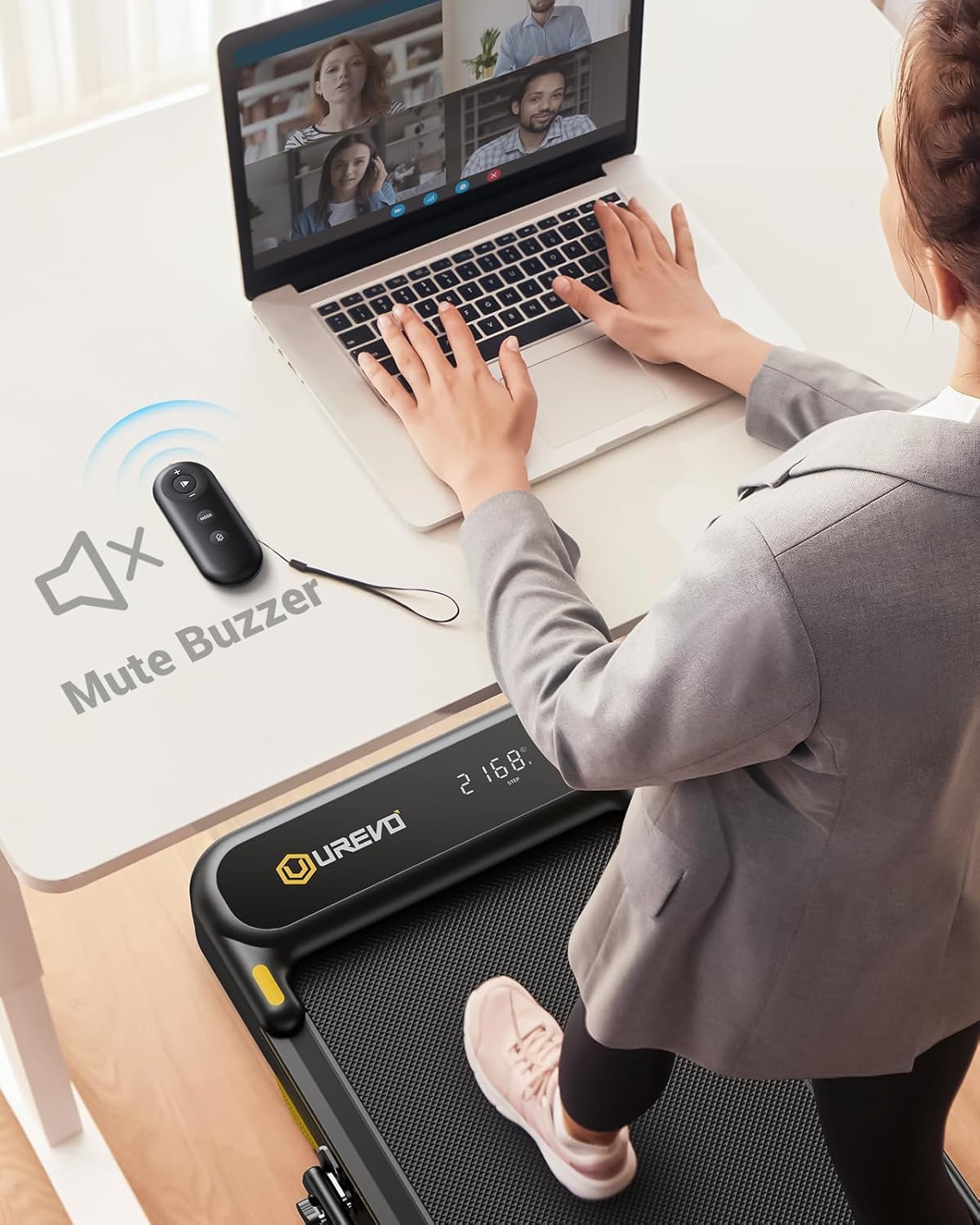
Image: A person using the UREVO Strol 2E Treadmill's remote control to mute the buzzer while working on a laptop at a standing desk, highlighting the quiet operation.
5.4 UREVO Sport App
Enhance your workout experience by connecting to the UREVO Sport App:
- ดาวน์โหลดแอป: ค้นหา "UREVO Sport" in your device's app store.
- Connect to Treadmill: ทำตามคำแนะนำในแอปเพื่อเชื่อมต่ออุปกรณ์ของคุณกับลู่วิ่งผ่านบลูทูธ
- ติดตามความคืบหน้า: The app tracks time, calories, steps, speed, and distance, providing detailed workout reports.
- โปรแกรมการออกกำลังกาย: Access various workout programs, including AI RhythmFit immersive running and AI All-Terrain Simulated Hikes.

Image: The UREVO Sport App interface displaying calorie burn tracking and various workout modes like HIIT, MIIT, and LIIT, with a person running on the treadmill in the background.

Image: A user interacting with the UREVO Sport App, which displays an 'AI All-Terrain Simulated Hike' feature with various real-scene running maps for virtual exploration.
5.5 Multi-Function Display
The LED display provides real-time workout data:
- เวลา
- แคลอรี่ที่ถูกเผาผลาญ
- ขั้นตอน
- ความเร็ว
- ระยะทาง
5.6 หยุดฉุกเฉิน
Attach the safety clip to your clothing before starting your workout. If you need to stop the treadmill quickly, pull the safety clip, and the treadmill will immediately cease operation.
6. การบำรุงรักษา
การบำรุงรักษาตามปกติจะช่วยให้ลู่วิ่งของคุณมีอายุการใช้งานยาวนานและมีประสิทธิภาพสูงสุด
6.1 การหล่อลื่น
Apply lubricant to the running belt every 125 miles of use. This helps reduce friction and extends the life of the motor and belt.
Video: Instructions on how to add oil to the UREVO treadmill, demonstrating the process of loosening the belt, applying lubricant, and re-tightening.
6.2 การปรับสายพานวิ่ง
If the running belt becomes misaligned or too loose/tight, it may require adjustment. Use the hex tool provided to adjust the rear corner bolts. Turn the bolts clockwise to tighten or counter-clockwise to loosen the belt. Ensure the belt is centered and has proper tension for smooth operation. The video above also demonstrates belt adjustment.
6.3 การทำความสะอาด
เช็ดทำความสะอาดลู่วิ่งด้วยน้ำยาทำความสะอาดamp หลังการใช้ทุกครั้งเพื่อขจัดเหงื่อและฝุ่น หลีกเลี่ยงการใช้น้ำยาทำความสะอาดหรือตัวทำละลายที่มีฤทธิ์กัดกร่อน
6.4 พื้นที่จัดเก็บ
The treadmill can be folded for compact storage. Ensure the handle is fully folded down before moving or storing the unit. The integrated wheels allow for easy relocation.
7 การแก้ไขปัญหา
If you encounter issues with your UREVO Strol 2E Treadmill, refer to the following common solutions:
- เครื่องวิ่งไฟฟ้าไม่เปิดใช้งาน: Check if the power cord is securely plugged into both the treadmill and a grounded outlet. Ensure the power switch is in the 'on' position.
- Running belt slipping or misaligned: Refer to the 'Running Belt Adjustment' section (6.2) for instructions on how to adjust the belt tension and alignment.
- เสียงผิดปกติขณะใช้งาน: Check for any loose parts. Ensure the treadmill is on a level surface. If the noise persists, it may indicate a need for lubrication (refer to section 6.1) or professional inspection.
- ปัญหาการเชื่อมต่อแอป: Ensure Bluetooth is enabled on your device and the treadmill is powered on. Try restarting both the app and the treadmill.
- รีโมทคอนโทรลไม่ตอบสนอง: Check the remote's battery. Ensure there are no obstructions between the remote and the treadmill's receiver.
For issues not covered here, please contact UREVO customer support.
8. ข้อมูลจำเพาะ
| คุณสมบัติ | ข้อมูลจำเพาะ |
|---|---|
| หมายเลขรุ่น | URTM030 |
| ขนาดสินค้า | 130D x 58W x 11.3H ซม. |
| น้ำหนักสินค้า | 17.01 กก. |
| แรงม้า | 2.25 แรงม้า |
| คะแนนความเร็ว | 1-10 กม./ชม. (0.6-6.2 ไมล์/ชม.) |
| ความเร็วโหมดการเดิน | 0.6-4 ไมล์ต่อชั่วโมง |
| ความเร็วโหมดการทำงาน | 0.6-6.2 ไมล์ต่อชั่วโมง |
| ประเภทจอภาพ | นำ |
| วัสดุกรอบ | อลูมิเนียม |
| วัสดุ | เหล็กอัลลอยด์ |
| น้ำหนักผู้ใช้สูงสุด | 265 ปอนด์ |
| คุณสมบัติพิเศษ | Foldable, Lightweight, Portable, Shock Absorbent, Wheeled |
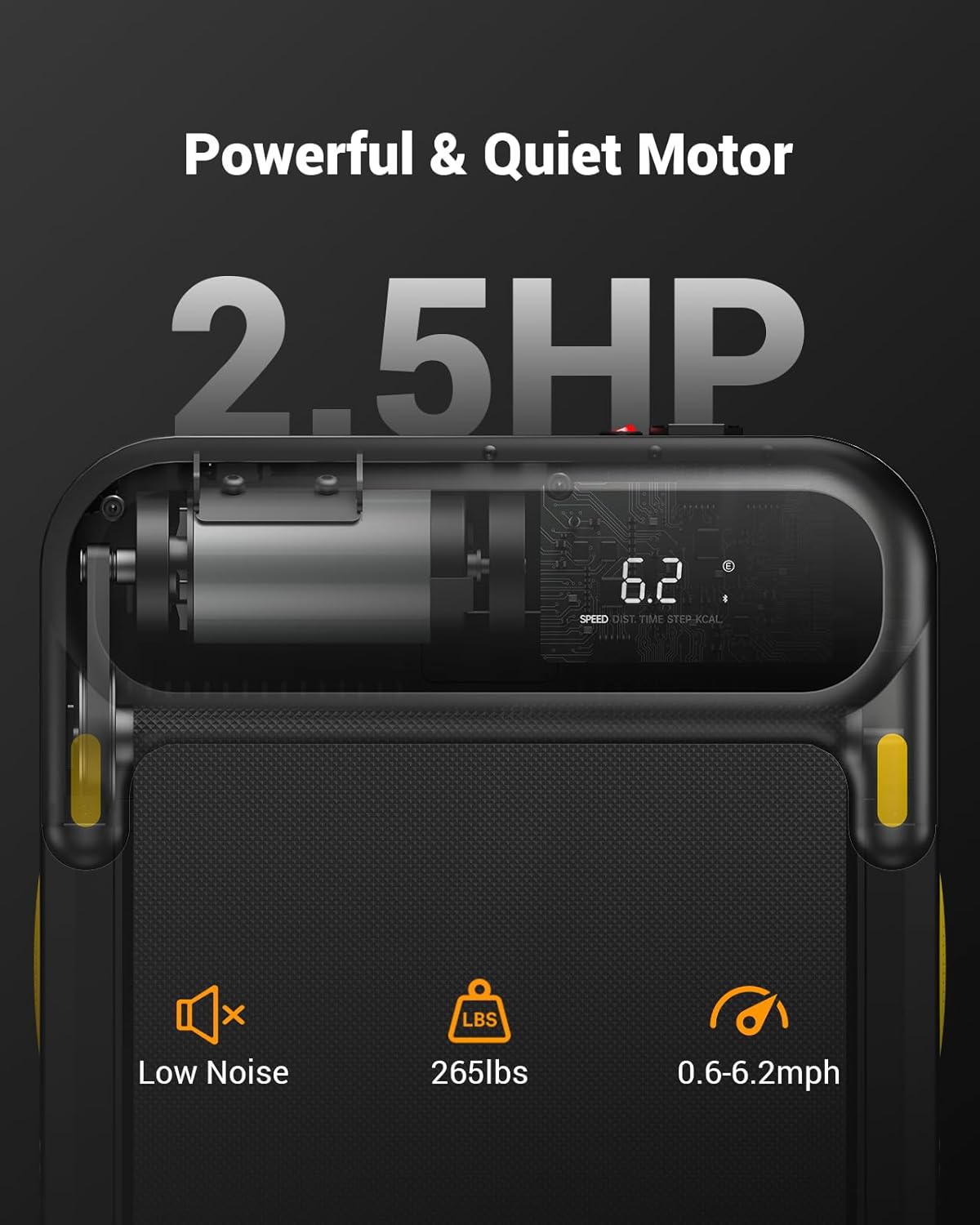
ภาพ: ระยะใกล้ view of the UREVO Strol 2E Treadmill's motor specifications, highlighting its 2.5 HP power, low noise operation, 265 lbs weight capacity, and speed range of 0.6-6.2 mph.

Image: Diagram illustrating the UREVO Strol 2E Treadmill's joint protection system, featuring 2 soft cushions, a 5-layer running belt, and 8 silicone shock absorbers.
9. การรับประกันและการสนับสนุน
UREVO offers a 1-year warranty for the Strol 2E Smart 2-in-1 Folding Treadmill. For any questions, concerns, or warranty claims, please contact UREVO customer support. Our professional team is available to assist you.
Please refer to the contact information provided with your product packaging or visit the official UREVO webเว็บไซต์สำหรับรายละเอียดการสนับสนุน


