1. บทนำ
This manual provides comprehensive instructions for the installation, operation, and maintenance of your Intel Core i7-13700F Desktop Processor and GIGABYTE Z790 Motherboard. Please read this manual thoroughly before beginning installation to ensure proper setup and optimal performance.

Image 1.1: Intel Core i7-13700F Processor box and GIGABYTE Z790 Motherboard. This image displays the retail packaging for the Intel Core i7-13700F processor alongside the GIGABYTE Z790 motherboard, highlighting the two primary components of this bundle.
2. สินค้าหมดview
The Intel Core i7-13700F processor and GIGABYTE Z790 motherboard combination offers a robust foundation for high-performance computing. Key features include:
- โปรเซสเซอร์: 16 cores (8 Performance-cores + 8 Efficient-cores) and 24 threads, with a maximum clock speed of up to 5.2 GHz and 30MB Cache. Features performance hybrid architecture for optimized workload distribution.
- ความเข้ากันได้ของเมนบอร์ด: Designed for Intel LGA 1700 Socket, supporting 13th and 12th Gen Intel Core Series Processors.
- การรองรับหน่วยความจำ: Dual Channel DDR5 compatibility with 4 DIMM slots.
- การออกแบบพลังงาน: Sturdy 16+1+1 Twin Hybrid Phases Digital Power Design with 60A DrMOS.
- การจัดการความร้อน: Comprehensive thermal design including Fully Covered MOSFET Heatsinks, M.2 Thermal Guard, Ultra Durable Armor, and a 6-layer PCB for efficient heat dissipation.
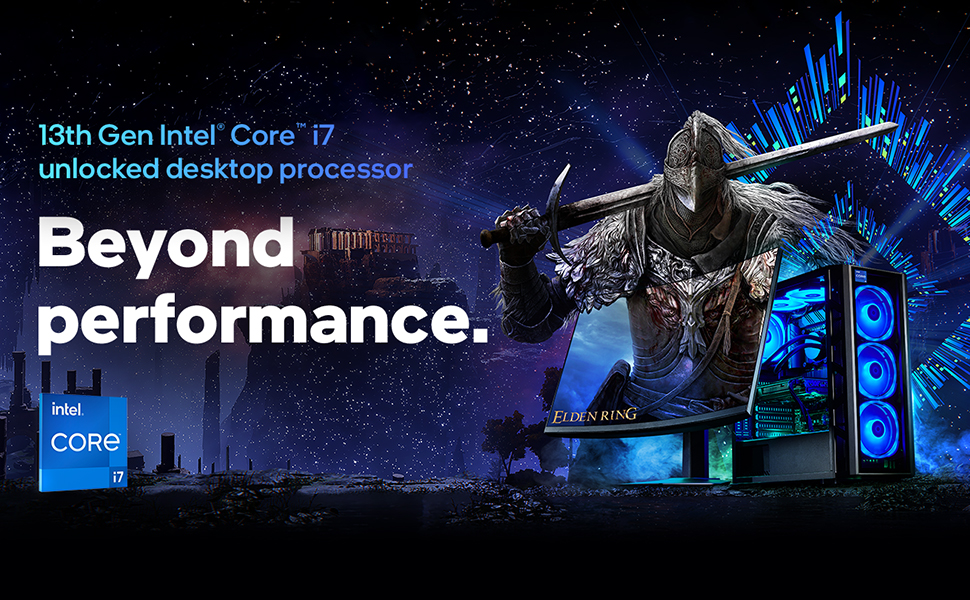
ภาพที่ 2.1: จบแล้วview of 13th Gen Intel Core i7 Processor capabilities. This image illustrates the "Beyond performance" concept associated with the 13th Gen Intel Core i7 desktop processor, emphasizing its advanced capabilities for demanding tasks.

Image 2.2: Visual representation of Intel's Performance Hybrid Architecture. This graphic depicts how the performance hybrid architecture integrates different core microarchitectures to optimize performance by intelligently distributing workloads.
3. การตั้งค่าและการติดตั้ง
This section outlines the general steps for installing the Intel Core i7-13700F processor onto the GIGABYTE Z790 motherboard and integrating it into a PC system. Professional installation is recommended if you are unfamiliar with PC component assembly.
3.1. ก่อนที่คุณจะเริ่มต้น
- ตรวจสอบให้แน่ใจว่าหน่วยจ่ายไฟ (PSU) ของคุณใช้งานร่วมกันได้และจ่ายไฟได้เพียงพอtage สำหรับส่วนประกอบทั้งหมด
- Gather necessary tools: Phillips head screwdriver, anti-static wrist strap, thermal paste (if not pre-applied on cooler).
- Familiarize yourself with your PC case and its component mounting points.
3.2. การติดตั้งโปรเซสเซอร์ (ซ็อกเก็ต LGA 1700)
- Carefully open the CPU socket retention lever on the motherboard.
- Align the triangular mark on the processor with the corresponding mark on the socket.
- Gently place the processor into the socket. Do not force it.
- Close the retention lever to secure the processor.
- Install the CPU cooler according to its manufacturer's instructions, ensuring proper thermal paste application.
3.3. การติดตั้งเมนบอร์ด
- Install standoffs in your PC case that align with the GIGABYTE Z790 motherboard's mounting holes.
- Carefully place the motherboard into the case, aligning it with the standoffs and the I/O shield.
- ยึดเมนบอร์ดด้วยสกรู
3.4. การติดตั้งหน่วยความจำ (RAM)
- คลายคลิปที่ช่องเสียบ DDR5 DIMM ออก
- จัดตำแหน่งรอยบากบนโมดูลหน่วยความจำ DDR5 ให้ตรงกับคีย์ในช่อง DIMM
- กดปลายทั้งสองข้างของโมดูลหน่วยความจำให้แน่นจนกระทั่งคลิปล็อคเข้าที่
- For dual-channel operation, refer to your GIGABYTE Z790 motherboard manual for recommended slot configurations.
3.5. การเชื่อมต่ออุปกรณ์ต่อพ่วงและพลังงาน
- Connect the 24-pin ATX power connector and the 8-pin (or 4+4 pin) CPU power connector from your PSU to the motherboard.
- ติดตั้งการ์ดกราฟิกของคุณลงในช่อง PCIe x16 หลัก
- Connect storage devices (SSDs/HDDs) via SATA or M.2 slots.
- Connect front panel headers (power button, reset button, USB ports, audio jacks) according to the motherboard manual.
4. คู่มือการใช้งาน
Once all components are installed and connected, you can proceed with system boot-up and operating system installation.
4.1. การบูตและการตั้งค่า BIOS ครั้งแรก
- เชื่อมต่อจอภาพ คีย์บอร์ด และเมาส์
- เปิดระบบของคุณ
- Press the designated key (usually DEL or F2) repeatedly during boot-up to enter the BIOS/UEFI setup utility.
- Verify that all components (CPU, RAM, storage) are recognized.
- Configure boot order to install your operating system from a USB drive or optical media.
- บันทึกการเปลี่ยนแปลงและออกจาก BIOS
4.2. การติดตั้งระบบปฏิบัติการ
Follow the on-screen prompts to install your preferred operating system (e.g., Windows, Linux). Ensure you download and install the latest drivers for your GIGABYTE Z790 motherboard and Intel Core i7-13700F processor from the respective manufacturer websites for optimal performance and stability.
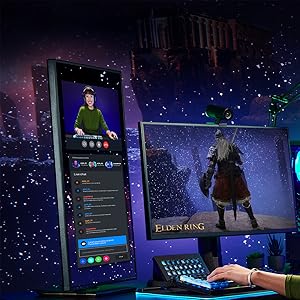
ภาพที่ 4.1: อดีตample of system usage for gaming and streaming. This image shows a user engaged in gaming while simultaneously streaming, demonstrating the multi-tasking capabilities supported by the processor.
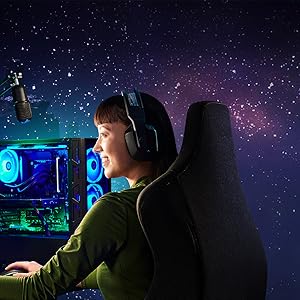
ภาพที่ 4.2: อดีตample of system usage for content creation. This image illustrates a user utilizing the system for creative tasks, highlighting the processor's suitability for demanding applications like video editing or graphic design.
5. การบำรุงรักษา
Proper maintenance ensures the longevity and stable performance of your processor and motherboard.
- การกำจัดฝุ่น: Regularly clean dust from inside your PC case, especially from CPU cooler fins and motherboard components, using compressed air. Ensure the system is powered off and unplugged before cleaning.
- การอัปเดตไดรเวอร์: Keep your motherboard chipset drivers, CPU drivers, and BIOS/UEFI firmware updated to the latest versions available from Intel and GIGABYTE's official webเว็บไซต์
- การติดตามความร้อน: Use monitoring software to keep an eye on CPU temperatures. Excessive temperatures can indicate insufficient cooling or dust buildup.
- การตั้งค่า BIOS/UEFI: Avoid making drastic changes to BIOS/UEFI settings unless you understand their function. Incorrect settings can lead to system instability.
6 การแก้ไขปัญหา
หัวข้อนี้ให้ขั้นตอนการแก้ไขปัญหาเบื้องต้นสำหรับปัญหาทั่วไป
6.1. ระบบไม่เปิดเครื่อง
- Check if the power supply unit (PSU) is switched on and properly connected to the wall outlet and motherboard.
- Ensure the front panel power button header is correctly connected to the motherboard.
- Test the PSU with another system or a PSU tester if available.
6.2. ไม่มีการแสดงผล
- Verify that the monitor is connected to the graphics card (not the motherboard's integrated graphics ports, as the i7-13700F does not have integrated graphics).
- ติดตั้งการ์ดจอและโมดูลหน่วยความจำใหม่
- Check if the graphics card requires additional PCIe power connectors from the PSU.
6.3. ความไม่เสถียรของระบบหรือความผิดพลาด
- Ensure CPU cooler is properly installed and making good contact with the CPU. Monitor CPU temperatures.
- เรียกใช้เครื่องมือวินิจฉัยหน่วยความจำเพื่อตรวจสอบข้อผิดพลาด RAM
- Update all drivers and BIOS/UEFI firmware to the latest versions.
- ตรวจสอบว่าสายไฟหรือสายเคเบิลข้อมูลหลวมหรือไม่
For more detailed troubleshooting, refer to the official GIGABYTE Z790 motherboard manual or visit the support sections of the Intel and GIGABYTE webเว็บไซต์
7. ข้อมูลจำเพาะ
| คุณสมบัติ | รายละเอียด |
|---|---|
| ชื่อสินค้า | Intel Core i7-13700F Desktop Processor + GIGABYTE Z790 Motherboard |
| รุ่นโปรเซสเซอร์ | อินเทล คอร์ i7-13700F |
| คอร์โปรเซสเซอร์ | 16 (8 คอร์ P + 8 คอร์ E) |
| เธรดโปรเซสเซอร์ | 24 |
| ความถี่เทอร์โบสูงสุด | สูงสุด 5.2 GHz |
| แคช | สมาร์ทแคช Intel 30MB |
| ซ็อกเก็ตโปรเซสเซอร์ | แอลจีเอ 1700 |
| ชิปเซ็ตเมนบอร์ด | อินเทล Z790 |
| ประเภทหน่วยความจำที่รองรับ | DDR5 (แบบ Dual Channel) |
| สล็อต DIMM | 4 |
| กราฟิกแบบบูรณาการ | ไม่มี (ต้องใช้การ์ดจอแยก) |
| แพลตฟอร์ม | หน้าต่าง |
| วันที่พร้อมใช้งานครั้งแรก | 8 เมษายน 2024 |
8. การรับประกันและการสนับสนุน
For specific warranty information regarding your Intel Core i7-13700F processor and GIGABYTE Z790 motherboard, please refer to the documentation included with your product or visit the official websites of Intel and GIGABYTE.
ฝ่ายสนับสนุนของ Intel: For processor-related inquiries and drivers, visit the การสนับสนุนของ Intel Webเว็บไซต์.
การสนับสนุน GIGABYTE: For motherboard-related inquiries, drivers, and BIOS updates, visit the การสนับสนุนของ GIGABYTE Webเว็บไซต์.
คุณยังสามารถเยี่ยมชม ร้าน Intel Store บน Amazon สำหรับข้อมูลผลิตภัณฑ์และทรัพยากรเพิ่มเติม


