1. บทนำ
Welcome to the user manual for your new Baseus 20000mAh Power Bank. This portable charger is designed to provide reliable and fast charging for a wide range of electronic devices, featuring built-in dual cables and a smart digital display. Please read this manual carefully to ensure proper use, optimal performance, and longevity of your device.
2. สินค้าหมดview
2.1 คุณสมบัติหลัก
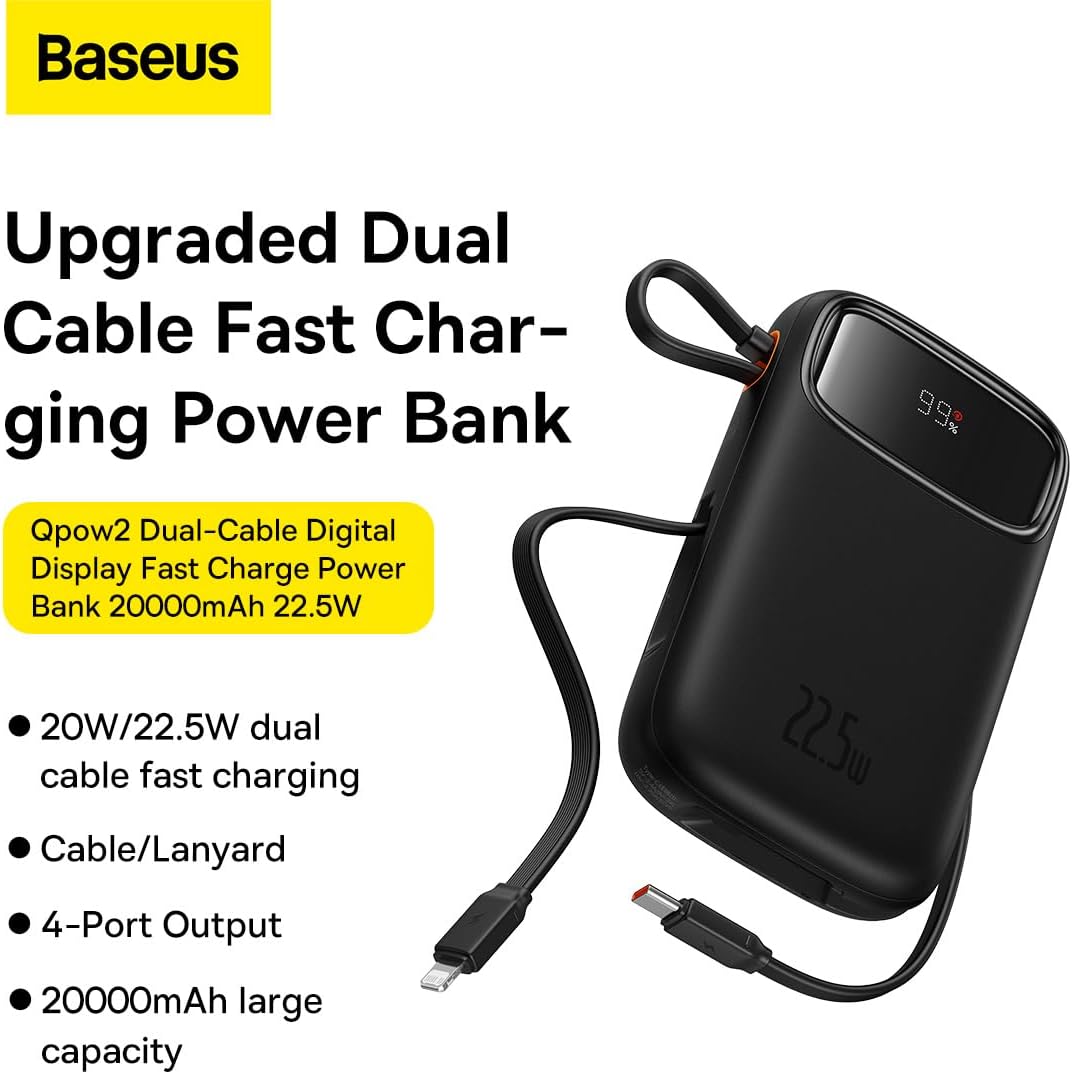
- Integrated Charging Technology: Built-in USB-C and Lightning cables for universal compatibility.
- 22.5W Fast Charging: Rapid power delivery for quick device charging.
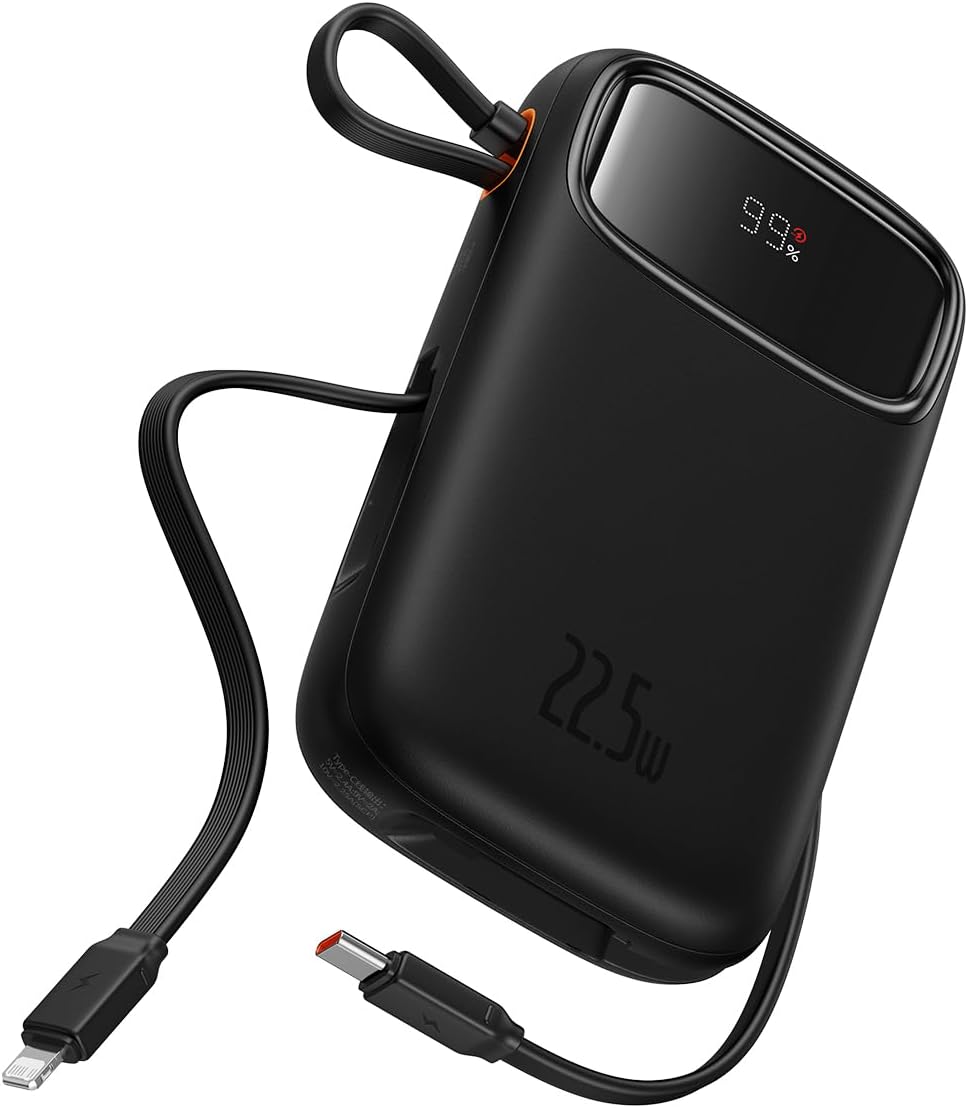
- Multi-Device Support: Charge up to four devices simultaneously via built-in cables, USB-C port, and USB-A port.
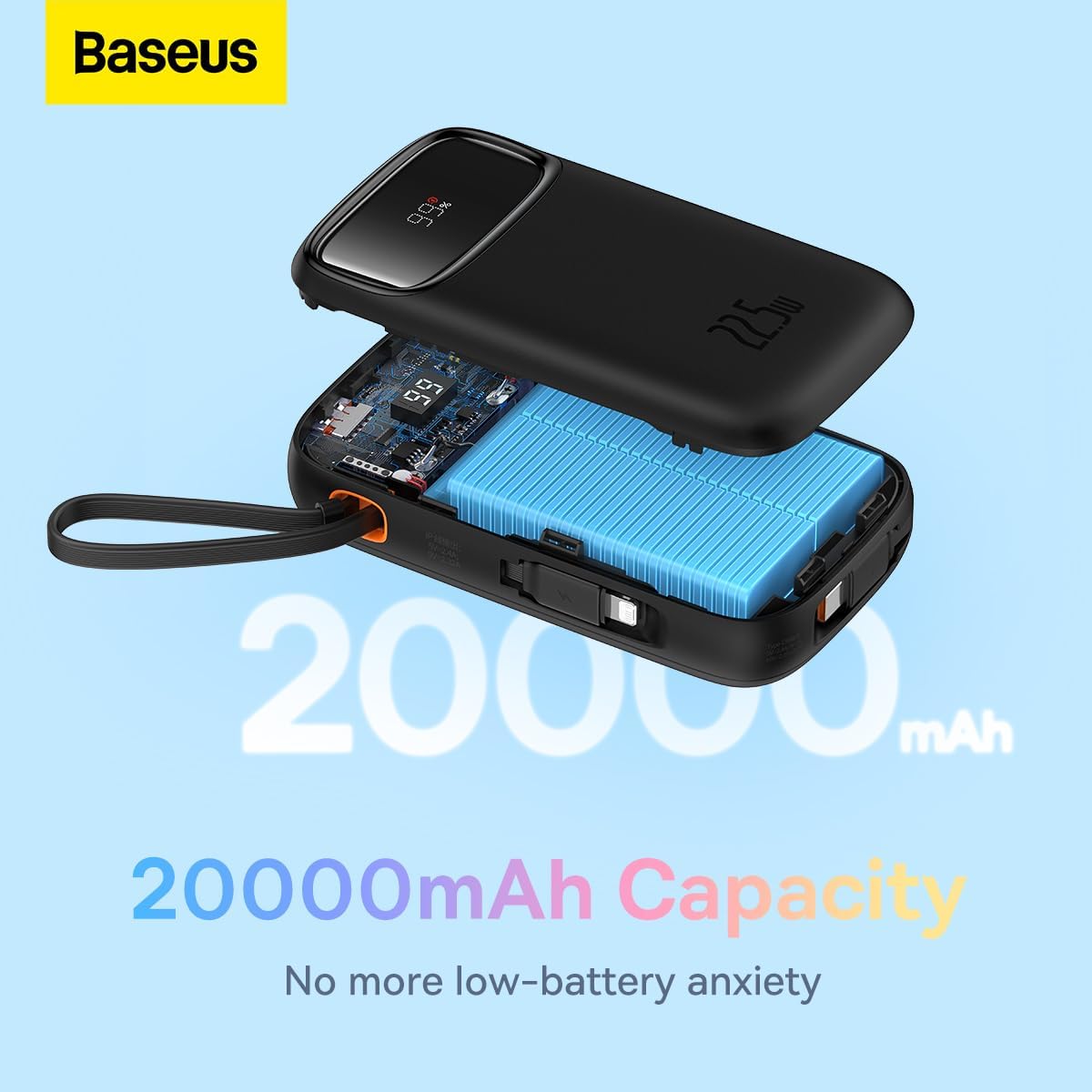
- 20000mAh High Capacity: Provides extended power for multiple charges.
- Smart Digital Display: Accurately shows remaining battery percentage.
- Travel-Ready Design: Lightweight and slim profile, airline approved.
2.2 เนื้อหาบรรจุภัณฑ์
- Baseus 20000mAh Power Bank (Qpow2)
- Built-in USB-C Charging Cable
- สายชาร์จ Lightning ในตัว
- คู่มือการใช้งาน
2.3 แผนผังผลิตภัณฑ์

3. การตั้งค่า
3.1 การชาร์จเริ่มต้น
Before first use, it is recommended to fully charge your Baseus Power Bank. Connect the power bank to a power adapter (not included) using a USB-C cable via its USB-C input port. The digital display will show the charging progress.
3.2 การตรวจสอบระดับแบตเตอรี่
The smart digital display on the power bank shows the current battery percentage. เพียงกดปุ่มเปิด/ปิดหนึ่งครั้งเพื่อเปิดใช้งานหน้าจอ view ค่าใช้จ่ายที่เหลืออยู่

4. คู่มือการใช้งาน
4.1 อุปกรณ์ชาร์จ
ในการชาร์จอุปกรณ์ของคุณ:
- การใช้สายเคเบิลในตัว: Pull out the integrated USB-C or Lightning cable and connect it directly to your compatible device.
- Using USB-C/USB-A Ports: Connect your device's charging cable to the power bank's USB-C or USB-A output port.
- The power bank will automatically begin charging your device. The digital display will show the battery level of the power bank.

4.2 Low-Current Mode
For charging low-power devices such as smartwatches, Bluetooth earbuds, or fitness trackers, activate the low-current mode. Press and hold the power button for approximately 3 seconds until the display indicates low-current mode is active. This ensures safe and efficient charging for smaller devices.

5. การบำรุงรักษา
- การทำความสะอาด: เช็ดพาวเวอร์แบงค์ด้วยผ้านุ่มและแห้ง ห้ามใช้สารเคมีรุนแรงหรือวัสดุที่มีฤทธิ์กัดกร่อน
- พื้นที่จัดเก็บ: เก็บพาวเวอร์แบงค์ไว้ในที่แห้งและเย็น หลีกเลี่ยงแสงแดดโดยตรง อุณหภูมิที่สูงและสูงเกินไป และความชื้น
- การดูแลแบตเตอรี่ เพื่อยืดอายุการใช้งานแบตเตอรี่ ควรชาร์จพาวเวอร์แบงค์ให้เต็มอย่างน้อยทุกสามเดือน หากไม่ได้ใช้งานเป็นประจำ หลีกเลี่ยงการชาร์จแบตเตอรี่จนหมดบ่อยๆ
- หลีกเลี่ยงการหยด: อย่าทำตกหรือให้พาวเวอร์แบงค์ได้รับแรงกระแทกรุนแรง
6 การแก้ไขปัญหา
| ปัญหา | สาเหตุที่เป็นไปได้ | สารละลาย |
|---|---|---|
| พาวเวอร์แบงค์ชาร์จไม่เข้า | Charging cable or adapter faulty; power bank fully discharged; charging port obstructed. | Try a different USB-C cable and power adapter. Ensure the charging port is clean and free of debris. Allow a few minutes for the power bank to respond if fully discharged. |
| อุปกรณ์ไม่ได้ชาร์จจากพาวเวอร์แบงค์ | Device cable faulty; power bank battery low; incorrect port used; device not compatible. | Ensure the power bank is charged. Try a different charging cable for your device. Verify the device is compatible with the power bank's output specifications. |
| ชาร์จช้า | Cable quality; device charging input limit; multiple devices charging simultaneously. | Use high-quality cables. Note that some devices may not support fast charging. Charging multiple devices simultaneously may reduce individual charging speeds. |
| จอแสดงผลดิจิตอลไม่ทำงาน | Power button not pressed; device malfunction. | Press the power button once to activate the display. If the issue persists, contact customer support. |
7. ข้อมูลจำเพาะ
| คุณสมบัติ | รายละเอียด |
|---|---|
| ยี่ห้อ | เบสอุส |
| หมายเลขรุ่น | P10055002113-00 |
| ความจุของแบตเตอรี่ | 20000 มิลลิวินาทีamp ชั่วโมง (มิลลิแอมป์) |
| กำลังขับ | Up to 22.5W PD |
| อินพุต Voltage | 20 โวลต์ (สูงสุด) |
| ส่วนประกอบของเซลล์แบตเตอรี่ | ลิเธียมโพลีเมอร์ |
| สี | สีดำ |
| น้ำหนักสินค้า | 500 กรัม |
| ขนาดสินค้า | 30 x 15 x 25 ซม. |
8. การรับประกันและการสนับสนุน
This Baseus Power Bank comes with an รับประกัน 18 เดือน นับจากวันที่ซื้อสินค้า การรับประกันนี้ครอบคลุมถึงข้อบกพร่องจากการผลิตและปัญหาที่เกิดขึ้นจากการใช้งานปกติ ไม่ครอบคลุมถึงความเสียหายที่เกิดจากการใช้งานผิดวิธี อุบัติเหตุ การดัดแปลงโดยไม่ได้รับอนุญาต หรือภัยพิบัติทางธรรมชาติ
For warranty claims, technical support, or any inquiries regarding your product, please contact Baseus customer service through the official Baseus webโปรดเตรียมหลักฐานการซื้อให้พร้อมเมื่อติดต่อฝ่ายสนับสนุน โดยอ้างอิงจากเว็บไซต์หรือจุดที่คุณซื้อสินค้า
You can also visit the official Baseus Store for more information and product updates: ร้านค้าอย่างเป็นทางการของ Baseus


