การแนะนำ
This manual provides essential information for the setup, operation, and maintenance of your amazon basics Wireless Bluetooth Keyboard. Designed for seamless multi-device connectivity, this keyboard allows you to effortlessly switch between up to three devices running on iOS, Windows, or Android operating systems. Its compact and lightweight design, combined with noiseless keys and a built-in rechargeable battery, makes it an ideal solution for versatile typing needs on the go.

ภาพ: จากบนลงล่าง view of the amazon basics Wireless Bluetooth Keyboard, showcasing its compact layout and grey and black color scheme.
เนื้อหาแพ็คเกจ
เมื่อเปิดบรรจุภัณฑ์ ให้แน่ใจว่ามีสิ่งของทั้งหมดต่อไปนี้อยู่:
- 1 x amazon basics Wireless Bluetooth Keyboard
- สายชาร์จ 1 x USB Type-C
- 1 x คู่มือผู้ใช้ (เอกสารนี้)
การตั้งค่า
1. การชาร์จคีย์บอร์ด
The keyboard features a built-in rechargeable battery. Before first use, it is recommended to fully charge the keyboard.
- Locate the Type-C charging port on the side of the keyboard.
- Connect one end of the provided USB Type-C charging cable to the keyboard's charging port.
- เชื่อมต่อปลายสายอีกด้านหนึ่งเข้ากับแหล่งพลังงาน USB (เช่น พอร์ต USB ของคอมพิวเตอร์ อะแดปเตอร์ติดผนัง USB)
- The charging indicator light will illuminate. Once fully charged, the light may change color or turn off, depending on the model.

ภาพ: ภาพระยะใกล้ view of the keyboard, highlighting the Type-C charging port and the ON/OFF power switch.
2. การเปิด/ปิดเครื่อง
To power on the keyboard, slide the ON/OFF switch located on the side of the keyboard to the "ON" position. To power off, slide it to the "OFF" position.
3. การจับคู่บลูทู ธ
The keyboard supports connection to up to three devices simultaneously. Follow these steps to pair your devices:
- ตรวจสอบให้แน่ใจว่าแป้นพิมพ์เปิดอยู่
- กดปุ่ม Fn กดปุ่มพร้อมกันกับปุ่มช่องสัญญาณบลูทูธปุ่มใดปุ่มหนึ่ง (BT1, BT2, หรือ BT3) for approximately 3-5 seconds until the corresponding indicator light flashes rapidly. This indicates the keyboard is in pairing mode.
- บนอุปกรณ์ของคุณ (สมาร์ทโฟน แท็บเล็ต แล็ปท็อป) ไปที่การตั้งค่าบลูทูธ และเปิดใช้งานบลูทูธ
- ค้นหา available devices. The keyboard will appear as "amazon basics Keyboard" or similar.
- Select the keyboard from the list to connect. If prompted, enter the displayed code on the keyboard and press เข้า.
- เมื่อเชื่อมต่อเสร็จแล้ว ไฟแสดงสถานะจะหยุดกะพริบและติดสว่างอยู่สองสามวินาทีก่อนจะดับลง
- Repeat these steps for up to two additional devices using the other BT channel keys.

Image: The keyboard positioned between a laptop, tablet, and smartphone, visually representing its multi-device connectivity feature.
การใช้งานแป้นพิมพ์
1 การสลับระหว่างอุปกรณ์
After pairing multiple devices, you can easily switch between them:
- เพียงแค่กดปุ่ม Fn key simultaneously with the desired Bluetooth channel key (BT1, BT2, หรือ BT3) to switch to the corresponding paired device.
- The keyboard will automatically connect to the selected device.
2. ความเข้ากันได้ของระบบปฏิบัติการ
The keyboard is designed to be compatible with various operating systems. Some keys may have dual functions or specific behaviors depending on the OS.
- ไอโอเอส: Compatible with iPhones and iPads.
- หน้าต่าง: Fully functional with Windows PCs and laptops.
- แอนดรอยด์: Works seamlessly with Android smartphones and tablets.
- ระบบปฏิบัติการ Mac: Compatible with MacBooks and iMacs.
- ระบบปฏิบัติการ Chrome: Supports Chrome OS devices.
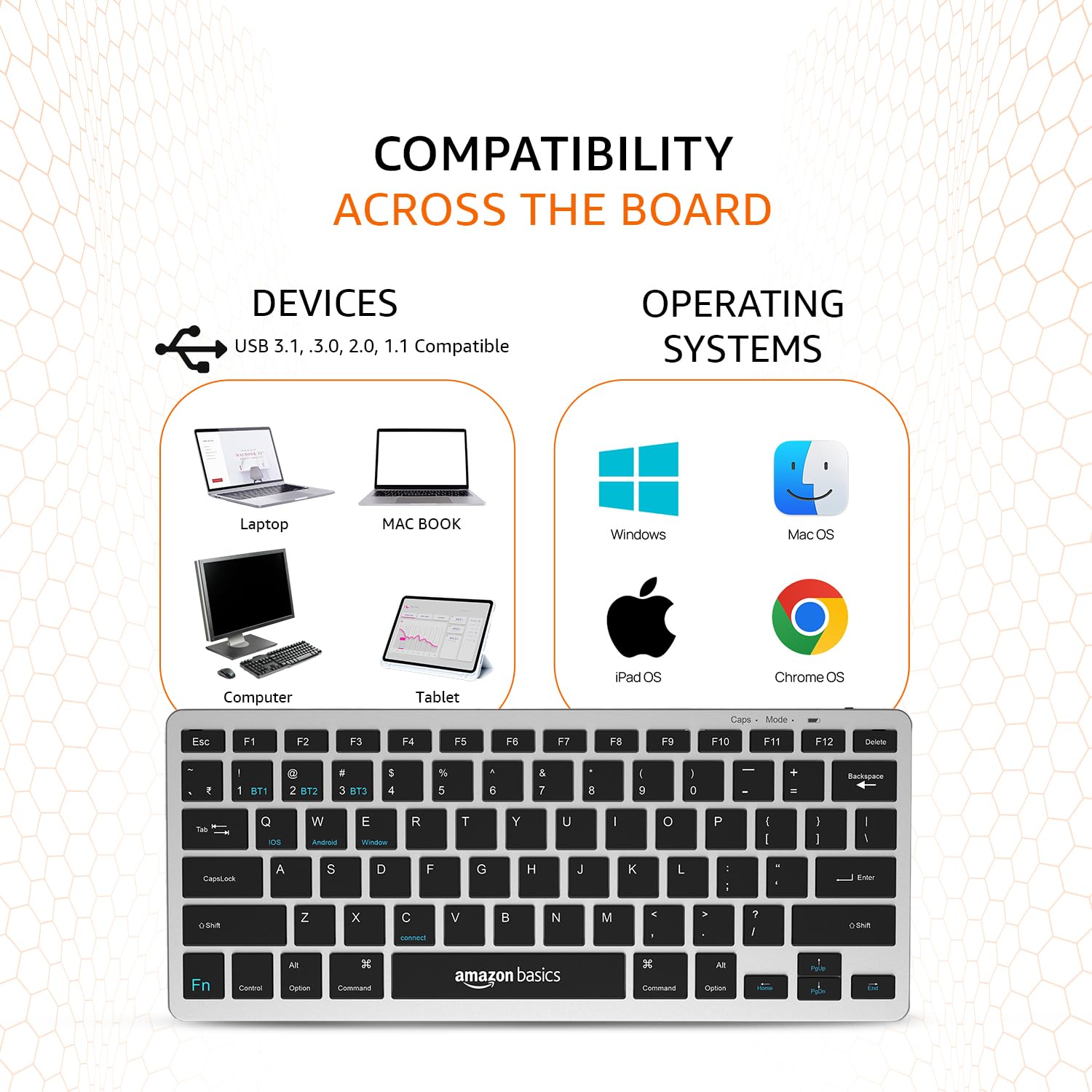
Image: A visual representation of the keyboard's broad compatibility, showing various device types and operating system logos it supports.
3. ปุ่มฟังก์ชันพิเศษ
The keyboard features a dedicated Fn key that, when pressed in combination with other keys, activates special functions. Refer to the keycap legends for specific functions (e.g., media controls, volume, screen brightness).
การซ่อมบำรุง
การบำรุงรักษาอย่างถูกต้องจะช่วยให้แป้นพิมพ์ของคุณมีอายุการใช้งานยาวนานและมีประสิทธิภาพเหมาะสมที่สุด
- การทำความสะอาด: ใช้ผ้าแห้งนุ่มๆ ที่ไม่มีขนเช็ดทำความสะอาดพื้นผิวแป้นพิมพ์ สำหรับคราบสกปรกที่ติดแน่น ให้ใช้ผ้าชุบน้ำหมาดๆ เช็ดเบาๆampชุบผ้าด้วยน้ำหรือน้ำยาทำความสะอาดอ่อนๆ ที่ไม่กัดกร่อน หลีกเลี่ยงความชื้นที่มากเกินไป
- การดูแลแบตเตอรี่ To preserve battery life, avoid fully discharging the keyboard frequently. If storing for an extended period, charge the battery to about 50% and power off the keyboard.
- พื้นที่จัดเก็บ: Store the keyboard in a cool, dry place away from direct sunlight, extreme temperatures, and corrosive materials.
- การจัดการ: โปรดหลีกเลี่ยงการทำแป้นพิมพ์ตกหรือการกระแทกอย่างแรง ห้ามพยายามถอดชิ้นส่วนแป้นพิมพ์ด้วยตนเอง เพราะจะทำให้การรับประกันเป็นโมฆะ
การแก้ไขปัญหา
If you encounter issues with your amazon basics Wireless Bluetooth Keyboard, refer to the following common troubleshooting steps:
- แป้นพิมพ์ไม่เชื่อมต่อ/จับคู่:
- ตรวจสอบให้แน่ใจว่าคีย์บอร์ดเปิดใช้งานอยู่และชาร์จแบตเตอรี่เต็มแล้ว
- ตรวจสอบให้แน่ใจว่าได้เปิดใช้งานบลูทูธบนอุปกรณ์ของคุณแล้ว
- Move the keyboard closer to your device to ensure it's within range.
- Forget or remove the keyboard from your device's Bluetooth list and attempt to re-pair it.
- Try pairing with a different device to rule out an issue with your primary device's Bluetooth.
- ปุ่มไม่ตอบสนองหรือพิมพ์ซ้ำ:
- Check the keyboard's battery level and recharge if low.
- Ensure the keyboard is properly connected to your device. Try switching to another BT channel and back.
- Clean the keys and surrounding areas to remove any debris that might be obstructing key presses.
- Restart both the keyboard (power off/on) and your connected device.
- การตอบสนองล่าช้าหรือล่าช้า:
- Ensure there are no other strong wireless signals or devices interfering with the Bluetooth connection.
- ลดระยะห่างระหว่างแป้นพิมพ์กับอุปกรณ์ของคุณ
- Check for any pending software updates on your device that might improve Bluetooth performance.
- ปัญหาการชาร์จ:
- Verify that the Type-C cable is securely connected to both the keyboard and the power source.
- ลองใช้พอร์ต USB หรืออะแดปเตอร์ไฟอื่น
- ตรวจสอบให้แน่ใจว่าสายชาร์จไม่ได้รับความเสียหาย
If the issue persists after trying these steps, please contact amazon basics customer support for further assistance.
ข้อมูลจำเพาะ
| คุณสมบัติ | รายละเอียด |
|---|---|
| ยี่ห้อ | พื้นฐานของ Amazon |
| แบบอย่าง | Wireless Bluetooth Keyboard (B0CX226DLQ) |
| เทคโนโลยีการเชื่อมต่อ | บลูทูธ |
| เค้าโครงคีย์ | แป้นพิมพ์ขนาดกะทัดรัด 78 ปุ่ม |
| ประเภทกุญแจ | Noiseless Keys |
| อุปกรณ์ที่รองรับ | แล็ปท็อป แท็บเล็ต สมาร์ทโฟน |
| ความเข้ากันได้ของระบบปฏิบัติการ | iOS, Windows, Android, Mac OS, Chrome OS |
| ประเภทแบตเตอรี่ | Built-in Rechargeable Lithium Polymer |
| ปริมาณพลังงานแบตเตอรี่ | 1.48 วัตต์ชั่วโมง |
| พอร์ตชาร์จ | ยูเอสบี ไทป์ ซี |
| วัสดุ | ABS คุณภาพสูง |
| ขนาดสินค้า (กxยxส) | 28.5 ซม. x 12 ซม. x 1.45 ซม. |
| น้ำหนักสินค้า | 290 กรัม |
| ประเทศต้นกำเนิด | อินเดีย |
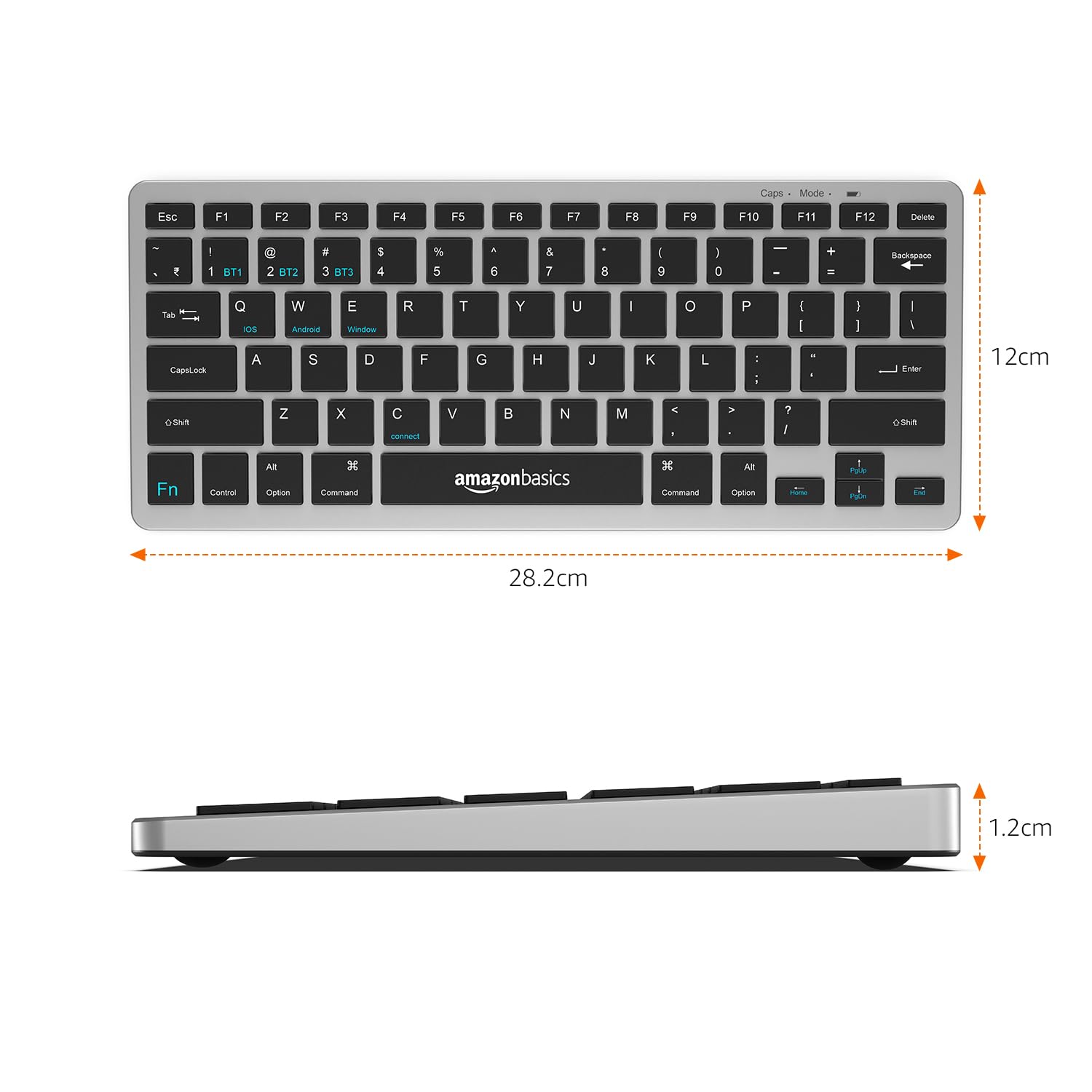
Image: The keyboard with overlaid measurements indicating its length (28.5 cm), width (12 cm), and thickness (1.2 cm).
การรับประกันและการสนับสนุน
For information regarding the product warranty, please refer to the warranty card included in your package or contact amazon basics customer support directly. Warranty terms and conditions may vary by region and purchase date.
If you require further assistance, have questions, or need to report an issue that cannot be resolved using the troubleshooting guide, please contact amazon basics customer support through their official webเว็บไซต์หรือข้อมูลการติดต่อที่ให้มาพร้อมกับการซื้อของคุณ
For the latest support information and FAQs, visit the official amazon basics support page.


