1. บทนำ
The ProtoArc XKM03 is an ergonomic, foldable Bluetooth keyboard and mouse combo designed for portability and comfortable use across various devices. This manual provides instructions for setup, operation, maintenance, and troubleshooting to ensure optimal performance.

Image: The ProtoArc XKM03 foldable keyboard, ergonomic mouse, and protective carrying case.
คุณสมบัติหลัก:
- การออกแบบแยกส่วนตามหลักสรีรศาสตร์: The keyboard features a V-shape with a 166-degree angle and split keyset to promote a natural typing posture and reduce wrist strain.
- Ultra-Slim and Foldable: The keyboard folds for compact storage and portability, with automatic power on/off upon unfolding/folding.
- เมาส์ที่ออกแบบตามหลักสรีรศาสตร์: The wireless mouse is designed with a contoured shape for palm and thumb support, reducing wrist discomfort. It offers adjustable DPI settings up to 2400.
- การเชื่อมต่อหลายอุปกรณ์: เชื่อมต่อกับอุปกรณ์ Bluetooth ได้สูงสุดสามเครื่องพร้อมกัน ช่วยให้สลับระหว่างอุปกรณ์ได้ง่าย
- ความเข้ากันได้กว้าง: Compatible with Mac OS, iOS, Android, and Windows operating systems on iPads, iPhones, tablets, cellphones, and laptops.
2. เนื้อหาบรรจุภัณฑ์
- ProtoArc XKM03 Foldable Bluetooth Keyboard
- ProtoArc Ergonomic Bluetooth Mouse
- สายชาร์จ USB-C
- คู่มือการใช้งาน
- กระเป๋าใส่อุปกรณ์
3. การตั้งค่าและการเชื่อมต่อ
3.1 การชาร์จอุปกรณ์
Before initial use, fully charge both the keyboard and the mouse using the provided USB-C charging cable. The charging port for the keyboard is typically located on the side or back edge. The mouse charging port is usually on the front edge.
- การชาร์จเต็มจะใช้เวลาประมาณ 2 ชั่วโมง
- The keyboard has a standby time of up to 250 hours on a full charge.
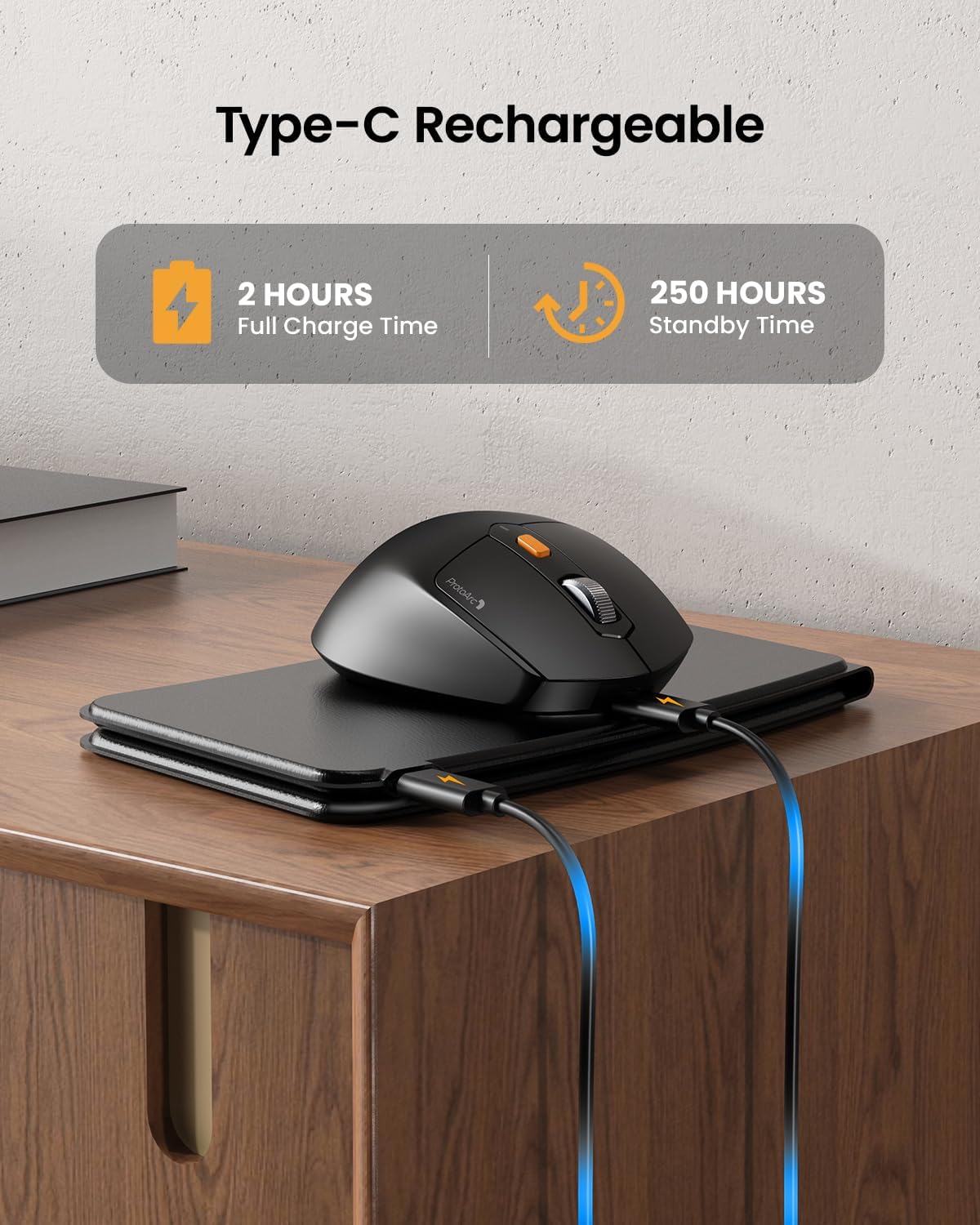
Image: The keyboard and mouse connected to power via USB-C cables for charging.
3.2 Keyboard Bluetooth Pairing
- Unfold the keyboard. This action automatically powers on the keyboard.
- กดปุ่มค้างไว้ Fn กุญแจและกุญแจช่องสัญญาณบลูทูธหนึ่งตัว (BT1, BT2, หรือ BT3กดค้างไว้ 3-5 วินาที จนกว่าไฟแสดงสถานะที่เกี่ยวข้องจะกะพริบเร็ว ซึ่งแสดงว่าแป้นพิมพ์อยู่ในโหมดจับคู่
- On your device (iPad, tablet, iPhone, laptop), go to Bluetooth settings and search for available devices.
- เลือก "ProtoArc XKM03 Keyboard" จากรายการ
- Once connected, the indicator light will stop flashing and remain solid for a few seconds before turning off.
3.3 Mouse Bluetooth Pairing
- เปิดเมาส์โดยใช้สวิตช์เปิด/ปิดที่อยู่ด้านล่าง
- Press the Bluetooth pairing button (usually on the underside or top near the scroll wheel) for 3-5 seconds until the indicator light flashes rapidly.
- บนอุปกรณ์ของคุณ ไปที่การตั้งค่า Bluetooth และค้นหาอุปกรณ์ที่พร้อมใช้งาน
- เลือก "ProtoArc XKM03 Mouse" จากรายการ
- เมื่อเชื่อมต่อแล้วไฟแสดงสถานะจะหยุดกะพริบ

Image: The keyboard and mouse wirelessly connected to a laptop, tablet, and smartphone, illustrating multi-device capability.
4. คู่มือการใช้งาน
4.1 การใช้งานแป้นพิมพ์
The XKM03 keyboard features an ergonomic split design for comfortable typing. An initial adaptation period may be required to become accustomed to the layout.

Image: A user's hands positioned on the V-shaped split keyboard, demonstrating the ergonomic design.
เปิด/ปิดเครื่องอัตโนมัติ:
- กางแป้นพิมพ์ออกเพื่อเปิดเครื่อง
- Fold the keyboard to power it off.
- The keyboard also features magnetic closure to prevent accidental unfolding.
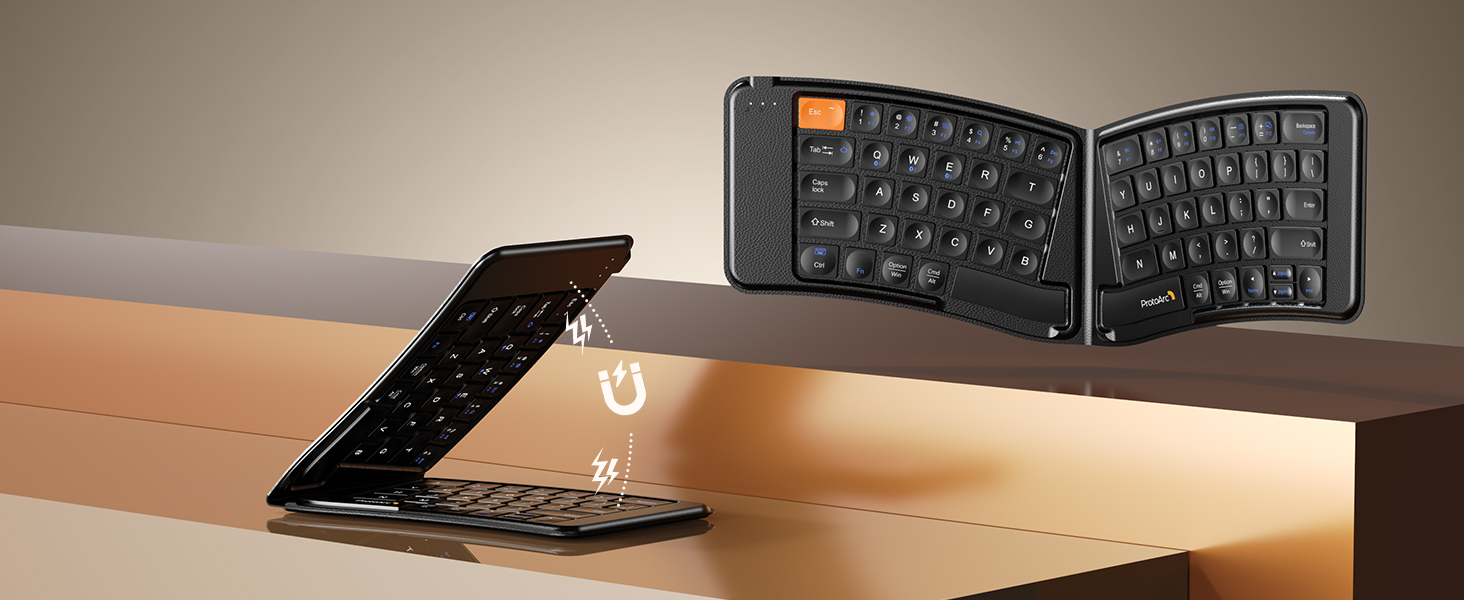
Image: The keyboard shown in both folded and unfolded states, highlighting its magnetic closure mechanism.
4.2 การสลับระหว่างอุปกรณ์
To switch between paired Bluetooth devices, simply press the Fn กุญแจพร้อมกับกุญแจช่องสัญญาณบลูทูธที่เกี่ยวข้อง (BT1, BT2, หรือ BT3) that your desired device is paired to.
4.3 ปุ่มฟังก์ชันมัลติมีเดีย
The keyboard includes multimedia function keys. Refer to the keycap legends for specific functions (e.g., volume control, media playback).
- กด F1-F10 directly to access number 1-0.
- กด Fn+F1-F12 to activate multimedia functions.
- กด Shift + F1-F12 to input symbols like !, @, #.
- กด Fn + Shift + F1-F12 to access F1-F12 functions.
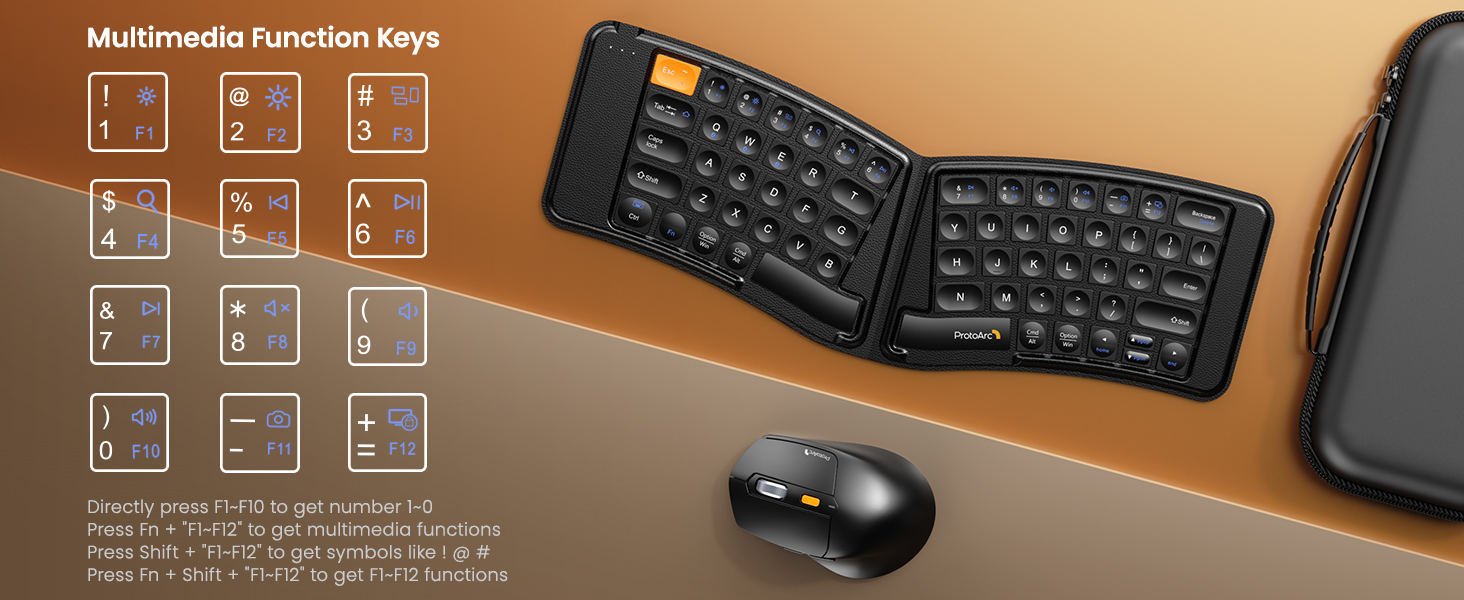
Image: A visual guide to the multimedia function keys and their combinations on the keyboard.
4.4 การใช้งานเมาส์
The ergonomic mouse provides comfortable navigation. It features adjustable DPI settings and additional navigation buttons.
- การปรับ DPI: Press the DPI button (usually located behind the scroll wheel) to cycle through different sensitivity levels (e.g., 800, 1200, 1600, 2400 DPI).
- ปุ่มเดินหน้า/ถอยหลัง: ใช้ปุ่มด้านข้างเพื่อการนำทางอย่างรวดเร็ว web เบราว์เซอร์หรือ file นักสำรวจ

Image: Diagram illustrating the adjustable DPI settings of the mouse.

Image: Diagram showing the location of the forward and backward buttons on the mouse.
5. การบำรุงรักษาและการดูแล
- การทำความสะอาด: ใช้ผ้านุ่มและแห้งเช็ดทำความสะอาดคีย์บอร์ดและเมาส์ สำหรับคราบสกปรกฝังแน่น ให้เช็ดเบาๆamp สามารถใช้ผ้าชุบน้ำสบู่ชนิดอ่อนๆ เช็ดได้ โดยให้แน่ใจว่าไม่มีของเหลวเข้าไปในอุปกรณ์
- พื้นที่จัดเก็บ: When not in use, fold the keyboard and store both devices in the provided carrying case to protect them from dust and damage.
- การชาร์จ: Recharge the devices when the battery indicator light shows low power. Avoid prolonged exposure to extreme temperatures.
- วัสดุ: The keyboard features a wear-resistant PU leather exterior.

ภาพ: ภาพระยะใกล้ view of the keyboard's surface, highlighting the PU leather material.
6 การแก้ไขปัญหา
| ปัญหา | สาเหตุที่เป็นไปได้ | สารละลาย |
|---|---|---|
| คีย์บอร์ด/เมาส์เชื่อมต่อผ่านบลูทูธไม่ได้ | Low battery; not in pairing mode; device's Bluetooth is off; interference. |
|
| Keyboard/Mouse frequently disconnects. | Low battery; too far from host device; interference. |
|
| เคอร์เซอร์เมาส์เคลื่อนไหวผิดปกติหรือไม่ตอบสนอง | Low battery; dirty sensor; unsuitable surface; incorrect DPI setting. |
|
| Keyboard keys are not responding. | Low battery; keyboard not powered on; connection issue. |
|
7. ข้อมูลจำเพาะ
| คุณสมบัติ | รายละเอียด |
|---|---|
| หมายเลขรุ่น | XKM03 |
| ยี่ห้อ | โปรโตอาร์ค |
| การเชื่อมต่อ | Bluetooth (up to 3 devices) |
| การออกแบบแป้นพิมพ์ | Ergonomic Split, Foldable |
| การตั้งค่า DPI ของเมาส์ | 800, 1200, 1600, 2400 |
| พอร์ตชาร์จ | ยูเอสบี-ซี |
| เวลาชาร์จเต็ม | ประมาณ 2 ชั่วโมง |
| เวลาสแตนด์บาย | ประมาณ 250 ชั่วโมง |
| ระบบปฏิบัติการที่รองรับ | Mac OS, iOS, Android, Windows |
| Dimensions (Folded Keyboard) | ประมาณ 7.68 x 5.62 x 0.5 นิ้ว |
| น้ำหนักสินค้า | 1.96 ปอนด์ (รวม) |

Image: Diagram showing the folded dimensions of the keyboard.
8. การรับประกันและการสนับสนุน
สำหรับข้อมูลการรับประกันและการสนับสนุนทางเทคนิค โปรดดูที่เว็บไซต์อย่างเป็นทางการของ ProtoArc website or contact their customer service directly. Contact details are typically found on the product packaging or the manufacturer's webเว็บไซต์.
ผู้ผลิต: โปรโตอาร์ค


