1. บทนำ
ขอบคุณสำหรับการซื้อasing the VTech RM5754-2HD Smart Wi-Fi Video Baby Monitor. This manual provides comprehensive instructions for the installation, operation, and maintenance of your new baby monitor system. This system is designed to provide a secure and reliable connection to monitor your baby from both the parent unit and your smart device.
2. เนื้อหาบรรจุภัณฑ์
Ensure all items are present in your package. If any items are missing or damaged, please contact VTech customer support.
- 1 x Parent Unit (with 5-inch HD display)
- 2 x Baby Units (1080p HD Cameras)
- 3 x Power Adapters (one for parent unit, two for baby units)
- 1 x Wall Mount Bracket (for each camera)
- คู่มือเริ่มต้นอย่างรวดเร็ว 1 ชุด

Image: The VTech RM5754-2HD system, showing the parent unit, two baby cameras, and a smartphone displaying the app interface.
3. สินค้าหมดview
3.1 หน่วยหลัก
The parent unit features a 5-inch color HD LCD screen for clear viewing of your baby. It includes controls for navigation, talk-back function, zoom, and menu access. The unit also displays temperature readings from the camera and battery status.
3.2 Baby Unit (กล้อง)
Each baby unit is equipped with a 1080p HD camera, infrared LEDs for automatic night vision, a built-in night light, and a speaker for two-way talk and playing lullabies/sounds. It also includes a temperature sensor.
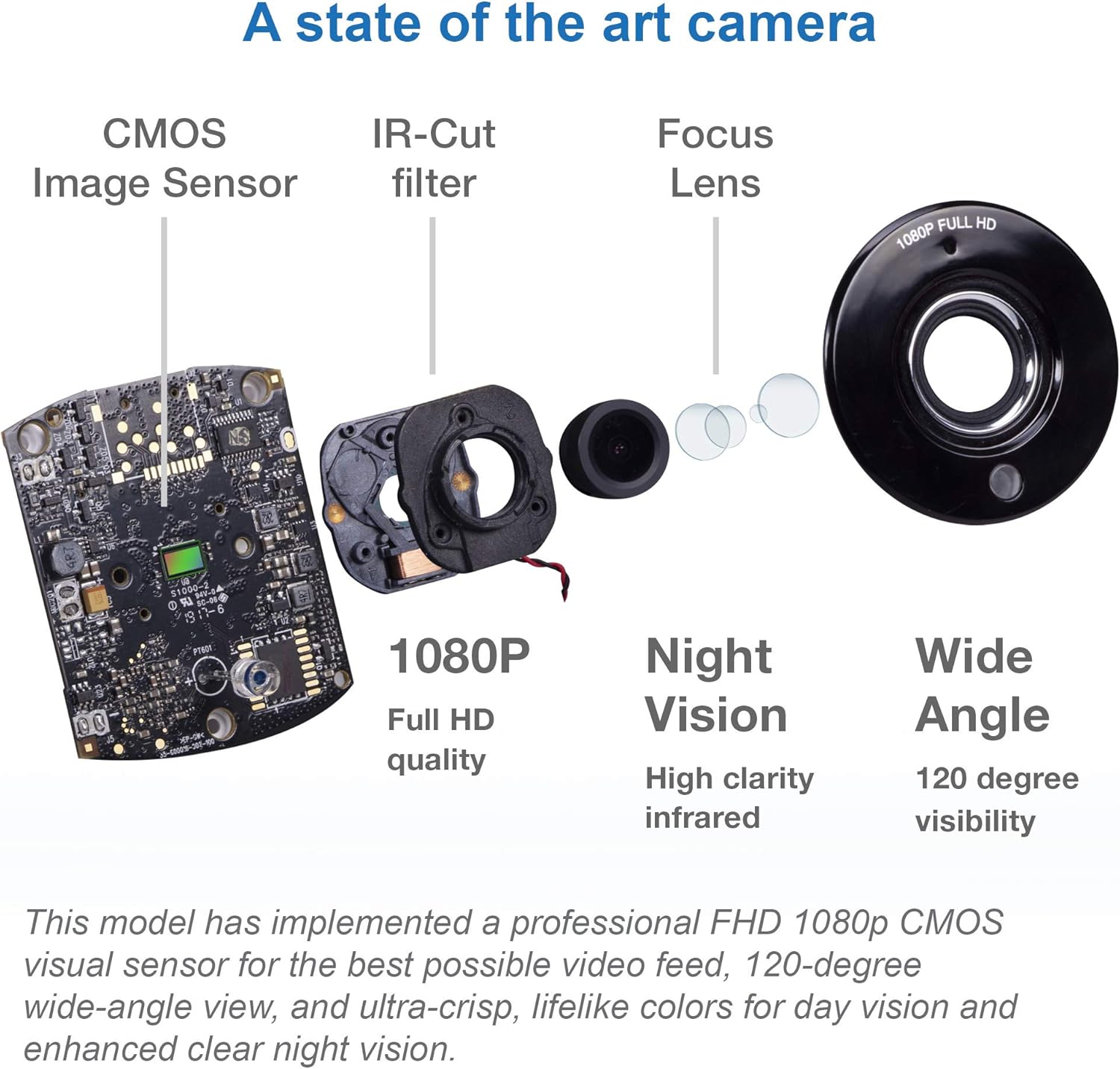
ภาพ: รายละเอียด view of the camera's internal components, highlighting the CMOS Image Sensor, IR-Cut filter, Focus Lens, and indicating 1080P Full HD quality, High clarity infrared Night Vision, and 120-degree Wide Angle visibility.
4. การตั้งค่า
4.1 การเปิดเครื่อง
- Connect the small plug of the power adapter to the power jack on the baby unit.
- Connect the large plug of the power adapter to a wall outlet.
- Repeat for the second baby unit.
- Connect the small plug of the parent unit power adapter to the power jack on the parent unit.
- Connect the large plug of the parent unit power adapter to a wall outlet.
- The parent unit will automatically power on and link to the baby units.
4.2 การจัดวางกล้อง
Place the baby units in a location that provides a clear view of your baby, ensuring they are out of reach of children. For optimal performance, place the cameras at least 3 feet (1 meter) away from your baby. The wide-angle lens offers up to 110 degrees of viewการไอเอ็นจี
4.3 Wi-Fi Setup (Optional for Remote Access)
เพื่อเปิดใช้งานระยะไกล viewing via your smartphone or tablet, you need to connect the monitor system to your home Wi-Fi network using the MyVTech Baby app.
- Download the free MyVTech Baby app from the App Store (iOS) or Google Play Store (Android).
- Follow the in-app instructions to create an account and pair your baby monitor system.
- Ensure your Wi-Fi is enabled on the parent unit to allow the app connection. This can be toggled On/Off from the Parent Unit settings.
5. การใช้งานจอภาพ
5.1 Viewโหมด ing
The parent unit supports viewing from both cameras. You can switch between single camera view or use the split-screen feature to view both cameras simultaneously.
5.2 ฟังก์ชั่นซูม
The system supports up to 10X digital zoom. Use the controls on the parent unit to zoom in and out of the video feed.
5.3 การสนทนาสองทาง
Press and hold the Talk button on the parent unit to speak to your baby through the camera's speaker. This feature is also available via the MyVTech Baby app.
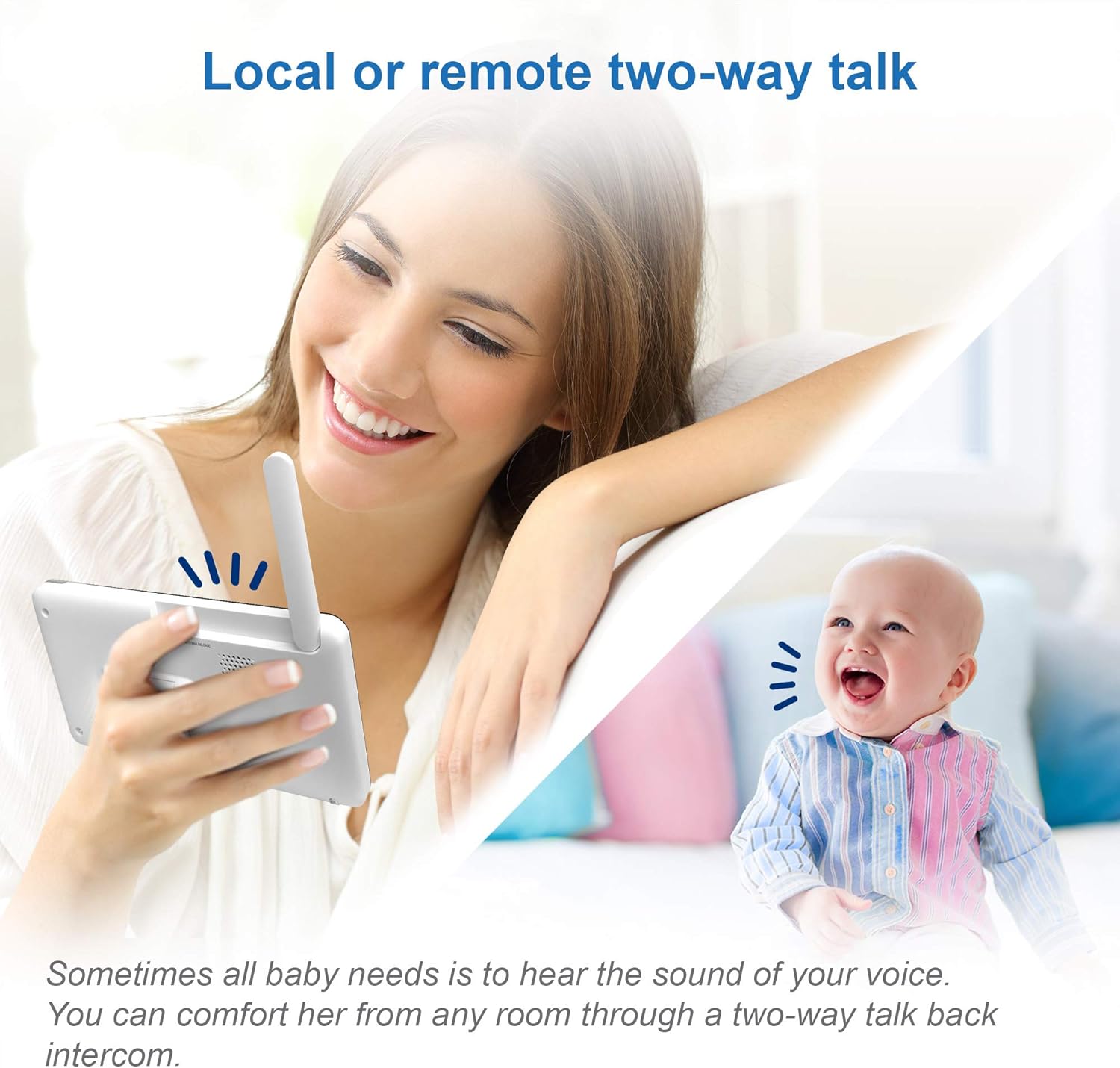
Image: A woman using the parent unit to communicate with her baby, illustrating the two-way talk feature.
5.4 การมองเห็นตอนกลางคืน
The baby units are equipped with automatic infrared night vision, allowing you to see your baby clearly even in low light or complete darkness.
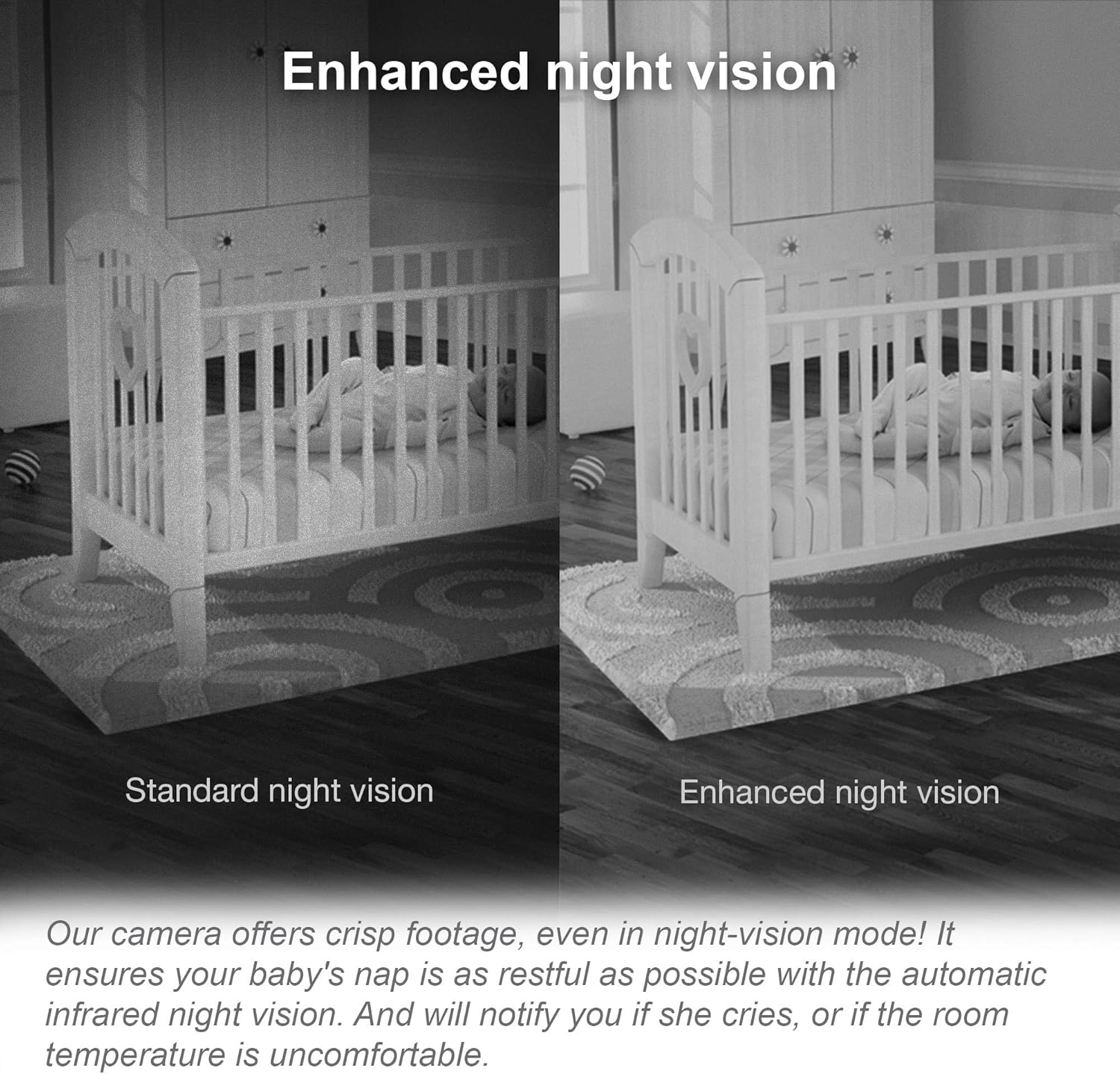
Image: A side-by-side comparison showing the clarity improvement from standard night vision to enhanced night vision, demonstrating clear visibility of a baby in a crib in a dark room.
5.5 ไฟกลางคืนและเพลงกล่อมเด็ก
Each camera unit features a built-in night light with three color options and can play five calming melodies and four ambient sounds (including trickling stream and white noise) to help soothe your baby.
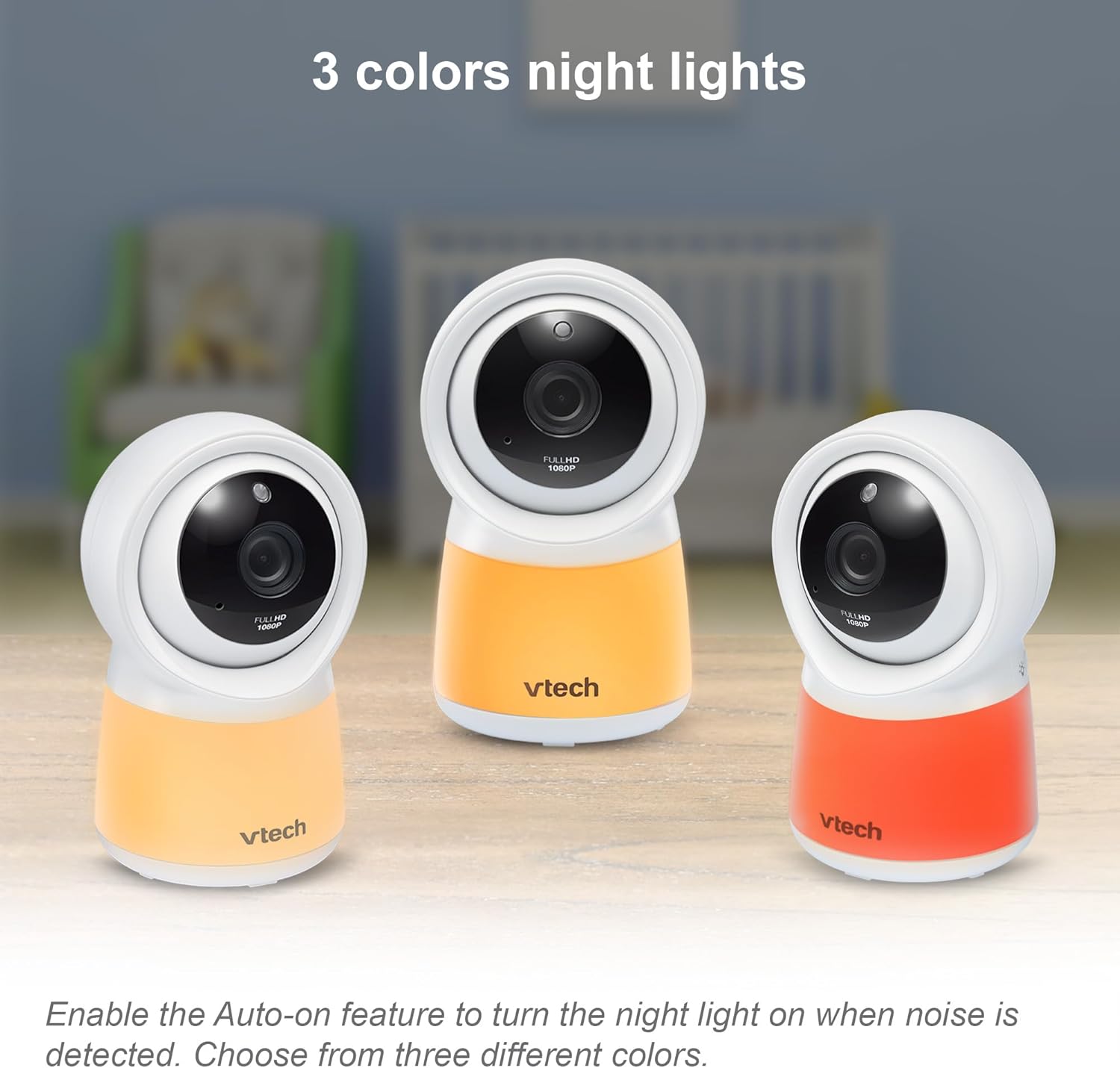
Image: Three baby monitor cameras showcasing their built-in night lights in different colors (light orange, orange, red).

Image: A sleeping baby with musical notes floating above, representing the five soothing melodies and four ambient sounds available.
5.6 เซ็นเซอร์อุณหภูมิ
The baby units include a temperature sensor that monitors the nursery's temperature. The parent unit will display the temperature and can alert you if it goes outside a set range.
5.7 การตรวจจับและบันทึกการเคลื่อนไหว
The system supports motion detection. When motion is detected, the system can record up to 30 events directly on the camera. These recordings can be played back, saved, or shared via the MyVTech Baby app.

Image: The parent unit screen showing a baby on the floor with blocks, illustrating the instant playback feature for motion-detected recordings, with an icon indicating 'Free motion recording' for 'Last 30 events'.
5.8 Remote Access via Smartphone
With the MyVTech Baby app, you can access live video feeds from your cameras remotely, allowing you to monitor your baby from anywhere with an internet connection. The app provides 1080p Wi-Fi video, while the parent unit displays 720p viewer video.

Image: A smartphone displaying a live video feed of a baby, positioned next to the parent unit which also shows the baby, demonstrating the free live remote access feature.
6. การบำรุงรักษา
6.1 การทำความสะอาด
Clean the surfaces of the parent unit and baby units with a soft, damp cloth. Do not use cleaning sprays or liquid cleaners. Ensure the lenses of the cameras are clean for optimal image quality.
6.2 การดูแลแบตเตอรี่
The parent unit uses a rechargeable Lithium Ion battery. To prolong battery life, avoid fully discharging the battery frequently. Charge the parent unit when the low battery indicator appears.
7 การแก้ไขปัญหา
If you experience issues with your VTech RM5754-2HD monitor, please refer to the following common problems and solutions:
| ปัญหา | สาเหตุที่เป็นไปได้ / วิธีแก้ไข |
|---|---|
| No image/sound on parent unit | Ensure both parent unit and baby units are powered on and connected to power. Check if the baby units are within range. Try re-pairing the units if connection is lost (refer to Quick Start Guide for pairing instructions). |
| Poor image quality / Signal dropping | Move the parent unit closer to the baby unit. Reduce interference from other electronic devices (e.g., Wi-Fi routers, microwaves). Ensure no large obstacles are between the units. If using Wi-Fi, check your home network stability. |
| Sound issues (no sound, static, low volume) | Adjust the volume on the parent unit. Ensure the baby unit's microphone is not obstructed. Check for interference. |
| Cannot connect to MyVTech Baby app | Ensure the parent unit's Wi-Fi is enabled. Verify your home Wi-Fi network is active and has internet access. Check app settings and ensure correct Wi-Fi credentials were entered during setup. Restart your router, parent unit, and smartphone. |
| Camera not functioning properly (e.g., pan/tilt not working, if applicable) | This model features fixed cameras with wide-angle viewing and digital zoom, not remote pan/tilt. Ensure the camera is physically angled as desired. If a camera is completely unresponsive, try power cycling it. |
8. ข้อมูลจำเพาะ
| คุณสมบัติ | รายละเอียด |
|---|---|
| ชื่อรุ่น | 5754-2HD |
| จอแสดงผลหน่วยหลัก | 5-inch Color HD LCD |
| ความละเอียดของกล้อง | ความคมชัดระดับ HD 1080p |
| จำนวนกล้อง | 2 |
| เทคโนโลยีไร้สาย | Wi-Fi, 2.4 GHz Dual Mode |
| Viewอิงแองเกิล | สูงสุด 110 องศา |
| ช่วงการมองเห็นตอนกลางคืน | สูงถึง 8 ฟุต |
| ซูมดิจิตอล | สูงถึง 10X |
| แหล่งพลังงาน | สายไฟ |
| แบตเตอรี่หน่วยหลัก | แบตเตอรี่ลิเธียมไอออน 2 ก้อน (รวมอยู่ด้วย) |
| คุณสมบัติพิเศษ | 1080P HD Color Camera, Night Light on Cameras, Dual Mode 2.4GHz and WiFi, Night Vision, Two-Way Talk, Soothing Sounds & Lullabies, Temperature Sensor, Motion Detection Recording |
| อุปกรณ์ที่รองรับ | Tablet, Smartphone (iOS, Android) |
| ขนาดสินค้า | 26.42 x 21.34 x 8.64 ซม. ; 1.06 กก. |
9. การรับประกันและการสนับสนุน
VTech products are manufactured with high-quality components and are designed to provide reliable performance. For information regarding warranty coverage, please refer to the warranty card included with your product or visit the official VTech webสำหรับการขอรับการสนับสนุนทางเทคนิค การลงทะเบียนผลิตภัณฑ์ หรือการซื้ออุปกรณ์เสริม โปรดไปที่เว็บไซต์นี้ vtechphones.com/support หรือติดต่อฝ่ายบริการลูกค้าของ VTech โดยตรง


