การแนะนำ
This manual provides comprehensive instructions for the setup, operation, and maintenance of your Ceybo RC813 FMB1 Voice Remote Control. This remote is designed to work seamlessly with a wide range of TCL QLED Smart TVs, offering convenient control and voice assistant capabilities.

รูปที่ 1: ด้านหน้าและด้านหลัง view of the Ceybo RC813 FMB1 Voice Remote Control. The front features various buttons including navigation, volume, channel, and dedicated app shortcuts. The back is smooth and ergonomic.
การตั้งค่า
1. การติดตั้งแบตเตอรี่
The RC813 FMB1 remote control requires two (2) AAA batteries (not included) for operation. Follow these steps to install the batteries:
- ค้นหาฝาปิดช่องใส่แบตเตอรี่ที่ด้านหลังของรีโมทคอนโทรล
- เลื่อนฝาลงด้านล่างหรือกดสลักเพื่อเปิดช่องเก็บของ
- ใส่แบตเตอรี่ AAA สองก้อน โดยตรวจสอบให้แน่ใจว่าขั้วบวก (+) และขั้วลบ (-) ตรงกับเครื่องหมายภายในช่องใส่แบตเตอรี่อย่างถูกต้อง
- ปิดฝาช่องใส่แบตเตอรี่กลับเข้าที่โดยเลื่อนกลับเข้าที่จนกระทั่งล็อคเข้าที่อย่างแน่นหนา

รูปที่ 2: Illustration of the battery compartment and proper insertion of AAA batteries.
2. การจับคู่รีโมทคอนโทรล
To ensure full functionality, including voice control, the remote must be paired with your TCL Smart TV. Follow these steps:
- Ensure your TCL Smart TV is powered on.
- ชี้รีโมทคอนโทรลไปทางทีวี
- กดปุ่มค้างไว้พร้อมกัน "ตกลง" button (center of the navigation pad) and the "Home" button (house icon) for approximately 2 seconds.
- A pairing confirmation message should appear on your TV screen, indicating successful pairing.
- If pairing fails, ensure the batteries are correctly installed and try again. Move closer to the TV if necessary.
การใช้งานรีโมท
ฟังก์ชั่นปุ่มโอเวอร์view
The RC813 FMB1 remote control features a variety of buttons for intuitive navigation and control of your TCL Smart TV. Refer to the image below for button layout.
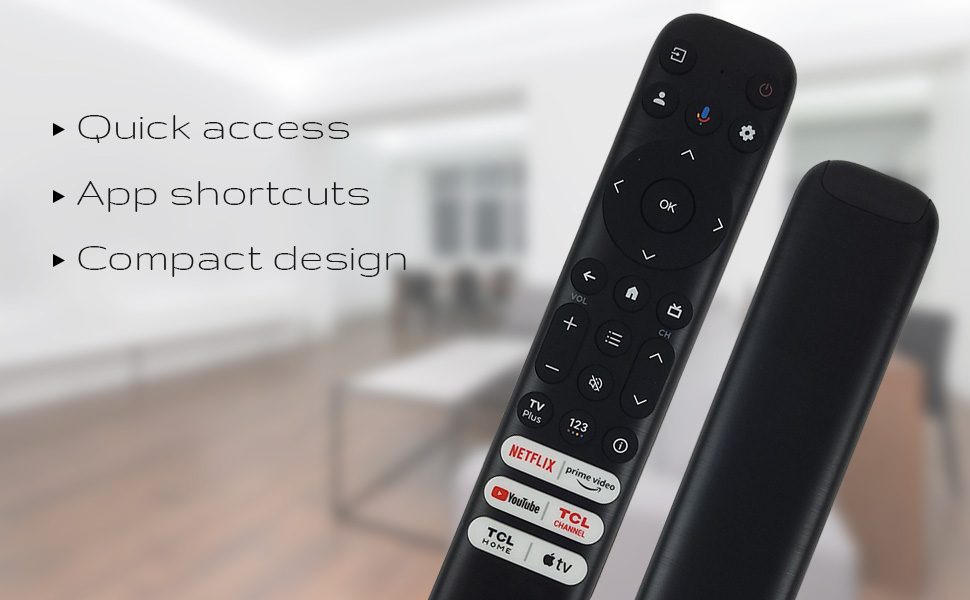
รูปที่ 3: The remote's design emphasizes quick access, app shortcuts, and a compact form factor for ease of use.
- ปุ่มเพาเวอร์ (⏻): เปิดหรือปิดทีวี
- แผงนำทาง (ขึ้น, ลง, ซ้าย, ขวา): ใช้สำหรับเลื่อนดูเมนูและเลือกตัวเลือกต่างๆ
- ปุ่มตกลง: Confirms selections or opens items.
- ปุ่มย้อนกลับ: กลับไปที่หน้าจอหรือเมนูก่อนหน้า
- ปุ่มโฮม (ไอคอนรูปบ้าน): กลับสู่หน้าจอหลักของทีวี
- เพิ่ม/ลดระดับเสียง: ปรับระดับเสียงของทีวี
- ช่องขึ้น/ลง: เปลี่ยนช่องทีวี
- ปุ่มตั้งค่า (ไอคอนรูปเฟือง): เข้าถึงการตั้งค่าทีวี
- ปุ่มป้อนข้อมูล: Changes the TV's input source.
ฟังก์ชั่นผู้ช่วยเสียง
The remote features a dedicated button for Google Assistant, allowing you to control your TV and search for content using voice commands.
- Google Assistant Button (Microphone Icon): Press and hold this button, then speak your command clearly into the remote. Release the button when you are finished speaking.
- Examples of commands include: "Open Netflix," "ค้นหา action movies," "What's the weather like?", "Turn up the volume."
Dedicated Shortcut Buttons
Quickly access your favorite streaming services and TCL features with the dedicated shortcut buttons located at the bottom of the remote.

รูปที่ 4: Dedicated shortcut buttons for popular streaming services and TCL applications.
- เน็ตฟลิกซ์ : เข้าถึงบริการสตรีมมิ่ง Netflix ได้โดยตรง
- วิดีโอไพรม์: เข้าถึง Amazon Prime Video ได้โดยตรง
- ยูทูป : เข้าถึง YouTube ได้โดยตรง
- TCL Channel: เข้าถึงช่อง TCL ได้โดยตรง
- บ้าน TCL: Direct access to TCL Home features.
- แอปเปิ้ลทีวี: Direct access to Apple TV.
ความเข้ากันได้
The Ceybo RC813 FMB1 Voice Remote Control is compatible with a wide range of TCL QLED Smart TV models, including those with Google TV functionality. Below is a list of some compatible models:
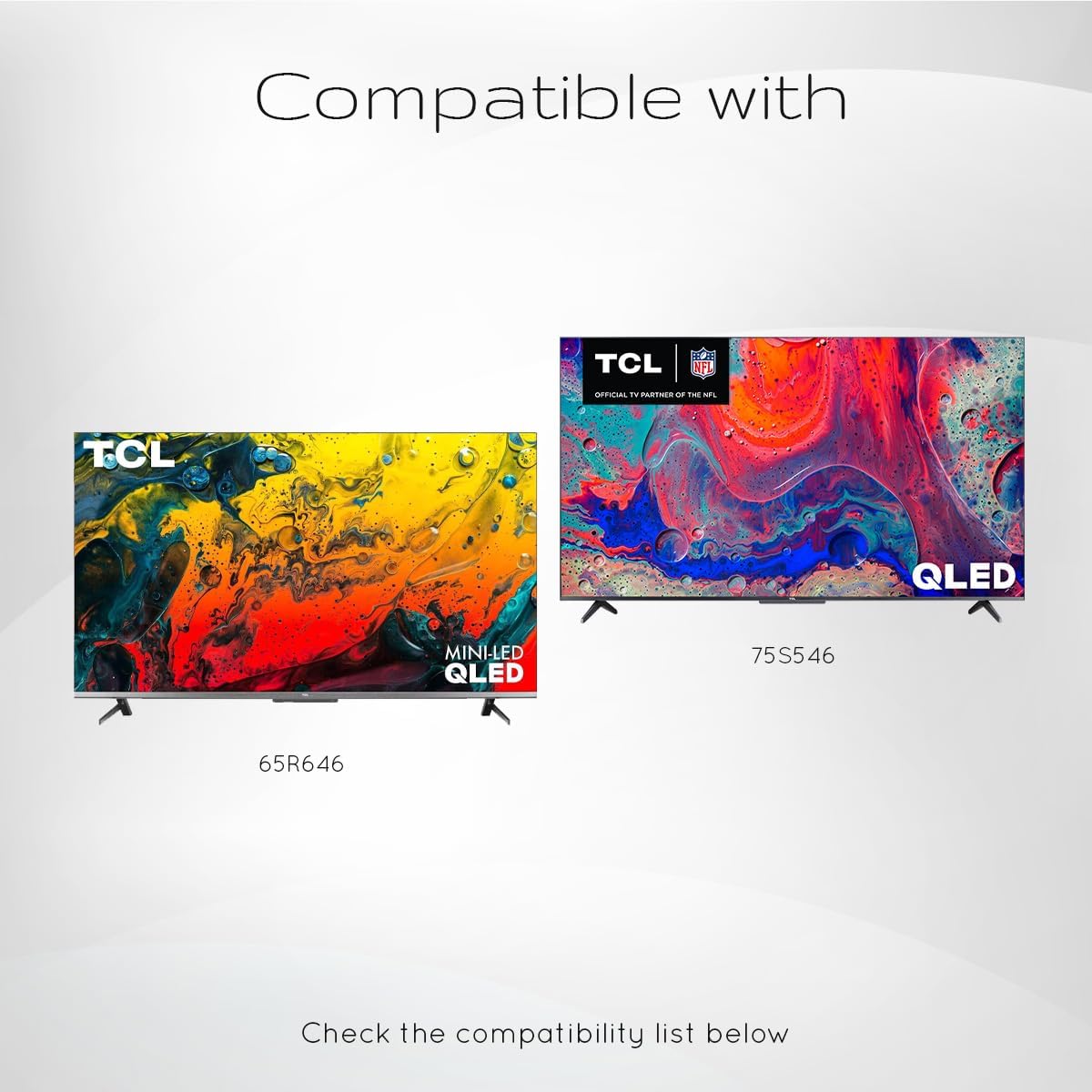
รูปที่ 5: Examples of compatible TCL QLED TV models.
- Google TV 65Q750G
- Google TV 55Q750G
- Google TV 75Q750G
- Google TV 50Q750G
- Google TV 43Q750G
- Google TV 58Q750G
- 65QM850G
- 55QM850G
- 75QM850G
- 58QM850G
- And many more TCL QLED Smart TV models.
Note: Always verify compatibility with your specific TV model before use.
การซ่อมบำรุง
การเปลี่ยนแบตเตอรี่
When the remote control's performance degrades or it stops responding, it is likely time to replace the batteries. Follow the battery installation steps outlined in the "Setup" section.
- ควรเปลี่ยนแบตเตอรี่ AAA ทั้งสองก้อนพร้อมกันเสมอ
- อย่าใช้แบตเตอรี่เก่าและใหม่ผสมกัน หรือแบตเตอรี่ประเภทต่างๆ
- ทิ้งแบตเตอรี่ที่ใช้แล้วอย่างรับผิดชอบตามข้อบังคับท้องถิ่น
การทำความสะอาดรีโมท
To maintain the remote control's appearance and functionality, clean it periodically.
- ใช้ผ้าแห้งนุ่มเช็ดทำความสะอาดพื้นผิวของรีโมท
- สำหรับสิ่งสกปรกฝังแน่น ให้เช็ดออกเล็กน้อยampชุบผ้าด้วยน้ำหรือน้ำยาทำความสะอาดอ่อนๆ ที่ไม่กัดกร่อน หลีกเลี่ยงความชื้นที่มากเกินไป
- Do not use harsh chemicals, solvents, or abrasive cleaning materials, as these can damage the remote's finish or internal components.
การแก้ไขปัญหา
If you encounter issues with your Ceybo RC813 FMB1 remote control, refer to the following common problems and their solutions:
| ปัญหา | สาเหตุที่เป็นไปได้ / วิธีแก้ไข |
|---|---|
| รีโมตไม่ตอบสนอง |
|
| ระบบควบคุมด้วยเสียงใช้งานไม่ได้ |
|
| Shortcut buttons are not working. |
|
ข้อมูลจำเพาะ
| คุณสมบัติ | รายละเอียด |
|---|---|
| หมายเลขรุ่น | RC813 FMB1 |
| ยี่ห้อ | ซีโบ |
| เทคโนโลยีการเชื่อมต่อ | บลูทูธ |
| อุปกรณ์ที่รองรับ | TCL QLED Smart Televisions |
| คุณสมบัติพิเศษ | Voice Search (Google Assistant) |
| แหล่งพลังงาน | 2 x แบตเตอรี่ AAA (ไม่รวม) |
| น้ำหนักสินค้า | 3.2 ออนซ์ (ประมาณ 90.7 กรัม) |
| ขนาดแพ็คเกจ | 8 x 2 x 0.5 นิ้ว (ประมาณ 20.3 x 5.1 x 1.3 ซม.) |


