การแนะนำ
The Sharp GX-BT290 Crystal Clear Series Portable Bluetooth Speaker is designed to deliver high-quality audio with enhanced bass, offering a robust and portable listening experience. Featuring IP67 waterproof and dustproof capabilities, a long-lasting 14-hour battery, and versatile connectivity options including True Wireless Stereo (TWS) pairing, this speaker is suitable for various environments. It also includes a built-in microphone for hands-free calling and two distinct LED light modes to enhance your audio experience.
เนื้อหาแพ็คเกจ
- ลำโพงบลูทูธ Sharp GX-BT290
- USB Charging Cable (not explicitly listed but implied for battery charging)
- คู่มือการใช้งาน (เอกสารนี้)
การตั้งค่า
1. ชาร์จลำโพง
Before first use, fully charge the speaker. Connect the provided USB charging cable to the speaker's charging port and the other end to a compatible USB power adapter (not included) or a computer's USB port. The charging indicator light will illuminate during charging and turn off once fully charged. A full charge provides approximately 14 hours of playtime.
2. การเปิด/ปิดเครื่อง
กดปุ่มค้างไว้ ปุ่มเปิดปิด located on the control panel until you hear an audible prompt or see the indicator lights activate. To power off, press and hold the ปุ่มเปิดปิด อีกครั้ง.

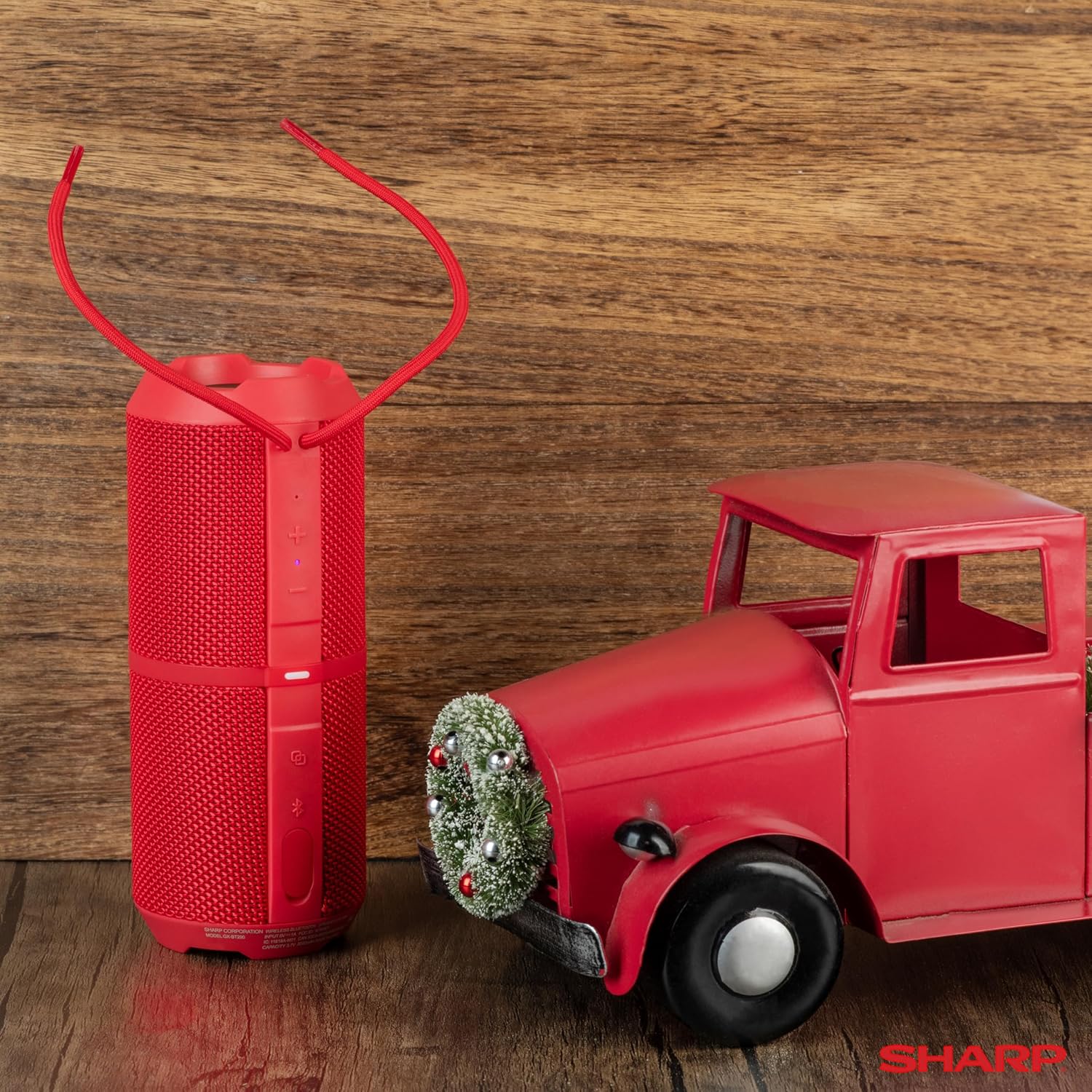
Image: The Sharp GX-BT290 speaker in red, displaying its vertical control panel with power, volume, light mode, and Bluetooth buttons. This view highlights the speaker's cylindrical design and integrated strap.
คำแนะนำการใช้งาน
1. การจับคู่บลูทู ธ
- Ensure the speaker is powered on and in Bluetooth pairing mode (indicated by a flashing blue LED). If not, briefly press the ปุ่มบลูทูธ.
- บนอุปกรณ์ของคุณ (สมาร์ทโฟน แท็บเล็ต แล็ปท็อป) เปิดใช้งาน Bluetooth และค้นหาอุปกรณ์ที่มีอยู่
- Select "GX-BT290" from the list of found devices.
- Once connected, the speaker will provide an audible confirmation, and the Bluetooth LED will become solid blue.
2. การจับคู่ True Wireless Stereo (TWS)
To achieve a stereo sound experience, you can pair two GX-BT290 speakers together:
- Ensure both GX-BT290 speakers are powered on and not connected to any other Bluetooth device.
- ในลำโพงตัวหนึ่ง (ซึ่งจะเป็นลำโพงหลัก) ให้กดปุ่มค้างไว้ ปุ่ม TWS (often integrated with the Bluetooth button or a dedicated button).
- ลำโพงหลักจะค้นหาลำโพงรอง เมื่อเชื่อมต่อแล้ว ลำโพงทั้งสองจะส่งเสียงยืนยัน
- จากนั้นเชื่อมต่ออุปกรณ์ของคุณกับลำโพงหลักผ่านบลูทูธตามที่อธิบายไว้ในส่วน "การจับคู่บลูทูธ" เสียงจะเล่นในระบบสเตอริโอผ่านลำโพงทั้งสองตัว
3. การเล่นเสียงและการควบคุมระดับเสียง
- ใช้ เพิ่มระดับเสียง (+) และ ลดเสียงลง (-) buttons on the speaker to adjust the playback volume.
- กดปุ่ม ปุ่มเล่น/หยุดชั่วคราว (often integrated with the Power button or a dedicated button) to play or pause audio.
- For track navigation, refer to your connected device's controls.
4. การโทรแบบแฮนด์ฟรี
When connected to a smartphone, the speaker's built-in microphone allows for hands-free calls:
- To answer an incoming call, briefly press the ปุ่มโทรออก (often integrated with the Play/Pause button).
- To end a call, briefly press the ปุ่มโทรออก อีกครั้ง.
- ในการปฏิเสธสายเรียกเข้า ให้กด . ค้างไว้ ปุ่มโทรออก.
5. โหมดไฟ LED
The speaker features two LED light modes. Briefly press the ปุ่มโหมดแสง (often indicated by a lightbulb icon) to cycle through the available light effects or to turn them off.
ภาพ: ระเบิด view of the Sharp GX-BT290 speaker, illustrating its unique cylinder design, DSP technology, and the precision dual drivers responsible for exceptional depth and clarity in sound.
การซ่อมบำรุง
การทำความสะอาด
เช็ดลำโพงด้วยผ้าแห้งนุ่มๆ หรือผ้าชุบน้ำหมาดๆamp ใช้ผ้าเช็ดทำความสะอาดเท่านั้น ห้ามใช้สารทำความสะอาดที่มีฤทธิ์กัดกร่อน แอลกอฮอล์ หรือสารเคมีอื่นๆ เพราะอาจทำให้พื้นผิวเสียหายได้
กันน้ำและกันฝุ่น (IP67)
The GX-BT290 is rated IP67, meaning it is protected from dust ingress and can withstand immersion in water up to 1 meter for 30 minutes. Ensure the charging port cover is securely closed before exposing the speaker to water or dust. After exposure to water, dry the speaker thoroughly before charging.

Image: The Sharp GX-BT290 speaker being splashed with water, visually demonstrating its IP67 water and dustproof capabilities. This image emphasizes the speaker's durability for outdoor use.
พื้นที่จัดเก็บ
Store the speaker in a cool, dry place away from direct sunlight and extreme temperatures when not in use for extended periods. Avoid storing in environments with high humidity.
การแก้ไขปัญหา
| ปัญหา | สาเหตุที่เป็นไปได้ | สารละลาย |
|---|---|---|
| ลำโพงไม่เปิด | แบตเตอรี่อ่อน; กดปุ่มเปิด/ปิดไม่ถูกต้อง | ชาร์จลำโพง กดปุ่มเปิด/ปิดค้างไว้สองสามวินาที |
| ไม่มีเสียง | Volume too low; Not paired; Device volume low | Increase speaker volume; Ensure successful Bluetooth pairing; Increase volume on connected device |
| ไม่สามารถจับคู่กับอุปกรณ์ได้ | ลำโพงไม่ได้อยู่ในโหมดจับคู่; บลูทูธของอุปกรณ์ปิดอยู่; อยู่ห่างจากลำโพงมากเกินไป | Ensure speaker is flashing blue LED; Turn on device Bluetooth; Move device closer to speaker (within 33 feet) |
| การจับคู่ TWS ล้มเหลว | Speakers already paired to other devices; Too far apart | Disconnect speakers from other devices; Ensure speakers are close to each other during TWS pairing |
| คุณภาพเสียงไม่ดี | สัญญาณรบกวน; อุปกรณ์อยู่ไกลเกินไป; แบตเตอรี่เหลือน้อย | Move away from other wireless devices; Move device closer; Charge the speaker |
ข้อมูลจำเพาะ
| คุณสมบัติ | ข้อมูลจำเพาะ |
|---|---|
| ชื่อรุ่น | GX-BT290(R) |
| ประเภทลำโพง | กลางแจ้ง |
| คุณสมบัติพิเศษ | ระบบเพิ่มเสียงเบส, ไมโครโฟนในตัว, กันฝุ่น, ไฟ LED, น้ำหนักเบา |
| เทคโนโลยีการเชื่อมต่อ | บลูทูธ |
| ช่วงสาย | สูงถึง 33 ฟุต (10 เมตร) |
| กำลังขับ | 32W Max Power (16W RMS) |
| ระดับความต้านทานต่อน้ำ | IP67 (กันน้ำและกันฝุ่น) |
| อายุการใช้งานแบตเตอรี่ | นานถึง 14 ชั่วโมง |
| แหล่งพลังงาน | ใช้พลังงานจากแบตเตอรี่ (รวมแบตเตอรี่ลิเธียมไอออน 1 ก้อน) |
| ขนาดสินค้า | ลึก 3 นิ้ว x กว้าง 7.5 นิ้ว x สูง 3 นิ้ว (ประมาณ ลึก 7.6 ซม. x กว้าง 19 ซม. x สูง 7.6 ซม.) |
| น้ำหนักสินค้า | 16 Ounces (approx. 0.45 kg) |
| ส่วนประกอบที่รวมอยู่ | ลำโพงบลูทูธ |
| สี | สีแดง |

Image: A hand holding the Sharp GX-BT290 speaker, demonstrating its compact size and portability. This image provides a sense of scale for the device.
การรับประกันและการสนับสนุน
For warranty information, technical support, or customer service inquiries, please refer to the documentation included with your purchase or visit the official Sharp webไซต์นี้ โปรดเก็บหลักฐานการซื้อไว้เพื่อใช้ยืนยันการรับประกัน
หากต้องการความช่วยเหลือเพิ่มเติม คุณสามารถติดต่อร้านค้าที่คุณซื้อสินค้ามาได้เช่นกัน


