1. บทนำ
ขอบคุณสำหรับการซื้อasing the VTech XS1050 Cordless Phone. This manual provides essential information for setting up, operating, and maintaining your new phone. Please read it thoroughly to ensure proper use and to take full advantage ของคุณสมบัติของมัน

Figure 1: VTech XS1050 Cordless Phone and Base Unit
This image shows the VTech XS1050 cordless phone handset resting in its white base unit. The handset features a digital display and a numeric keypad. The base unit also has controls for the answering machine.
2. การตั้งค่า
2.1 เนื้อหาบรรจุภัณฑ์
ก่อนเริ่มต้น โปรดตรวจสอบให้แน่ใจว่ามีอุปกรณ์ครบถ้วน:
- VTech XS1050 Handset
- VTech XS1050 Base Unit
- อะแดปเตอร์ไฟฟ้าสำหรับฐาน
- สายโทรศัพท์
- 2 x Product-Specific Batteries (included)
- คู่มือการใช้งาน (เอกสารนี้)
2.2 การติดตั้งแบตเตอรี่
- เปิดฝาปิดช่องใส่แบตเตอรี่ที่ด้านหลังของโทรศัพท์
- Insert the two supplied batteries, observing the correct polarity (+ and -).
- ปิดฝาช่องใส่แบตเตอรี่ให้แน่น
2.3 การเชื่อมต่อหน่วยฐาน
- Connect the power adapter to the base unit and plug it into a wall outlet.
- เชื่อมต่อปลายด้านหนึ่งของสายโทรศัพท์เข้ากับฐานยูนิต และปลายอีกด้านหนึ่งเข้ากับแจ็คโทรศัพท์ที่ผนัง
2.4 ค่าบริการเริ่มต้น
Place the handset on the base unit. The battery indicator on the handset display will show charging. Allow the handset to charge for at least 16 hours before initial use to ensure optimal battery performance.
3. คู่มือการใช้งาน
3.1 การโทรออกและรับสาย
- การโทร: Pick up the handset, dial the number, and press the เรียก ปุ่ม.
- รับสาย: เมื่อโทรศัพท์ดัง ให้กดปุ่ม เรียก ปุ่ม.
- การวางสาย: กดปุ่ม วางสาย ปุ่มหรือวางหูฟังกลับบนตัวเครื่องฐาน
3.2 Using the Answering Machine
The VTech XS1050 features a digital answering machine with up to 30 minutes of recording time.
- ข้อความที่กำลังเล่น: กดปุ่ม เล่น ปุ่มบนตัวเครื่องฐาน
- Recording a Greeting: Refer to the detailed instructions in the full manual for custom greeting setup.
3.3 ลำโพงแฮนด์ฟรี
หากต้องการเปิดใช้งานลำโพงแฮนด์ฟรีระหว่างการโทร ให้กดปุ่ม ลำโพงโทรศัพท์ button on the handset. Press it again to switch back to handset mode.

Figure 2: Hands-Free Speakerphone Function
This image shows a person in a kitchen setting, using the VTech XS1050 handset on speakerphone mode while performing other tasks, indicating the convenience of the hands-free function.
3.4 การปรับระดับเสียง
ระหว่างการโทร ให้ใช้ปุ่ม เพิ่มระดับเสียง และ ลดระดับเสียง buttons on the side of the handset to adjust the earpiece volume. The base unit also has volume controls for the speakerphone and answering machine playback.
3.5 Phonebook and Speed Dial
- สมุดโทรศัพท์: Store up to 100 names and numbers. Access and manage entries via the handset menu.
- สายความเร็ว: Assign frequently called numbers to 8 dedicated speed dial keys for quick access.
3.6 Caller ID and Call History
The phone displays caller information (if available from your service provider) and stores a history of the last 20 incoming calls.

Figure 3: Caller ID and Call History Display
This image illustrates the handset's display showing multiple entries in the call history, including caller names and numbers, demonstrating the caller ID and call waiting features.
3.7 Conference Function
The intercom/hands-free function allows multiple users to participate in a conversation simultaneously, facilitating three-way conference calls.

Figure 4: Three-Way Conference Call
This image depicts three individuals engaged in separate phone conversations, symbolizing the three-way conference call capability of the VTech XS1050.
3.8 ฟังก์ชันตั้งปลุกและปิดเสียง
The handset includes an alarm function for reminders and a mute function to temporarily silence your microphone during a call.

Figure 5: Alarm and Mute Function Icons
This image shows the VTech XS1050 handset on a table, with graphic overlays of an alarm clock and a muted speaker icon, illustrating the alarm and mute functionalities.
4. คุณสมบัติหลัก
4.1 ระดับเสียง Ampชีวิต
The VTech XS1050 features an integrated volume amplifier that boosts incoming sound and voice for enhanced clarity and volume. This feature is particularly beneficial for users with hearing impairments or those who prefer a louder audio experience.

Figure 6: Volume Amplifier in Action
This image visually represents the volume amplification feature, showing sound waves emanating from the handset and an ear icon with a plus sign, indicating increased audio output for clearer conversations.
4.2 เครื่องตอบรับอัตโนมัติแบบดิจิตอล
Record and store incoming calls when you are unavailable. The digital answering machine offers a maximum storage duration of 30 minutes, ensuring you don't miss important messages.
4.3 Backlit Screen and Keypad
The handset features a backlit screen and keypad, providing improved visibility in low-light conditions and enhancing ease of use.

Figure 7: Backlit Screen and Keypad
This image highlights the illuminated display and keys of the VTech XS1050 handset, demonstrating its backlit feature for better visibility in dim environments.
4.4 อายุการใช้งานแบตเตอรี่ยาวนาน
Enjoy extended conversations with up to 18 hours of talk time on a single charge, ensuring your phone is ready when you need it.

Figure 8: Up to 18 Hours Battery Life
This image features a woman talking on the VTech XS1050 handset, with a graphic overlay indicating '18 hours' talk time, emphasizing the product's long battery endurance.
4.5 Adjustable Ringtone Volume and Melodies
Customize your phone experience by adjusting the ringtone volume and choosing from various melodies to suit your preference.

Figure 9: Adjustable Ringtone Settings
This image shows the VTech XS1050 handset with graphic icons representing a bell (ringtone) and musical notes, indicating the ability to adjust ringtone volume and select melodies.
4.6 Multilingual Help Messages
The phone supports multilingual help messages, providing assistance in various languages for user convenience.
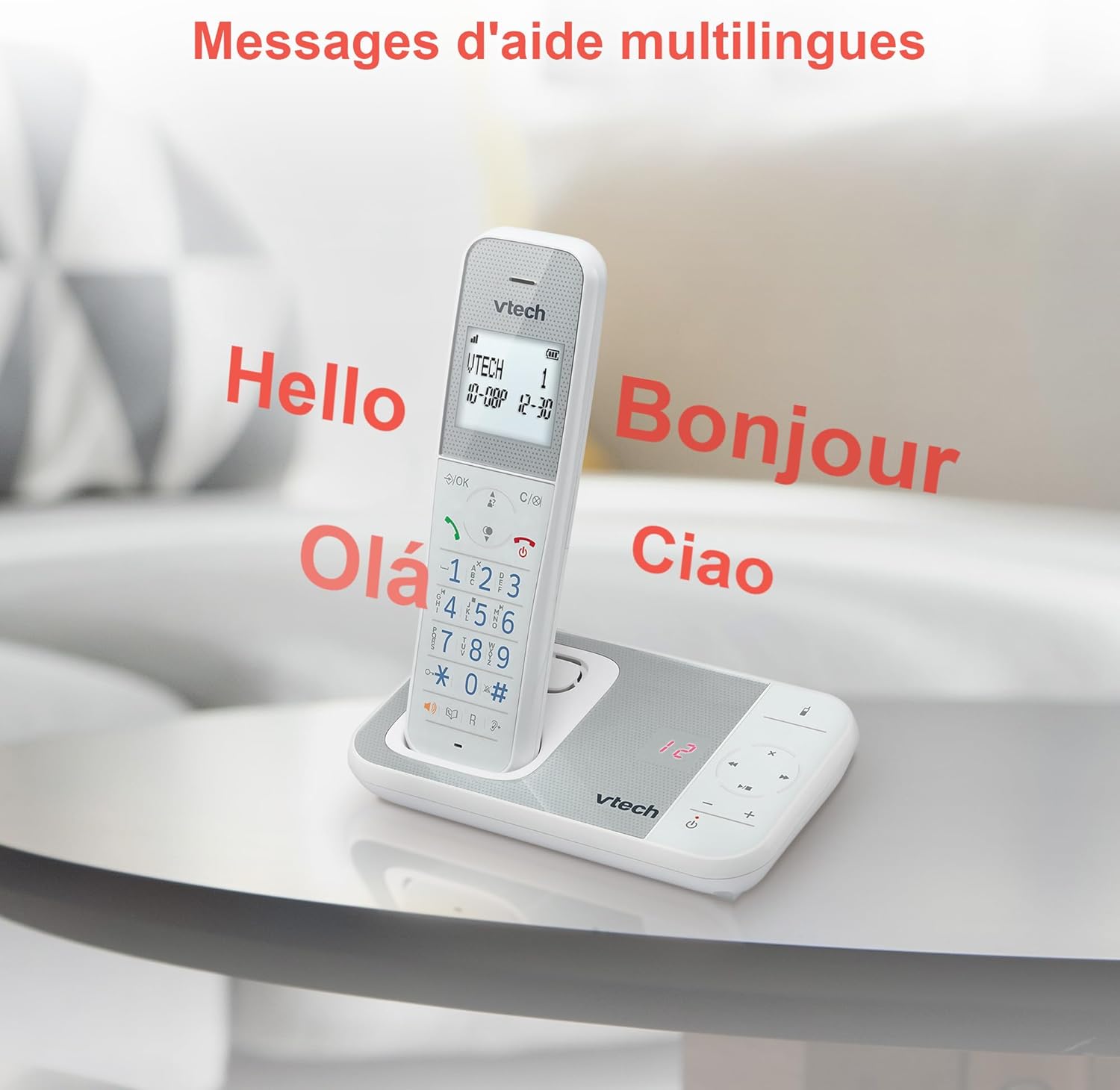
Figure 10: Multilingual Help Messages
This image displays the VTech XS1050 handset with various greetings like 'Hello', 'Bonjour', 'Olá', and 'Ciao' floating around it, illustrating the multilingual support feature.
5. การบำรุงรักษา
5.1 การทำความสะอาด
เช็ดโทรศัพท์และฐานด้วยผ้านุ่มๆamp cloth. Do not use abrasive cleaners or solvents. Ensure no liquid enters the phone's openings.
5.2 การดูแลแบตเตอรี่
- Always use the supplied batteries.
- หากจะไม่ใช้โทรศัพท์เป็นเวลานาน ควรถอดแบตเตอรี่ออกเพื่อป้องกันการรั่วไหล
- ทิ้งแบตเตอรี่เก่าด้วยความรับผิดชอบตามข้อบังคับท้องถิ่น
6 การแก้ไขปัญหา
If you experience issues with your VTech XS1050, please refer to the following common problems and solutions:
| ปัญหา | สาเหตุที่เป็นไปได้ | สารละลาย |
|---|---|---|
| ไม่มีเสียงสัญญาณโทรศัพท์ | สายโทรศัพท์ไม่ได้เชื่อมต่ออย่างถูกต้อง | ตรวจสอบให้แน่ใจว่าสายโทรศัพท์เสียบเข้ากับฐานยูนิตและช่องเสียบที่ผนังอย่างแน่นหนา |
| โทรศัพท์ไม่เปิดเครื่อง | Batteries are not charged or incorrectly installed. | Check battery polarity and ensure the handset is properly seated on the base unit for charging. Verify power adapter connection. |
| คุณภาพเสียงไม่ดี | การรบกวนจากอุปกรณ์อิเล็กทรอนิกส์อื่น ๆ | Move the base unit or handset away from other electronic devices such as TVs, computers, or microwaves. |
| เครื่องตอบรับอัตโนมัติไม่บันทึก | Memory full or answering machine is off. | Delete old messages to free up space. Ensure the answering machine function is activated. |
7. ข้อมูลจำเพาะ
| คุณสมบัติ | รายละเอียด |
|---|---|
| ยี่ห้อ | VTech |
| แบบอย่าง | เอ็กซ์เอส1050 |
| สี | สีขาว |
| ประเภทโทรศัพท์ | ไร้สาย (DECT) |
| จำนวนแบตเตอรี่ | 2 (เฉพาะผลิตภัณฑ์ - รวมอยู่ด้วย) |
| วัสดุ | พลาสติก |
| แหล่งพลังงาน | ใช้พลังงานจากแบตเตอรี่ |
| ประเภทผู้โทรออก | ปุ่มกดเดียว |
| ขนาดรายการ (ยาว x กว้าง x สูง) | 18.5 x 15.1 x 6.6 เซนติเมตร |
| ประเภทของระบบตอบรับ | ดิจิตอล |
| น้ำหนักสินค้า | 400 กรัม |
| Answering Machine Capacity | สูงสุด 30 นาที |
| ความจุสมุดโทรศัพท์ | 100 ชื่อและหมายเลข |
| ประวัติการโทร | 20 รายการ |
| เวลาสนทนา | นานถึง 18 ชั่วโมง |
8. การรับประกันและการสนับสนุน
8.1 ข้อมูลการรับประกัน
For detailed warranty information, please refer to the warranty card included with your product or visit the official VTech webไซต์ โปรดเก็บใบเสร็จรับเงินไว้เป็นหลักฐานการซื้อ
8.2 การสนับสนุนลูกค้า
If you require further assistance or have questions not covered in this manual, please contact VTech customer support. Contact details can typically be found on the VTech webเว็บไซต์หรือในบรรจุภัณฑ์ของผลิตภัณฑ์


