1. บทนำ
The VTech VG131-11 DECT 6.0 Cordless Phone offers reliable and clear communication with advanced features. Enjoy hands-free conversations with Bluetooth connectivity, superior range with DECT 6.0 technology, and enhanced visibility with its backlit display and large buttons. This manual provides comprehensive instructions for setting up, operating, and maintaining your new cordless phone.

Image: The VTech VG131-11 DECT 6.0 Cordless Phone handset resting in its black base unit. The handset features a blue-white display and large, green-backlit buttons.
2. อะไรอยู่ในกล่อง
ตรวจสอบให้แน่ใจว่ามีสินค้าทั้งหมดอยู่ในแพ็คเกจของคุณ:
- หน่วยฐาน
- เครื่องไร้สาย
- อะแดปเตอร์ AC
- แบตเตอรี่แพ็ค
- สายโทรศัพท์
3. การตั้งค่า
3.1. การติดตั้งเบื้องต้น
- เชื่อมต่ออะแดปเตอร์ AC เข้ากับหน่วยฐานและเสียบเข้ากับเต้ารับไฟฟ้า
- Connect the telephone line cord to the base unit and plug the other end into a telephone wall jack.
3.2. การติดตั้งแบตเตอรี่
- เปิดฝาปิดช่องใส่แบตเตอรี่ที่ด้านหลังของโทรศัพท์
- เสียบปลั๊กแบตเตอรี่เข้ากับช่องเสียบภายในช่องใส่แบตเตอรี่ให้แน่นสนิท
- วางชุดแบตเตอรี่โดยให้ฉลากด้านบนอยู่ด้านล่าง และจัดเก็บสายไฟให้เรียบร้อยภายในช่องใส่แบตเตอรี่
- ปิดฝาช่องใส่แบตเตอรี่
3.3. การชาร์จเครื่อง
Place the handset face forward in the base unit. The CHARGE light on the base unit will illuminate, indicating proper charging. Allow the handset to charge for at least 16 hours before initial use for optimal battery performance.
4. คู่มือการใช้งาน
4.1. การโทรออกและรับสาย
- หากต้องการโทรออก: กด พูดคุยจากนั้นกดหมายเลขโทรศัพท์
- หากต้องการรับสาย: กด พูดคุย หรือปุ่มโทรออกใดๆ (0-9, #, *)
- ในการวางสาย: กด ปิด.
4.2. การใช้งานลำโพงโทรศัพท์
The phone features a full-duplex speakerphone, allowing both parties to speak and be heard simultaneously for more natural conversations.
- ระหว่างการโทร ให้กด ผู้พูด ปุ่มสำหรับเปิดใช้งานลำโพงสนทนา
- กดปุ่ม ผู้พูด button again to switch back to handset mode.
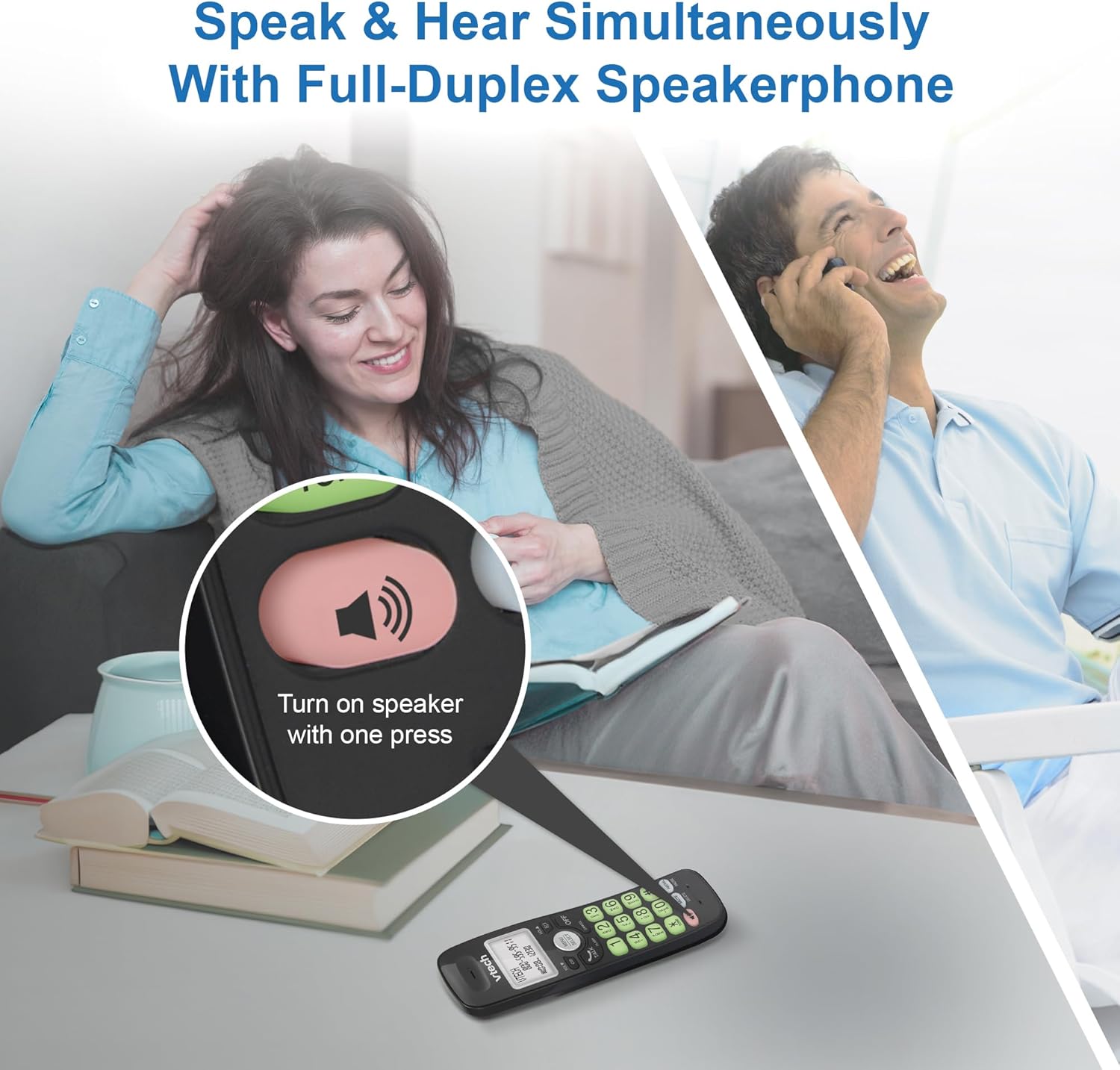
Image: A close-up of the VTech cordless phone handset showing the speakerphone button highlighted, with a person talking on the phone in the background, demonstrating the full-duplex speakerphone feature.
4.3. Volume Control and Mute
- To adjust earpiece or speakerphone volume during a call, press ฉบับ ▼ or เล่ม ▲.
- To mute the microphone during a call, press MUTE. The other party cannot hear you, but you can still hear them. Press MUTE อีกครั้งเพื่อเปิดเสียง

ภาพ: รายละเอียด view of the VTech cordless phone handset, highlighting the 'MUTE' button, indicating its function for silencing the microphone during a call.
4.4. Caller ID and Phonebook
The handset displays the name, number, time, and date of incoming calls. The phone also includes a 30-name and number phonebook directory.
- เพื่อview Caller ID history, press ตำรวจปราบปราม.
- To access the phonebook, press เมนู/เลือก, then navigate to the Phonebook option.

Image: A person smiling while holding the VTech cordless phone, with an overlay showing a digital phonebook display with contact names and icons, illustrating the Caller ID and phonebook features.
5. คุณสมบัติ
5.1. การเชื่อมต่อบลูทู ธ
By pairing a Bluetooth headset, earbuds, or conference speakerphone to the system, you can enjoy a wireless calling experience. This feature is perfect for multitasking around your home or office.

Image: A woman in a kitchen pouring a drink while wearing wireless earbuds, with the VTech cordless phone and its base unit visible on the counter, demonstrating hands-free calling via Bluetooth connection.
การจับคู่อุปกรณ์บลูทูธ:
- Ensure your Bluetooth headset/earbuds are in pairing mode (refer to your device's manual).
- On the VTech phone, navigate to the Bluetooth menu (usually via เมนู/เลือก).
- Select 'Pair Device' or similar option.
- The phone will search for available Bluetooth devices. Select your device from the list.
- ปฏิบัติตามคำแนะนำบนหน้าจอเพื่อดำเนินการจับคู่ให้เสร็จสมบูรณ์
5.2. DECT 6.0 Technology
Trusted by families worldwide for decades, VTech's cordless telephone transmits secure signals via the DECT 6.0 channel. This ensures crystal clear sounds, interference-free communication, and a stable operation range of up to 1000 ft outdoors, allowing you to move freely while on a call.

Image: A woman working on a laptop at a table, with the VTech cordless phone and its base unit nearby, and a graphic indicating DECT 6.0 digital technology, highlighting its superior range and clarity.
5.3. Backlit Display and Big Buttons
The phone features a blue-white backlit display and green backlit keypad for easier viewing and dialing in dim light conditions. The large buttons enhance usability, especially for those with visual impairments.

ภาพ: ภาพระยะใกล้ view of the VTech cordless phone handset, emphasizing its backlit LCD screen and large, clearly visible buttons, designed for better visibility and ease of use.
5.4. Easy Wall Mount
The base unit is designed for easy wall mounting, fitting all standard wall mount plates without the need for additional brackets. Simply slide the base unit into the mounting plate using the built-in mounting holes for convenient placement.

Image: The VTech cordless phone base unit shown mounted on a wall, highlighting its built-in mounting holes on the back of the base for easy installation.
5.5. Hearing Aid Compatible
This phone is designed to be compatible with hearing aids, providing a clearer audio experience for users with hearing devices.

Image: A woman with a hearing aid talking on the VTech cordless phone, illustrating the phone's hearing aid compatibility feature.
5.6. สินค้าหมดview วีดีโอ
วิดีโอ: ผลิตภัณฑ์โดยย่อview of the VTech VG131-11 DECT 6.0 Cordless Phone, showcasing its key features and ease of use.
6. การบำรุงรักษา
To ensure the longevity and optimal performance of your VTech cordless phone, follow these maintenance guidelines:
- การทำความสะอาด: เช็ดโทรศัพท์และฐานด้วยผ้านุ่มๆamp ใช้ผ้าเช็ดทำความสะอาดเท่านั้น ห้ามใช้สเปรย์ทำความสะอาดหรือสารเคมีรุนแรง
- การดูแลแบตเตอรี่ Avoid exposing the battery to extreme temperatures. If the phone will not be used for an extended period, remove the battery from the handset.
- การจัดวาง: เก็บโทรศัพท์ให้ห่างจากแหล่งความร้อน แสงแดดโดยตรง และความชื้น
7 การแก้ไขปัญหา
If you experience any issues with your VTech cordless phone, please refer to the following common problems and solutions:
| ปัญหา | สารละลาย |
|---|---|
| ไม่มีเสียงโทรออก | Ensure the telephone line cord is securely plugged into both the base unit and the wall jack. Check if the AC adapter is properly connected to the base unit and a working power outlet. |
| โทรศัพท์มือถือไม่ชาร์จ | Make sure the handset is correctly placed in the base unit. Clean the charging contacts on both the handset and the base unit with a dry cloth. Verify the AC adapter is plugged in. |
| คุณภาพเสียงไม่ดีหรือมีสัญญาณรบกวน | Move closer to the base unit. Other electronic devices (Wi-Fi routers, microwaves) may cause interference; try relocating the base unit. Ensure the handset battery is fully charged. |
| Cannot connect to Bluetooth headset. | Ensure both the phone and the Bluetooth headset are in pairing mode. Make sure the headset is within range of the phone's base unit. Try restarting both devices and attempting the pairing process again. Confirm the headset is compatible with the phone's Bluetooth version. |
| หน้าจอว่างเปล่าหรือไม่สามารถอ่านได้ | Ensure the handset battery is charged. If the display is dim, check if the backlight setting is enabled or adjust the contrast if available. |
8. ข้อมูลจำเพาะ
| คุณสมบัติ | รายละเอียด |
|---|---|
| หมายเลขรุ่น | VG131-11 |
| ขนาดสินค้า | 3.8 x 4.09 x 7.17 นิ้ว |
| น้ำหนักสินค้า | 14.9 ออนซ์ (0.42 กิโลกรัม) |
| แบตเตอรี่ | แบตเตอรี่เฉพาะผลิตภัณฑ์ 1 ก้อน (รวมอยู่ด้วย) |
| ประเภทโทรศัพท์ | ไร้สาย |
| วัสดุ | พลาสติก |
| แหล่งพลังงาน | สายไฟ |
| เทคโนโลยี DECT | DECT6.0 ภาษาไทย |
| บลูทูธ | ใช่ |
| แสดงหมายเลขผู้โทร / รอสาย | ใช่ |
| ลำโพงโทรศัพท์แบบฟูลดูเพล็กซ์ | ใช่ |
| Backlit Display & Keypad | Yes (Blue-white display, green keypad) |
| ติดผนังได้ | ใช่ |
| ความจุสมุดโทรศัพท์ | 30 ชื่อและหมายเลข |
| พิสัย | Up to 1000 ft outdoor |
9. การรับประกันและการสนับสนุน
สำหรับข้อมูลการรับประกัน การสนับสนุนทางเทคนิค หรือการสั่งซื้ออุปกรณ์เสริม โปรดเยี่ยมชมเว็บไซต์อย่างเป็นทางการของ VTech webหรือติดต่อฝ่ายบริการลูกค้า เก็บใบเสร็จรับเงินไว้เป็นหลักฐานการซื้อสำหรับการเคลมประกัน
VTech Customer Service: www.vtechphones.com/support


