1. บทนำ
This manual provides essential information for the safe and effective operation and maintenance of your Genmitsu MD13 Smoke Purifier. The MD13 is designed to combat engraving fumes, providing a cleaner and safer working environment, especially when paired with enclosed machines like the Genmitsu L8. Please read this manual thoroughly before use and retain it for future reference.
ข้อมูลด้านความปลอดภัย
- ควรใช้งานเครื่องในบริเวณที่มีอากาศถ่ายเทได้ดีเสมอ
- ตรวจสอบให้แน่ใจว่าแหล่งจ่ายไฟตรงกับข้อกำหนดของอุปกรณ์
- ห้ามปิดกั้นช่องรับอากาศหรือช่องระบายอากาศ
- Keep the unit away from water and flammable materials.
- โปรดถอดปลั๊กไฟก่อนทำการบำรุงรักษาหรือเปลี่ยนไส้กรองใดๆ
- Do not attempt to modify the unit. Refer all servicing to qualified personnel.
2. สินค้าหมดview
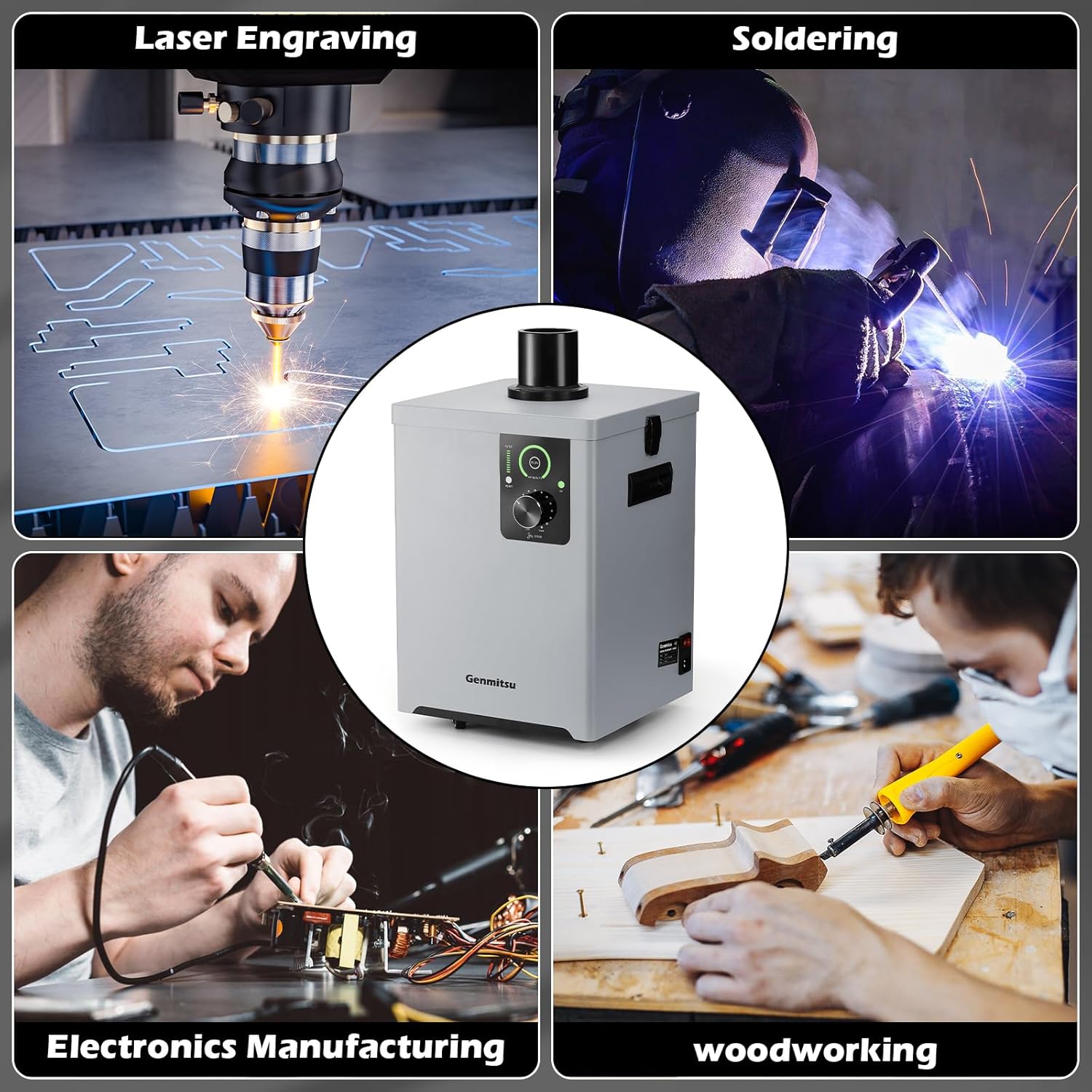
The Genmitsu MD13 Smoke Purifier is an advanced fume extraction system featuring a multi-layer filtration process and user-friendly design elements for enhanced air quality in various workshop applications.
คุณสมบัติหลัก
- Four-Layer Filtration System: Includes a coarse cotton pre-filter, intermediate cartridge, high-efficiency coconut shell activated carbon, and a high-efficiency HEPA filter for 99.97% smoke elimination.
- Integrated UV Function: Absorbs and neutralizes smoke emissions, contributing to a healthier workspace.
- อินเทอร์เฟซ LED: Provides easy monitoring of filter status, air quality, and UV function.
- Stepless Airflow Adjustment: A rotary knob allows for precise control over the air suction speed.
- เพิ่มการเคลื่อนที่: Equipped with universal wheels for easy repositioning and dual handles for convenient lifting.


3. การตั้งค่า
3.1 การแกะกล่องและการตรวจสอบส่วนประกอบ
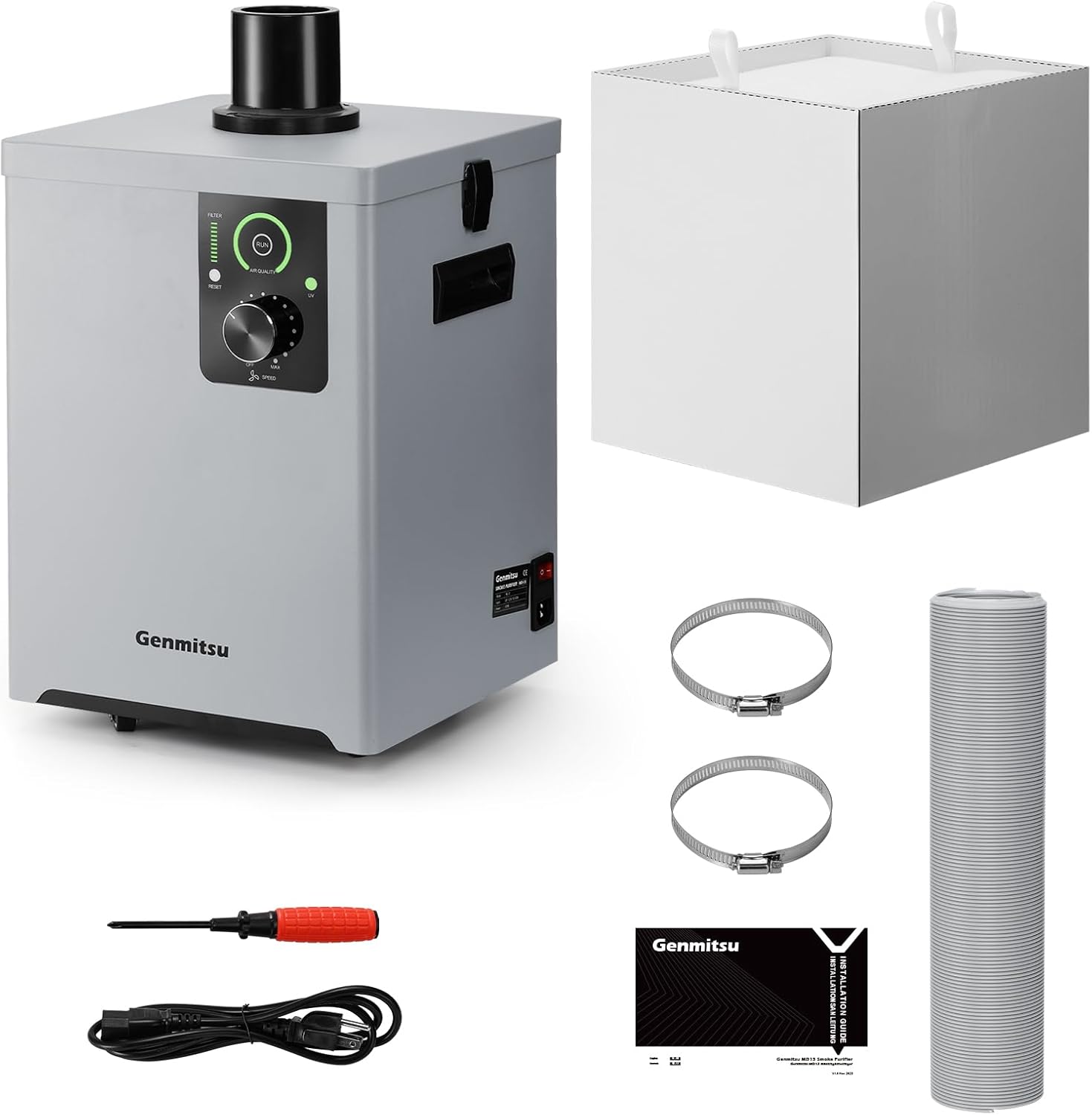
นำส่วนประกอบทั้งหมดออกจากบรรจุภัณฑ์อย่างระมัดระวัง ตรวจสอบว่าอุปกรณ์ทั้งหมดที่ระบุไว้ด้านล่างยังคงอยู่ในสภาพสมบูรณ์และไม่เสียหาย
3.2 การติดตั้งตัวกรอง
The filters are typically pre-installed. If not, or if you are replacing them, ensure they are inserted in the correct order as shown in Figure 2.2, with the coarse filter at the top and the HEPA filter at the bottom.
3.3 การเชื่อมต่อท่อร่วมไอเสีย
- Attach one end of the exhaust hose to the outlet port on top of the MD13 unit. Secure it with a hose clamp.
- Connect the other end of the exhaust hose to your fume-generating equipment (e.g., laser engraver, soldering station). Ensure a tight seal to prevent fume leakage.

3.4 การจัดวาง
Position the MD13 on a stable, level surface. Utilize the universal wheels for easy movement. Ensure adequate space around the unit for proper airflow and maintenance access.
4. คู่มือการใช้งาน
4.1 การเปิด/ปิดเครื่อง
Connect the power cable to the unit and a suitable power outlet. Use the main power switch located on the unit to turn it on or off.
4.2 แผงควบคุมโอเวอร์view

- หน้าจอ LED: Displays real-time air quality and filter status.
- UV Function Button: Press to activate or deactivate the integrated UV light for enhanced fume neutralization. An indicator light will confirm its status.
- ปุ่มปรับแรงลม: Rotate clockwise to increase airflow speed (MAX) and counter-clockwise to decrease it (OFF).
- ปุ่มรีเซ็ตตัวกรอง: Used to reset the filter life indicator after replacing a filter.
4.3 การปรับการไหลเวียนของอากาศ
Turn the airflow adjustment knob to set the desired suction power. Start with a lower setting and increase as needed based on the amount of smoke or fumes generated by your application.
4.4 Using the UV Function
Press the UV button to activate the ultraviolet light. This function helps to further break down and neutralize harmful particles and odors. It is recommended to use the UV function during operations that produce significant fumes.
5. การบำรุงรักษา
Regular maintenance ensures optimal performance and extends the lifespan of your MD13 Smoke Purifier.
5.1 การเปลี่ยนไส้กรอง
The MD13 features an indicator light for cartridge usage and an average cartridge life of up to 300 hours. However, actual filter life will vary significantly depending on the type and volume of smoke being filtered.


- หมดแรง: ตรวจสอบให้แน่ใจว่าเครื่องปิดและถอดปลั๊กออกจากแหล่งจ่ายไฟแล้ว
- Open Latches: Release the metal latches on the sides of the unit to open the top cover.
- ลบตัวกรองเก่า: Carefully lift out the used filter layers. Dispose of them according to local regulations.
- ติดตั้งตัวกรองใหม่: Place the new filters into the unit in the correct order (refer to Figure 2.2).
- ปิดฝาครอบ: Securely close the top cover and fasten the metal latches.
- รีเซ็ตตัวบ่งชี้ตัวกรอง: Plug in the unit and press the 'RESET' button on the control panel to reset the filter life indicator.
5.2 การทำความสะอาดภายนอก
เช็ดด้านนอกของตัวเครื่องด้วยผ้านุ่มdamp ผ้า ห้ามใช้สารทำความสะอาดที่มีฤทธิ์กัดกร่อนหรือตัวทำละลาย
6 การแก้ไขปัญหา
If you encounter issues with your Genmitsu MD13, refer to the following common problems and solutions:
| ปัญหา | สาเหตุที่เป็นไปได้ | สารละลาย |
|---|---|---|
| เครื่องไม่เปิด | ไม่มีแหล่งจ่ายไฟ; สวิตช์ไฟปิดอยู่; สายไฟชำรุด | Check power connection; Ensure power switch is on; Try a different power outlet or cable |
| Low airflow or poor fume extraction | Clogged filters; Airflow knob set too low; Blocked hose; Loose hose connection | Check and replace filters if necessary; Increase airflow speed; Inspect hose for blockages; Secure hose connections |
| เสียงรบกวนที่ผิดปกติระหว่างการทำงาน | Loose components; Obstruction in fan; Unit not on a level surface | Check for loose parts; Inspect fan for foreign objects (with power off); Ensure unit is on a stable surface |
| UV function not working | UV function not activated; UV lamp ความล้มเหลว | Press the UV button; Contact support if the lamp ไม่ส่องสว่าง |
If the problem persists after attempting these solutions, please contact Genmitsu customer support for further assistance.
7. ข้อมูลจำเพาะ
| คุณสมบัติ | รายละเอียด |
|---|---|
| หมายเลขรุ่น | MD13 |
| ผู้ผลิต | เก็นมิตสึ |
| ขนาดสินค้า (กว้าง x ยาว x สูง) | 30.1 x 30.5 x 43 ซม. (11.85 x 12.01 x 16.93 นิ้ว) |
| น้ำหนัก | 14.29 กก. (31.5 ปอนด์) |
| แหล่งพลังงาน | ไฟฟ้ากระแสสลับ/ไฟฟ้ากระแสตรง |
| จำนวนรายการ | 1 |
| ส่วนประกอบที่รวมอยู่ | Smoke Gas Purifier |
| แบตเตอรี่ที่จำเป็น | เลขที่ |
| ระบบการกรองน้ำ | 4-layer (Coarse Cotton, Intermediate Cartridge, Activated Carbon, HEPA) |
| Fume Elimination Rate | 99.97% |
| ฟังก์ชั่นยูวี | บูรณาการ |
| การปรับการไหลเวียนของอากาศ | Stepless knob control |
8. การรับประกันและการสนับสนุน
For warranty information, technical support, or to purchase replacement parts and filters, please contact Genmitsu customer service. Refer to the official Genmitsu webเว็บไซต์หรือเอกสารการซื้อของคุณสำหรับรายละเอียดการติดต่อ
ผู้ผลิต: เก็นมิตสึ


