1. บทนำ
This user manual provides essential information for the safe and efficient operation of your Blow KidsTAB8 8-inch tablet. Please read this manual thoroughly before using the device and retain it for future reference. The Blow KidsTAB8 features an 8-inch IPS display, UNISOC T606 octa-core processor, 4GB RAM, 64GB internal storage, and runs on Android 12.
2. ข้อมูลด้านความปลอดภัย
- อย่าให้แท็บเล็ตถูกอุณหภูมิที่สูงหรือต่ำเกินไป แสงแดดโดยตรง หรือความชื้นสูง
- ควรหลีกเลี่ยงการทำแท็บเล็ตตกหรือกระแทกอย่างรุนแรง
- Use only the charger provided or approved by the manufacturer.
- อย่าพยายามถอดประกอบหรือซ่อมแซมแท็บเล็ตด้วยตนเอง โปรดติดต่อช่างผู้ชำนาญการ
- เก็บแท็บเล็ตให้ห่างจากน้ำและของเหลวอื่นๆ
- ทิ้งแท็บเล็ตและแบตเตอรี่อย่างมีความรับผิดชอบตามกฎระเบียบท้องถิ่น
3. เนื้อหาบรรจุภัณฑ์
ตรวจสอบว่าแพ็คเกจของคุณมีรายการต่อไปนี้:
- Blow KidsTAB8 8-inch Tablet
- สายชาร์จ USB-C
- อะแดปเตอร์แปลงไฟ
- คู่มือการใช้งาน (เอกสารนี้)
หมายเหตุ: อุปกรณ์เสริมเฉพาะอาจแตกต่างกันไปในแต่ละภูมิภาค
4. อุปกรณ์โอเวอร์view
ทำความคุ้นเคยกับส่วนประกอบทางกายภาพของแท็บเล็ตของคุณ
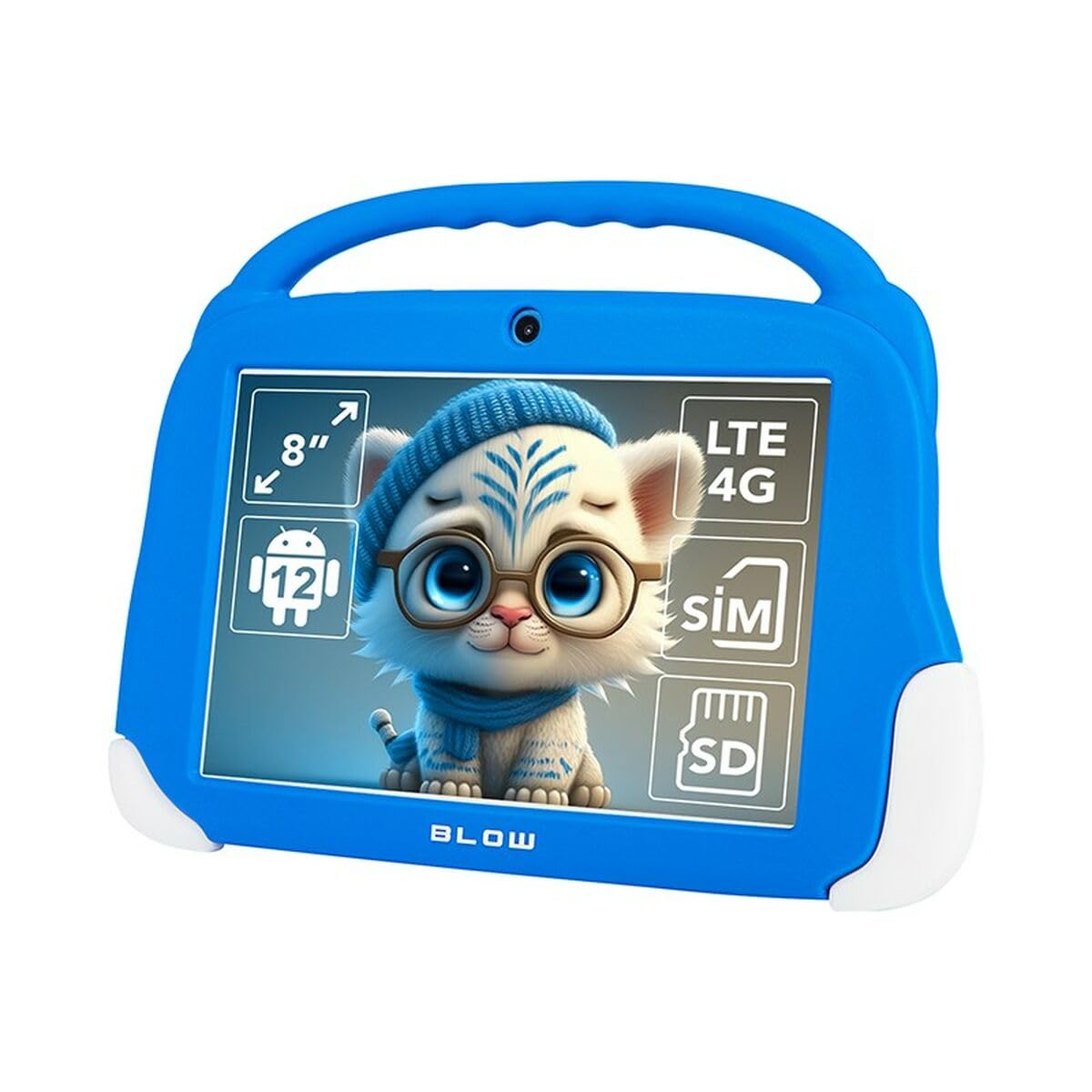
รูปที่ 4.1: ด้านหน้า view of the Blow KidsTAB8 tablet, showing the 8-inch display and front camera.
4.1 ลักษณะทางกายภาพ
- จอแสดงผล IPS ขนาด 8 นิ้ว: หน้าจอความละเอียดสูงเพื่อภาพที่คมชัด
- กล้องหน้า: Located above the screen for video calls and selfies.
- กล้องหลัง: Located on the back for capturing photos and videos (2 MP resolution).
- ปุ่มเปิด/ปิด: Typically on the side, used to power on/off and wake/sleep the device.
- ปุ่มปรับระดับเสียง: ปรับระดับเสียง
- พอร์ต USB-C: สำหรับการชาร์จและถ่ายโอนข้อมูล
- Micro SIM/SD Card Slot: For mobile connectivity and expandable storage.
5. การตั้งค่า
5.1 การชาร์จเริ่มต้น
Before first use, fully charge your tablet. Connect the USB-C cable to the tablet's USB-C port and the power adapter to a wall outlet. The battery indicator on the screen will show charging status. The tablet has a 4800 mAh battery.
5.2 การเปิด/ปิดเครื่อง
- การเปิดเครื่อง: Press and hold the Power button until the Blow logo appears.
- วิธีปิดเครื่อง: กดปุ่มเปิด/ปิดค้างไว้ จากนั้นเลือก "ปิดเครื่อง" จากตัวเลือกบนหน้าจอ
- วิธีเข้า/ออกการนอนหลับ: กดปุ่มเปิด/ปิดเครื่องสั้นๆ เพื่อให้แท็บเล็ตเข้าสู่โหมดพักเครื่องหรือปลุกเครื่องขึ้นมา
5.3 การติดตั้งซิมการ์ดและการ์ด MicroSD
The tablet supports a Micro SIM card for 4G LTE connectivity and a MicroSD card for expandable storage up to 64GB (or more, depending on card compatibility).
- ค้นหาถาดใส่การ์ด SIM/MicroSD ที่ด้านข้างของแท็บเล็ต
- Use the provided SIM ejector tool (if included) to open the tray.
- Carefully place the Micro SIM card and/or MicroSD card into the designated slots on the tray, ensuring correct orientation.
- ค่อยๆ ดันถาดกลับเข้าไปในแท็บเล็ตจนกระทั่งล็อคเข้าที่
6. คู่มือการใช้งาน
6.1 การนำทางพื้นฐาน (Android 12)
- หน้าจอหลัก: ปัดไปทางซ้ายหรือขวาเพื่อนำทางระหว่างหน้าจอหลัก
- ลิ้นชักแอป: ปัดขึ้นจากด้านล่างของหน้าจอเพื่อเข้าถึงแอพพลิเคชั่นที่ติดตั้งทั้งหมด
- การแจ้งเตือนและการตั้งค่าด่วน: ปัดลงจากด้านบนของหน้าจอไปที่ view การแจ้งเตือนและการเข้าถึงการตั้งค่าด่วน
- ย้อนกลับ, หน้าหลัก, แอปที่ใช้ล่าสุด: Use the navigation buttons at the bottom of the screen (or gestures, if enabled) to navigate.
6.2 การเชื่อมต่อ
- ไวไฟ : ไปที่ การตั้งค่า > เครือข่ายและอินเทอร์เน็ต > Wi-Fi to connect to available Wi-Fi networks (supports 802.11ac, b, g, n, and 5 GHz).
- บลูทูธ: ไปที่ การตั้งค่า > อุปกรณ์ที่เชื่อมต่อ > บลูทูธ to pair with Bluetooth 5.0 compatible devices.
- ข้อมูลมือถือ (4G LTE): If a Micro SIM card is installed, enable mobile data in การตั้งค่า > เครือข่ายและอินเทอร์เน็ต > เครือข่ายมือถือ.
- จีพีเอส: The tablet supports GPS, Glonass, and BeiDou for location services. Ensure location services are enabled in ตั้งค่า > ตำแหน่ง.
6.3 การใช้งานกล้อง
Open the Camera app to take photos or record videos. The tablet features a front camera and a 2 MP rear camera.
6.4 การสมัคร
Download and install applications from the Google Play Store. Ensure you have a Google account set up on your tablet.
7. การบำรุงรักษา
7.1 การทำความสะอาดแท็บเล็ต
Use a soft, lint-free cloth to clean the screen and body of the tablet. Do not use abrasive cleaners or solvents. If necessary, slightly dampเทน้ำหรือน้ำยาทำความสะอาดหน้าจอที่ออกแบบมาสำหรับอุปกรณ์อิเล็กทรอนิกส์โดยเฉพาะลงบนผ้า
7.2 การอัปเดตซอฟต์แวร์
ตรวจสอบการอัปเดตซอฟต์แวร์เป็นระยะ เพื่อให้แน่ใจว่าแท็บเล็ตของคุณมีคุณสมบัติล่าสุดและการปรับปรุงด้านความปลอดภัย ไปที่ การตั้งค่า > ระบบ > อัปเดตระบบ.
8 การแก้ไขปัญหา
| ปัญหา | สารละลาย |
|---|---|
| แท็บเล็ตไม่สามารถเปิดเครื่องได้ | ตรวจสอบให้แน่ใจว่าแบตเตอรี่ชาร์จเต็มแล้ว เสียบที่ชาร์จและรอสักครู่ก่อนลองเปิดเครื่องอีกครั้ง |
| ปัญหาการเชื่อมต่อ Wi-Fi | ตรวจสอบว่า Wi-Fi เปิดใช้งานอยู่ในการตั้งค่าหรือไม่ รีสตาร์ทเราเตอร์ Wi-Fi ของคุณ ลืมเครือข่ายและเชื่อมต่อใหม่ |
| แอปขัดข้องหรือค้าง | Close and restart the app. Clear the app's cache in การตั้งค่า > แอป > [ชื่อแอป] > ที่เก็บข้อมูลและแคช. Restart the tablet. |
| ประสิทธิภาพการทำงานช้า | Close unused apps. Clear cache. Consider uninstalling unnecessary applications. Perform a factory reset as a last resort (backup data first). |
9. ข้อมูลจำเพาะ
| หมายเลขรุ่น | S9148142 |
| แสดง | 8-inch IPS, 1280 x 800 px (HD) |
| โปรเซสเซอร์ | UNISOC T606 แปดคอร์ |
| แรม | 4GB |
| การจัดเก็บข้อมูลภายใน | 64GB |
| ระบบปฏิบัติการ | แอนดรอยด์ 12 |
| ความจุของแบตเตอรี่ | 4800 มิลลิแอมป์ |
| การเชื่อมต่อ | Wi-Fi (802.11ac, b, g, n, 5 GHz), Bluetooth 5.0, 4G LTE, GPS, Glonass, BeiDou |
| พอร์ต | USB-C 3.0 x 1, Micro SIM slot, MicroSD card reader |
| กล้องถ่ายรูป | Front Camera, Rear Camera (2 MP) |
| ขนาด | 18.2 x 2.2 x 25 ซม. |
| น้ำหนัก | 880 กรัม |
10. การรับประกันและการสนับสนุน
For warranty information and technical support, please refer to the warranty card included with your product or visit the official Blow webไซต์นี้ โปรดเก็บหลักฐานการซื้อไว้เพื่อใช้ยืนยันการรับประกัน
ผู้ผลิต: เป่า
แบบอย่าง: KidsTAB8 (S9148142)


