1. บทนำ
Thank you for choosing the Ctronics 4K 8MP Wi-Fi PTZ Outdoor Security Camera. This manual provides detailed instructions for the installation, operation, and maintenance of your new security camera. Please read this manual thoroughly before use to ensure proper functionality and safety.
This camera is designed to provide comprehensive outdoor surveillance with advanced features such as 4K Ultra HD resolution, Pan-Tilt-Zoom capabilities, intelligent detection, and versatile storage options.

Image: The Ctronics 4K 8MP Wi-Fi PTZ Outdoor Security Camera, showcasing its sleek black design and dual antennas.
2. ข้อมูลด้านความปลอดภัย
โปรดปฏิบัติตามข้อควรระวังด้านความปลอดภัยต่อไปนี้ เพื่อป้องกันความเสียหายต่อผลิตภัณฑ์ หรือการบาดเจ็บต่อตัวคุณเองและผู้อื่น:
- Ensure the power supply matches the camera's specifications (12 Volts, 24 Watts).
- ห้ามให้กล้องสัมผัสกับอุณหภูมิที่สูงเกินขอบเขตการใช้งาน
- ควรหลีกเลี่ยงการสัมผัสแสงแดดจัดโดยตรงเป็นเวลานาน เพราะอาจส่งผลต่อคุณภาพของภาพได้
- เก็บกล้องให้ห่างจากสนามแม่เหล็กแรงสูง
- อย่าพยายามถอดประกอบหรือดัดแปลงกล้อง โปรดติดต่อช่างผู้ชำนาญเพื่อขอรับบริการทั้งหมด
- Ensure all cables are properly secured to prevent tripping hazards or accidental disconnection.
3. เนื้อหาบรรจุภัณฑ์
ตรวจสอบว่ามีรายการทั้งหมดรวมอยู่ในแพ็คเกจของคุณ:
- Ctronics 4K 8MP Wi-Fi PTZ Outdoor Security Camera
- อะแดปเตอร์แปลงไฟ
- สกรูยึดและปลั๊กผนัง
- ชุดกันน้ำสำหรับสายเคเบิลเครือข่าย
- คู่มือเริ่มต้นอย่างรวดเร็ว
4. สินค้าหมดview
ทำความคุ้นเคยกับส่วนประกอบหลักของกล้องของคุณ:
- เลนส์: จับภาพวิดีโอ footage.
- ไฟ LED IR: ให้แสงสว่างอินฟราเรดเพื่อการมองเห็นในเวลากลางคืน
- สปอตไลท์: Enhance color night vision and act as deterrents.
- ไมโครโฟน: บันทึกเสียงสำหรับการสื่อสารสองทาง
- ผู้บรรยาย: ส่งสัญญาณเสียงสำหรับการสื่อสารสองทางและสัญญาณเตือนภัย
- เสาอากาศ: สำหรับการเชื่อมต่อ Wi-Fi
- ช่องเสียบการ์ด Micro SD: For local storage (supports up to 256GB, not included).
- ปุ่มรีเซ็ต: ใช้เพื่อรีเซ็ตกล้องให้กลับเป็นการตั้งค่าจากโรงงาน
- พอร์ตไฟ: เชื่อมต่อกับอะแดปเตอร์ไฟ
- พอร์ตอีเธอร์เน็ต: สำหรับการเชื่อมต่อเครือข่ายแบบใช้สาย (ไม่บังคับ)
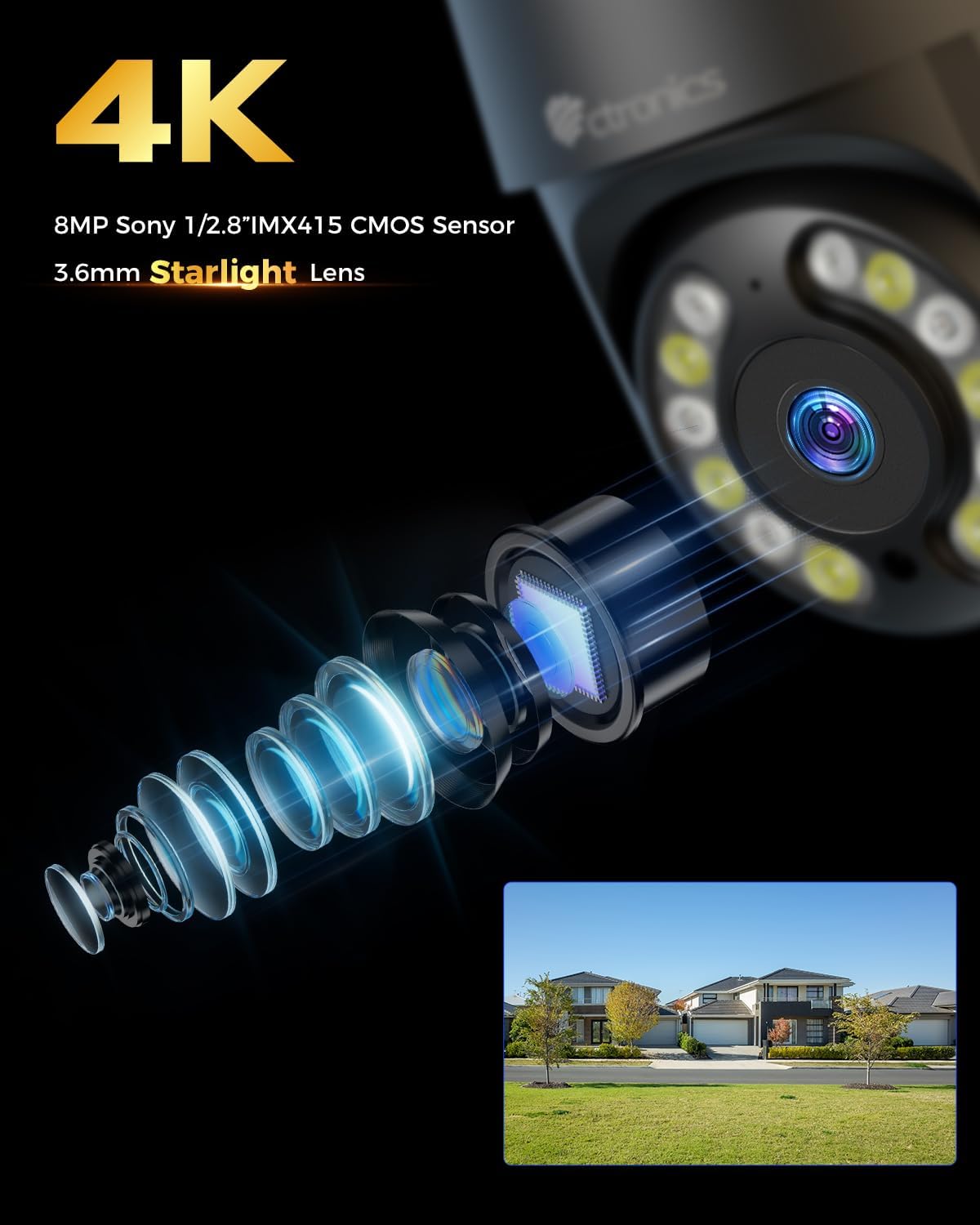
ภาพ: ระยะใกล้ view of the camera's 4K 8MP Sony 1/2.8" IMX415 CMOS Sensor and 3.6mm Starlight Lens, highlighting its advanced optical components.
5. การตั้งค่า
5.1 การติดตั้งทางกายภาพ
The camera supports both ceiling and wall mounting. Choose a location that provides the desired viewมองจากมุมที่เหมาะสมและอยู่ในระยะสัญญาณ Wi-Fi หรืออยู่ใกล้พอร์ต Ethernet
- ทำเครื่องหมายตำแหน่งการเจาะ: Use the mounting template (if provided) or the camera base to mark the screw holes on the wall or ceiling.
- เจาะรู: เจาะรูตามตำแหน่งที่ทำเครื่องหมายไว้ แล้วเสียบพุกยึดผนังเข้าไป
- รักษาความปลอดภัยกล้อง: Align the camera base with the drilled holes and secure it with the provided screws.
- เชื่อมต่อพลังงาน: เชื่อมต่ออะแดปเตอร์แปลงไฟเข้ากับพอร์ตจ่ายไฟของกล้อง แล้วเสียบเข้ากับเต้ารับไฟฟ้า

Image: Illustrates two flexible installation methods for the Ctronics camera: wall-mounted and ceiling-mounted, demonstrating its versatility.
5.2 การเชื่อมต่อเครือข่าย
The camera supports dual-band Wi-Fi (2.4GHz and 5GHz) for flexible connectivity.
- การเชื่อมต่อ Wi-Fi: For wireless setup, ensure your Wi-Fi network is active. The camera will connect to your chosen network during the app setup process.
- การเชื่อมต่ออีเทอร์เน็ต (ทางเลือก): For a stable wired connection, connect an Ethernet cable from your router to the camera's Ethernet port.
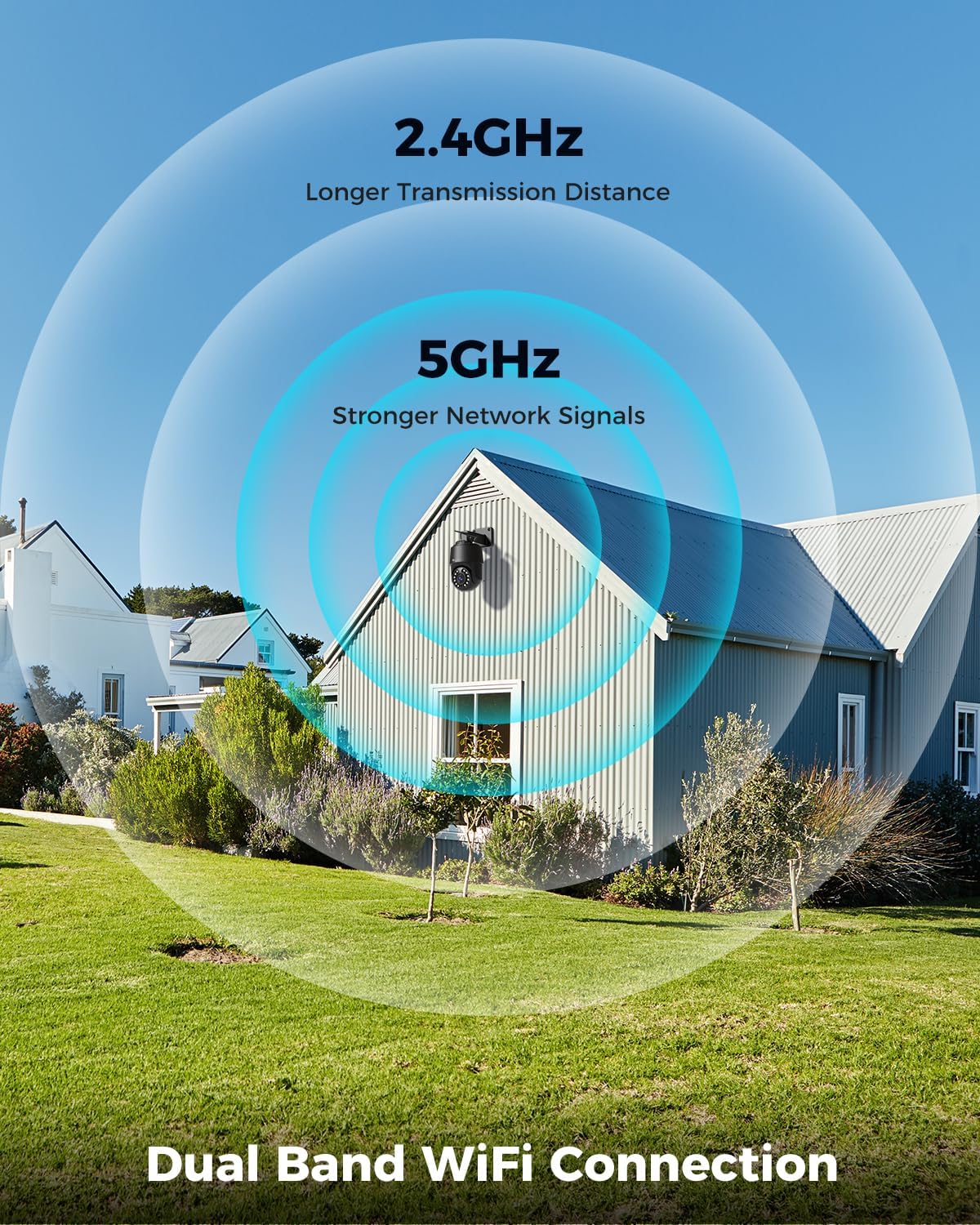
Image: Depicts the camera's dual-band Wi-Fi capability, showing 2.4GHz for longer transmission distance and 5GHz for stronger network signals, ensuring reliable connectivity.
5.3 การติดตั้งแอปและการตั้งค่าเริ่มต้น
Download the 'Ctronics PRO' or 'HIP2P' app from your mobile app store (iOS/Android) or the Ctronics website for PC/Mac clients.
- ดาวน์โหลดแอพ: ค้นหา "Ctronics PRO" or "HIP2P" in the App Store or Google Play Store and install it.
- ลงทะเบียนบัญชี: เปิดแอปและลงทะเบียนบัญชีใหม่หรือเข้าสู่ระบบหากคุณมีบัญชีอยู่แล้ว
- เพิ่มอุปกรณ์: Tap the "+" icon to add a new device. Follow the on-screen instructions to scan the QR code on the camera or manually enter the device ID.
- กำหนดค่าเครือข่าย: If connecting via Wi-Fi, select your Wi-Fi network and enter the password. The camera will then connect.
- ตั้งรหัสผ่าน: Create a strong password for your camera for security.

Image: Shows the broad compatibility of the Ctronics camera with various operating systems and platforms, including iOS, Android, Mac OS, Windows, Ctronics Pro app, and HiP2P client.
6. การใช้งานกล้อง
6.1 สด View
Once connected, you can access the live video feed from your camera through the app. This allows you to monitor your property in real-time.
6.2 การควบคุม PTZ (แพน, เอียง, ซูม)
The camera features 355° pan and 90° tilt capabilities, along with 5x optical zoom.
- แพน/เอียง: Use the directional controls in the app to move the camera horizontally and vertically.
- ซูม: Use the zoom controls in the app to optically zoom in or out on objects.
- ตำแหน่งที่กำหนดไว้ล่วงหน้า: ตั้งค่าตำแหน่งที่ตั้งไว้ล่วงหน้าได้สูงสุด 8 ตำแหน่ง เพื่อการนำทางอย่างรวดเร็วไปยังพื้นที่ที่ต้องการ

Image: Illustrates the camera's PTZ (Pan-Tilt-Zoom) functionality, showing its 355° pan and 90° tilt range for comprehensive coverage.
6.3 Detection Features & Auto Tracking
The camera can accurately detect people, vehicles, and pets, and automatically track them.
- เปิดใช้งานการตรวจจับ: In the app settings, enable person, vehicle, or pet detection.
- ติดตามอัตโนมัติ: When enabled, the camera will automatically follow detected subjects within its field of view.
- การแจ้งเตือนภัย: Receive real-time alarm notifications on your mobile device when motion is detected.
- สัญญาณเสียงและแสง: The camera can activate a sound and red/blue light alarm at night to deter intruders. This feature can be toggled on/off in the app.

Image: Demonstrates the camera's advanced detection capabilities, highlighting its ability to identify and auto-track humans, vehicles, and pets, keeping them in focus.
6.4 การมองเห็นตอนกลางคืน
The camera offers both infrared (IR) and color night vision modes.
- IR ไนท์วิชั่น: Provides clear black and white images up to 50 meters in low light or complete darkness.
- การมองเห็นสีกลางคืน: Utilizes built-in spotlights to provide full-color images up to 45 meters at night.

Image: Shows the camera's 4K Color/IR Night Vision capabilities, with bright spotlights illuminating a dark scene, available for audio and red & blue light alarm.
6.5 เสียงสองทาง
สื่อสารกับผู้มาเยือนหรือป้องกันผู้บุกรุกโดยใช้ไมโครโฟนและลำโพงในตัว
- พูด: แตะไอคอนไมโครโฟนในแอปเพื่อพูดผ่านลำโพงของกล้อง
- ฟัง: ไมโครโฟนของกล้องจะบันทึกเสียงจากสภาพแวดล้อมโดยรอบ
6.6 ตัวเลือกการบันทึก
กล้องรองรับวิธีการบันทึกหลากหลายวิธี:
- การ์ด Micro SD: Insert a Micro SD card (up to 256GB, not included) into the camera's slot for continuous 24/7 recording or scheduled recordings.
- NVR/NAS: Connect the camera to a Network Video Recorder (NVR) or Network Attached Storage (NAS) for extended recording and management.
- การเก็บข้อมูลบนคลาวด์: Optional cloud storage services may be available through the app for secure off-site backup of your footage.

Image: Displays the camera's versatile storage options, including support for up to 256GB Micro SD card (not included), NVR/NAS for 24/7 recording, FTP, and Ctronics Cloud storage.
6.7 Multi-User Sharing and Remote Access
Share camera access with family and friends, and view ฟูtage จากระยะไกลจากที่ใดก็ได้
- การแบ่งปัน: Share access to the camera feed with up to four users simultaneously through the app.
- การเข้าถึงระยะไกล: เข้าถึงสด view and recorded videos from your iOS, Android, Mac, or Windows devices via the Ctronics PRO or HIP2P app/software.
7. การบำรุงรักษา
To ensure optimal performance and longevity of your Ctronics camera, follow these maintenance guidelines:
- การทำความสะอาด: ควรเช็ดเลนส์และตัวกล้องด้วยผ้าแห้งเนื้อนุ่มเป็นประจำเพื่อกำจัดฝุ่นและสิ่งสกปรก ห้ามใช้สารเคมีรุนแรงหรือน้ำยาทำความสะอาดที่มีฤทธิ์กัดกร่อน
- อัพเดตเฟิร์มแวร์: Check the app periodically for firmware updates. Keeping your camera's firmware up-to-date ensures you have the latest features and security enhancements.
- การตรวจสอบสายเคเบิล: Periodically inspect all cables and connections for any signs of wear or damage. Ensure waterproof connections are sealed properly.
- การจัดการพื้นที่เก็บข้อมูล: If using a Micro SD card, regularly back up important footage and consider formatting the card periodically to maintain performance.
8 การแก้ไขปัญหา
หากคุณพบปัญหาเกี่ยวกับกล้อง โปรดดูปัญหาทั่วไปและวิธีแก้ไขต่อไปนี้:
| ปัญหา | สาเหตุที่เป็นไปได้ | สารละลาย |
|---|---|---|
| กล้องออฟไลน์ | No power; Wi-Fi signal weak/disconnected; Router issue | Check power connection; Move camera closer to router or use Ethernet; Restart router |
| คุณภาพของภาพไม่ดี | Dirty lens; Insufficient lighting; Network bandwidth issue | Clean lens; Ensure adequate lighting or enable color night vision; Check network speed |
| การตรวจจับการเคลื่อนไหวไม่ทำงาน | Detection sensitivity too low; Detection zone not set; Obstructions | Adjust sensitivity in app; Configure detection zones; Clear obstructions |
| เสียงสองทางไม่ทำงาน | Microphone/speaker disabled in app; Volume too low; Network delay | Enable audio in app; Adjust volume; Check network stability |
| Cannot connect to 5GHz Wi-Fi | Router settings; Distance from router | Ensure router supports 5GHz and is configured correctly; 5GHz has shorter range, move camera closer |
If the problem persists, please contact Ctronics customer support for assistance.
9. ข้อมูลจำเพาะ
| คุณสมบัติ | ข้อมูลจำเพาะ |
|---|---|
| หมายเลขรุ่น | ซีทีไอพีซี-640ซี-เอ็ม12บี |
| ปณิธาน | 4K (3840x2160p), 8 Megapixels |
| ซูมออปติคอล | 5X |
| ช่วงแพน/เอียง | แพน: 355°, เอียง: 90° |
| ช่วงการมองเห็นตอนกลางคืน | IR: 50m, Color: 45m |
| การเชื่อมต่อ Wi-Fi | 2.4GHz / 5GHz ดูอัลแบนด์ |
| ตัวเลือกการจัดเก็บข้อมูล | Micro SD (up to 256GB), NVR/NAS, Cloud |
| ความต้านทานต่อน้ำ | IP66 (กันน้ำ) |
| แหล่งจ่ายไฟ | 12 โวลต์ 24 วัตต์ |
| วัสดุ | โลหะ |
| ขนาด (กว้าง x ยาว x สูง) | 21.99 x 15.99 x 22 ซม. |
| น้ำหนัก | 1.28 กก. |
| อุปกรณ์ที่รองรับ | Computer, Laptop, Tablet, Smartphone |
| ระบบปฏิบัติการ | iOS, Android, Mac OS, Windows |
10. การรับประกันและการสนับสนุน
Ctronics products come with a standard warranty. Please refer to the warranty card included in your package or visit the official Ctronics webเว็บไซต์สำหรับข้อกำหนดและเงื่อนไขการรับประกันโดยละเอียด
For technical support, troubleshooting assistance, or any inquiries regarding your product, please contact Ctronics customer service through the following channels:
- เป็นทางการ Webเว็บไซต์: เยี่ยมชมเจ้าหน้าที่ Ctronics webไซต์สำหรับคำถามที่พบบ่อย บทความสนับสนุน และข้อมูลการติดต่อ
- การสนับสนุนทางอีเมล์: Send an email to the support team (email address typically found on the website or quick start guide).
- การสนับสนุนภายในแอป: Some issues can be resolved directly through the support features within the Ctronics PRO app.
When contacting support, please have your product model number (CTIPC-640C-M12B) and purchase information ready.


