1. บทนำ
This manual provides detailed instructions for the installation, operation, and maintenance of your Codnida 2K Security Light Bulb Camera (Model LC323). Please read this manual thoroughly before using the product to ensure proper function and safety.
The Codnida LC323 is a versatile security camera designed for both outdoor and indoor use, featuring 2K resolution, PTZ capabilities, 24/7 recording, sound and light alarms, human motion detection, and color night vision. It is designed to fit into standard E27 light bulb sockets for easy installation.
2. เนื้อหาบรรจุภัณฑ์
ตรวจสอบว่ามีส่วนประกอบทั้งหมดอยู่ในแพ็คเกจ:
- Codnida 2K Security Light Bulb Camera (LC323)
- คู่มือการใช้งาน
- Mounting Accessories (if applicable, e.g., E27 adapter if not integrated)
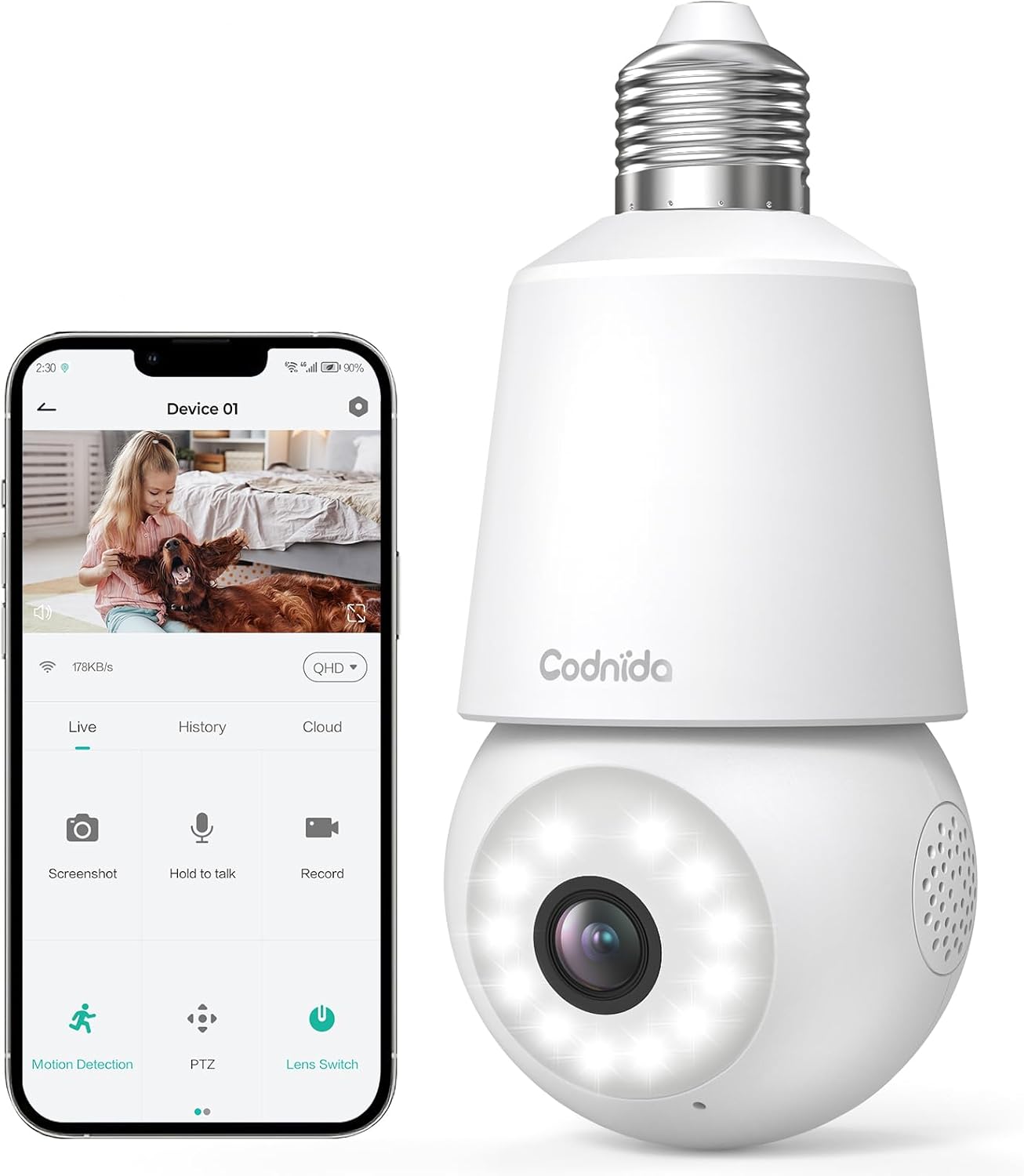
Image: The Codnida LC323 light bulb camera shown alongside a smartphone displaying its live view และส่วนต่อประสานควบคุม
3. ข้อมูลจำเพาะ
| คุณสมบัติ | รายละเอียด |
|---|---|
| หมายเลขรุ่น | LC323 |
| ปณิธาน | 2K (3 ล้านพิกเซล) |
| การเชื่อมต่อ | Wi-Fi (2.4GHz เท่านั้น) |
| แหล่งพลังงาน | Corded Electric (E27 Socket) |
| ช่วงการมองเห็นตอนกลางคืน | 10 เมตร |
| การหมุน PTZ | แพน 355° เอียง 50° |
| ตัวเลือกการจัดเก็บข้อมูล | Micro SD Card (16-128GB, not included), Cloud Storage |
| ระบบเสียงสองทาง | รองรับ |
| การตรวจจับการเคลื่อนไหว | Human Motion Detection, Auto Tracking |
| คุณสมบัติปลุก | เสียงและสัญญาณเตือนไฟ |
| การใช้งานในร่ม/กลางแจ้ง | Outdoor, Indoor (IP66 waterproof and dustproof) |
| ความเข้ากันได้ของแอป | CloudEdge App (Tablet, Smartphone) |
Note: The camera requires a 2.4GHz Wi-Fi connection. 5GHz Wi-Fi is not supported.
4. ข้อมูลด้านความปลอดภัย
- Ensure the power is off before installing or removing the camera.
- Install the camera in a standard E27 light bulb socket.
- Do not expose the camera to extreme temperatures or humidity beyond its operating range.
- Avoid direct exposure to water jets or prolonged submersion, despite its IP66 rating.
- เก็บให้พ้นจากมือเด็ก
- Only use the camera with compatible power sources (240 Volts, 5 watts).
5. คู่มือการติดตั้ง
5.1 การติดตั้งแอพ
- Download the "CloudEdge" app from your smartphone's app store (Google Play Store for Android or Apple App Store for iOS).
- ลงทะเบียนบัญชีใหม่หรือเข้าสู่ระบบหากคุณมีบัญชีอยู่แล้ว
5.2 การติดตั้งกล้อง
The camera is designed for easy installation into a standard E27 light bulb socket.
- Ensure the power to the E27 socket is turned off at the main switch.
- Carefully screw the Codnida LC323 camera into the E27 socket until it is securely fastened.
- Turn on the power to the E27 socket. The camera will power on and initiate its startup sequence.

Image: A hand demonstrates screwing the Codnida light bulb camera into an outdoor E27 light fixture, illustrating the simple installation process.
5.3 การเชื่อมต่อกับ Wi-Fi
Follow the in-app instructions to connect your camera to your home Wi-Fi network. Remember, only 2.4GHz Wi-Fi is supported.
- Open the CloudEdge app and tap "Add Device" or the "+" icon.
- Select the appropriate device type (e.g., "Smart Camera" or "Light Bulb Camera").
- Follow the prompts to enter your 2.4GHz Wi-Fi network name (SSID) and password.
- The app will generate a QR code. Position your phone screen in front of the camera lens (approx. 15-20 cm away) until you hear a confirmation sound from the camera.
- Once connected, the camera's status indicator light will change, and you can name your device in the app.
6. คู่มือการใช้งาน
6.1 สด View และการควบคุม PTZ
Access the live video feed and control the camera's pan and tilt functions directly from the CloudEdge app.
- Open the CloudEdge app and select your camera from the device list.
- การแสดงสด view will appear. Use the on-screen joystick or directional arrows to pan (355°) and tilt (50°) the camera lens.

Image: A smartphone screen displays the live view from the Codnida camera with on-screen controls for pan and tilt (PTZ) functionality.
6.2 เสียงสองทาง
The camera supports two-way audio communication, allowing you to speak and listen through the camera.
- ในไลฟ์สด view, tap the microphone icon to speak. Hold the button while speaking.
- Ensure your phone's volume is up to hear audio from the camera.
Image: An illustration showing the two-way audio feature, with a person outside the house hearing "OK!" from the camera and a person inside speaking "Please put it at the door." through the app.
6.3 การตรวจจับการเคลื่อนไหวและการติดตามอัตโนมัติ
The camera can detect human motion and automatically track the subject within its field of view.
- Navigate to the camera settings in the CloudEdge app.
- Enable "Motion Detection" and "Human Detection" for optimized alerts.
- Activate "Auto Tracking" to have the camera follow detected movement.
- You can define specific detection zones to focus monitoring on critical areas.
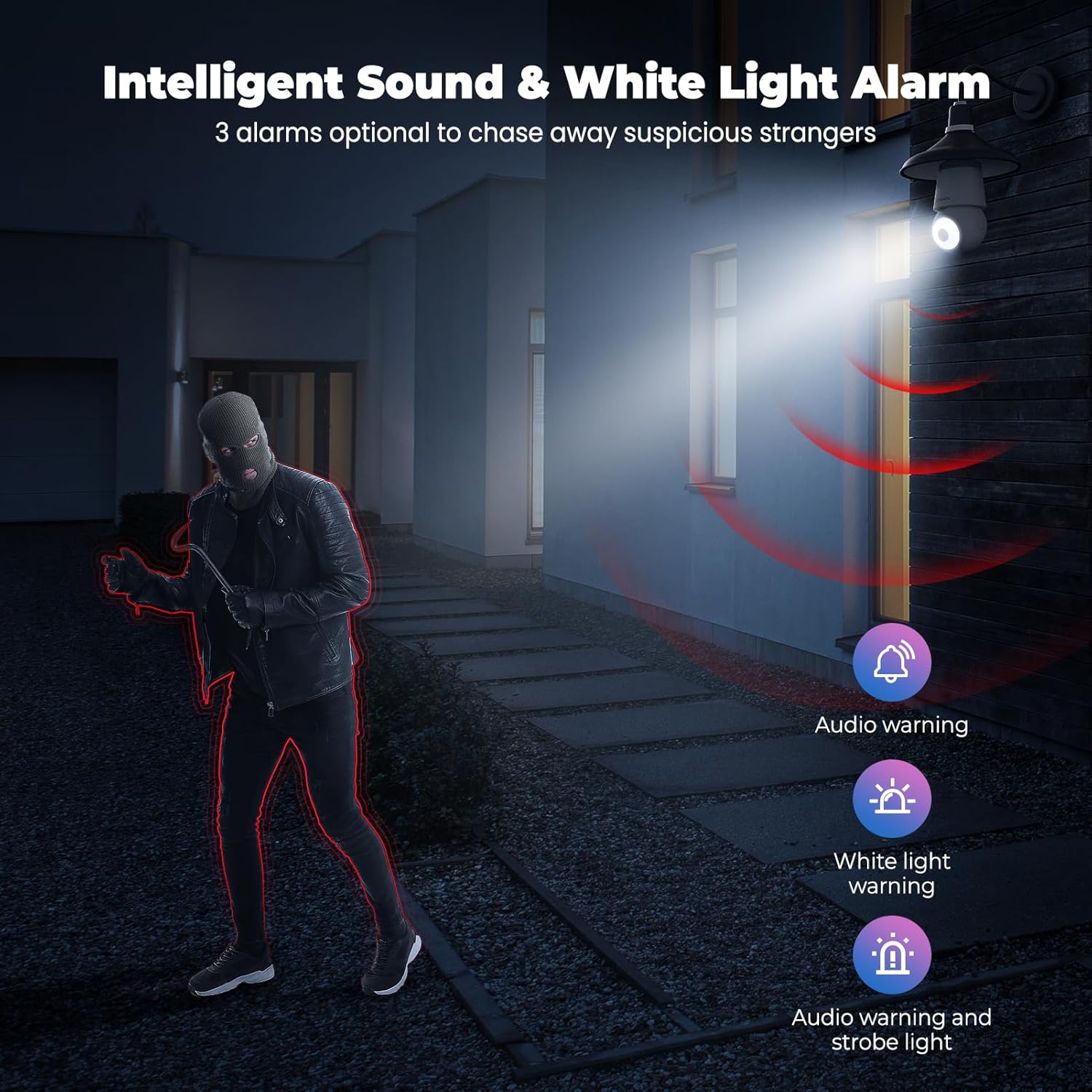
Image: An indoor scene demonstrating motion detection and auto-tracking, with dashed lines indicating the camera's pan and tilt range and boxes highlighting moving cats being tracked.

Image: An outdoor scene illustrating Human AI Intelligent Analytics, showing the camera's ability to detect and differentiate between a person, animal, car, and package.
6.4 การมองเห็นตอนกลางคืน
The camera provides clear surveillance even in low-light conditions with its color night vision capability.
- กล้องจะเปลี่ยนเป็นโหมดมองเห็นในเวลากลางคืนโดยอัตโนมัติเมื่อแสงสว่างโดยรอบไม่เพียงพอ
- Color night vision provides more detail than traditional black and white infrared night vision.

Image: A side-by-side comparison showing the superior detail and color provided by the camera's color night vision feature compared to standard black and white night vision in a low-light outdoor setting.
6.5 สัญญาณเตือนด้วยเสียงและแสง
Configure the camera to trigger an audible alarm and/or flashing white light upon detection of suspicious activity.
- In the app settings, enable the sound and light alarm features.
- Choose from audio warning, white light warning, or a combination of both.
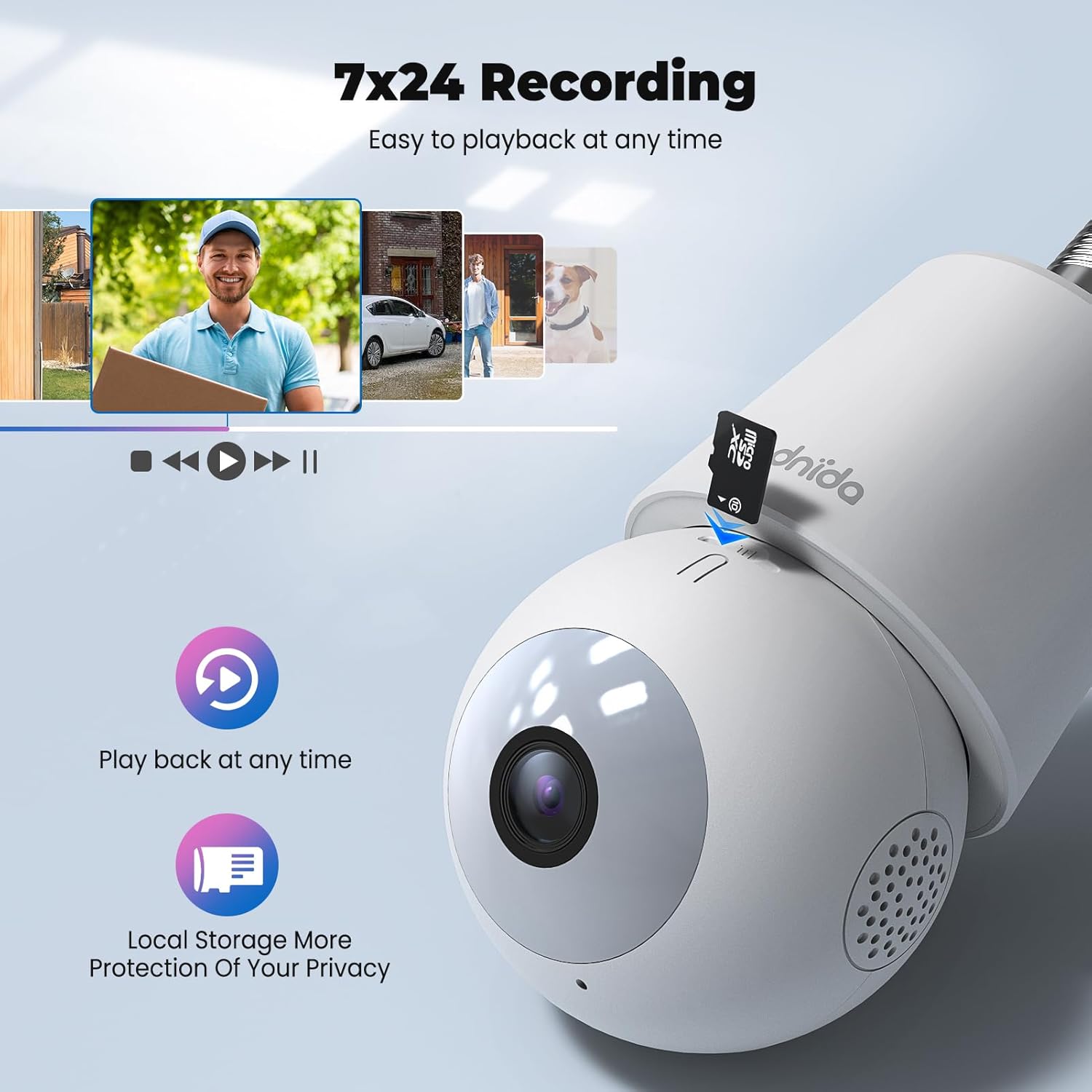
Image: An illustration depicting the intelligent sound and white light alarm feature, showing a bright light and red sound waves emanating from the camera towards a masked figure, with options for audio warning, white light warning, and audio warning with strobe light.
6.6 การบันทึกและการเก็บรักษา
The camera supports 24/7 recording and offers both local and cloud storage options.
- การ์ด Micro SD: Insert a Micro SD card (16GB to 128GB, not included) into the designated slot for local storage. Ensure the card is formatted correctly via the app.
- การเก็บข้อมูลบนคลาวด์: Cloud storage options may be available through the CloudEdge app (subscription may be required).
- การเข้าถึงที่บันทึกไว้ footage via the "History" or "Playback" section in the app.

ภาพ: ภาพระยะใกล้ view of the Codnida camera showing the Micro SD card slot, with icons indicating playback functionality and local storage benefits.

Image: A detailed diagram highlighting the key components of the Codnida camera, including the E27 base, TF card slot, reset button, loudspeaker, working indicator light, lens, and microphone.
6.7 การแชร์อุปกรณ์
Share access to your camera with family members or trusted individuals through the CloudEdge app.
- In the app, navigate to the device settings and find the "Share Device" option.
- You can share by scanning a QR code or by entering the recipient's registered CloudEdge account.

Image: An illustration demonstrating the device sharing feature within the CloudEdge app, showing options to share via QR code or by entering another user's registered account.
7. การบำรุงรักษา
- การทำความสะอาด: เช็ดเลนส์และตัวกล้องเบาๆ ด้วยผ้าแห้งเนื้อนุ่ม ห้ามใช้สารเคมีรุนแรงหรือน้ำยาทำความสะอาดที่มีฤทธิ์กัดกร่อน
- อัพเดตเฟิร์มแวร์: Regularly check the CloudEdge app for firmware updates to ensure optimal performance and security.
- การจัดการการ์ด SD: รีเป็นระยะๆview และจัดการ foo ที่บันทึกไว้tage on your Micro SD card to prevent it from becoming full.
8 การแก้ไขปัญหา
| ปัญหา | วิธีแก้ปัญหาที่เป็นไปได้ |
|---|---|
| กล้องไม่สามารถเชื่อมต่อกับ Wi-Fi ได้ |
|
| คุณภาพวิดีโอไม่ดี |
|
| ระบบตรวจจับความเคลื่อนไหวทำงานผิดปกติ หรือมีการแจ้งเตือนผิดพลาดมากเกินไป |
|
| Cannot hear audio or two-way audio not functioning. |
|
9. การรับประกันและการสนับสนุน
For warranty information and technical support, please refer to the official Codnida webหรือติดต่อฝ่ายบริการลูกค้าโดยตรง โปรดเก็บใบเสร็จรับเงินไว้เป็นหลักฐานการซื้อสำหรับการเรียกร้องการรับประกัน
ผู้ผลิต: คอดนิด้า
ติดต่อ: Refer to Codnida's official support channels for assistance.
แหล่งข้อมูลออนไลน์: เยี่ยมชม Codnida Store on Amazon for product updates and additional information.


