1. บทนำ
The ZEBRONICS Pulse Wireless Mouse is designed for versatile and comfortable use across various devices. Featuring multi-connectivity options including dual Bluetooth and a 2.4GHz USB nano receiver, it offers seamless switching between systems. Its ergonomic design and 1200 DPI optical sensor ensure precise and smooth cursor control for enhanced productivity.

ภาพที่ 1.1: ด้านบน view of the ZEBRONICS Pulse Wireless Mouse, showcasinด้วยดีไซน์สีดำเงาและล้อเลื่อน
2. เนื้อหาบรรจุภัณฑ์
โปรดตรวจสอบว่าสินค้าทั้งหมดมีอยู่ในแพ็คเกจของคุณ:
- ZEBRONICS Pulse Wireless Mouse
- ตัวรับสัญญาณนาโน USB
- คู่มือการใช้งาน
3. คุณสมบัติหลัก
- การเชื่อมต่อหลายจุด: Supports dual Bluetooth and 2.4GHz wireless connections.
- ความแม่นยำสูง: 1200 DPI optical sensor for accurate tracking.
- การออกแบบตามหลักสรีรศาสตร์: Comfortable and lightweight for extended use.
- 3 ปุ่ม: Standard left, right, and scroll wheel buttons.
- Removable USB Nano Receiver: Conveniently stored in the mouse's bottom panel.
- ความเข้ากันได้กว้าง: Works with desktop PCs, laptops, Mac OS, tablets, and more.
- ประหยัดพลังงาน: Features an auto-shutoff function to conserve battery life.

Image 3.1: A visual summary of the mouse's key features, including its comfortable design, power switch, plug-and-play functionality, and high precision.
4. คู่มือการติดตั้ง
4.1. การติดตั้งแบตเตอรี่
- Flip the mouse over to access the bottom panel.
- หาฝาปิดช่องใส่แบตเตอรี่แล้วเลื่อนเปิดออก
- ใส่แบตเตอรี่ AA หนึ่งก้อน โดยตรวจสอบให้แน่ใจว่าขั้วถูกต้อง (+/-)
- ปิดฝาช่องใส่แบตเตอรี่ให้แน่น
4.2. Connecting via 2.4GHz USB Nano Receiver
- Locate the USB nano receiver stored in the slot on the bottom of the mouse.
- นำตัวรับสัญญาณออกจากช่องเก็บ
- Plug the USB nano receiver into an available USB port on your computer or laptop.
- เลื่อนสวิตช์เปิด/ปิดที่ด้านล่างของเมาส์ไปที่ตำแหน่ง 'เปิด'
- The mouse should automatically connect. If not, press the connection toggle button on the bottom of the mouse to select the 2.4GHz mode (indicated by '2.4G').

Image 4.1: The underside of the mouse, highlighting the battery slot, nano receiver storage, power switch, and connection toggle button.

Image 4.2: The USB nano receiver plugged into a laptop, demonstrating the 2.4GHz wireless connection.
4.3 การเชื่อมต่อผ่านบลูทูธ (BT1 / BT2)
- Ensure the mouse has a fresh battery and the power switch is in the 'ON' position.
- Press the connection toggle button on the bottom of the mouse to select either 'BT1' or 'BT2' mode. The corresponding LED indicator will blink.
- On your device (laptop, tablet, etc.), go to Bluetooth settings.
- ค้นหา new devices. The mouse should appear as 'ZEB-PULSE' or similar.
- Select the mouse to pair. Once paired, the LED indicator will stop blinking and remain solid for a few seconds before turning off.
- You can pair a second device using the other Bluetooth channel (BT2) by repeating steps 2-5.
5. คู่มือการใช้งาน
5.1. ฟังก์ชั่นพื้นฐาน
- ปุ่มซ้าย: ฟังก์ชั่นคลิกหลัก
- ปุ่มขวา: ฟังก์ชันคลิกเสริม (เมนูบริบท)
- ล้อเลื่อน: ฟังก์ชันเลื่อนขึ้น/ลง และคลิกกลาง

Image 5.1: Illustration of the mouse's three buttons: left, right, and the scroll wheel/middle button.
5.2 การสลับโหมดการเชื่อมต่อ
To switch between the 2.4GHz wireless mode and Bluetooth modes (BT1, BT2), press the connection toggle button located on the bottom of the mouse. The mouse will cycle through the available modes, indicated by the corresponding LED.
5.3. การตั้งค่า DPI
The ZEBRONICS Pulse mouse operates at a fixed 1200 DPI (Dots Per Inch), providing a balance of speed and precision suitable for general use. This setting ensures smooth and responsive cursor movement.

Image 5.2: Visual representation of the mouse's 1200 DPI precision for accurate tracking.
6. การบำรุงรักษา
- การทำความสะอาด: ใช้ผ้านุ่มและแห้งเช็ดทำความสะอาดเมาส์ หลีกเลี่ยงการใช้สารเคมีรุนแรงหรือวัสดุที่มีฤทธิ์กัดกร่อน
- การเปลี่ยนแบตเตอรี่: ควรเปลี่ยนแบตเตอรี่ AA เมื่อประสิทธิภาพการทำงานของเมาส์ลดลงหรือหยุดทำงาน
- พื้นที่จัดเก็บ: When not in use for extended periods, turn off the mouse to conserve battery life. Store the USB nano receiver in its dedicated slot on the mouse's bottom.
- สิ่งแวดล้อม: ควรหลีกเลี่ยงการวางเมาส์ไว้ในที่ที่มีอุณหภูมิสูงหรือต่ำเกินไป แสงแดดโดยตรง หรือความชื้นมากเกินไป
7 การแก้ไขปัญหา
7.1. เมาส์ไม่ตอบสนอง
- Ensure the mouse is turned 'ON'.
- ตรวจสอบแบตเตอรี่ เปลี่ยนแบตเตอรี่หากจำเป็น
- For 2.4GHz connection: Ensure the USB nano receiver is securely plugged into a working USB port and the mouse is in 2.4GHz mode.
- For Bluetooth connection: Ensure Bluetooth is enabled on your device and the mouse is in the correct BT1/BT2 mode. Try re-pairing the mouse.
- Try connecting the mouse to a different USB port or a different device to rule out port or device issues.
7.2. การเคลื่อนที่ของเคอร์เซอร์ผิดปกติ
- เช็ดทำความสะอาดเซ็นเซอร์แสงที่อยู่ด้านล่างของเมาส์ด้วยผ้าแห้งนุ่มๆ
- โปรดตรวจสอบให้แน่ใจว่าคุณใช้เมาส์บนพื้นผิวที่สะอาดและไม่สะท้อนแสง
- ตรวจสอบสัญญาณรบกวนจากอุปกรณ์ไร้สายอื่นๆ
7.3. Difficulty Switching Modes
- ตรวจสอบให้แน่ใจว่าแบตเตอรี่มีพลังงานเพียงพอ
- Press the connection toggle button firmly and observe the LED indicators to confirm mode changes.
8. ข้อมูลจำเพาะ
| คุณสมบัติ | รายละเอียด |
|---|---|
| ยี่ห้อ | ม้าลาย |
| แบบอย่าง | Zeb-Pulse |
| เทคโนโลยีการเชื่อมต่อ | Wireless (2.4GHz, Dual Bluetooth) |
| เทคโนโลยีตรวจจับการเคลื่อนไหว | ออฟติคอล |
| ดีพีไอ | 1200 |
| จำนวนปุ่ม | 3 |
| แหล่งพลังงาน | ใช้พลังงานจากแบตเตอรี่ (1x AA) |
| น้ำหนักสินค้า | 160 กรัม |
| ขนาดสินค้า | 16.6 x 9.5 x 0.1 ซม. |
| ความเข้ากันได้ของระบบปฏิบัติการ | Windows, Mac OS, etc. |
| ประเทศต้นกำเนิด | จีน |
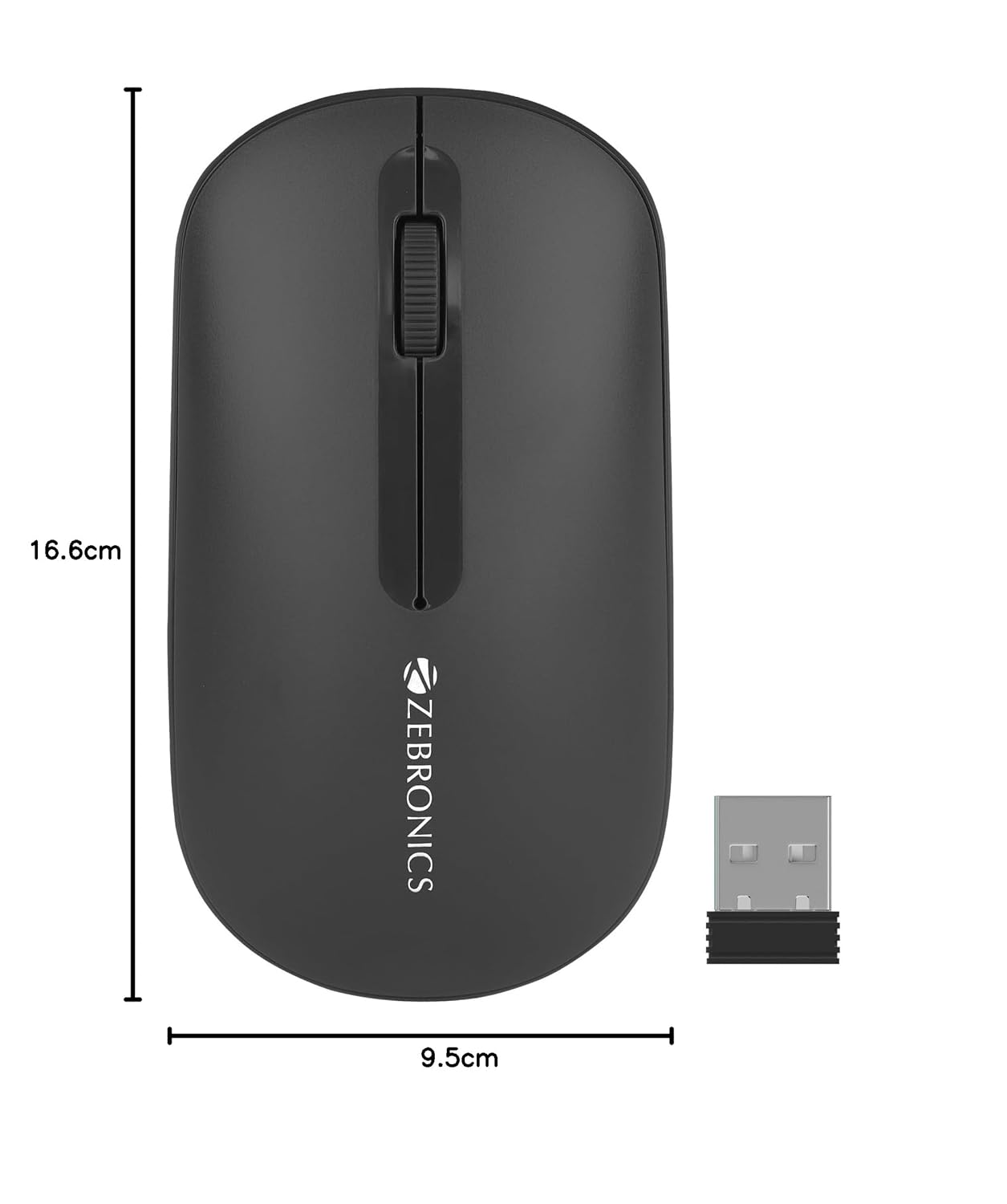
Image 8.1: Diagram showing the physical dimensions of the ZEBRONICS Pulse Wireless Mouse.
9. การรับประกันและการสนับสนุน
For warranty information, technical support, or service inquiries, please refer to the warranty card included with your product or visit the official ZEBRONICS webไซต์ โปรดเก็บใบเสร็จรับเงินไว้เป็นหลักฐานการซื้อสำหรับการเรียกร้องการรับประกัน
Official ZEBRONICS Webเว็บไซต์: www.zebronics.com


