1. ข้อมูลด้านความปลอดภัยที่สำคัญ
Please read all instructions before using this product. Keep this manual for future reference.
- จำเป็นต้องมีการประกอบสำหรับผู้ใหญ่: This product contains small parts prior to assembly. Adult supervision is required during assembly and play.
- คำแนะนำด้านอายุ: Intended for children aged 12 to 36 months.
- น้ำหนักจำกัด: Maximum user weight is 42 pounds (19 kg).
- ความปลอดภัยของแบตเตอรี่: Requires 2 AA batteries. Batteries included are for demo purposes only; new batteries are recommended for regular use. Ensure batteries are inserted with correct polarity (+/-). Do not mix old and new batteries or different types of batteries. Remove exhausted batteries promptly.
- การกำกับดูแล: Always supervise children during play to prevent falls or injuries.
- สภาพแวดล้อมการใช้งาน: Use on flat, stable surfaces. Avoid stairs, inclines, or uneven terrain.
2. อะไรอยู่ในกล่อง
ตรวจสอบว่าส่วนประกอบทั้งหมดอยู่ครบก่อนเริ่มประกอบ:
- VTech 2-in-1 Map and Go Scooter (main body)
- คู่มือเริ่มต้นอย่างรวดเร็ว

Image: The product packaging, highlighting the 2-in-1 functionality and key features.
3. การติดตั้งและการประกอบ
3.1 การติดตั้งแบตเตอรี่
- Locate the battery compartment, typically on the underside or dashboard of the scooter.
- ใช้ไขควงปากแฉกคลายสกรูที่ฝาปิดช่องใส่แบตเตอรี่ออก
- Insert 2 new AA batteries, ensuring correct polarity (+ and -).
- ใส่ฝาครอบกลับเข้าไปและขันสกรูให้แน่น
3.2 Transforming from Trike to Scooter
The VTech 2-in-1 Map and Go Scooter is designed to grow with your child, transforming from a stable three-wheeled trike to a two-wheeled scooter.
- Trike Mode (Initial Setup): The product comes pre-assembled in trike mode, providing maximum stability for younger toddlers. Ensure the rear wheels are spread wide for a stable base.
- Scooter Mode Transformation: When your child is ready for more advanced balance and coordination, the rear wheels can be adjusted. Locate the locking mechanism near the rear axle. Follow the specific instructions in the Quick Start Guide to safely bring the two rear wheels closer together, forming a single, wider wheel for scooter mode. Ensure the mechanism clicks securely into place.

Image: The scooter in its stable trike configuration, viewเอ็ดจากด้านข้าง
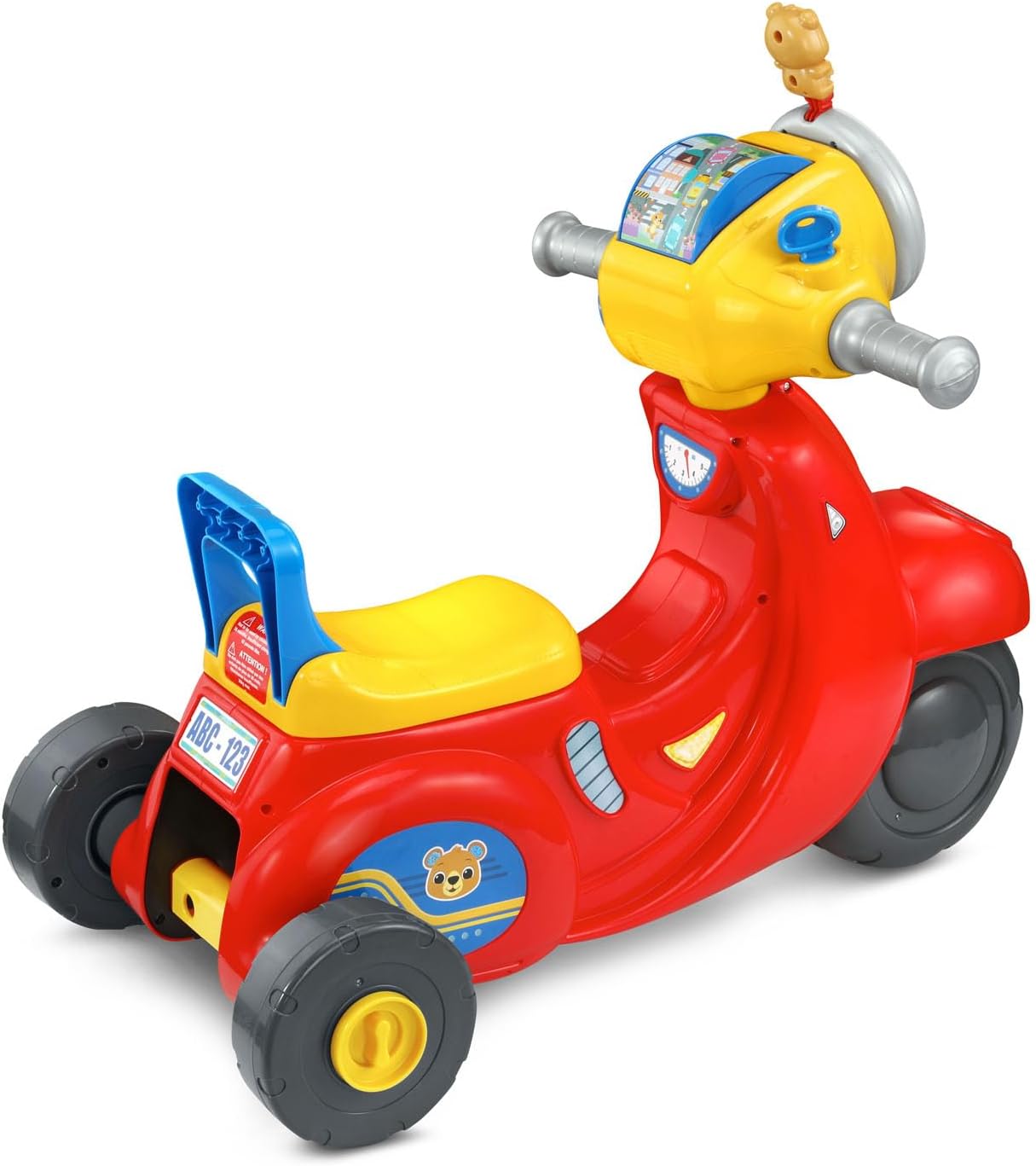
ภาพ: ด้านหลัง view of the scooter, showing the wide-set wheels for trike mode.
4. คู่มือการใช้งาน
Familiarize yourself with the interactive features of the scooter's dashboard.
4.1 เปิด/ปิดเครื่อง
- Locate the power switch, usually on the dashboard. Slide it to the 'On' position to activate the toy.
- To conserve battery life, slide the switch to the 'Off' position when not in use.
4.2 Interactive Dashboard Features
- กุญแจจุดระเบิด: Turn the ignition key to hear realistic engine sounds, enhancing imaginative play.
- Roller Map: Explore different locations by spinning the roller map.
- วงแหวนไฟหน้า: Twist the outer headlight ring to activate various sounds and phrases, including those from the Bear character.
- ปุ่มบนแดชบอร์ด: Press the various buttons on the dashboard to hear counting, traffic and road safety phrases, as well as engaging songs and melodies.
- Directional Buttons (Left/Right): Press the 'Left' or 'Right' buttons to hear corresponding directional cues and sounds.
- ปุ่มแตร: Press the horn button to activate a horn sound.
4.3 Motion-Activated Sounds
The scooter features motion-activated motor sounds that engage as the child rides, adding to the immersive play experience.
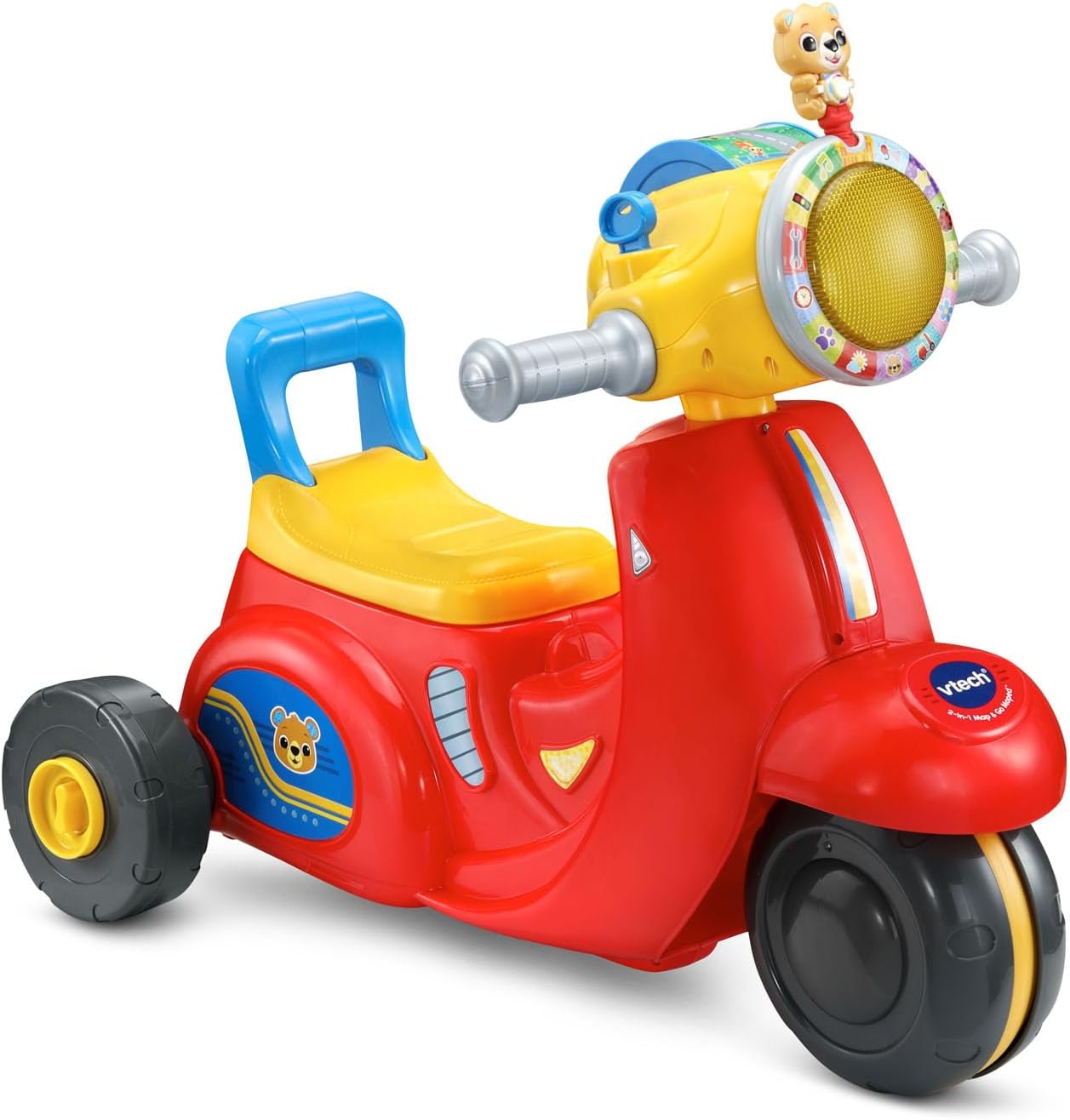
ภาพ: ภาพรวม view of the VTech 2-in-1 Map and Go Scooter, showcasing its vibrant colors and dashboard.

Image: A young child seated on the scooter in trike mode, demonstrating its use.
5. การบำรุงรักษา
5.1 การทำความสะอาด
เช็ดของเล่นด้วยโฆษณาamp cloth and mild soap. Do not immerse the toy in water. Avoid using harsh cleaners or abrasives.
5.2 พื้นที่จัดเก็บ
Store the scooter in a cool, dry place away from direct sunlight. If storing for an extended period, remove the batteries to prevent leakage.
6 การแก้ไขปัญหา
| ปัญหา | สาเหตุที่เป็นไปได้ | สารละลาย |
|---|---|---|
| ของเล่นเปิดไม่ติดหรือไม่มีเสียง | แบตเตอรี่เหลือน้อยหรือติดตั้งไม่ถูกต้อง | Check battery polarity. Replace with new AA batteries. Ensure the power switch is in the 'On' position. |
| Sounds are distorted or intermittent. | พลังงานแบตเตอรี่ต่ำ | เปลี่ยนแบตเตอรี่ AA ใหม่ |
| ล้อไม่หมุนอย่างราบรื่น | Debris caught in wheels or worn wheels. | Inspect wheels for any obstructions and remove them. Ensure the toy is used on appropriate surfaces. |
7. ข้อมูลจำเพาะ
- ขนาดสินค้า : 14.48 x 23.26 x 21.06 นิ้ว (36.78 x 59.08 x 53.49 ซม.)
- น้ำหนักสินค้า: 6.42 ปอนด์ (2.91 กก.)
- หมายเลขรุ่นสินค้า: 80-572360
- อายุที่แนะนำของผู้ผลิต: 12 เดือน - 3 ปี
- แบตเตอรี่: ต้องใช้แบตเตอรี่ AA 2 ก้อน (มีให้ในตัวอย่าง)
- ความจุน้ำหนักสูงสุด: 42 ปอนด์ (19 กก.)
- วันที่วางจำหน่าย: 23 กรกฎาคม 2025
8. การรับประกันและการสนับสนุน
For warranty information or technical support regarding your VTech 2-in-1 Map and Go Scooter, please contact VTech customer service directly. Refer to the contact details provided on the product packaging or visit the official VTech webเว็บไซต์สำหรับข้อมูลสนับสนุนล่าสุด
VTech อย่างเป็นทางการ Webเว็บไซต์: www.vtechkids.com


