1. บทนำ
This manual provides detailed instructions for the installation, operation, and maintenance of your THINKWARE Q200 Dash Cam. Please read this manual thoroughly before using the device to ensure proper functionality and safety.
2. สินค้าหมดview
The THINKWARE Q200 is a high-performance 2K QHD dash camera designed to capture clear video evidence and enhance driving safety. Key features include:
- 2K QHD Recording: Captures clear evidence at 30fps with WDR and Super Night Vision 2.0.
- Distortion-Free 125° Wide Angle: Dewarped lens covers more of the road without fisheye effects.
- ชุดระบบเฝ้าระวังที่จอดรถอัจฉริยะ: Automatically records motion or impacts while parked, with Time Lapse or Energy Saving modes.
- Incident Lock & File ความซื่อสัตย์: Built-in 3-axis G-sensor auto-saves critical footage.
- Wi-Fi App Control: Connect via the THINKWARE DASH CAM LINK app for settings adjustment and footagดาวน์โหลด
3. อะไรอยู่ในกล่อง
ตรวจสอบว่าส่วนประกอบทั้งหมดมีอยู่ก่อนดำเนินการติดตั้ง:
- กล้องติดรถยนต์
- 3M Windshield Mount with Spare Tape
- เคเบิ้ล 12V Car Charger
- สายเคเบิลฮาร์ดไวร์
- Adhesive Cable Holders
- คู่มือเริ่มต้นอย่างรวดเร็ว
- ข้อมูล CS
- การ์ด MicroSD ขนาด 32GB

Image: All components included in the THINKWARE Q200 Dash Cam package.
4. การตั้งค่าและการติดตั้ง
Proper installation ensures optimal performance and recording coverage. It is recommended to install the dash cam near the center of your windshield, behind the rearview กระจก เพื่อไม่ให้บดบังทัศนวิสัยของคุณ view.
4.1 การติดตั้ง Dash Cam
- Clean the windshield surface where the dash cam will be mounted.
- Attach the 3M adhesive pad to the windshield mount.
- Securely attach the mount with the dash cam to the chosen location on the windshield.
- ปรับมุมกล้องให้ชัด view ของถนนข้างหน้า
4.2 การเชื่อมต่อสายไฟ
The Q200 can be powered via the included 12V car charger cable or the hardwiring cable for continuous parking surveillance.
- ที่ชาร์จในรถยนต์ 12V: Plug the cable into your vehicle's cigarette lighter socket and the dash cam's power input.
- สายเคเบิลแบบต่อตรง: For parking mode functionality, connect the hardwiring cable to your vehicle's fuse box. Professional installation is recommended for this method.
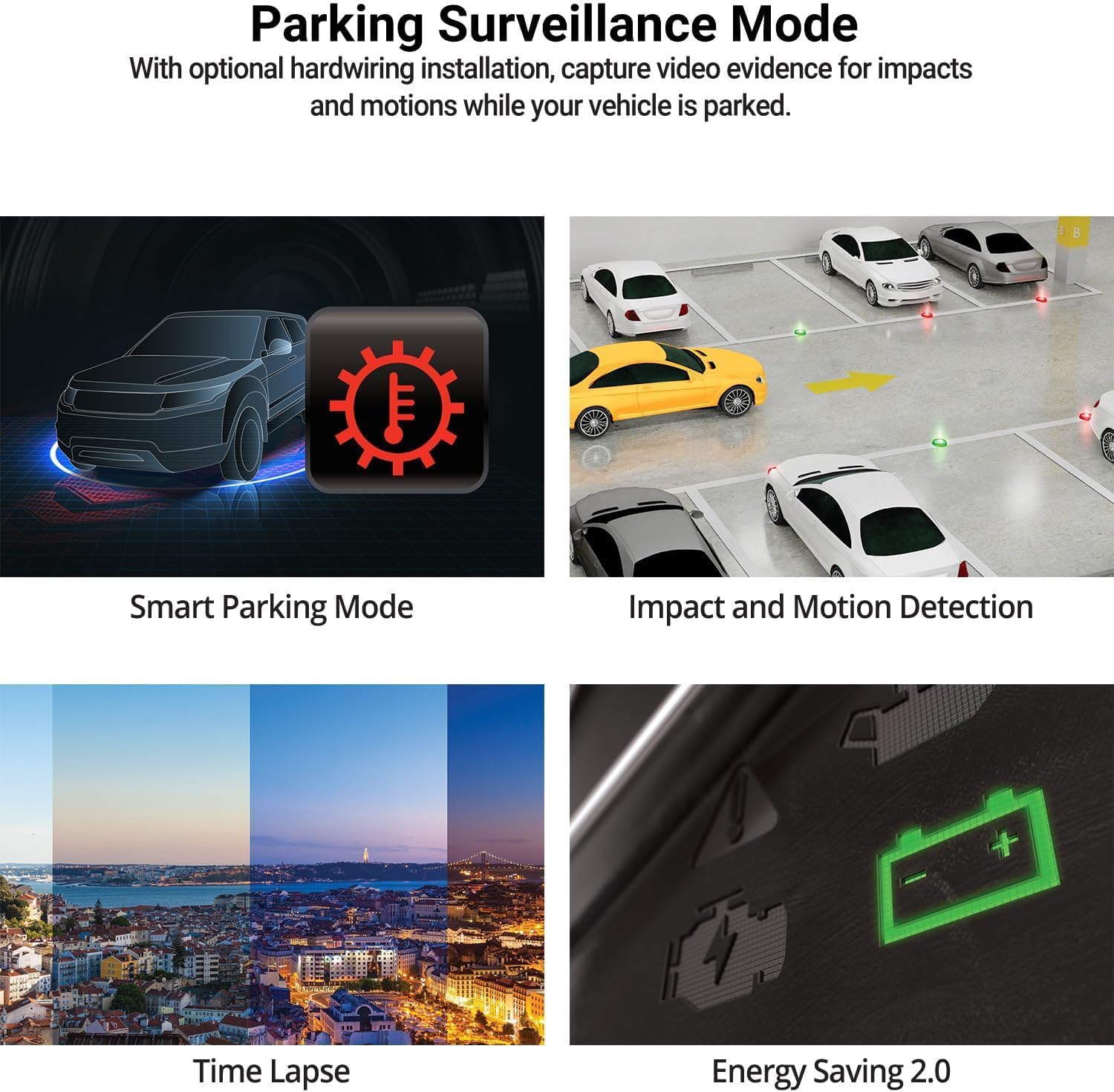
Image: The THINKWARE Q200 Dash Cam installed on a vehicle's windshield.
วิดีโอ: จบแล้วview of the THINKWARE Q200 Dash Cam, demonstrating its features and installation.
5. คู่มือการใช้งาน
5.1 การบันทึกอัตโนมัติ
The Q200 Dash Cam automatically powers on and begins continuous recording when the vehicle's ignition is turned on. It will power off automatically when the ignition is turned off.
5.2 โหมดการบันทึก
- การบันทึกต่อเนื่อง: Standard recording while driving.
- การบันทึกเหตุการณ์: Triggered by the built-in G-sensor upon impact, saving a 20-second clip (10 seconds before and 10 seconds after the event) to a protected folder.
- การบันทึกด้วยตนเอง: Press the REC button to manually initiate an incident recording.
6. โหมดเฝ้าระวังการจอดรถ
When connected via the hardwiring cable (or optional OBD II cable), the Q200 automatically switches to Parking Surveillance Mode when the ignition is off, providing continuous protection for your parked vehicle.
- การตรวจจับการเคลื่อนไหวและแรงกระแทก: Records video when motion or impact is detected around the vehicle.
- ไทม์แลปส์: Records at 2 frames per second to minimize storage space, ideal for prolonged parking.
- โหมดประหยัดพลังงาน: Reduces power consumption by recording only when impacts are detected, extending parking surveillance duration.
- โหมดจอดรถอัจฉริยะ: Automatically disables power during high temperatures to prevent overheating and resumes recording seamlessly.

Image: Visual representation of the various parking surveillance features.
7. การควบคุมผ่านแอป Wi-Fi
The THINKWARE DASH CAM LINK app (available on iOS and Android) allows you to connect to your Q200 Dash Cam via Wi-Fi for convenient control and access to recordings.
- Download the THINKWARE DASH CAM LINK app from your device's app store.
- เปิดใช้งาน Wi-Fi บนสมาร์ทโฟนของคุณและเชื่อมต่อกับเครือข่าย Wi-Fi ของกล้องติดรถยนต์
- Use the app to adjust settings, view อยู่ footagและดาวน์โหลดวิดีโอที่บันทึกไว้ลงโทรศัพท์ของคุณได้โดยตรง

Image: The THINKWARE DASH CAM LINK app interface on a smartphone.
8. Advanced Driver Assistance System (ADAS) & Safety Camera Alerts
The Q200 features ADAS functions and safety camera alerts to assist drivers and enhance road safety. An optional GPS module is required for full ADAS functionality and safety camera alerts.
- ระบบเตือนการออกตัวของรถคันหน้า (FVDW): Alerts when the vehicle in front starts to move.
- ระบบเตือนการชนด้านหน้า (FCWS): Warns of potential forward collisions based on speed and distance.
- ระบบเตือนออกนอกเลน (LDWS): Alerts if the vehicle drifts from its lane.
- Safety Camera Alerts: Provides real-time alerts for speed cameras and red light cameras.

Image: Illustration of ADAS and safety camera alert features.
9. Video Quality Features
The Q200 is equipped with advanced video technology to ensure high-quality recordings in various conditions.
- 2K QHD Recording: Captures video at 2560x1440 resolution at 30 frames per second, providing clear and detailed footage.
- Super Night Vision 2.0: Enhances video brightness and reduces noise in low-light environments for improved night recordings.
- ช่วงไดนามิกกว้าง (WDR): Corrects images for optimal color balance and clarity in challenging lighting conditions, such as strong sunlight or shadows.
- Smart Auto-Exposure (AE): Automatically adjusts exposure to ensure clear footage, especially when facing bright headlights or direct sunlight.
- Dewarping Video Technology: Provides a distortion-free 125-degree wide-angle view, preserving clarity across the entire frame.

ภาพ: อดีตamples of 2K QHD video quality in various lighting conditions.
10. การบำรุงรักษา
- การจัดการการ์ด MicroSD: Regularly format the microSD card to prevent data corruption and ensure optimal recording performance. Replace the card periodically (e.g., every 6-12 months) as they have a limited lifespan.
- การทำความสะอาดเลนส์: Keep the camera lens clean using a soft, lint-free cloth to ensure clear video recordings.
- อัพเดตเฟิร์มแวร์: ตรวจสอบ THINKWARE website for the latest firmware updates to ensure your dash cam has the most current features and bug fixes.
11 การแก้ไขปัญหา
| ปัญหา | วิธีแก้ปัญหาที่เป็นไปได้ |
|---|---|
| กล้องติดรถยนต์ไม่สามารถเปิดได้ | Check the power cable connection to the dash cam and the vehicle's power source. Ensure the vehicle's ignition is on if using the 12V car charger. If hardwired, check fuse connections. |
| Recording is not working. | Ensure a microSD card is inserted and properly formatted. Check if the card is full; if so, format it or replace it. Verify the recording mode settings via the app. |
| ปัญหาการเชื่อมต่อ Wi-Fi | Restart the dash cam and your smartphone. Ensure you are within range of the dash cam's Wi-Fi signal. Re-establish the connection through the THINKWARE DASH CAM LINK app. |
| คุณภาพวิดีโอไม่ดี | Clean the camera lens. Ensure the protective film has been removed. Check the video resolution settings in the app. |
12. ข้อมูลจำเพาะ
| คุณสมบัติ | รายละเอียด |
|---|---|
| ขนาดสินค้า | 0.87 x 3.88 x 1.34 นิ้ว |
| น้ำหนักสินค้า | 2.56 ออนซ์ |
| หมายเลขรุ่นสินค้า | TW-Q200CH |
| เทคโนโลยีการเชื่อมต่อ | ไวไฟ |
| คุณสมบัติพิเศษ | จีเซนเซอร์ |
| คุณสมบัติการแสดงผลอื่น ๆ | ไร้สาย |
| สี | 1CH Front |
| ผู้ผลิต | คิดแคร์ |
| ชื่อรุ่น | คำถามที่ 200 |
| ประเภทบริการยานพาหนะ | Bus, Car, Minivan, RV, Truck |
| ความละเอียดในการจับภาพวิดีโอ | 1440p |
| ประเภทการติดตั้ง | ที่ยึดกระจกหน้า |
| ที่ดินของ View | 125 องศา |
13. การรับประกันและการสนับสนุน
The THINKWARE Q200 Dash Cam comes with a standard manufacturer's warranty. For specific warranty terms, conditions, and duration, please refer to the warranty information included in your product packaging or visit the official THINKWARE webเว็บไซต์.
For technical support, troubleshooting assistance, or service inquiries, please contact THINKWARE customer support through their official channels. Contact information can typically be found in the Quick Start Guide or on the THINKWARE webเว็บไซต์.


