การแนะนำ
The Majority Naga 80 Sound Bar is designed to enhance your home audio experience with powerful 140W peak output and 2.1 channel sound. Featuring advanced 3D surround sound technology and a built-in subwoofer, it delivers rich, clear audio for movies, gaming, and music. This manual provides detailed instructions for setup, operation, and maintenance of your sound bar.

The Naga 80 TV Soundbar delivers powerful, high-quality sound to elevate your home entertainment.
มีอะไรอยู่ในกล่อง
โปรดตรวจสอบสิ่งของภายในบรรจุภัณฑ์ของคุณอย่างละเอียด หากมีสิ่งของใดสูญหายหรือเสียหาย โปรดติดต่อฝ่ายสนับสนุนลูกค้า
- ซาวด์บาร์ Naga 80
- คู่มือการใช้งาน
- รีโมทคอนโทรล
- ตัวยึดผนัง
- HDMI, AUX, and Power cables
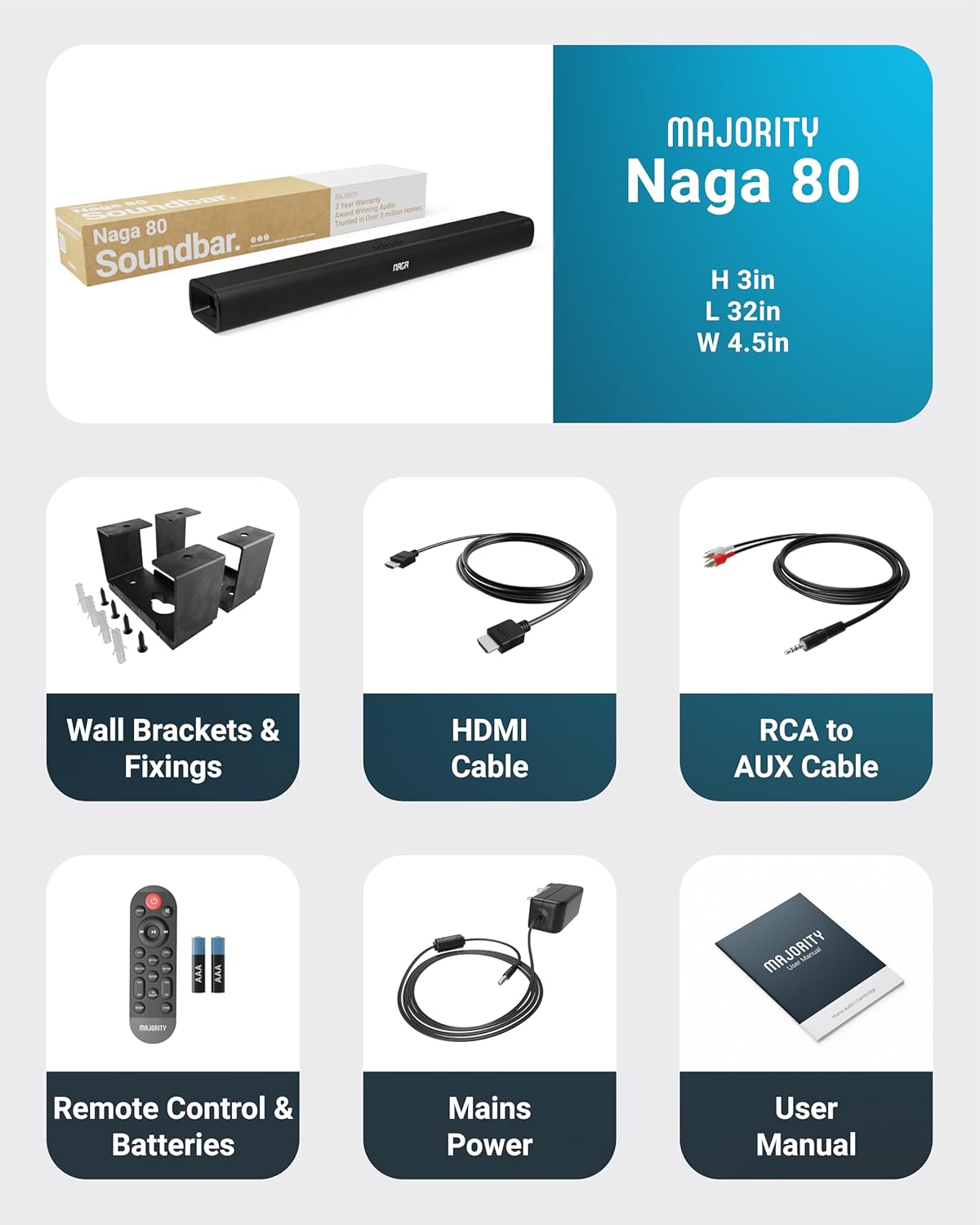
All items included in the Naga 80 Sound Bar package.
การตั้งค่า
การเชื่อมต่อกับพลังงาน
- Ensure the sound bar is placed on a stable surface or securely wall-mounted.
- Connect the power adapter to the DC 24V input port on the back of the sound bar.
- เสียบอะแดปเตอร์ไฟฟ้าเข้ากับเต้ารับไฟฟ้าที่ผนัง
การเชื่อมต่อเสียง
The Naga 80 Sound Bar offers multiple connectivity options for your devices:
- อาร์ค HDMI: Connect an HDMI cable from the sound bar's ARC port to your TV's HDMI ARC port for high-quality audio and TV remote control integration.
- ออปติคัลใน: Use an optical cable to connect to your TV or other audio source for digital audio transmission.
- AUX ใน: Connect devices using the 3.5mm AUX cable for analog audio input.
- ยูเอสบี: เสียบไดรฟ์ USB เพื่อเล่นไฟล์เสียง files directly from the sound bar.
- บลูทูธ: Pair your smartphone, tablet, or other Bluetooth-enabled devices wirelessly.
สำคัญ: If you experience buzzing or static sound when using HDMI or Optical connections, adjust your TV's audio output settings to PCM (Pulse Code Modulation).

Rear panel connections of the Naga 80 Sound Bar.
จับคู่บลูทู ธ
- Press the 'Input' button on the sound bar or remote control until 'BT' appears on the display.
- On your device (smartphone, tablet), enable Bluetooth and search for 'Naga 80'.
- Select 'Naga 80' to pair. A confirmation sound will indicate successful pairing.
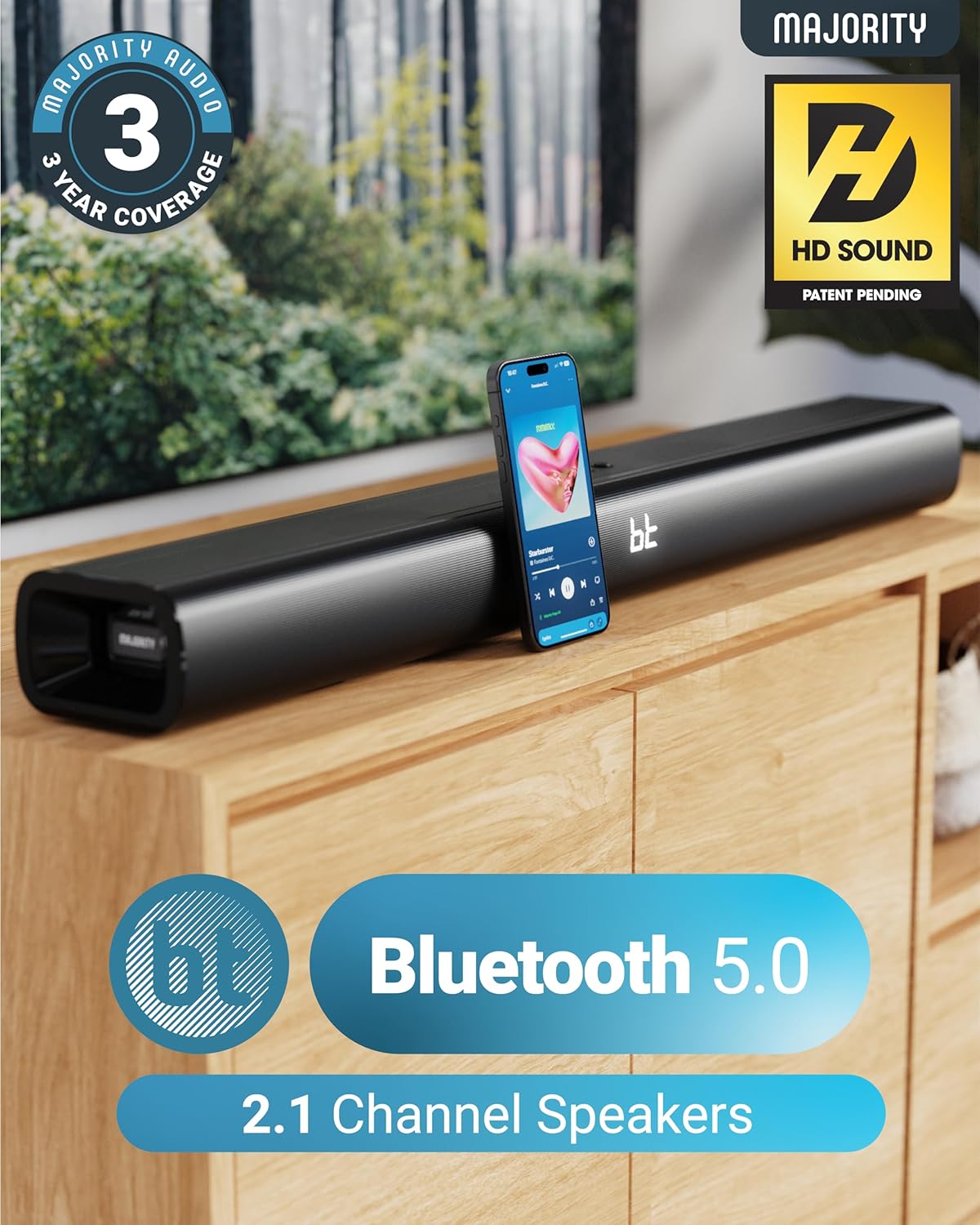
The Naga 80 Sound Bar supports Bluetooth 5.0 for wireless audio streaming.
คำแนะนำการใช้งาน
ฟังก์ชั่นการควบคุมระยะไกล
The included remote control allows full command over your sound bar's features:
- พลัง: เปิดหรือปิดแถบเสียง
- ป้อนข้อมูล: Cycle through input sources (HDMI ARC, Optical, AUX, USB, Bluetooth).
- ระดับเสียง +/-: ปรับระดับเสียงหลัก
- Play/Pause, Skip Tracks: Control media playback in Bluetooth or USB mode.
- โหมดเสียง: Select between Movie, Music, and Dialog modes.
- Bass +/- (BA+/-): ปรับระดับเสียงเบส
- Treble +/- (TR+/-): ปรับระดับเสียงแหลม
- 3D On/Off: Activate or deactivate 3D surround sound.
- รีเซ็ต: Reset audio settings to default.
- คู่: เริ่มการจับคู่บลูทูธ
The remote control provides comprehensive control over your sound bar.
โหมดเสียง
Optimize your audio experience with dedicated sound modes:
- โหมดภาพยนตร์: ช่วยเพิ่มประสิทธิภาพเสียงและบทสนทนาในภาพยนตร์ เพื่อประสบการณ์การรับชมภาพยนตร์ที่สมจริงยิ่งขึ้น
- โหมดเพลง: ให้คุณภาพเสียงที่สมดุลfile เหมาะกับดนตรีหลากหลายแนว.
- Dialog Mode: Prioritizes vocal clarity, making conversations easier to understand, especially in TV shows or news broadcasts.
การปรับเสียงทุ้มและเสียงแหลม
You can fine-tune the bass and treble levels to your preference using the remote control. Both settings can be adjusted from -4 to +4, with 0 being the default. Use the 'BA+/-' buttons for bass and 'TR+/-' buttons for treble.
การติดตั้งและการจัดวาง
ติดตั้งบนผนัง
The Naga 80 Sound Bar can be wall-mounted for a clean, space-saving setup. Use the included wall brackets and fixings. Ensure the mounting surface is sturdy enough to support the sound bar's weight (4.3 pounds).
Wall mount brackets for secure installation.
ข้อมูลจำเพาะ
| คุณสมบัติ | ข้อมูลจำเพาะ |
|---|---|
| ชื่อรุ่น | พญานาค 80 |
| ประเภทลำโพง | ซาวด์บาร์ |
| กำลังขับสูงสุดของลำโพง | 140 วัตต์ |
| การกำหนดค่าช่องเสียงรอบทิศทาง | 2.1 |
| เทคโนโลยีการเชื่อมต่อ | บลูทูธ, HDMI, ออปติคอล, AUX, USB |
| เทคโนโลยีการสื่อสารไร้สาย | บลูทูธ |
| ช่วงบลูทูธ | 10 เมตร |
| วิธีการควบคุม | ระยะไกล |
| ขนาดสินค้า | ลึก 31.8 นิ้ว x กว้าง 4.6 นิ้ว x สูง 3.06 นิ้ว |
| น้ำหนักสินค้า | 4.3 ปอนด์ |
| วัสดุ | Plastic (Enclosure), Metal (Subwoofer) |
| ส่วนประกอบที่รวมอยู่ | HDMI, AUX and Power cables, Naga 80 Soundbar, Remote, User Manual, Wall Brackets |
| แบตเตอรี่ | ต้องใช้แบตเตอรี่ AAA 2 ก้อน (รวมอยู่ด้วย) |
| ประเภทการติดตั้ง | ติดผนัง |
การซ่อมบำรุง
To ensure the longevity and optimal performance of your Majority Naga 80 Sound Bar, follow these maintenance guidelines:
- การทำความสะอาด: Use a soft, dry cloth to wipe the exterior of the sound bar. Avoid using abrasive cleaners, waxes, or solvents.
- การระบายอากาศ : Ensure proper ventilation around the sound bar to prevent overheating. Do not block any ventilation openings.
- พื้นที่จัดเก็บ: หากจะเก็บซาวด์บาร์ไว้เป็นเวลานาน ควรถอดปลั๊กออกและเก็บไว้ในที่แห้งและเย็น
การแก้ไขปัญหา
หากคุณพบปัญหาใดๆ กับซาวด์บาร์ โปรดดูปัญหาและวิธีแก้ไขที่พบบ่อยต่อไปนี้:
- ไม่มีไฟฟ้า: Ensure the power cable is securely connected to both the sound bar and a working power outlet. Check if the power adapter is functioning correctly.
- ไม่มีเสียง: Verify the correct input source is selected on the sound bar. Check all audio cables for secure connections. Ensure the volume is not muted or set too low on both the sound bar and your connected device.
- Buzzing/Static Sound (HDMI/Optical): Adjust your TV's HDMI/Optical audio output settings to PCM. Some TVs may default to other formats that are not compatible with the sound bar.
- ปัญหาการจับคู่บลูทูธ: Ensure the sound bar is in Bluetooth pairing mode. Turn off and on Bluetooth on your device, then try pairing again. Move your device closer to the sound bar to ensure it's within range (10 meters).
- รีโมทคอนโทรลไม่ทำงาน: Check the batteries in the remote control and replace them if necessary (2 AAA batteries). Ensure there are no obstructions between the remote and the sound bar.
การรับประกันและการสนับสนุน
The Majority Naga 80 Sound Bar comes with a ขยายการรับประกัน 3 ปี upon registration. For warranty registration, technical support, or further assistance, please visit the official Majority webเว็บไซต์หรือติดต่อฝ่ายบริการลูกค้าของพวกเขา
For more information and to register your product, visit: www.majority.co.uk


