1. บทนำ
This manual provides detailed instructions for the safe and effective use of your Retevis P62 IP68 Waterproof Dual Band Walkie Talkie. Please read this manual thoroughly before operating the device to ensure proper function and to prevent damage. The Retevis P62 is designed for reliable two-way communication in various environments, featuring robust construction and advanced functionalities.
2. เนื้อหาบรรจุภัณฑ์
ตรวจสอบว่าสินค้าทั้งหมดที่ระบุไว้ด้านล่างนี้รวมอยู่ในแพ็คเกจของคุณแล้ว หากมีสินค้าใดสูญหายหรือเสียหาย โปรดติดต่อฝ่ายสนับสนุนลูกค้า

Image: Contents of the Retevis P62 walkie talkie package.
- 2 x Retevis P62 Walkie Talkies
- แบตเตอรี่ลิเธียมไอออน 2 ก้อน ขนาด 2500 mAh
- แท่นชาร์จ 2 ชิ้น
- 2 x User Manuals (Multilingual)
- 2 x เข็มขัดคลิป
- สายคล้องมือ 2 เส้น
- สายชาร์จ Type-C 1 เส้น
3. คุณสมบัติของผลิตภัณฑ์
The Retevis P62 walkie talkie incorporates several features designed for reliable and efficient communication.
3.1. IP68 Waterproof and Dustproof Rating
The device is rated IP68, providing protection against dust ingress and immersion in water up to 1 meter for 2 hours. This allows for effective operation in challenging weather conditions such as heavy rain or dusty environments.

Image: Retevis P62 demonstrating IP68 waterproof capability.
3.2. การก่อสร้างที่ทนทาน
Constructed with solid metal aluminum plates and high-quality ABS and PC materials, the P62 is designed to be shock-resistant, ensuring prolonged use without concern for sudden drops or impacts.

Image: Illustration of the P62's durable construction.
3.3. Easy Pairing Function
The device supports easy pairing with various two-way radios, enabling quick communication with team members using different radio models.

Image: Easy pairing feature of the P62.
3.4. สัญญาณเตือนภัยฉุกเฉิน
The P62 includes an emergency alarm function. This can be activated by pressing the up or down key after software configuration, or by a long press of the up key. These modes enhance user safety in emergency situations.

Image: Emergency alarm function in action.
3.5. การสื่อสารระยะไกล
Equipped with a long antenna and 2m/70cm reception, the P62 facilitates extended-range communication, ensuring smooth and stable connections.
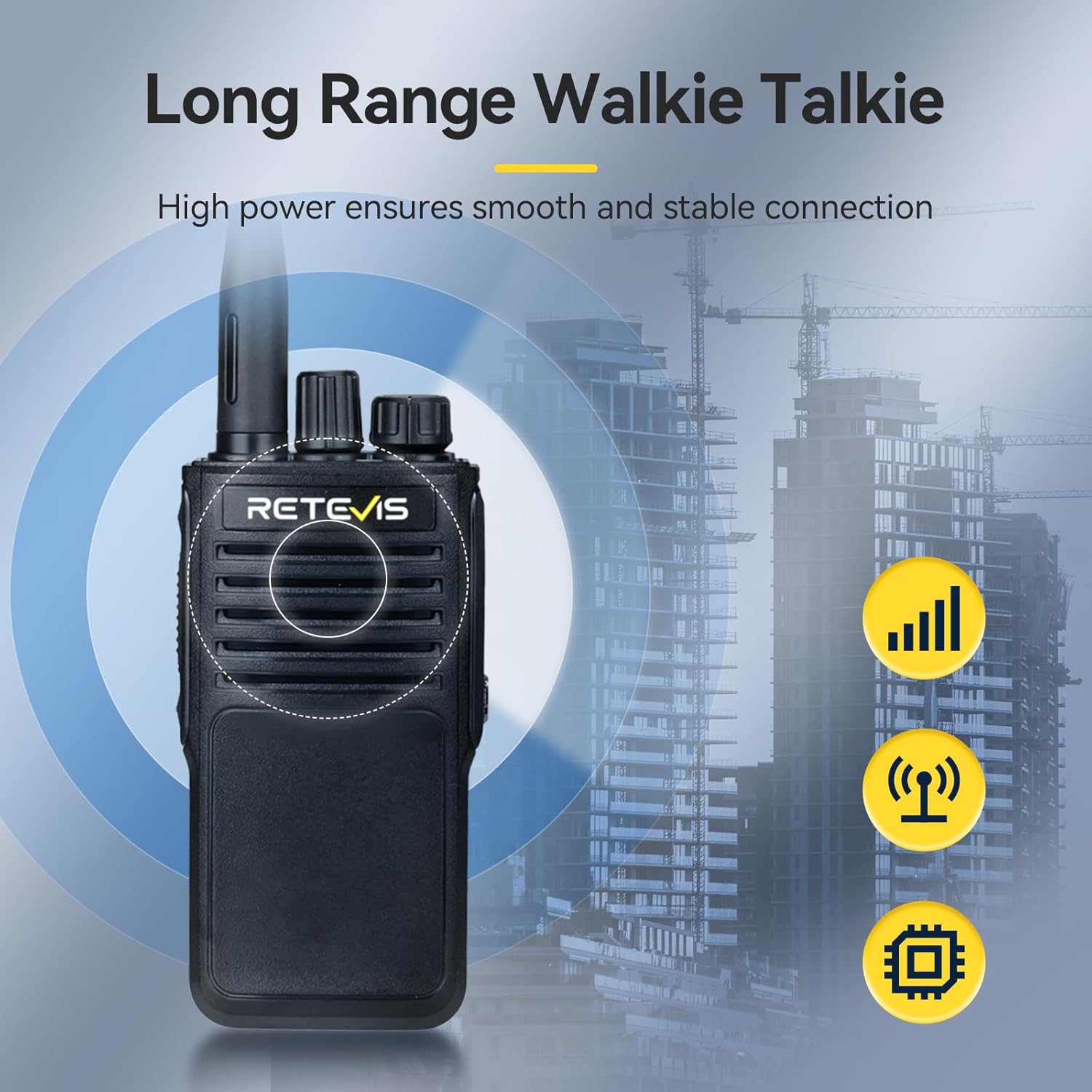
ภาพ: ความสามารถในการสื่อสารระยะไกล
3.6. การลดเสียงรบกวน
An integrated noise reduction chip minimizes background noise, providing clear reception even in noisy environments. This ensures important information is not missed.

Image: Noise reduction feature for clear audio.
3.7. การใช้งานระบบแฮนด์ฟรี VOX
The Voice Operated Exchange (VOX) function allows transmission without pressing the Push-To-Talk (PTT) button, freeing your hands to focus on other tasks.
3.8. Side Key Function Definition
The side keys can be programmed without software to quickly activate necessary functions during use, improving operational efficiency.
4. การตั้งค่า
4.1. การติดตั้งแบตเตอรี่
- จัดชุดแบตเตอรี่ให้ตรงกับร่องที่ด้านหลังวิทยุ
- เลื่อนชุดแบตเตอรี่ขึ้นจนกระทั่งล็อคเข้าที่
- Ensure the battery is securely fastened.
4.2. การชาร์จแบตเตอรี่
The P62 walkie talkie is equipped with a 2500mAh rechargeable Lithium-ion battery. It can be charged using the provided charging base or directly via the Type-C charging cable.

Image: Retevis P62 in charging base, highlighting battery capacity and Type-C charging.
- การใช้ฐานชาร์จ: Connect the charging base to a power source using the Type-C cable. Place the walkie talkie into the charging slot. The indicator light will show charging status.
- การชาร์จโดยตรงผ่านพอร์ต Type-C: Connect the Type-C cable directly to the charging port on the walkie talkie and to a power source.
- ชาร์จแบตเตอรี่ให้เต็มก่อนใช้งานครั้งแรก
4.3. การติดตั้งเสาอากาศ
- ขันเสาอากาศตามเข็มนาฬิกาเข้ากับขั้วต่อที่ด้านบนของวิทยุจนแน่นพอดี อย่าขันแน่นเกินไป
4.4 การติดคลิปหนีบเข็มขัดและสายคล้องมือ
- ติดคลิปหนีบเข็มขัดเข้ากับช่องที่กำหนดไว้ที่ด้านหลังวิทยุ
- ร้อยสายคล้องมือผ่านห่วงบนวิทยุเพื่อความสะดวกในการพกพา
5. คู่มือการใช้งาน
5.1. เปิด/ปิดเครื่องและควบคุมระดับเสียง
- เปิดเครื่อง: Rotate the Power/Volume knob clockwise until a click is heard. The radio will power on.
- หมดแรง: Rotate the Power/Volume knob counter-clockwise until a click is heard. The radio will power off.
- การปรับระดับเสียง: Rotate the Power/Volume knob to increase or decrease the volume.
5.2. การเลือกช่อง
- Rotate the Channel Selector knob to choose the desired channel. Ensure all radios in your group are on the same channel.
5.3. การส่งและการรับ
- การส่ง: Press and hold the Push-To-Talk (PTT) button on the side of the radio. Speak clearly into the microphone, holding the radio approximately 2-5 cm from your mouth. Release the PTT button to listen.
- เพื่อรับ: โปรดตรวจสอบให้แน่ใจว่าไม่ได้กดปุ่ม PTT วิทยุจะรับสัญญาณในช่องที่เลือกโดยอัตโนมัติ
5.4. ฟังก์ชันสัญญาณเตือนภัยฉุกเฉิน
The emergency alarm can be activated in two ways:
- Software Configured: If configured via software, press the designated side key (up or down) to activate the alarm.
- การเปิดใช้งานด้วยตนเอง: Long press the up key to activate the alarm.
5.5. VOX (การแลกเปลี่ยนด้วยเสียง)
When VOX is enabled (typically via software programming), the radio will automatically transmit when it detects your voice, eliminating the need to press the PTT button. Adjust VOX sensitivity as needed to prevent accidental transmissions or missed speech.
5.6. Side Key Customization
The programmable side keys allow for quick access to frequently used functions without requiring software. Refer to the detailed programming guide (if available) or experiment with default settings to understand their functions.
6. การบำรุงรักษา
6.1. การทำความสะอาด
- ทำความสะอาดพื้นผิววิทยุด้วยวัสดุที่อ่อนนุ่มและแห้งamp ผ้า. อย่าใช้สารเคมีที่รุนแรงหรือน้ำยาทำความสะอาดที่มีฤทธิ์กัดกร่อน
- ตรวจสอบให้แน่ใจว่าขั้วชาร์จสะอาดและปราศจากสิ่งสกปรก
6.2. การดูแลแบตเตอรี่
- หลีกเลี่ยงการชาร์จแบตเตอรี่มากเกินไปหรือปล่อยประจุจนหมด
- ควรเก็บแบตเตอรี่ไว้ในที่แห้งและเย็นเมื่อไม่ได้ใช้งานเป็นเวลานาน
- If the battery performance significantly degrades, consider replacing it with an original Retevis battery.
6.3. การจัดเก็บ
- Store the walkie talkie in a dry, dust-free environment away from direct sunlight and extreme temperatures.
- Remove the battery if storing for more than a month.
7 การแก้ไขปัญหา
If you encounter issues with your Retevis P62, refer to the table below for common problems and solutions.
| ปัญหา | สาเหตุที่เป็นไปได้ | สารละลาย |
|---|---|---|
| วิทยุไม่เปิด | แบตเตอรี่เหลือน้อยหรือติดตั้งไม่ถูกต้อง | ชาร์จแบตเตอรี่หรือติดตั้งใหม่ให้แน่นหนา |
| ไม่สามารถส่งหรือรับได้ | เลือกช่องสัญญาณไม่ถูกต้อง; อยู่นอกระยะสัญญาณ; ไม่ได้ต่อเสาอากาศ | Verify channel settings; move closer to other radios; ensure antenna is securely attached. |
| คุณภาพเสียงไม่ดี / สัญญาณรบกวน | สัญญาณอ่อน; มีสัญญาณรบกวน; ระดับเสียงต่ำ/สูงเกินไป | Move to an open area; adjust volume; check for sources of interference. |
| แบตเตอรี่หมดเร็ว | Battery old or damaged; frequent high-power transmission. | Replace battery; reduce transmission power if possible. |
If the problem persists after attempting these solutions, please contact Retevis customer support.
8. ข้อมูลจำเพาะ
Technical specifications for the Retevis P62 Walkie Talkie.
| คุณสมบัติ | รายละเอียด |
|---|---|
| ยี่ห้อ | เรเทวิส |
| หมายเลขรุ่น | P62 |
| สี | สีดำ |
| คุณสมบัติพิเศษ | Emergency Alarm, Dual-band, IP68 Waterproof, Long Range |
| อุปกรณ์ที่รองรับ | Two-way Radios |
| องค์ประกอบของแบตเตอรี่ | ลิเธียมไอออน |
| แบตเตอรี่แบบชาร์จไฟได้ | Yes (2 included) |
| จำนวนช่องสัญญาณ | 200 |
| ช่วงความถี่ | Dual-band (2m/70cm reception) |
| เล่มที่tage | 7.4 โวลต์ |
| ขนาดสินค้า | 4.2D x 6W x 11.3H ซม. |
| น้ำหนักสินค้า | 298 กรัม |
| ผู้ผลิต | เรเทวิส |
| ประเทศต้นกำเนิด | จีน |
9. การรับประกันและการสนับสนุน
Retevis offers the following warranty and support for the P62 Walkie Talkie:
- ระยะเวลารับประกัน: 2-year warranty for the radio body and 1-year warranty for accessories from the date of purchase.
- นโยบายการคืนสินค้า: 30-day return policy without specific reason.
- การบริการหลังการรับประกัน: Maintenance services are available beyond the warranty period. Buyers are responsible for associated costs.
- การสนับสนุนลูกค้า: หากมีข้อสงสัยหรือต้องการความช่วยเหลือ โปรดติดต่อฝ่ายบริการลูกค้าของ Retevis บน Amazon โดยปกติจะได้รับการตอบกลับภายใน 12 ชั่วโมง


