การแนะนำ
This manual provides essential information for the proper use and care of your GameSir USB-A to USB-C Cable. Please read these instructions carefully before use to ensure optimal performance and longevity of the product.
The GameSir USB-A to USB-C cable is designed for connecting GameSir controllers and other compatible USB-C devices to a USB-A port for data transfer and charging.
คุณสมบัติผลิตภัณฑ์
- ประเภทตัวเชื่อมต่อ: USB-A ถึง USB-C
- ความยาวสายเคเบิล: 1.8 เมตร (5.9 ฟุต)
- วัสดุ: ปลอกหุ้มด้านนอกทำจาก PVC ที่ทนทาน
- ฟังก์ชันการทำงาน: การถ่ายโอนข้อมูลและการชาร์จ
- ความเข้ากันได้: Compatible with all GameSir controllers that support wired connection, and other USB Type-C devices.

ภาพ: ระยะใกล้ view of the USB-A and USB-C connectors of the GameSir cable.

Image: The GameSir USB-A to USB-C cable with "GAMESIR PVC CABLE" branding, highlighting its material.

Image: The GameSir USB-A to USB-C cable coiled, illustrating its 1.8-meter (5.9-foot) length.
การตั้งค่า
- ระบุพอร์ต: Locate the USB-A port on your computer, gaming console, or power adapter, and the USB-C port on your GameSir controller or other compatible device.
- เชื่อมต่อ USB-A: Insert the USB-A end of the cable into the USB-A port of your host device (e.g., PC, console).
- เชื่อมต่อ USB-C: Insert the USB-C end of the cable into the USB-C port of your GameSir controller or other compatible device. Ensure the connection is firm.
- ปลั๊กแอนด์เพลย์: The cable is designed for plug-and-play functionality. Your device should automatically recognize the connection for data transfer or charging.

Image: The GameSir USB-A to USB-C cable connected to various GameSir controllers, demonstrating wired connection support.
คำแนะนำการใช้งาน
Once connected, the GameSir USB-A to USB-C cable facilitates two primary functions:
- การถ่ายโอนข้อมูล: For GameSir controllers, this enables a wired connection to your gaming platform, reducing input lag and ensuring a stable connection for gameplay. For other compatible devices, it allows for data synchronization.
- การชาร์จ: When connected to a power source (e.g., a USB wall adapter or a powered USB port on a computer/console), the cable will charge your compatible USB-C device.
Ensure your device's drivers are up-to-date if experiencing connectivity issues with a computer.
การบำรุงรักษาและการดูแล
To ensure the longevity and optimal performance of your GameSir USB-A to USB-C cable, follow these maintenance guidelines:
- พื้นที่จัดเก็บ: เก็บสายเคเบิลไว้ในที่แห้งและเย็น หลีกเลี่ยงแสงแดดโดยตรงและอุณหภูมิที่สูงหรือต่ำเกินไป หลีกเลี่ยงการม้วนหรือดัดสายเคเบิลเป็นมุมแหลมมากเกินไป
- การทำความสะอาด: Use a soft, dry cloth to gently wipe the cable and connectors. Do not use harsh chemicals or abrasive cleaners.
- การจัดการ: จับหัวต่อทุกครั้งเมื่อเสียบหรือถอดสาย หลีกเลี่ยงการดึงสายโดยตรง เพราะอาจทำให้สายไฟภายในเสียหายได้
- ความทนทาน: The cable features a clean and durable PVC outer jacket, rigorously tested for durability through plugging, suspension, and bending simulations. However, excessive force or improper handling can still cause damage.
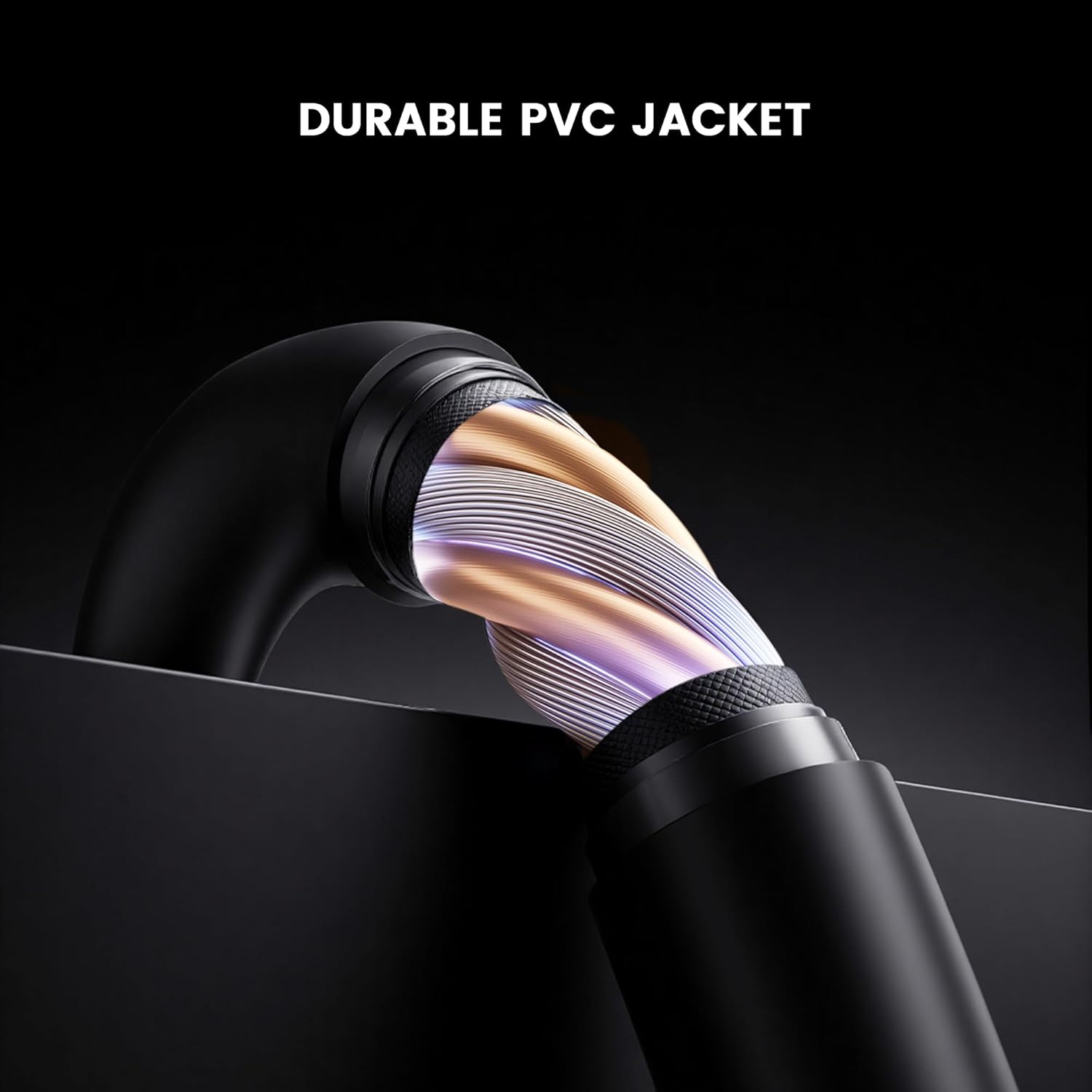
ภาพ: ภาคตัดขวาง view of the GameSir USB-A to USB-C cable, highlighting its durable PVC jacket and internal construction.
การแก้ไขปัญหา
If you encounter issues with your GameSir USB-A to USB-C cable, refer to the following common troubleshooting steps:
- ไม่รู้จักอุปกรณ์:
- ตรวจสอบให้แน่ใจว่าปลายทั้งสองข้างของสายเคเบิลเชื่อมต่อกับพอร์ตที่เกี่ยวข้องอย่างแน่นหนา
- Try connecting the cable to a different USB-A port on your host device.
- Test the cable with another compatible USB-C device to rule out an issue with the original device.
- If connecting to a computer, ensure necessary drivers for your GameSir controller or device are installed and up-to-date.
- การชาร์จช้าหรือไม่มีการชาร์จ:
- Verify that the power source (e.g., wall adapter, computer USB port) is providing sufficient power.
- Ensure the cable is fully inserted into both the power source and the device.
- Try a different power source or wall adapter.
- การเชื่อมต่อไม่ต่อเนื่อง:
- ตรวจสอบสายเคเบิลหรือขั้วต่อว่ามีร่องรอยความเสียหายที่มองเห็นได้หรือไม่
- Ensure there is no dust or debris in the USB ports of your devices or the cable connectors.
- Avoid bending or stressing the cable during use.
ข้อมูลจำเพาะ
| ยี่ห้อ | เกมเซอร์ |
| หมายเลขรุ่น | 6936685221581 |
| ประเภทขั้วต่อ | USB Type C (Male) to USB Type A (Male) |
| ประเภทสายเคเบิล | ยูเอสบี |
| ความยาวสายเคเบิล | 1.8 เมตร (5.9 ฟุต) |
| สี | สีดำ |
| อุปกรณ์ที่รองรับ | GameSir Gaming Consoles/Controllers, other USB Type-C devices |
| คุณสมบัติพิเศษ | การโอนข้อมูล |
| วัสดุเสื้อนอก | พีวีซี |
| การใช้งานภายใน/ภายนอกอาคาร | ในร่ม |
| น้ำหนักสินค้า | 1.76 ออนซ์ |
การรับประกันและการสนับสนุน
สำหรับข้อมูลการรับประกันและการสนับสนุนทางเทคนิค โปรดดูที่เว็บไซต์อย่างเป็นทางการของ GameSir website or contact GameSir customer service directly. Keep your purchase receipt for warranty claims.
GameSir Official Store US: ข้อมูลผู้ขาย


