การแนะนำ
This manual provides comprehensive instructions for the installation, operation, and maintenance of your MiCODUS MV930G 4G GPS Tracker. This device is designed for real-time location tracking and anti-theft alarming for various vehicles including cars, motorcycles, trucks, and taxis. It features 4G LTE+2G GSM network compatibility, GPS+LBS dual positioning, and multiple alarm functions.
คุณสมบัติผลิตภัณฑ์
- 4G LTE + 2G GSM Network Compatibility: Ensures faster and more stable connectivity.
- แบตเตอรี่แบบชาร์จไฟได้ในตัว: 3.7V 60mAh polymer lithium-ion battery, charges when the engine starts.
- GPS + LBS Dual Positioning: Provides accurate real-time location tracking with up to 10-meter accuracy.
- Historical Track Playback: View and playback track history for the past 180 days via the MiCODUS app and webเว็บไซต์.
- การออกแบบกันน้ำ: เหมาะสำหรับใช้ในสภาพอากาศต่างๆ
- ฟังก์ชั่นการแจ้งเตือนหลายแบบ: Includes overspeed alarm, vibration alarm, geofencing, low voltage alarm, dialing alarm, engine start/stall alarm, remote engine disconnection, and engine recovery.
- ติดตั้งง่าย: Designed for straightforward installation, resembling a standard vehicle relay.
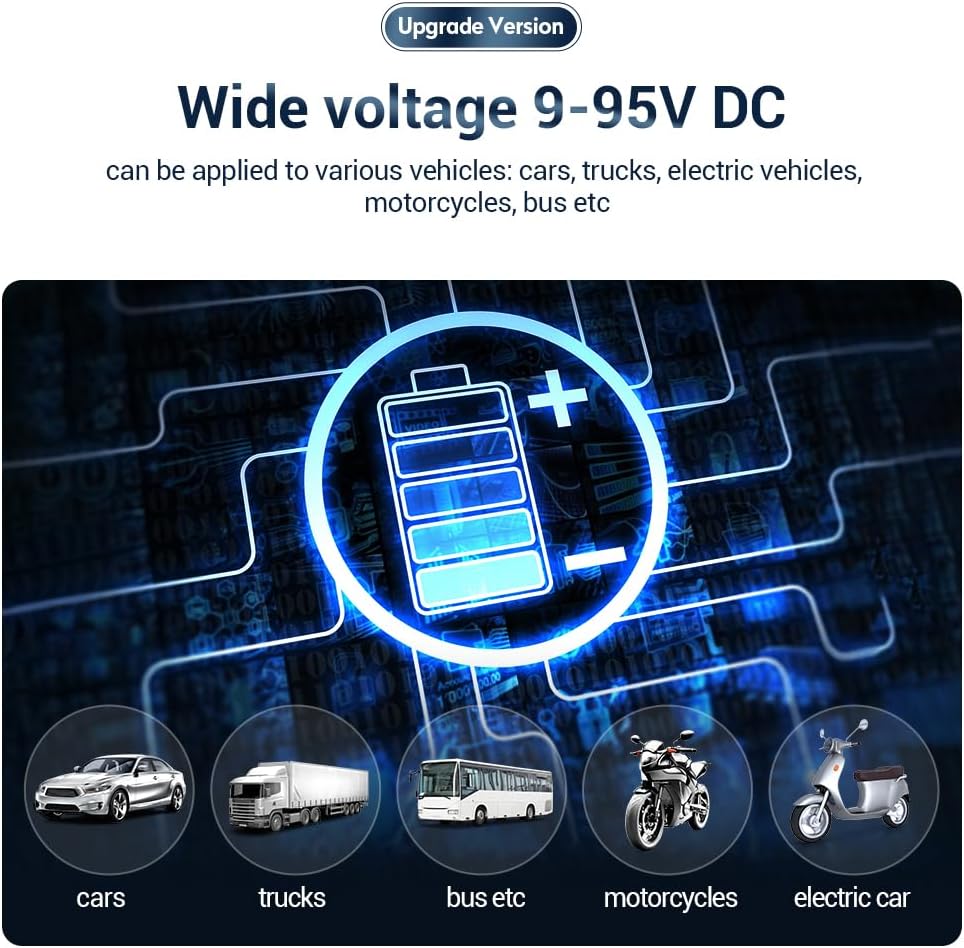
- ฉบับกว้างtagความเข้ากันได้: Supports 9-95V DC, suitable for cars, trucks, electric vehicles, motorcycles, and buses.
- ระบบเปิด-ปิดอาวุธอัตโนมัติ: Intelligent automatic arming and disarming based on ACC status.
- การอัปเดตเฟิร์มแวร์แบบ OTA: รองรับการอัปเกรดเฟิร์มแวร์จากระยะไกลเพื่อให้เครื่องทันสมัยอยู่เสมอ

เนื้อหาแพ็คเกจ
The MiCODUS MV930G package includes the following items:
- MiCODUS MV930G GPS Tracker Unit
- SIM Card (Complimentary Spionlink SIM card)
- คู่มือการใช้งาน
- สายไฟ
การติดตั้งและการตั้งค่า
The MV930G is designed to resemble a standard vehicle relay for discreet installation. It supports a wide voltage range (9-95V DC) making it compatible with various vehicle types.
1. การติดตั้งซิมการ์ด
- โปรดตรวจสอบให้แน่ใจว่าอุปกรณ์ติดตามปิดเครื่องแล้ว
- ค้นหาช่องใส่ซิมการ์ดบนอุปกรณ์
- Insert the provided Spionlink SIM card into the slot. Ensure it is correctly oriented.
- The SIM card is pre-configured for direct use upon power-on, eliminating complex APN configuration.
2. การเดินสายไฟและการเชื่อมต่อสายไฟ
The tracker requires a 12V power supply from the vehicle. It is recommended to have a professional install the device if you are unsure about vehicle wiring.
- Connect the red wire to the positive terminal of the vehicle's battery (constant 12V).
- Connect the black wire to the negative terminal of the vehicle's battery (ground).
- Connect the yellow wire to the ACC (Accessory) wire of the vehicle. This allows the device to detect engine status and enable automatic arming/disarming.
- Other wires (e.g., for remote engine cut-off) should be connected according to the detailed wiring diagram provided in the full user manual or by a professional installer.

คำแนะนำการใช้งาน
1 การเข้าถึงแพลตฟอร์มการติดตาม
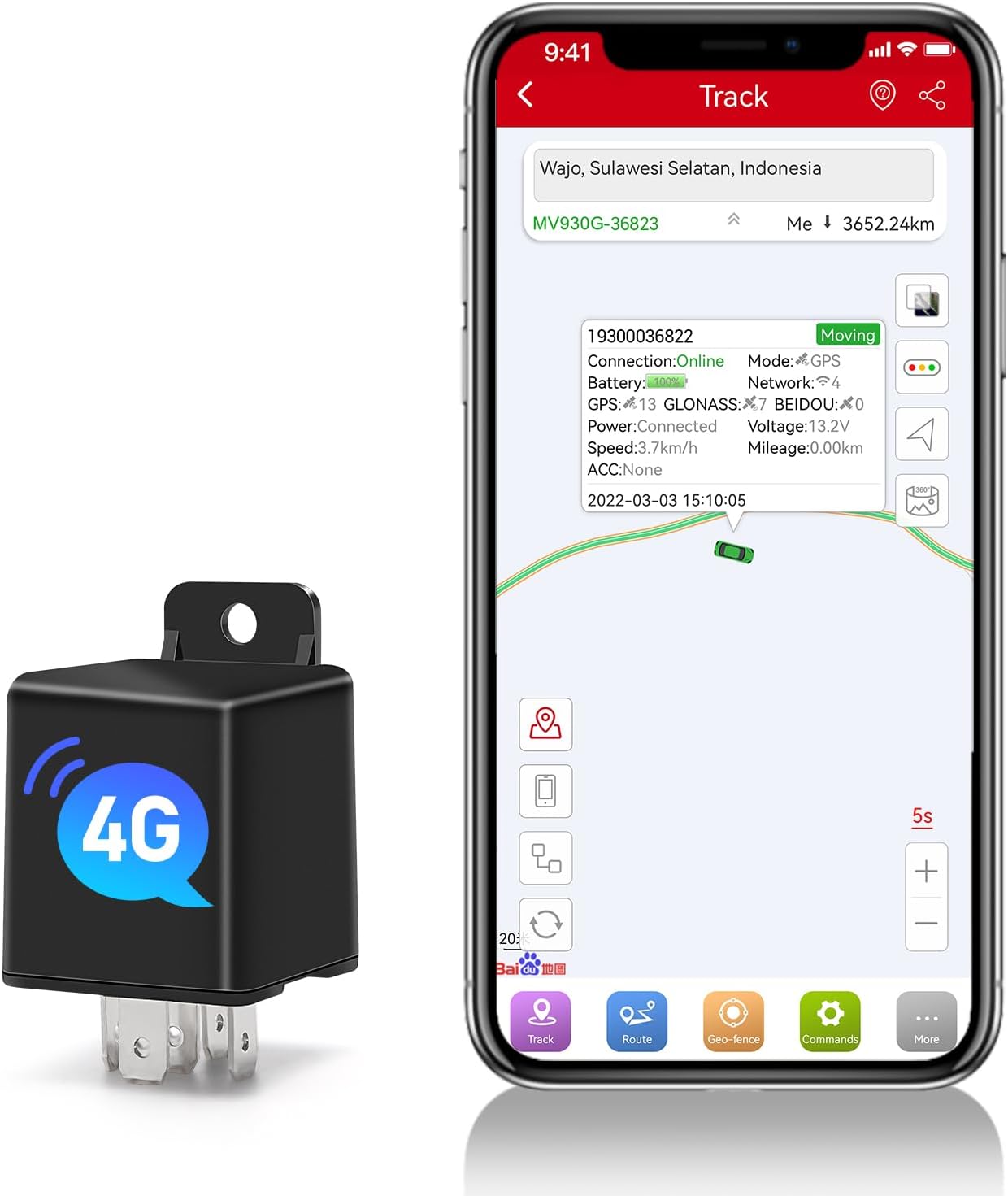
The MiCODUS MV930G can be tracked via a dedicated mobile application (iOS/Android) or a webแพลตฟอร์มแบบ
- Download the MiCODUS app from your device's app store.
- Alternatively, visit the MiCODUS tracking webเว็บไซต์.
- Log in using the credentials provided with your device or create an account if prompted.

2. การติดตามแบบเรียลไทม์
เมื่อเข้าสู่ระบบแล้ว ก็สามารถ view the real-time location of your vehicle on the map. The device updates its position every 5 seconds, providing accurate and timely information.
3. Historical Track Playback
The platform allows you to review the vehicle's travel history for up to 180 days. This feature helps in understanding past routes and activities.
- Navigate to the "History" or "Playback" section within the app/webเว็บไซต์.
- Select the desired date range to view เส้นทางประวัติศาสตร์
4. ฟังก์ชั่นปลุก
The MV930G offers various alarm features to enhance vehicle security:
- สัญญาณเตือนความเร็วเกิน: Notifies you if the vehicle exceeds a predefined speed limit.
- สัญญาณเตือนการสั่นสะเทือน: Triggers an alert if unusual vibrations or impacts are detected.
- การกำหนดขอบเขตทางภูมิศาสตร์: Set up virtual boundaries (geo-fences) on the map. You will receive an alert if the vehicle enters or exits these designated zones.
- ปริมาณต่ำtagอีปลุก: Alerts you if the vehicle's battery voltage drops below a safe level.
- Engine Start/Stall Alarm: Notifies you when the engine is started or turned off.
- Remote Engine Disconnection/Recovery: Allows you to remotely cut off or restore the vehicle's engine power (requires proper wiring and setup).
- ปลุกพ่วง: Alerts if the vehicle is moved without the engine running.

5. Automatic Arming/Disarming
The device supports intelligent automatic arming and disarming based on the vehicle's ACC status, eliminating the need for manual operation.

การซ่อมบำรุง
- การตรวจสอบปกติ: Periodically check the physical connection of the device to ensure it is securely installed and wires are not damaged.
- การอัปเดตซอฟต์แวร์: The device supports Firmware Over-The-Air (OTA) updates. Ensure your device's firmware is always up to date for optimal performance and new features. Check the MiCODUS app or website for update notifications.
- การทำความสะอาด: Keep the device free from excessive dust or debris. Use a soft, dry cloth for cleaning. Do not use liquid cleaners.
- แบตเตอรี่: The built-in battery is designed to charge when the engine is running. No specific battery maintenance is required beyond ensuring the vehicle's power supply is stable.

การแก้ไขปัญหา
| ปัญหา | สาเหตุที่เป็นไปได้ | สารละลาย |
|---|---|---|
| เครื่องเปิดไม่ติด | Incorrect power connection; Vehicle battery low/dead. | Check power cable connections (red to positive, black to ground). Ensure vehicle battery has sufficient charge. |
| No GPS signal / Inaccurate location. | Device in an area with poor GPS reception (e.g., indoors, underground parking); Obstruction to sky view. | Move the vehicle to an open area with clear sky view. Ensure the device is not covered by metal objects. |
| No data on tracking platform. | SIM card not inserted correctly; SIM card out of credit/data; Network issue. | Reinsert SIM card. Check SIM card balance and data plan. Verify network coverage in the area. |
| Alarms not triggering. | Alarm settings not configured correctly in the app; Device not armed. | Review and configure alarm settings in the MiCODUS app. Ensure the device is armed (if manual arming is enabled). |
ข้อมูลจำเพาะ
| คุณลักษณะ | รายละเอียด |
|---|---|
| ยี่ห้อ | มิโคดัส |
| แบบอย่าง | เอ็มวี930จี |
| เทคโนโลยีการเชื่อมต่อ | 4G LTE + 2G GSM Cellular |
| เทคโนโลยีการวางตำแหน่ง | GPS + LBS Dual Positioning |
| ความแม่นยำในการวางตำแหน่ง | สูงสุด 10 เมตร |
| ช่วงเวลาการอัพโหลดข้อมูล | Minimum 5 seconds |
| Historical Track Storage | 180 วัน |
| ประเภทแบตเตอรี่ | 3.7V 60mAh Polymer Lithium-ion (rechargeable) |
| อินพุต Voltage | 9-95V ซี |
| คุณสมบัติพิเศษ | Waterproof, Multiple Alarm Functions, Remote Engine Disconnection, Auto Arm By ACC, Firmware OTA |
| ขนาดสินค้า (กว้าง x ยาว x สูง) | 7.6 x 3.2 x 3.2 ซม. |
| น้ำหนักสินค้า | 0.7 กรัม |
| อุปกรณ์ที่รองรับ | สมาร์ทโฟน (iOS/Android) |
การรับประกันและการสนับสนุน
MiCODUS offers professional technical support for its products. While specific warranty terms are not detailed here, the company emphasizes customer satisfaction and support.
- For technical assistance, troubleshooting, or inquiries regarding your device, please refer to the contact information provided in the product packaging or on the official MiCODUS webเว็บไซต์.
- The complimentary Spionlink SIM card comes with various recharge plans (3 months, 6 months, annual). Details on pricing and cancellation policies are available through the Spionlink service.


