1. บทนำ
ขอบคุณสำหรับการซื้อasing the amazon basics 90W RMS 2.1 Channel Soundbar with Wired Subwoofer. This manual provides essential information for setting up, operating, and maintaining your new audio system. Please read it thoroughly before use and retain it for future reference.
2. ข้อมูลด้านความปลอดภัย
- อย่าให้เครื่องโดนฝน ความชื้น หรืออุณหภูมิที่สูงหรือต่ำเกินไป
- ตรวจสอบให้แน่ใจว่ามีการระบายอากาศที่เหมาะสมรอบ ๆ ซาวด์บาร์และซับวูฟเฟอร์
- ห้ามปิดกั้นช่องระบายอากาศใดๆ
- ใช้เฉพาะอะแดปเตอร์ไฟฟ้าที่มาพร้อมกับเครื่องเท่านั้น
- อย่าเปิดcasinง. ส่งต่อการบริการทั้งหมดให้กับบุคลากรที่มีคุณสมบัติ
- เก็บผลิตภัณฑ์ให้ห่างจากสนามแม่เหล็กแรงสูง
- ทำความสะอาดด้วยผ้าแห้งเท่านั้น
3. เนื้อหาบรรจุภัณฑ์
ตรวจสอบว่ามีรายการทั้งหมดอยู่ในแพ็คเกจ:
- amazon basics Soundbar
- ซับวูฟเฟอร์แบบมีสาย
- รีโมทคอนโทรล
- คู่มือการใช้งาน (เอกสารนี้)
- สายไฟที่ถอดออกได้

Image: The soundbar, wired subwoofer, and remote control included in the package.
4. คุณสมบัติของผลิตภัณฑ์
- 90W RMS Power: ให้เสียงที่ทรงพลังและคมชัด
- ระบบเสียง 2.1 แชนแนล: Soundbar with a dedicated wired subwoofer for enhanced bass.
- ตัวเลือกการเชื่อมต่อที่หลากหลาย: Bluetooth v5.3, HDMI (ARC), Optical, AUX, and USB.
- รีโมทคอนโทรล: รีโมทฟังก์ชั่นครบครัน เพื่อการใช้งานที่สะดวก
- การออกแบบบางและน้ำหนักเบา: Space-saving and easy to integrate into any setup.
- โหมดปรับ EQ หลายแบบ: ปรับแต่งเสียงให้เหมาะสมfiles for Music, Movies, and News.

Image: Graphic highlighting the 90W RMS power for an immersive sound experience.
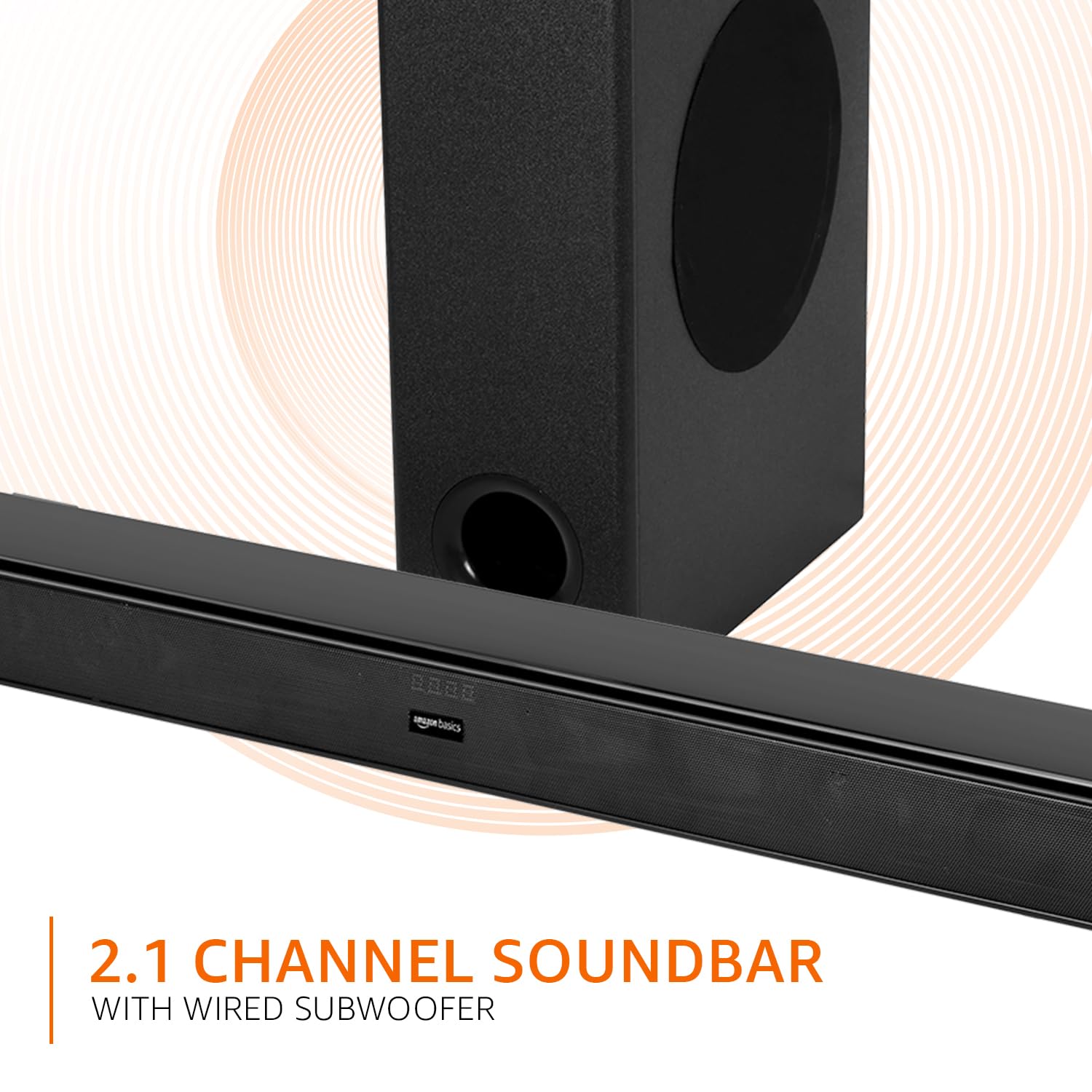
Image: Graphic illustrating the 2.1 channel soundbar system with a wired subwoofer.

ภาพ: ระยะใกล้ view of the soundbar, emphasizing its slim and space-saving design.
5. คู่มือการติดตั้ง
5.1 การจัดวาง
- ซาวด์บาร์: Place the soundbar on a stable, flat surface directly in front of your TV, or mount it on the wall below your TV. Ensure it is not obstructing the TV's remote sensor.
- ซับวูฟเฟอร์: Position the wired subwoofer on the floor near the soundbar. For optimal bass, experiment with different locations in the room.
5.2 การเชื่อมต่อ
Before making any connections, ensure both the soundbar and your audio source (TV, PC, etc.) are powered off.
- Wired Subwoofer Connection: Connect the subwoofer cable from the subwoofer to the dedicated subwoofer output port on the soundbar.
- อินพุตเสียง: เลือกวิธีการเชื่อมต่อแหล่งกำเนิดเสียงของคุณวิธีใดวิธีหนึ่งต่อไปนี้:
- HDMI (อาร์ค): Connect an HDMI cable from the HDMI ARC port on the soundbar to the HDMI ARC port on your TV. This allows audio to be sent from the TV to the soundbar and often enables TV remote control of the soundbar volume.
- ออปติคอล: Connect an optical cable from the OPTICAL port on the soundbar to the optical output port on your TV or other audio device.
- ช่องเสริม: Connect a 3.5mm audio cable from the AUX port on the soundbar to the headphone jack or audio output port on your device.
- ยูเอสบี: Insert a USB drive into the USB port on the soundbar for direct audio playback.
- การเชื่อมต่อไฟฟ้า: Connect the detachable power cable to the soundbar's power input, then plug it into a wall outlet.

Image: An illustration showing the soundbar and subwoofer positioned in front of a television, demonstrating a typical setup.
6. คู่มือการใช้งาน
6.1 เปิด/ปิดเครื่อง
กดปุ่ม พลัง กดปุ่มบนซาวด์บาร์หรือรีโมทคอนโทรลเพื่อเปิดหรือปิดเครื่อง
6.2 การเลือกอินพุต
กดปุ่ม ป้อนข้อมูล button on the soundbar or the remote control repeatedly to cycle through available input sources: HDMI (ARC), Optical, AUX, USB, and Bluetooth.
6.3 การควบคุมระดับเสียง
ใช้ เล่ม + และ ปริมาณ - ใช้ปุ่มบนซาวด์บาร์หรือรีโมทคอนโทรลเพื่อปรับระดับเสียงหลัก
6.4 โหมดอีควอไลเซอร์ (EQ)
กดปุ่ม ข่าว, ภาพยนตร์, หรือ ดนตรี buttons on the remote control to select the desired sound mode. Each mode optimizes audio for specific content.

Image: Graphic showing the soundbar and subwoofer with text indicating 'Multiple EQ Modes: Music, Movies & News'.
6.5 การจับคู่บลูทูธ
- Turn on the soundbar and select the Bluetooth input mode. The LED indicator will flash, indicating pairing mode.
- เปิดใช้งานบลูทูธบนอุปกรณ์เคลื่อนที่ของคุณ (สมาร์ทโฟน แท็บเล็ต ฯลฯ)
- ค้นหา "amazon basics" in your device's Bluetooth list and select it to pair.
- เมื่อจับคู่เสร็จแล้ว ไฟ LED บนซาวด์บาร์จะหยุดกะพริบและติดสว่างค้าง
7. ตัวเลือกการเชื่อมต่อ
The soundbar offers various ways to connect to your audio sources:
- บลูทูธ v5.3: For wireless audio streaming from compatible devices within a 10-meter range.
- HDMI (อาร์ค): Audio Return Channel for simplified connection with ARC-enabled TVs.
- ออปติคอล: Digital audio input for high-quality sound from TVs, gaming consoles, etc.
- ช่องเสริม: Analog audio input for connecting devices with a 3.5mm audio output.
- ยูเอสบี: สำหรับการเล่นเสียง fileโดยตรงจากอุปกรณ์เก็บข้อมูล USB

ภาพ: รายละเอียด view of the soundbar's rear panel, highlighting the HDMI (ARC), USB, AUX, and Optical input ports.
8. ฟังก์ชั่นการควบคุมระยะไกล
The included remote control provides full command over your soundbar. Ensure batteries are correctly inserted.

Image: A close-up of the remote control, showing all buttons and their labels.
| ปุ่ม | การทำงาน |
|---|---|
| พลัง | เปิดหรือปิด Soundbar |
| ปิดเสียง | ปิดเสียงหรือเปิดเสียง |
| Input (H-ARC, OPTICAL, BT, AUX, USB) | เลือกแหล่งสัญญาณเสียงเข้า |
| ปริมาตร + / - | ปรับระดับเสียงหลัก |
| ก่อนหน้าถัดไป | Skips to the previous or next track (USB/Bluetooth mode). |
| เล่น / หยุดชั่วคราว | Plays or pauses audio playback (USB/Bluetooth mode). |
| ข่าว | Activates News EQ mode. |
| ภาพยนตร์ | Activates Movie EQ mode. |
| ดนตรี | Activates Music EQ mode. |
9. การบำรุงรักษา
- การทำความสะอาด: Wipe the surfaces of the soundbar and subwoofer with a soft, dry cloth. Do not use liquid cleaners or aerosols.
- พื้นที่จัดเก็บ: หากจะเก็บเครื่องไว้เป็นเวลานาน ควรถอดปลั๊กออกจากเต้ารับไฟฟ้าและเก็บไว้ในที่แห้งและเย็น
- การระบายอากาศ : ตรวจสอบให้แน่ใจว่าช่องระบายอากาศไม่ได้ถูกปิดกั้นด้วยฝุ่นหรือเศษขยะ
10 การแก้ไขปัญหา
| ปัญหา | วิธีแก้ปัญหาที่เป็นไปได้ |
|---|---|
| ไม่มีไฟฟ้า | Check if the power cable is securely connected to the soundbar and the wall outlet. Ensure the outlet is functional. |
| ไม่มีเสียง | Verify the correct input source is selected. Check volume levels on both the soundbar and the connected device. Ensure cables are properly connected. If using HDMI ARC, confirm ARC is enabled on your TV. |
| รีโมตคอนโทรลไม่ทำงาน | Check and replace batteries. Ensure there are no obstructions between the remote and the soundbar's sensor. |
| ปัญหาการจับคู่บลูทูธ | Ensure the soundbar is in Bluetooth pairing mode. Disable and re-enable Bluetooth on your device. Move your device closer to the soundbar. |
| เสียงเพี้ยน | Reduce the volume. Check audio source quality. Ensure cables are not damaged. |
11. ข้อมูลจำเพาะ
| คุณสมบัติ | ข้อมูลจำเพาะ |
|---|---|
| ชื่อรุ่น | AB-SBW-090 |
| ประเภทลำโพง | ซาวด์บาร์พร้อมซับวูฟเฟอร์แบบมีสาย |
| กำลังขับรวม | กำลังไฟ 90 วัตต์ RMS |
| ช่องทางการ | 2.1 |
| การเชื่อมต่อ | Bluetooth v5.3, HDMI (ARC), Optical, AUX, USB |
| ช่วงบลูทูธ | 10 Metres (approx. 33 feet) |
| เส้นผ่านศูนย์กลางซับวูฟเฟอร์ | 5.25 นิ้ว |
| ขนาดสินค้า (ซาวด์บาร์) | 7.3D x 82W x 6.8H เซนติเมตร |
| น้ำหนักสินค้า | 4.9 กิโลกรัม |
| แหล่งพลังงาน | สายไฟ |
| อัตราส่วนสัญญาณต่อเสียงรบกวน | 70 เดซิเบล |
| อิมพีแดนซ์ | 4 โอห์ม |
| วัสดุ | พลาสติก |
12. การรับประกันและการสนับสนุน
This amazon basics soundbar comes with a รับประกันจำกัด 1 ปี from the date of purchase. This warranty covers manufacturing defects and workmanship under normal use. It does not cover damage caused by misuse, accidents, unauthorized modifications, or external causes.
For warranty claims, technical support, or service inquiries, please contact amazon basics customer support through your purchase platform or visit the official amazon basics webเว็บไซต์.
หากต้องการข้อมูลเพิ่มเติม โปรดเยี่ยมชม: amazon basics Store


