1. คู่มือการติดตั้ง
1.1 การแกะกล่องและเนื้อหาภายในบรรจุภัณฑ์
Upon opening your FOSSIBOT F110 Pro package, ensure all components are present:
- FOSSIBOT F110 Pro Mobile Phone
- TP Protective Film
- เครื่องชาร์จ 20W
- พินซิมการ์ด
- สาย USB Type-C
- คู่มือผู้ใช้และบัตรรับประกัน

Image: FOSSIBOT F110 Pro package contents, including the phone, charger, cable, SIM tool, and documentation.
1.2 การติดตั้งซิมการ์ดและที่เก็บข้อมูล
To install your SIM card(s) and/or expandable storage:
- ค้นหาถาดใส่การ์ด SIM ที่ด้านข้างของอุปกรณ์
- Insert the provided SIM ejector tool into the small hole next to the tray and press firmly until the tray pops out.
- Place your Nano-SIM card(s) and/or microSD card (up to 1TB) into the designated slots on the tray. Ensure they are correctly oriented.
- ค่อยๆ ดันถาดกลับเข้าไปในโทรศัพท์จนกระทั่งล็อคเข้าที่
1.3 การเปิดเครื่องครั้งแรกและการตั้งค่า
Press and hold the Power button on the side of the phone until the FOSSIBOT logo appears. Follow the on-screen prompts to complete the initial setup, including language selection, Wi-Fi connection, and Google account setup.
2. Operating Your FOSSIBOT F110 Pro
2.1 Basic Navigation and Interface (Android 15)
Your FOSSIBOT F110 Pro runs on Android 15, offering an intuitive and customizable user experience. Navigate using gestures or on-screen buttons. Swipe down from the top for notifications and quick settings. Customize your home screen by long-pressing on empty space.

Image: The FOSSIBOT F110 Pro displaying the Android 15 operating system interface with various app icons.
2.2 การใช้งานกล้อง
The FOSSIBOT F110 Pro features a 50MP AI main camera, a 5MP macro lens, and an 8MP front camera. Open the Camera app to capture photos and 2K videos. Explore modes like Night Mode for low-light conditions and Underwater Camera Mode for shooting in aquatic environments.

ภาพ: ระยะใกล้ view of the FOSSIBOT F110 Pro's rear camera module, highlighting the 50MP AI main camera, 5MP macro lens, and 8MP front camera.
2.3 การเชื่อมต่อ
The device supports 5G connectivity for ultra-fast downloads and streaming. It also includes Wi-Fi, Bluetooth, and NFC for seamless connections to other devices and services.
2.4 การจัดการแบตเตอรี่
The F110 Pro is equipped with a massive 10000mAh battery, providing extended usage times. It supports 18W fast charging for quick power-ups and OTG reverse charging, allowing you to use your phone as a power bank for other devices.
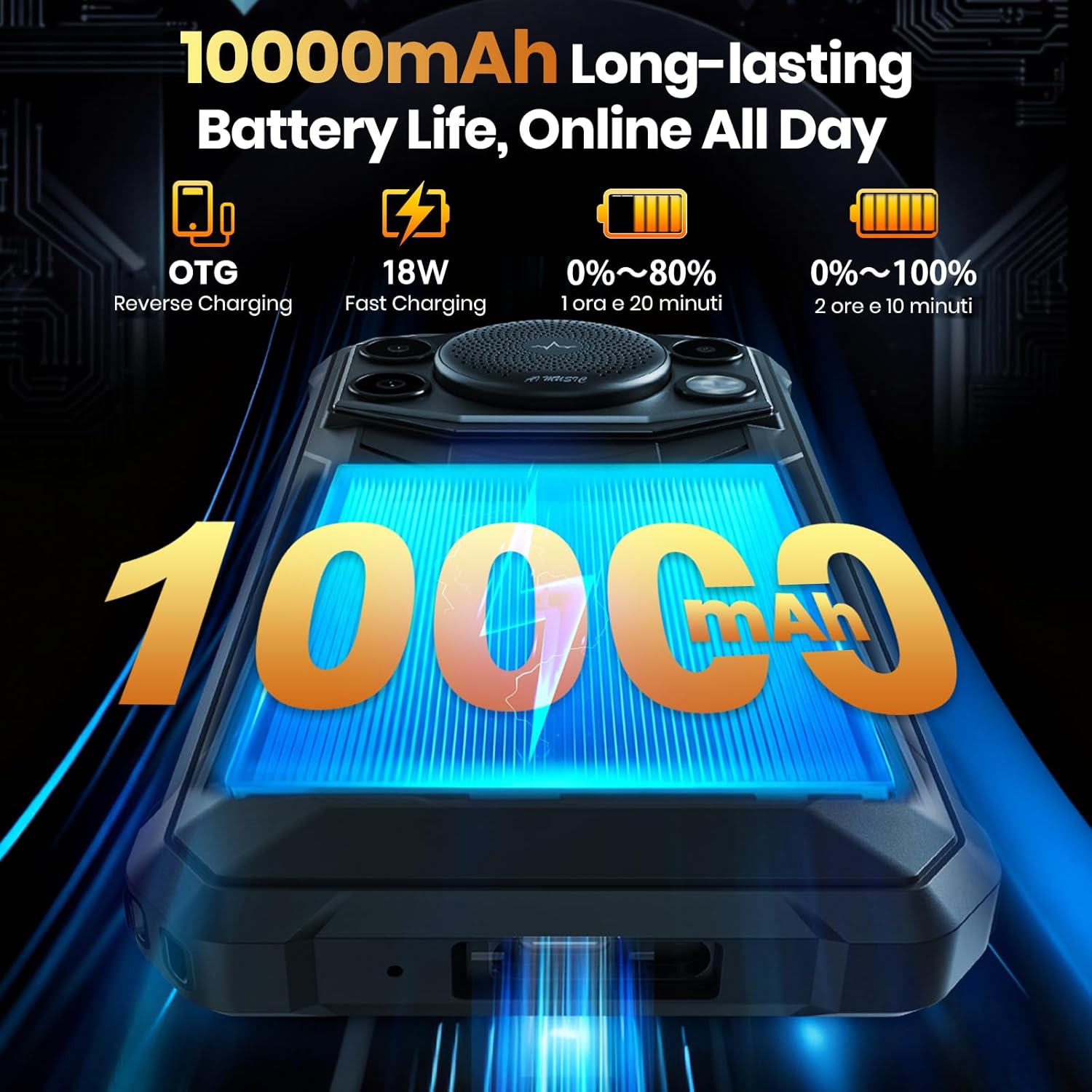
Image: The FOSSIBOT F110 Pro showcasing its 10000mAh battery capacity and fast charging capabilities.
2.5 Smart Toolbox
The F110 Pro includes a Smart Toolbox with various utility features designed for rugged use. Access tools such as a compass, sound meter, height measure, magnifier, flashlight, and more.
3. การบำรุงรักษาและการดูแล
3.1 การทำความสะอาดอุปกรณ์ของคุณ
To clean your FOSSIBOT F110 Pro, use a soft, lint-free cloth. For stubborn dirt, a slightly damp สามารถใช้ผ้าได้ หลีกเลี่ยงสารเคมีรุนแรงหรือวัสดุที่มีฤทธิ์กัดกร่อน
3.2 ความทนทานต่อน้ำและฝุ่นละออง
The F110 Pro is built to military standards (MIL-STD-810H) and boasts an IP68/IP69K rating, making it highly resistant to water, dust, and drops. While durable, avoid intentional submersion in corrosive liquids or extreme conditions beyond its specified ratings.
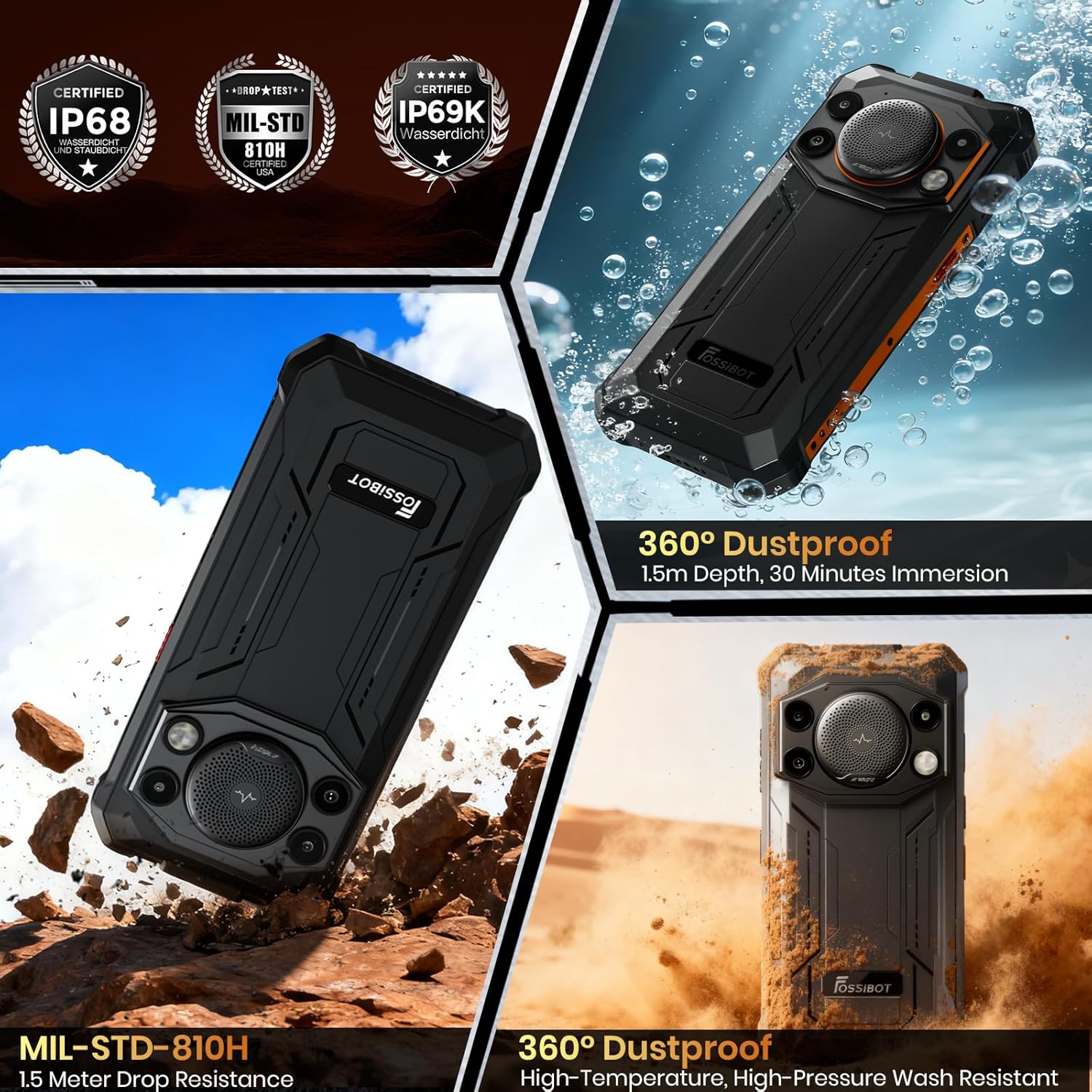
Image: Visual representation of the FOSSIBOT F110 Pro's IP68, IP69K, and MIL-STD-810H certifications, showing its resistance to water, dust, and drops.
3.3 ความต้านทานต่ออุณหภูมิ
The device is designed to operate within a wide temperature range, from -40°C to 70°C, ensuring reliability in diverse environments.
3.4 การอัปเดตซอฟต์แวร์
Regularly check for and install software updates to ensure optimal performance, security, and access to new features. Updates can typically be found in the phone's Settings menu under 'System' or 'About phone'.
4. การแก้ไขปัญหาทั่วไป
- โทรศัพท์ไม่เปิด: Ensure the battery is charged. Connect the phone to its charger and wait a few minutes before attempting to power on again. If it still doesn't turn on, perform a forced restart by holding the Power button for 10-15 seconds.
- ปัญหาการเชื่อมต่อ (Wi-Fi/5G): Check if Airplane Mode is off. Restart your Wi-Fi router or mobile data connection. If issues persist, reset network settings in your phone's settings.
- Battery draining fast: Reduce screen brightness, close unused apps running in the background, and disable unnecessary features like GPS or Bluetooth when not in use. Check battery usage in settings to identify power-hungry apps.
- แอปขัดข้องหรือค้าง: Clear the cache and data of the problematic app in Settings > Apps. If the issue continues, uninstall and reinstall the app. Ensure your phone's software is up to date.
- Speaker issues: Ensure the volume is turned up and the phone is not in silent mode. Check for any physical obstructions in the speaker grille.
5. ข้อมูลจำเพาะทางเทคนิค
| คุณสมบัติ | ข้อมูลจำเพาะ |
|---|---|
| ชื่อรุ่น | เอฟทูโปร |
| ระบบปฏิบัติการ | แอนดรอยด์ 15 |
| รุ่นซีพียู | MediaTek Dimensity 6300 Octa-Core |
| แรม | 8GB (expandable to 20GB with virtual RAM) |
| ความจุของหน่วยความจำ | 128GB (expandable to 1TB via TF card) |
| ขนาดหน้าจอ | 6.745-inch HD+ Waterdrop Display |
| ปณิธาน | 720 x 1600 |
| อัตราการรีเฟรช | 120 เฮิรตซ์ |
| กล้องหลัง | 50MP AI Main Camera + 5MP Macro Camera |
| กล้องหน้า | 8MP |
| ความจุของแบตเตอรี่ | 10000mAh |
| การชาร์จไฟ | ชาร์จเร็ว 18W, ชาร์จย้อนกลับ OTG |
| ระดับความทนทาน | IP68/IP69K, MIL-STD-810H |
| ขนาด | 0.03 x 0.01 x 0.07 นิ้ว |
| น้ำหนักสินค้า | 1.69 ปอนด์ |
6. การรับประกันและการสนับสนุนลูกค้า
Your FOSSIBOT F110 Pro comes with a รับประกัน 2 ปี. For any inquiries or assistance, FOSSiBOT provides 24/7 online after-sales support with real-time response. Please refer to the Warranty Card included in your package for detailed terms and conditions.
For direct support, visit the official FOSSiBOT website or contact their customer service team through the contact information provided in your warranty documentation.
7. ข้อมูลด้านความปลอดภัยที่สำคัญ
Please read all safety information before using your device to ensure safe and proper use. Keep the device away from extreme temperatures, direct sunlight, and sources of heat. Do not attempt to disassemble or modify the device. Use only approved chargers and accessories.


