การแนะนำ
Welcome to the user manual for your Baseus Bowie EZ10 Wireless Bluetooth Earbuds. This guide provides detailed instructions on how to set up, operate, and maintain your earbuds to ensure optimal performance and a seamless audio experience. Please read this manual carefully before using your device.
สินค้าเกินview
เนื้อหาแพ็คเกจ

Image: The package contents for the Baseus Bowie EZ10, including the two earbuds, the charging case, a USB charging cable, and multiple pairs of silicone ear tips in various sizes.
- Baseus Bowie EZ10 Wireless Earbuds (Left and Right)
- เคสชาร์จไฟ
- สายชาร์จ USB
- จุกหูฟังหลายคู่ (ขนาดต่างๆ)
- คู่มือการใช้งาน (เอกสารนี้)
คุณสมบัติหลัก
- Adaptive Noise Cancellation (ANC) up to -42dB: Experience high-quality, immersive audio regardless of your environment.
- ENC Noise Cancellation with 4 Microphones: Ensures clear and high-quality calls even in noisy surroundings.
- ความหน่วงต่ำมาก (0.038 วินาที): Guarantees audio and video synchronization for an immersive experience, especially for gaming and video playback.
- อายุการใช้งานแบตเตอรี่ที่ยาวนานขึ้น: Up to 30 hours of total playback with the charging case, and 5 hours on a single charge.
- Simultaneous Device Connection: Connect to two devices at the same time for seamless switching.
- Customizable App Support: Personalize your audio experience and controls via the dedicated Baseus application.
แผนผังผลิตภัณฑ์
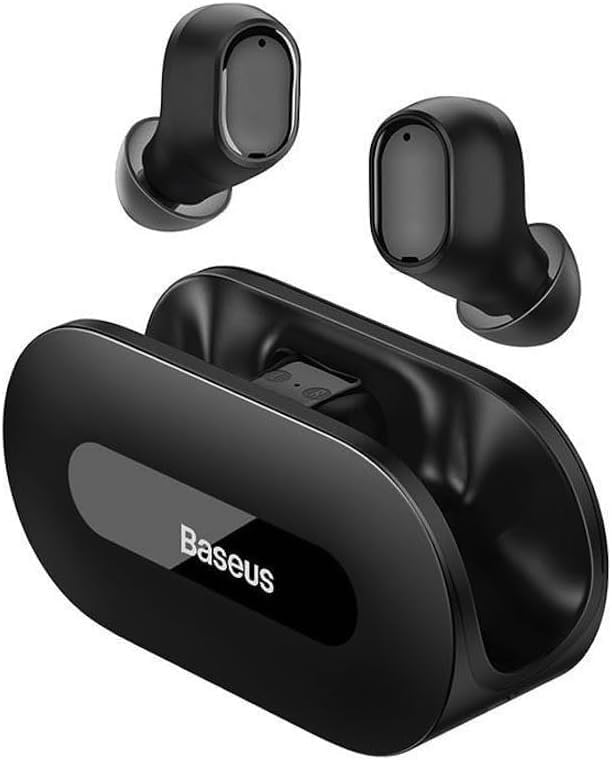
ภาพ: ชัดเจน view of the Baseus Bowie EZ10 wireless earbuds and their sleek black charging case, showcasinก. การออกแบบที่กะทัดรัด
The Baseus Bowie EZ10 earbuds feature a compact in-ear design for a comfortable and secure fit. The charging case is designed for easy portability and secure storage, with magnetic slots to hold the earbuds in place.
การตั้งค่า
การชาร์จหูฟังเอียร์บัดและเคส

Image: A graphic illustrating the long battery life of the Baseus Bowie EZ10 earbuds, indicating extended listening time with the charging case and quick charging capabilities.
- ค่าใช้จ่ายเริ่มต้น: Before first use, fully charge both the earbuds and the charging case. Place the earbuds into the charging case.
- เชื่อมต่อเครื่องชาร์จ: เสียบสายชาร์จ USB เข้ากับพอร์ตชาร์จบนเคส และเสียบปลายอีกด้านหนึ่งเข้ากับแหล่งจ่ายไฟ USB ที่ใช้งานร่วมกันได้ (เช่น อะแดปเตอร์ติดผนัง พอร์ต USB ของคอมพิวเตอร์)
- ตัวบ่งชี้การชาร์จ: The LED indicators on the charging case will show the charging status. Refer to the specific light patterns in your quick start guide for detailed information.
- ชาร์จเร็ว: The earbuds support fast charging, providing significant playback time with a short charge.
จับคู่กับอุปกรณ์ของคุณ
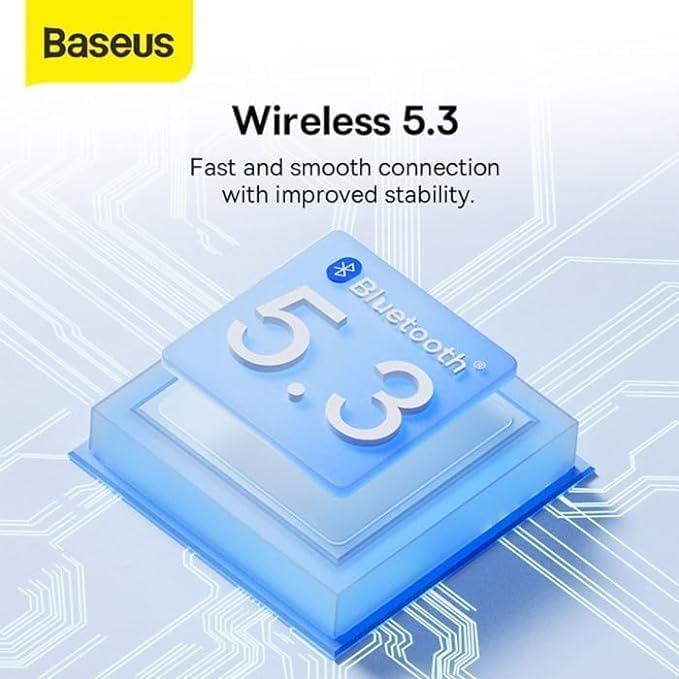
Image: A visual representation of Bluetooth 5.3 technology, highlighting its role in providing a fast and stable wireless connection for the Baseus Bowie EZ10 earbuds.
- เปิดเครื่อง: เปิดกล่องชาร์จ หูฟังจะเปิดอัตโนมัติและเข้าสู่โหมดจับคู่
- เปิดใช้งานบลูทูธ: บนอุปกรณ์ของคุณ (สมาร์ทโฟน แท็บเล็ต คอมพิวเตอร์) เปิดใช้งาน Bluetooth
- ค้นหา อุปกรณ์: ค้นหาอุปกรณ์ที่พร้อมใช้งานในการตั้งค่าบลูทูธของอุปกรณ์ของคุณ
- Select 'Baseus Bowie EZ10': From the list of found devices, select 'Baseus Bowie EZ10' to connect.
- การยืนยัน: Once connected, you will hear an audio prompt from the earbuds, and the device's Bluetooth settings will show them as connected.
- การเชื่อมต่อหลายอุปกรณ์: The earbuds can connect to two devices simultaneously. After pairing with the first device, disable Bluetooth on it, then pair with the second device. Re-enable Bluetooth on the first device, and the earbuds should connect to both.
คำแนะนำการใช้งาน
การสวมหูฟัง
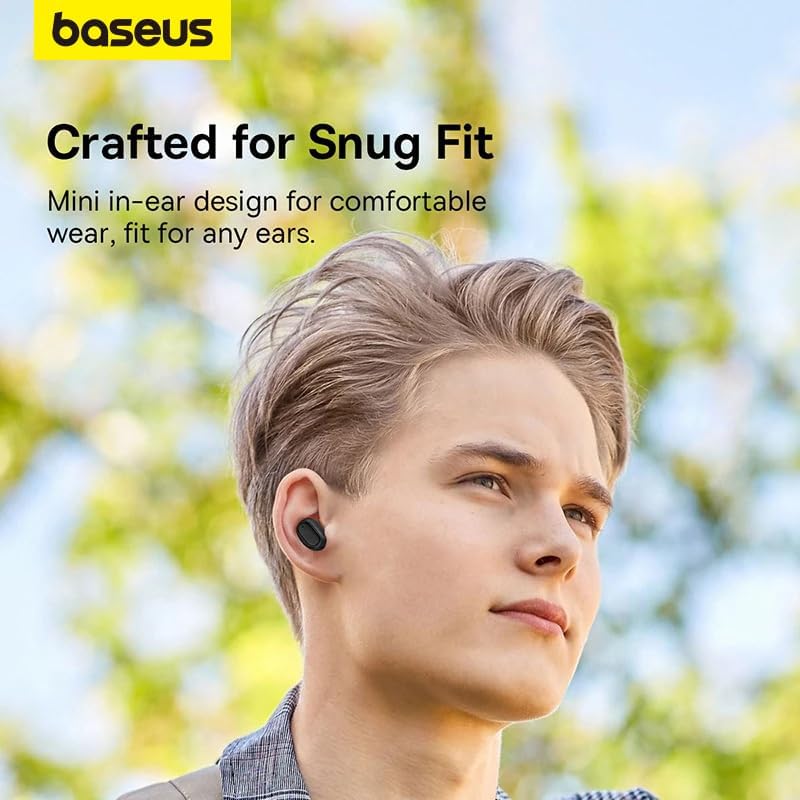
Image: A person wearing a Baseus Bowie EZ10 earbud, illustrating the comfortable and snug fit of the mini in-ear design.
- Choose Right Ear Tips: เลือกจุกหูฟังที่แนบสนิทและสวมใส่สบายที่สุดสำหรับหูของคุณ
- การใส่หูฟัง: ค่อยๆ ใส่หูฟังแต่ละข้างเข้าไปในช่องหูของคุณ
- ปรับขนาดให้พอดี: Rotate the earbuds slightly until they feel secure and comfortable, ensuring a good seal for optimal sound quality and noise cancellation.
การควบคุมแบบสัมผัส
The Baseus Bowie EZ10 earbuds feature intuitive touch controls on each earbud. Specific functions may vary or be customizable via the Baseus app.
- เล่น/หยุดชั่วคราว: แตะที่หูฟังข้างใดข้างหนึ่งเพียงครั้งเดียว
- เพลงถัดไป: แตะสองครั้งที่หูฟังด้านขวา
- แทร็กก่อนหน้า: แตะสองครั้งที่หูฟังด้านซ้าย
- รับ/วางสาย: แตะที่หูฟังข้างใดข้างหนึ่งเพียงครั้งเดียว
- ปฏิเสธสาย: กดและค้างไว้ที่หูฟังข้างใดข้างหนึ่ง
- เปิดใช้งาน Voice Assistant: แตะสามครั้งที่หูฟังข้างใดข้างหนึ่ง
- การควบคุมระดับเสียง: Specific gestures for volume control can often be set up in the Baseus app.
Noise Cancellation (ANC/ENC)
The Baseus Bowie EZ10 earbuds offer advanced noise cancellation features:
- ระบบตัดเสียงรบกวนแบบปรับได้ (ANC): Reduces ambient noise for an immersive listening experience. This mode can often be toggled on/off or adjusted via the touch controls or the Baseus app.
- ENC Noise Cancellation for Calls: The 4-microphone ENC system automatically works during calls to ensure your voice is clear and background noise is minimized for the person on the other end.
โหมดหน่วงเวลาต่ำ
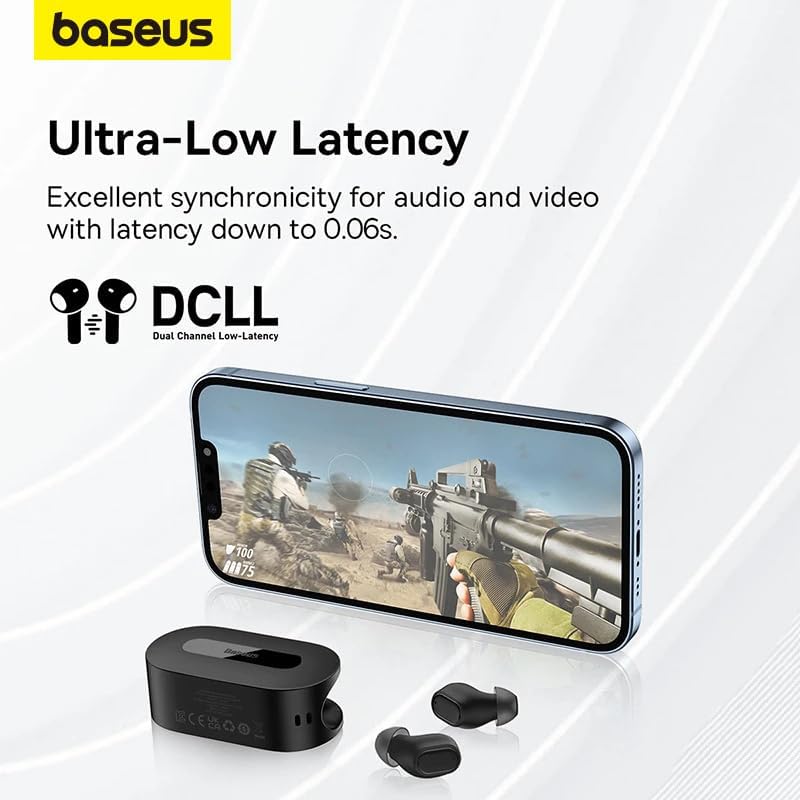
Image: The Baseus Bowie EZ10 earbuds and charging case positioned next to a smartphone displaying a gaming scene, emphasizing the ultra-low latency feature for synchronized audio and video.
For gaming or watching videos, activate the ultra-low latency mode to ensure perfect synchronization between audio and video. This mode can typically be activated via a specific touch gesture or through the Baseus app.
การใช้แอป Baseus
Download the official Baseus app from your device's app store. The app allows you to:
- ปรับแต่งการควบคุมแบบสัมผัส
- ปรับการตั้งค่า EQ
- Toggle noise cancellation modes.
- ตรวจสอบระดับแบตเตอรี่
- อัปเดตเฟิร์มแวร์
การซ่อมบำรุง
การทำความสะอาด
- หูฟัง: Use a soft, dry, lint-free cloth to wipe the earbuds. For earwax or debris, gently clean with a small, soft brush or cotton swab. Do not use liquids or abrasive cleaners.
- เคล็ดลับหู: ถอดจุกหูฟังซิลิโคนออกแล้วล้างด้วยสบู่และน้ำสะอาด ล้างให้สะอาดและปล่อยให้แห้งสนิทก่อนใส่กลับเข้าไปใหม่
- เคสชาร์จ: Wipe the case with a soft, dry cloth. Ensure the charging contacts inside the case are clean and free of debris.
พื้นที่จัดเก็บ
- ควรเก็บหูฟังไว้ในกล่องชาร์จเมื่อไม่ได้ใช้งาน เพื่อปกป้องหูฟังและชาร์จไฟอยู่เสมอ
- เก็บอุปกรณ์ไว้ในที่แห้งและเย็น หลีกเลี่ยงอุณหภูมิที่สูงและแสงแดดโดยตรง
การแก้ไขปัญหา
| ปัญหา | สาเหตุที่เป็นไปได้ | สารละลาย |
|---|---|---|
| หูฟังเอียร์บัดไม่จับคู่ | หูฟังไม่ได้อยู่ในโหมดจับคู่, บลูทูธบนอุปกรณ์ปิดอยู่, อุปกรณ์ที่จับคู่ไว้ก่อนหน้านี้รบกวนการทำงาน | Ensure earbuds are in pairing mode (open case); turn on Bluetooth on your device; forget previous connections on your device and try again. |
| ไม่มีเสียงจากเอียร์บัดข้างเดียว | แบตเตอรี่เหลือน้อย; หูฟังเสียบไม่สนิท; หูฟังสกปรก | Place both earbuds in the case to charge; ensure they are properly seated; clean earbud and charging contacts. |
| ปัญหาการชาร์จ | Cable or adapter faulty; charging contacts dirty; case battery empty. | Try a different USB cable and power adapter; clean charging contacts on earbuds and case; ensure charging case is charged. |
| คุณภาพเสียงไม่ดี | Improper fit; ear tips dirty; interference. | Adjust earbud fit and try different ear tips; clean ear tips and earbuds; move closer to your device or away from sources of interference. |
ข้อมูลจำเพาะ
| คุณสมบัติ | รายละเอียด |
|---|---|
| ชื่อรุ่น | โบวี่ EZ10 |
| เทคโนโลยีการเชื่อมต่อ | ไร้สาย (บลูทูธ 5.3) |
| การวางตำแหน่งหู | อินเอียร์ |
| การควบคุมเสียงรบกวน | Adaptive Noise Cancellation, ENC for calls |
| ความหน่วงเวลา | 0.038s (Ultra-Low Latency Mode) |
| อายุการใช้งานแบตเตอรี่ (หูฟัง) | สูงสุด 5 ชั่วโมง (ชาร์จครั้งเดียว) |
| อายุการใช้งานแบตเตอรี่ (พร้อมเคส) | นานถึง 30 ชั่วโมง |
| ประเภทการควบคุม | Media Control, Volume Control (customizable) |
| วัสดุ | Plastic, Silicone/Memory Foam (ear tips) |
| สี | สีดำ |
| ผู้ผลิต | Baseus_Inc |
| การรับรอง | CE |
การรับประกันและการสนับสนุน
The Baseus Bowie EZ10 Wireless Bluetooth Earbuds come with a manufacturer's warranty. Please refer to the warranty card included in your package or visit the official Baseus webเว็บไซต์สำหรับข้อกำหนดและเงื่อนไขการรับประกันโดยละเอียด
For technical support, troubleshooting assistance, or any product-related inquiries, please contact Baseus customer service through their official webไซต์หรือข้อมูลการติดต่อที่ให้ไว้ในบรรจุภัณฑ์ผลิตภัณฑ์ของคุณ




