การแนะนำ
Thank you for choosing the Kinglucky Mini Karaoke Machine. This portable and fun device is designed to bring joy and entertainment to kids and families with its clear sound, wireless microphones, and exciting voice effects. Please read this manual carefully to ensure proper use and maintenance of your new karaoke machine.
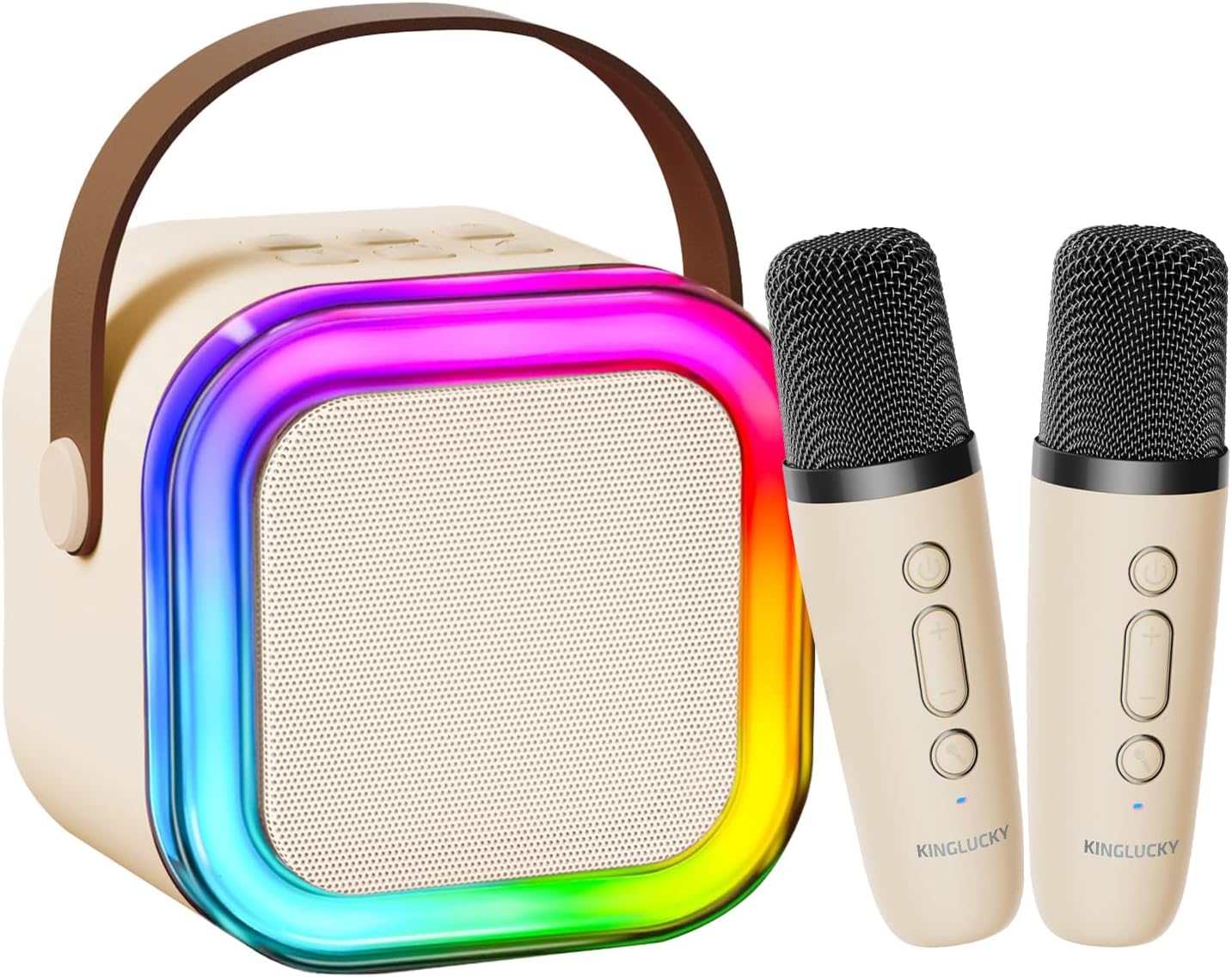
The Kinglucky Mini Karaoke Machine, featuring a beige speaker with colorful LED lights and two matching wireless microphones.
มีอะไรอยู่ในกล่อง
Your Kinglucky Mini Karaoke Machine package includes the following items:
- 1 x ลำโพงคาราโอเกะ
- 2 x ไมโครโฟนไร้สาย
- 1 x สายชาร์จ
- 1 x คู่มือผู้ใช้ (เอกสารนี้)
การตั้งค่า
1. การชาร์จอุปกรณ์
Before first use, ensure both the karaoke speaker and the wireless microphones are fully charged. Use the provided charging cable to connect the devices to a compatible USB power source.
- Connect the charging cable to the charging port on the karaoke speaker.
- Connect the charging cable to the charging port on each wireless microphone.
- The charging indicator light will show the charging status (refer to the device for specific light behavior).
- เมื่อชาร์จเต็มแล้ว ให้ถอดสายชาร์จออก
2. เปิดเครื่อง
- To power on the karaoke speaker, press and hold the power button for a few seconds until the LED lights illuminate.
- To power on each wireless microphone, press and hold the power button on the microphone until its indicator light turns on.
3. Pairing Microphones with Speaker
The wireless microphones should automatically pair with the karaoke speaker upon powering on. If they do not pair automatically:
- Ensure both the speaker and microphones are powered on and within close proximity.
- If pairing issues persist, power off and then power on both devices again.
คำแนะนำการใช้งาน
1. Connecting to Audio Source (Bluetooth)
The Kinglucky Karaoke Machine supports Bluetooth 5.3 for seamless wireless connection to your devices.
- Turn on the karaoke speaker. It will automatically enter Bluetooth pairing mode.
- On your smartphone, tablet, or TV, enable Bluetooth and search for available devices.
- Select "Kinglucky K12" (or similar name) from the list of devices to connect.
- Once connected, you will hear an audible confirmation. You can now play music from your device through the karaoke speaker.

The karaoke machine offers multiple connection methods including Bluetooth 5.3, USB, and AUX for versatile audio playback.
2. ปรับระดับเสียง
You can adjust the volume of the music, microphone, and echo effect independently.
- ระดับเสียงดนตรี: Use the volume controls on your connected device (phone, tablet) to adjust the music playback volume.
- Microphone Volume (Mic VOL): Use the '+' and '-' buttons on the wireless microphones to increase or decrease your voice volume.
- Echo Volume (Echo VOL): Long press the '+' or '-' button on the microphone for 2-3 seconds to adjust the echo level. There are 5 levels of echo, with 0 being the default (no echo).

Microphone controls allow for independent adjustment of echo, music, and microphone volume.
3. เอฟเฟ็กต์เสียง
The karaoke machine features 5 fun voice-changing effects to enhance your singing experience.
- Press the voice effect button (often indicated by a microphone icon or 'M') on the wireless microphone to cycle through the available voice effects.
- Effects include Original, Mom, Dad, Monster, and Baby.
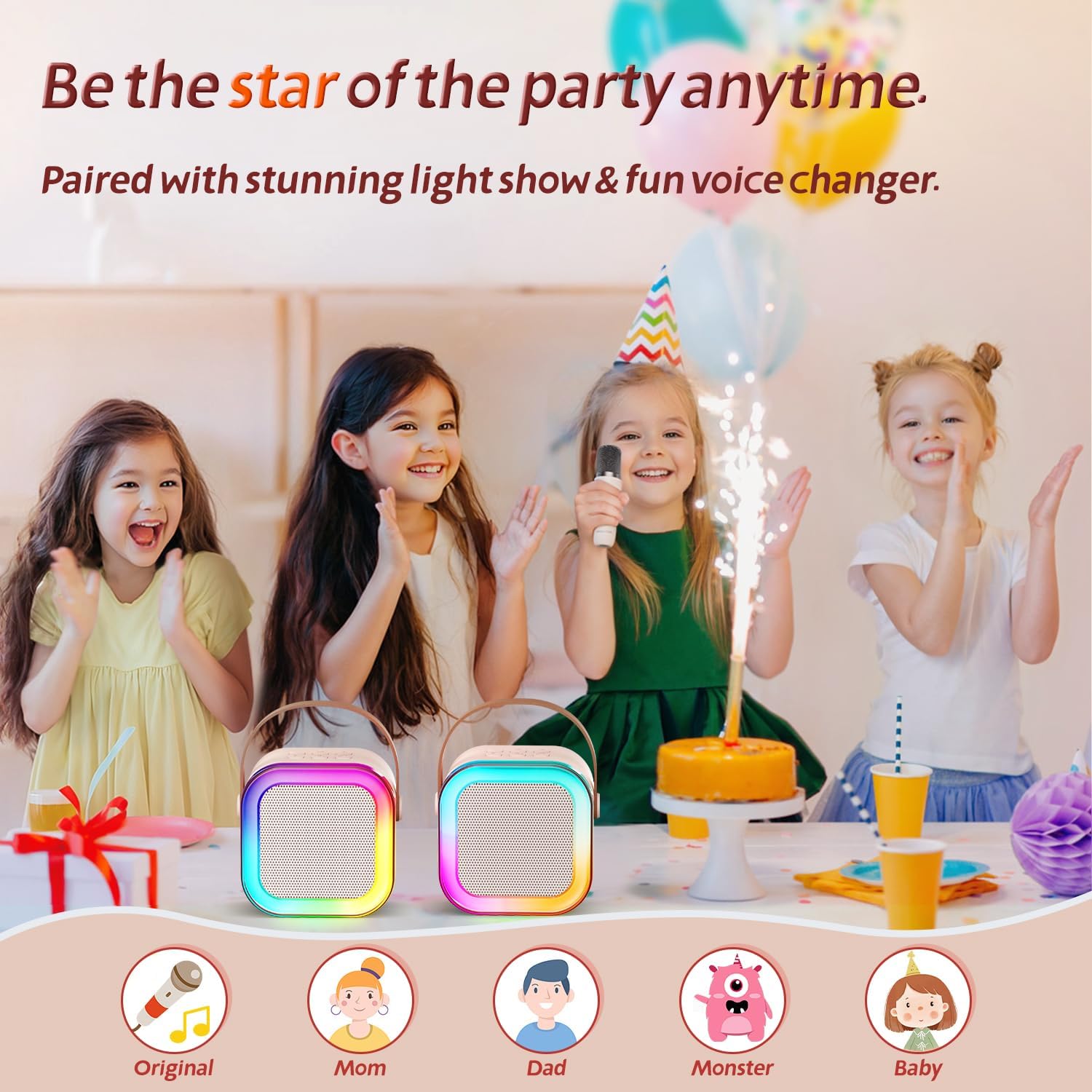
Explore five unique voice effects to add more fun to your karaoke sessions.
4. ไฟดิสโก้ LED
The karaoke speaker features dynamic LED disco lights that synchronize with the music, creating a lively atmosphere.
- The LED lights automatically activate when the speaker is powered on.
- There may be a dedicated button on the speaker to turn the lights on/off or change modes (refer to device markings if available).
การซ่อมบำรุง
- การทำความสะอาด: Wipe the surface of the karaoke machine and microphones with a soft, dry cloth. Do not use abrasive cleaners or immerse in water.
- พื้นที่จัดเก็บ: เก็บอุปกรณ์ไว้ในที่แห้งและเย็น หลีกเลี่ยงแสงแดดโดยตรงและอุณหภูมิที่สูงหรือต่ำเกินไป
- การดูแลแบตเตอรี่ เพื่อยืดอายุการใช้งานแบตเตอรี่ ควรชาร์จอุปกรณ์เป็นประจำ แม้ว่าจะไม่ได้ใช้งานบ่อยก็ตาม หลีกเลี่ยงการปล่อยให้แบตเตอรี่หมดเกลี้ยงเป็นเวลานาน
การแก้ไขปัญหา
| ปัญหา | สาเหตุที่เป็นไปได้ | สารละลาย |
|---|---|---|
| ไม่มีเสียงจากลำโพง | Speaker is off; volume is too low; not connected via Bluetooth. | Ensure speaker is on and charged. Increase speaker and connected device volume. Re-pair Bluetooth. |
| ไมโครโฟนไม่ทำงาน | Microphone is off; battery low; not paired with speaker. | Ensure microphone is on and charged. Re-pair microphone with speaker. |
| Echo effect won't turn off. | Echo level is set too high. | Long press the '-' button on the microphone to decrease the echo level to 0. |
| Poor sound quality / Distortion. | Volume too high; interference; low battery. | Lower volume. Move closer to the speaker. Charge devices. |
ข้อมูลจำเพาะ
- แบบอย่าง: เค12
- ยี่ห้อ: คิงลักกี้
- ขนาดสินค้า : 3 x 8 x 6.2 นิ้ว
- น้ำหนักสินค้า: 1.5 ปอนด์
- เวอร์ชันบลูทูธ: 5.3
- คุณสมบัติพิเศษ: 10h Battery Life, Super Cute & Portable, Sound loud & clear
- สี: สีเบจ
- การใช้ที่แนะนำ: งานสังสรรค์

The Kinglucky karaoke machine features precision-engineered speakers for clear, immersive sound.

Enjoy extended playtime with the Kinglucky Mini Karaoke Machine's 10-hour ultra-long battery life.
การรับประกันและการสนับสนุน
Kinglucky products are designed for durability and performance. For warranty information, technical support, or any inquiries regarding your karaoke machine, please refer to the contact information provided on the product packaging or visit the official Kinglucky webไซต์นี้ โปรดเก็บใบเสร็จรับเงินที่ซื้อไว้เพื่อใช้เรียกร้องการรับประกัน
หากต้องการความช่วยเหลือเพิ่มเติม คุณสามารถดูข้อมูลได้ที่... คู่มือการใช้งาน (PDF) มีให้บริการออนไลน์


