1. สินค้าหมดview
The Ctronics 4G LTE Indoor Security Camera is a versatile surveillance device designed for indoor use. It features 3G/4G mobile connectivity, eliminating the need for Wi-Fi, and offers a 360° Pan-Tilt-Zoom (PTZ) function for comprehensive area coverage. Equipped with advanced motion and human detection, automatic tracking, color night vision, and two-way audio, this camera provides robust monitoring capabilities. It supports local storage via TF card and cloud storage options.
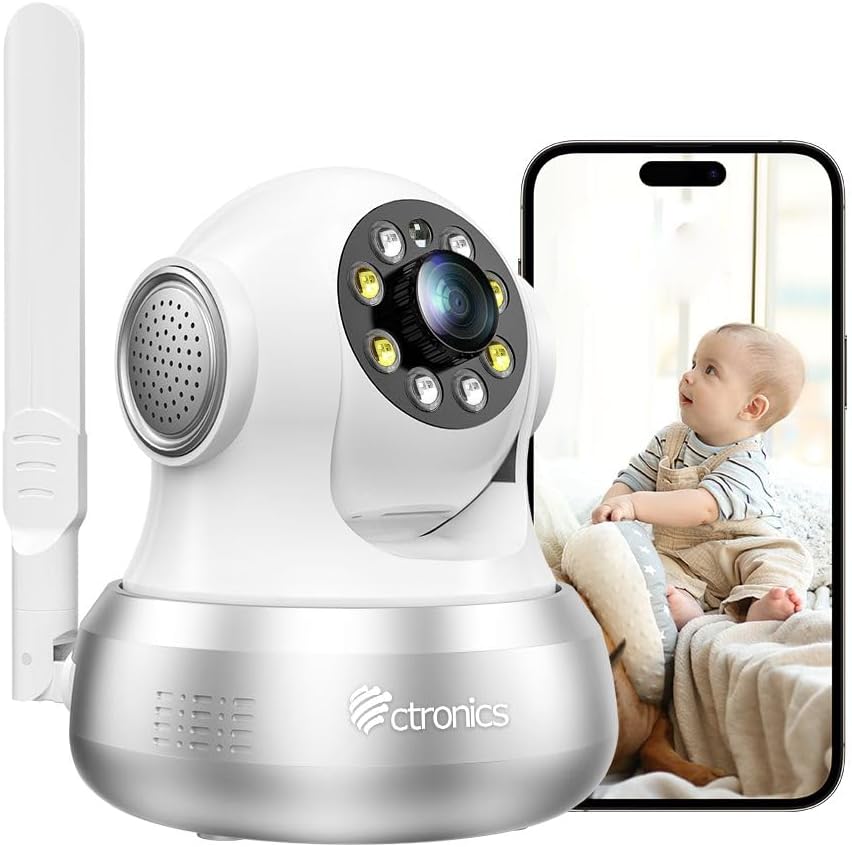
Figure 1: Ctronics 4G LTE Indoor Security Camera with a smartphone displaying live feed.
2. เนื้อหาบรรจุภัณฑ์
กรุณาตรวจสอบแพ็คเกจสำหรับรายการต่อไปนี้:
- Ctronics 4G LTE Indoor Security Camera
- อะแดปเตอร์แปลงไฟ
- ตัวยึดและสกรู
- สายเคเบิลอีเทอร์เน็ต
- SIM Card (with 300 MB test data)
- คู่มือการใช้งาน
- เครื่องมือถอดซิม

Figure 2: Illustration of the camera and its included accessories.
3. คู่มือการติดตั้ง
3.1 SIM Card Installation and Power On
- ใส่ซิมการ์ด: Locate the SIM card slot on the camera. Using the provided SIM ejector tool, carefully insert the included 3G/4G SIM card. Ensure the SIM card is correctly oriented.
- การเชื่อมต่อไฟฟ้า: Connect the power adapter to the camera and plug it into a power outlet. The camera will power on automatically.
- การบูตครั้งแรก: Allow a few moments for the camera to boot up and establish a 4G connection. The status indicator light will show the connection status.

Figure 3: Visual guide for initial setup, including SIM card insertion and power connection.
3.2 การดาวน์โหลดแอปและการจับคู่กล้อง
- ดาวน์โหลดแอพ: Scan the QR code in the manual or search for "Ctronics Pro" in your mobile app store (iOS/Android) to download the application.
- ลงทะเบียน/เข้าสู่ระบบ: Open the Ctronics Pro app and register a new account or log in if you already have one.
- เพิ่มกล้อง: ทำตามคำแนะนำในแอปเพื่อเพิ่มกล้องของคุณ ซึ่งโดยทั่วไปจะเกี่ยวข้องกับการสแกนคิวอาร์โค้ดบนกล้องหรือป้อนรหัสประจำตัวด้วยตนเอง
- ตั้งค่าให้เสร็จสมบูรณ์: Once the camera is successfully added, you can view รับชมฟีดสดและกำหนดค่าการตั้งค่า
3.3 ตัวเลือกการติดตั้ง
The camera can be placed on a flat surface or mounted on a wall or ceiling. A mounting bracket and screws are included for secure installation.
- ตำแหน่งบนโต๊ะ: เพียงวางกล้องไว้บนพื้นผิวที่มั่นคงและเรียบ
- ติดผนัง / เพดาน: Use the provided bracket as a template to mark drill holes. Secure the bracket with screws, then attach the camera to the bracket. Ensure the camera is oriented correctly for the desired viewมุมอิง
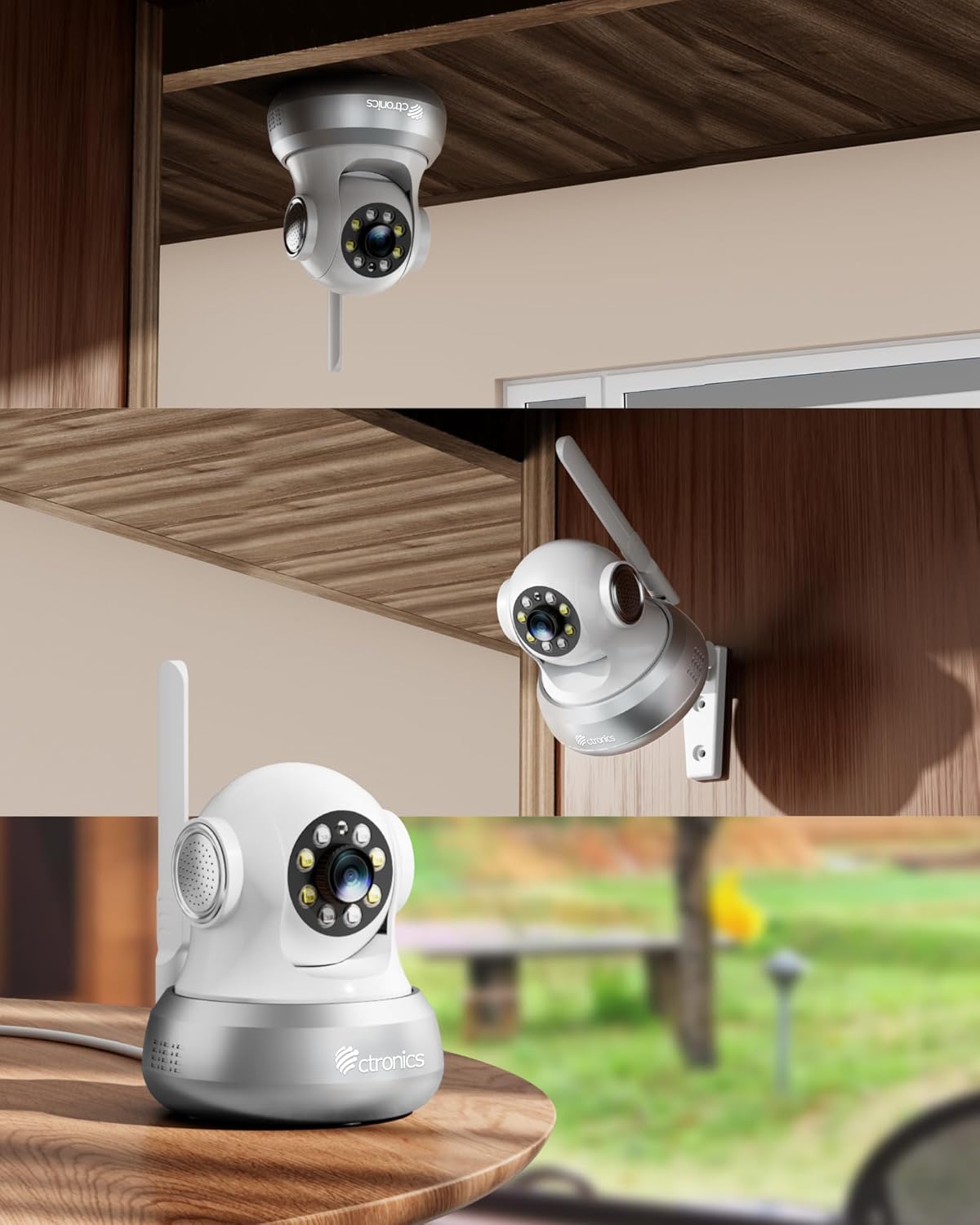
รูปที่ 4: อดีตamples of flexible camera placement on a table, wall, or ceiling.
4. คู่มือการใช้งาน
4.1 สด View และการควบคุม PTZ
Access the live video feed through the Ctronics Pro app. Use the on-screen controls to pan (355°) and tilt (90°) the camera, allowing you to view any corner of the room.

Figure 5: Illustrates the camera's PTZ capabilities and preset monitoring points.
4.2 Motion and Human Detection with Auto Tracking
The camera features an integrated AI algorithm for intelligent detection of humans and motion. When triggered, the camera will automatically lock onto the detected target and track its movements. White lights will flash to deter intruders, and you will receive alarm notifications via the app and email.

Figure 6: The camera's smart detection and tracking feature in action.
4.3 การมองเห็นกลางคืนแบบสี
Equipped with 4 white lights and 4 infrared lights, the camera provides clear color night vision up to 20 meters, ensuring visibility even in complete darkness.

รูปที่ 7: อดีตample of color night vision and alarm features.
4.4 เสียงสองทาง
The built-in microphone and speaker allow for real-time two-way communication. You can hear what's happening around the camera and speak through the camera to family members or visitors.

Figure 8: Demonstrating the two-way audio communication feature.
4.5 การบันทึกและการเก็บรักษา
The camera supports 24/7 continuous or time-scheduled recording. Videos can be stored on a TF card (up to 64 GB, not included) or via the Ctronics Pro app's cloud storage service.
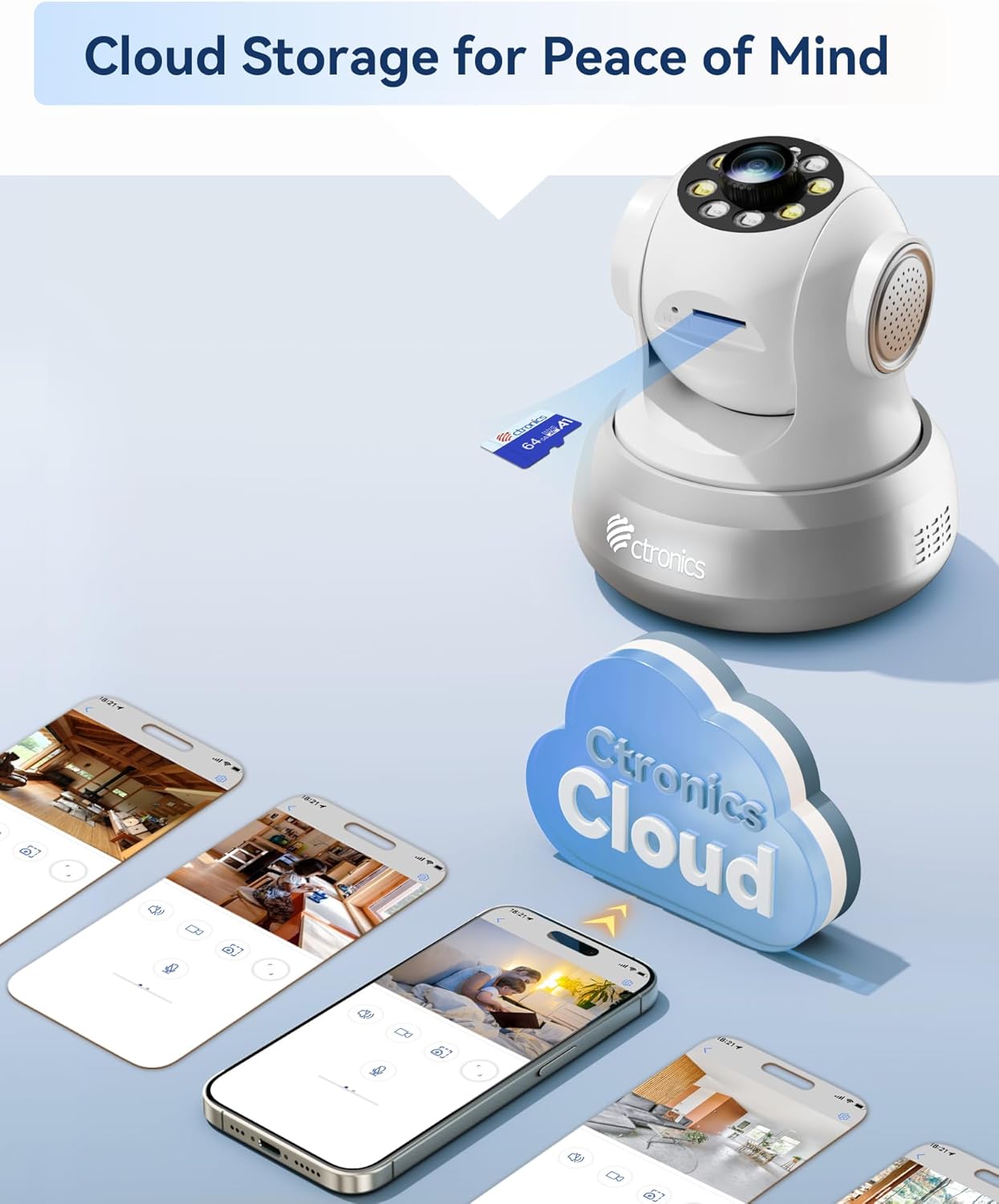
Figure 9: Storage options for recorded footage.
5. การบำรุงรักษา
- การทำความสะอาด: เช็ดเลนส์และตัวกล้องเบาๆ ด้วยผ้านุ่มและแห้ง หลีกเลี่ยงการใช้สารเคมีรุนแรงหรือน้ำยาทำความสะอาดที่มีฤทธิ์กัดกร่อน
- อัพเดตเฟิร์มแวร์: Regularly check the Ctronics Pro app for available firmware updates to ensure optimal performance and security.
- การจัดการซิมการ์ด: Monitor your SIM card data usage to ensure continuous connectivity. Replace or recharge the SIM card as needed.
- การจัดการพื้นที่เก็บข้อมูล: รีเป็นระยะๆview บันทึกเสียงฟูtage and manage storage space on your TF card or cloud service.
6 การแก้ไขปัญหา
- กล้องไม่เชื่อมต่อกับเครือข่าย 4G:
- ตรวจสอบให้แน่ใจว่าใส่และเปิดใช้งานซิมการ์ดอย่างถูกต้อง
- Check if the SIM card has sufficient data balance.
- Verify 4G signal strength in the camera's location.
- รีสตาร์ทกล้องโดยถอดปลั๊กแล้วเสียบปลั๊กไฟใหม่อีกครั้ง
- No Video Feed in App:
- Confirm the camera is powered on and connected to the 4G network.
- Check your mobile device's internet connection.
- Ensure the Ctronics Pro app is updated to the latest version.
- Try removing and re-adding the camera in the app.
- การตรวจจับความเคลื่อนไหวไม่ทำงาน:
- ตรวจสอบให้แน่ใจว่าได้เปิดใช้งานการตรวจจับการเคลื่อนไหวในการตั้งค่าแอปแล้ว
- Adjust sensitivity settings to an appropriate level.
- ตรวจสอบให้แน่ใจว่าไม่มีสิ่งกีดขวางปิดกั้นกล้อง view.
- คุณภาพการมองเห็นในเวลากลางคืนไม่ดี:
- ตรวจสอบให้แน่ใจว่าเลนส์กล้องสะอาด
- Check for any reflective surfaces close to the camera that might interfere with infrared or white lights.
7. ข้อมูลจำเพาะ
| คุณสมบัติ | ข้อมูลจำเพาะ |
|---|---|
| หมายเลขรุ่น | CTIPC-750C-S-EU4G |
| ยี่ห้อ | โครโทรนิกส์ |
| เทคโนโลยีการเชื่อมต่อ | 3G/4G Mobile Network (SIM Card included), Wired Ethernet |
| ความละเอียดวิดีโอที่มีประสิทธิภาพ | 1080p |
| ช่วงแพน/เอียง | แพน 355° เอียง 90° |
| การมองเห็นตอนกลางคืน | Color Night Vision (up to 20m) with 4 white lights and 4 infrared lights |
| การตรวจจับ | Human/Motion Detection, Automatic Tracking |
| เสียง | ระบบเสียงสองทิศทาง (ไมโครโฟนและลำโพงในตัว) |
| ตัวเลือกการจัดเก็บข้อมูล | TF Card (up to 64GB, not included), Cloud Storage (via Ctronics Pro app) |
| แหล่งพลังงาน | ไฟฟ้าพร้อมสายไฟ |
| วัสดุ | อะคริโลไนไตรล์ บิวทาไดอีน สไตรีน (ABS) |
| สภาพแวดล้อมการทำงาน | Indoor Use Only (Not water-resistant) |
| ขนาดแพ็คเกจ | 18.7 x 14.6 x 12.4 ซม.; 510 กรัม |
8. การรับประกันและการสนับสนุน
Ctronics products typically come with a standard manufacturer's warranty. For specific warranty details, please refer to the warranty card included in your product packaging or visit the official Ctronics website. For technical support, troubleshooting assistance, or any product-related inquiries, please contact Ctronics customer service through their official channels. Contact information can usually be found on the Ctronics website or within the Ctronics Pro application.


