1. บทนำและเรื่องอื่นๆview
The MOJOGEAR XL All-in-1 Powerbank is a versatile and high-capacity portable charger designed to keep your electronic devices powered on the go. With a substantial 20,000 mAh capacity, built-in USB-C and Lightning cables, and multiple output ports, it offers convenient and fast charging for smartphones, tablets, smartwatches, and other compatible devices. Its compact design and airplane-friendly capacity make it an ideal travel companion.

Image 1.1: The MOJOGEAR XL All-in-1 Powerbank, showcasinด้วยการออกแบบที่กะทัดรัดและสายเคเบิลแบบบูรณาการ
2. คุณสมบัติของผลิตภัณฑ์
- ความจุสูง: 20,000 mAh battery, capable of charging a smartphone 3 to 8 times.
- สายเคเบิลในตัว: Features built-in USB-C and Lightning cables for direct device charging without extra accessories.
- เอาท์พุตหลายรายการ: Includes 1x USB-C port (in/out) and 1x USB-A port, allowing simultaneous charging of up to three devices.
- ชาร์จเร็ว: Supports Quick Charge 3.0 (up to 22.5W via USB-A) and USB Power Delivery (up to 20W via USB-C) for rapid charging.
- จอแสดงผล LED: Clear LED screen indicates remaining battery percentage และสถานะการชาร์จ
- เหมาะกับการเดินทาง: 74 Wh capacity is suitable for air travel in hand luggage.
- การชาร์จแบบพาสทรู: Allows charging of connected devices while the power bank itself is being recharged.
3. การตั้งค่า
3.1 ค่าบริการเริ่มต้น
Before first use, fully charge your MOJOGEAR XL All-in-1 Powerbank. This ensures optimal battery performance and longevity.
- Connect the built-in USB-C cable or an external USB-C cable to the power bank's USB-C input/output port.
- เสียบปลายอีกด้านของสายเคเบิลเข้ากับอะแดปเตอร์ติดผนัง USB ที่ใช้งานร่วมกันได้ (ไม่ได้รวมอยู่ในชุด)
- The LED display will show the charging progress. A green lightning icon on the LED screen indicates fast charging. The power bank is fully charged when the display shows 100%.
3.2 Identifying Ports and Cables
Familiarize yourself with the power bank's charging interfaces:
- สาย USB-C ในตัว: Used for charging devices with a USB-C port (e.g., Android smartphones, iPhone 15) and for recharging the power bank itself.
- สาย Lightning ในตัว: Used for charging Apple devices with a Lightning port (e.g., iPhone 14 and older).
- USB-C Port (In/Out): Functions as both an input for recharging the power bank and an output for charging devices.
- พอร์ต USB-A (เอาต์พุต): Used for charging devices that require a standard USB-A connection.

ภาพที่ 3.1: ด้านข้าง view illustrating the USB-A and USB-C ports on the power bank.
4. คู่มือการใช้งาน
4.1 การชาร์จอุปกรณ์ของคุณ
พาวเวอร์แบงค์นี้มีวิธีการชาร์จอุปกรณ์อิเล็กทรอนิกส์ของคุณได้หลากหลายวิธี:
- การใช้สายเคเบิลในตัว: Extend the appropriate built-in USB-C or Lightning cable and connect it directly to your device's charging port.
- การใช้พอร์ต USB-C: Connect your device to the power bank's USB-C input/output port using a compatible USB-C to USB-C cable.
- การใช้งานผ่านพอร์ต USB-A: เชื่อมต่ออุปกรณ์ของคุณเข้ากับพอร์ต USB-A ของพาวเวอร์แบงค์โดยใช้สาย USB-A ที่ใช้งานร่วมกันได้

Image 4.1: A smartphone being charged by the power bank using one of its integrated cables.
4.2 การชาร์จพร้อมกัน
You can charge up to three devices simultaneously using the built-in USB-C cable, the USB-C port, and the USB-A port. The power bank will intelligently distribute power to connected devices.
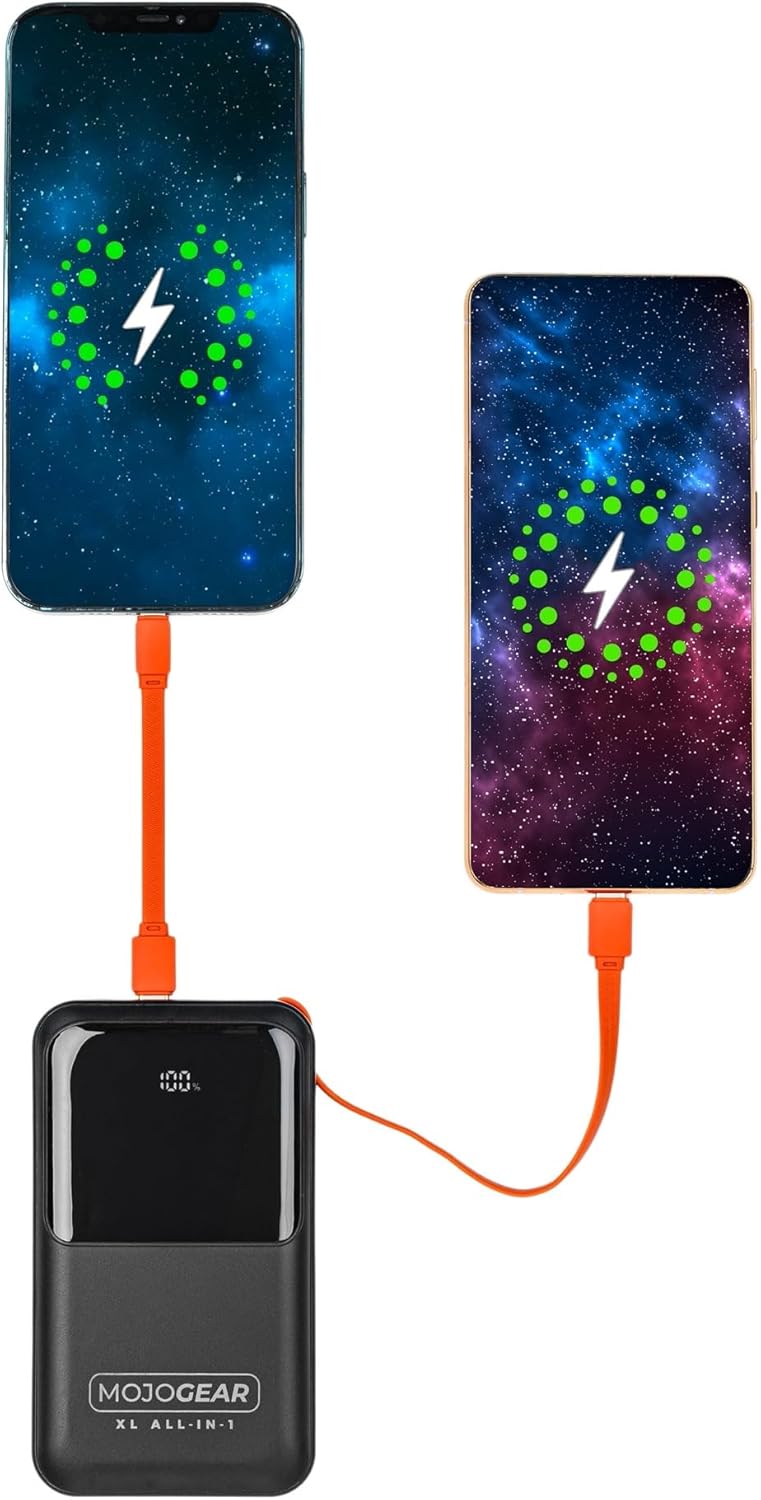
Image 4.2: Illustration of two smartphones receiving charge from the power bank.
4.3 การชาร์จแบบผ่าน
The MOJOGEAR XL All-in-1 Powerbank supports pass-through charging, meaning you can charge your devices while the power bank itself is being recharged. Simply connect the power bank to a power source and then connect your devices to the power bank.
4.4 LED Display Functionality
The integrated LED screen provides real-time information:
- เปอร์เซ็นต์แบตเตอรี่tage: แสดงระดับประจุไฟที่เหลืออยู่ของพาวเวอร์แบงค์
- สถานะการชาร์จ: Indicates when the power bank is charging (a green lightning icon may appear for fast charging) or when it is discharging to connected devices.
5. การบำรุงรักษา
- การทำความสะอาด: ใช้ผ้าแห้งเนื้อนุ่มเช็ดทำความสะอาดพาวเวอร์แบงค์ หลีกเลี่ยงน้ำยาทำความสะอาดหรือวัสดุที่มีฤทธิ์กัดกร่อน
- พื้นที่จัดเก็บ: เก็บพาวเวอร์แบงค์ไว้ในที่แห้งและเย็น หลีกเลี่ยงแสงแดดโดยตรงและอุณหภูมิที่สูงหรือต่ำเกินไป
- การใช้งานปกติ: เพื่อรักษาอายุการใช้งานของแบตเตอรี่ แนะนำให้ชาร์จและคายประจุพาวเวอร์แบงค์จนหมดอย่างน้อยทุกๆ สามเดือน หากไม่ได้ใช้งานเป็นประจำ
- การดูแลสายเคเบิล: Ensure built-in cables are properly tucked into their designated slots when not in use to prevent damage.
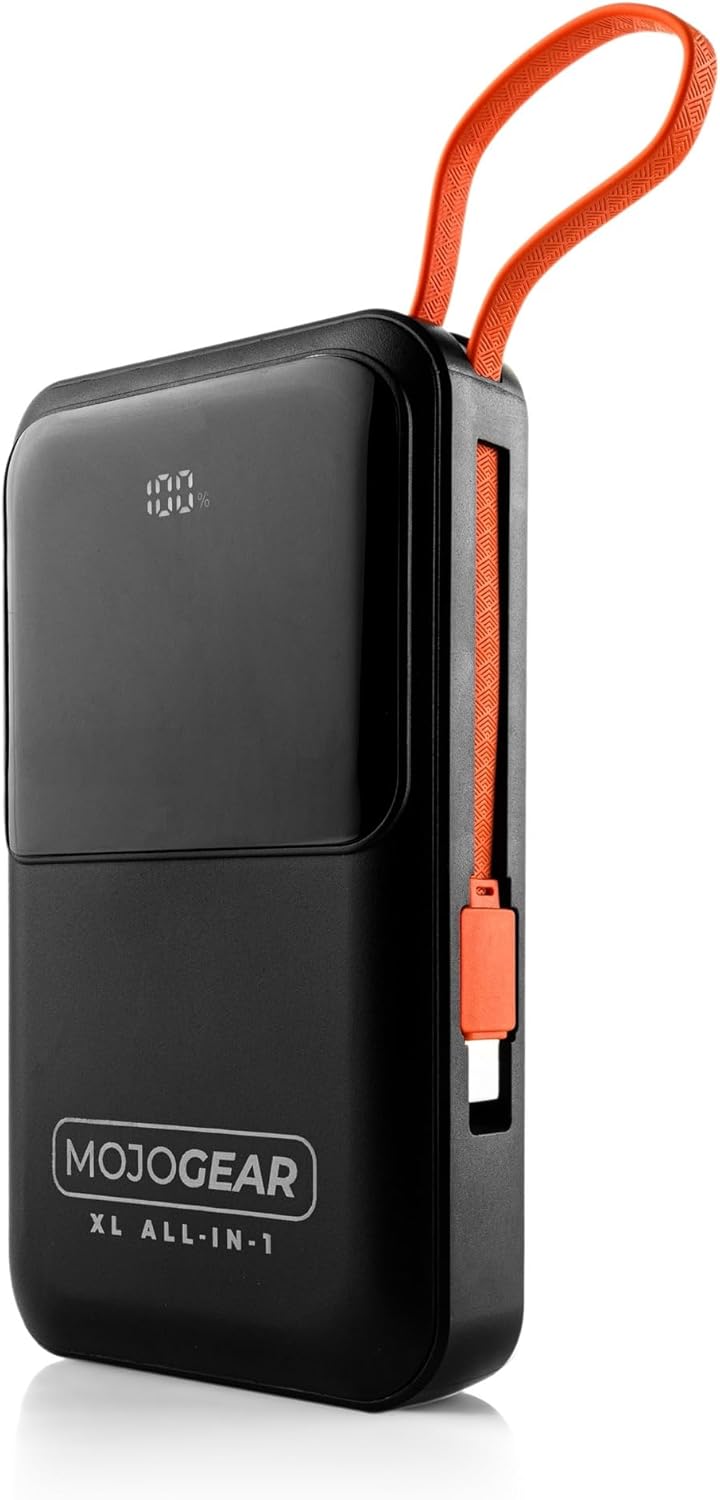
Image 5.1: The power bank with its integrated cables securely stored, ready for transport.
6 การแก้ไขปัญหา
- พาวเวอร์แบงค์ไม่ชาร์จ:
- ตรวจสอบให้แน่ใจว่าสายชาร์จเชื่อมต่อกับพาวเวอร์แบงค์และอะแดปเตอร์ติดผนังอย่างแน่นหนา
- ตรวจสอบให้แน่ใจว่าอะแดปเตอร์ติดผนังทำงานได้อย่างถูกต้องและเสียบเข้ากับเต้ารับไฟฟ้าที่มีกระแสไฟอยู่
- ลองใช้สาย USB-C หรืออะแดปเตอร์ติดผนังอื่น
- อุปกรณ์ไม่ชาร์จจากพาวเวอร์แบงค์:
- ตรวจสอบว่าพาวเวอร์แบงค์มีประจุไฟเพียงพอหรือไม่ (ดูที่จอแสดงผล LED)
- Ensure the cable connecting the device to the power bank is securely plugged in at both ends.
- Try using a different cable or a different output port on the power bank.
- ยืนยันว่าอุปกรณ์ของคุณเข้ากันได้กับคุณสมบัติเอาต์พุตของพาวเวอร์แบงค์
- การชาร์จช้า:
- Ensure you are using a fast-charging compatible cable and wall adapter for optimal speed when recharging the power bank.
- For device charging, verify that your device supports fast charging and that you are using the appropriate port/cable (e.g., USB-C PD).
- การชาร์จอุปกรณ์หลายเครื่องพร้อมกันอาจทำให้ความเร็วในการชาร์จแต่ละอุปกรณ์ลดลง
- จอแสดงผล LED ไม่ทำงาน:
- กดปุ่มเปิด/ปิดสั้นๆ เพื่อเปิดใช้งานหน้าจอ
- If the issue persists, the power bank may be completely discharged or require service.
7. ข้อมูลจำเพาะ
| คุณสมบัติ | รายละเอียด |
|---|---|
| ความจุ | 20,000 mAh (74 วัตต์ชั่วโมง) |
| เหมาะสำหรับ | Smartphones, tablets, e-readers, action cameras, wireless earphones, and more. |
| เนื้อหาแพ็คเกจ | Power bank, USB-A to USB-C cable (20 cm), USB-C to Lightning cable (10 cm) |
| การเชื่อมต่อ | 1 x USB-C port (in/out), 1x USB-A port, built-in charging cable (USB-C), built-in Lightning cable |
| ขนาด | 10.6 x 7 x 1.6 ซม. |
| น้ำหนัก | 323 กรัม |
| Smartphone Charging Cycles | 3 to 8 times (depending on model) |
| การชาร์จแบบผ่าน | ใช่ |
| Max Power USB-C Output | 20วัตต์ |
| Max Power USB-C Input | 15วัตต์ |
| Max Power USB-A Output | 22.5วัตต์ |
| Max Power Built-in USB-C Cable | 22.5วัตต์ |
| Max Power Built-in Lightning Cable | 15วัตต์ |
| ประสิทธิภาพ | 85% |
| ไฟ LED แสดงสถานะ | เปอร์เซ็นต์แบตเตอรี่tage และสถานะการชาร์จ |
| สี | สีดำ |
| วัสดุที่ใช้ทำตัวเรือน | พลาสติก |
| คุณสมบัติด้านความปลอดภัย | Tested and protected against overcharging |

Image 7.1: Product label displaying key specifications and certifications.
8. ข้อมูลด้านความปลอดภัย
Please read and follow these safety guidelines to ensure safe operation and prolong the life of your power bank:
- ห้ามให้พาวเวอร์แบงค์โดนอุณหภูมิที่สูงหรือต่ำเกินไป (ร้อนหรือเย็นเกินไป) แสงแดดโดยตรง หรือความชื้นสูง
- Avoid dropping, impacting, or disassembling the power bank.
- เก็บพาวเวอร์แบงค์ให้ห่างจากน้ำและของเหลวอื่นๆ
- ห้ามใช้พาวเวอร์แบงค์หากชำรุด บวม หรือรั่วซึม
- เก็บให้พ้นจากมือเด็ก
- ใช้เฉพาะสายชาร์จและอะแดปเตอร์ที่รองรับของแท้หรือผ่านการรับรองเท่านั้น
- ทิ้งพาวเวอร์แบงค์อย่างมีความรับผิดชอบตามกฎระเบียบท้องถิ่น
9. การรับประกันและการสนับสนุน
The MOJOGEAR XL All-in-1 Powerbank comes with a รับประกัน 2 ปี นับจากวันที่ซื้อ การรับประกันนี้ครอบคลุมข้อบกพร่องในการผลิต และรับรองว่าผลิตภัณฑ์เป็นไปตามมาตรฐานประสิทธิภาพที่กำหนดไว้ภายใต้การใช้งานปกติ
For warranty claims, technical support, or any inquiries regarding your MOJOGEAR product, please contact MOJOGEAR customer service through the retailer where you purchased the item or visit the official MOJOGEAR webเว็บไซต์สำหรับข้อมูลการติดต่อ
โปรดเก็บหลักฐานการซื้อไว้เพื่อใช้ยืนยันการรับประกัน


