การแนะนำ
This manual provides detailed instructions for the proper use and maintenance of your MAYBESTA WM355-baise Professional Wireless Lavalier Microphone. Please read this manual thoroughly before operating the device to ensure optimal performance and longevity.
เนื้อหาแพ็คเกจ
ตรวจสอบว่ามีรายการทั้งหมดอยู่ในแพ็คเกจของคุณ:
- Wireless Lavalier Microphone (Transmitter)
- Receiver (with Lightning and USB-C compatibility)
- Clip(s)
- สายชาร์จ USB
- คู่มือการใช้งาน (เอกสารนี้)
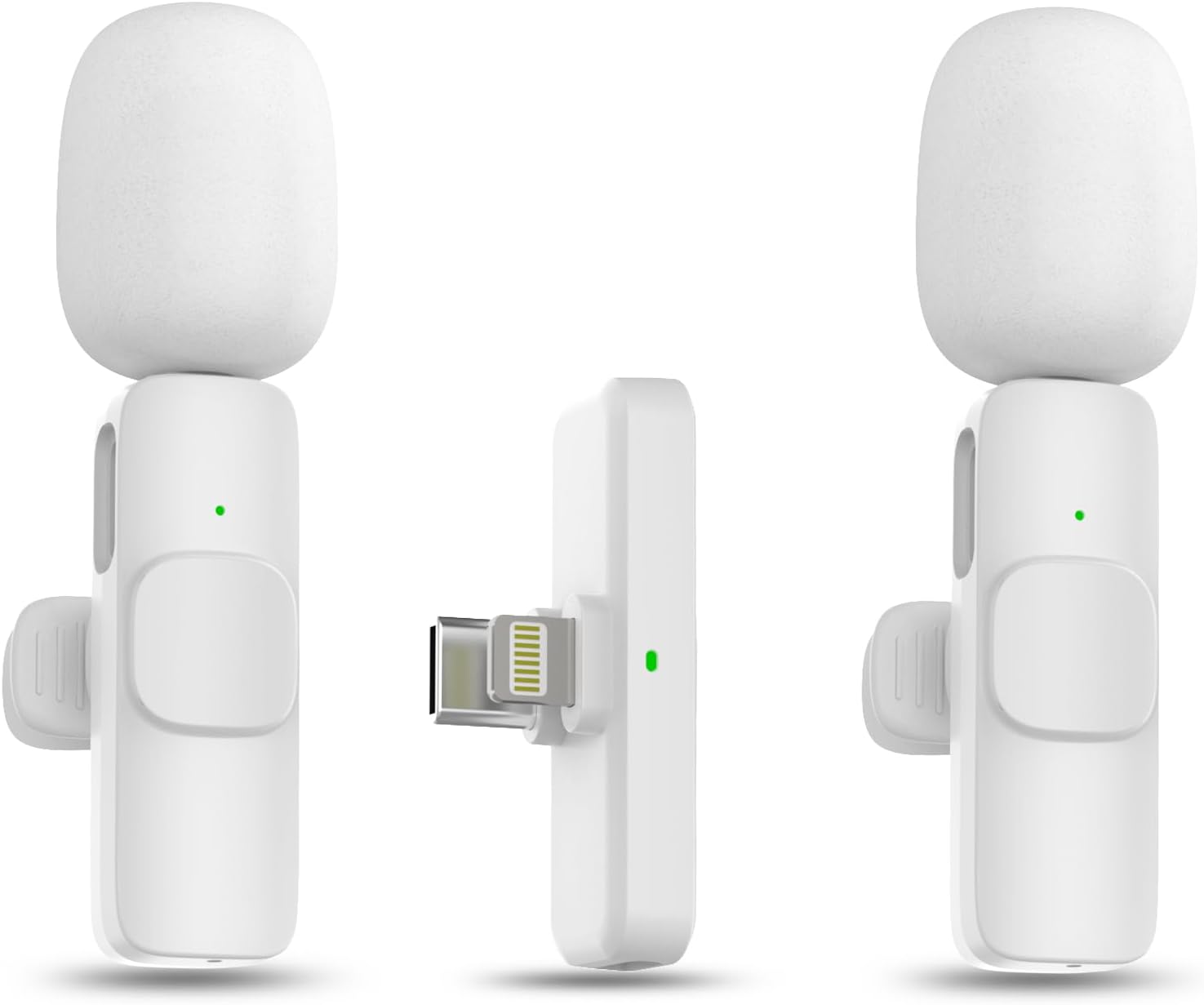
Image: The MAYBESTA Wireless Lavalier Microphone set, showing the transmitter and receiver units.
สินค้าเกินview
The MAYBESTA WM355-baise is a compact, professional-grade wireless lavalier microphone system designed for mobile devices. It features automatic connection, omnidirectional sound reception, and intelligent noise cancellation for clear audio recording.
คุณสมบัติหลัก:
- การเชื่อมต่ออัตโนมัติ: Plug-and-play functionality for quick setup.
- ความเข้ากันได้ที่กว้างขึ้น: Supports both Lightning and USB-C ports for iOS and Android devices.
- Omnidirectional Sound Reception: Captures audio from all directions.
- ระบบตัดเสียงรบกวนอัจฉริยะ: Reduces ambient background noise for clearer recordings.
- เสรีภาพไร้สาย: Bluetooth technology provides up to 50 feet of transmission range.
- รองรับไมโครโฟนคู่: Package includes two microphones for recording two subjects simultaneously.
คำแนะนำการตั้งค่า
1. การชาร์จไมโครโฟน
Before first use, ensure the microphone (transmitter) is fully charged. Connect the microphone to a power source using the provided USB charging cable. The indicator light will show charging status.
2. การเชื่อมต่อกับอุปกรณ์ของคุณ (เสียบแล้วใช้งานได้ทันที)
- เสียบปลั๊กเครื่องรับสัญญาณ: Insert the receiver into the charging port of your smartphone or tablet. Ensure your device is unlocked. The receiver is equipped with both Lightning and USB-C connectors for broad compatibility.
- เปิดใช้งานไมโครโฟน: Press and hold the power button on the wireless microphone (transmitter) for approximately 3 seconds. A solid green light will illuminate on both the receiver and the microphone, indicating a successful connection.
- เริ่มบันทึก: Once connected, you can open your preferred audio or video recording application and start recording. No additional apps or Bluetooth pairing steps are required.

Image: Visual guide demonstrating the three-step plug-and-play connection process: Plug, Press, Connected.
บันทึก: If your phone case is thick and prevents the receiver from fully inserting, please remove the case before plugging in the receiver.
คำแนะนำการใช้งาน
1. การสวมไมโครโฟน
The microphone can be held in hand or clipped to your clothing using the included clip. For optimal sound quality, position the microphone approximately 6-8 inches from your mouth.

Image: A woman demonstrating how to wear the lavalier microphone clipped to her shirt collar.
2. Recording with Two Microphones
If your package includes two microphones, both can be connected to the single receiver simultaneously. This allows for recording audio from two individuals at the same time, ideal for interviews or dual-host content.

Image: Two individuals wearing lavalier microphones while recording, demonstrating the dual-mic capability.
3. การตัดเสียงรบกวน
The microphone features an intelligent chip for noise reduction, which helps to filter out ambient sounds and deliver clear audio. This function is automatically active when the microphone is in use.
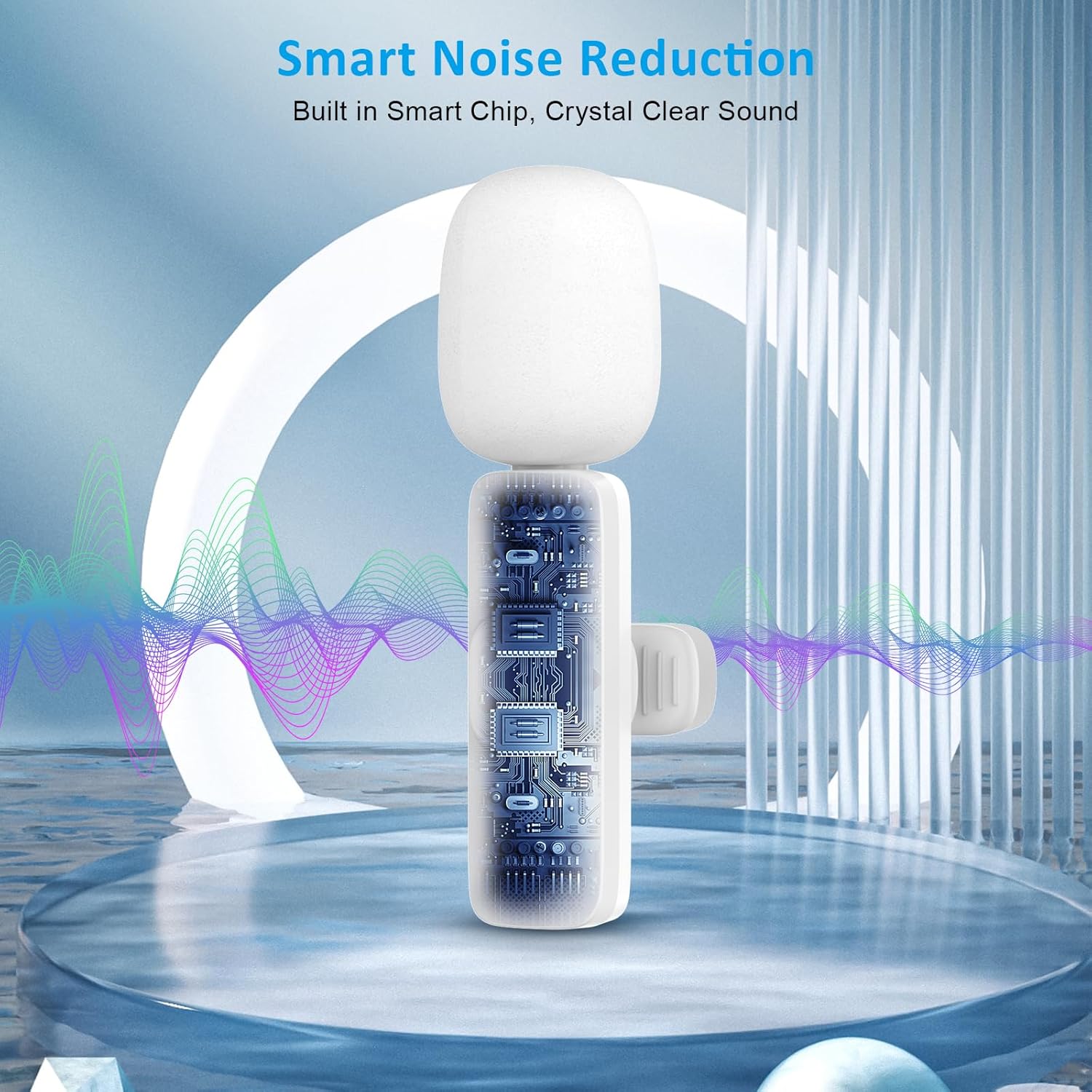
ภาพ: ภายใน view of the microphone highlighting the smart chip responsible for noise reduction.
4. Compatibility and Usage Scenarios
The MAYBESTA WM355-baise microphone is compatible with a wide range of devices and applications, including:
- อุปกรณ์ iOS: All iPhone and iPad series, including iPhone 15 and iPad Pro (USB-C models).
- อุปกรณ์แอนดรอยด์: ใช้งานร่วมกับ Android 6.0 ขึ้นไป
- การใช้งาน: Suitable for video recording, interviewing, podcasting, vlogging, live streaming, and online teaching on platforms like YouTube, TikTok, and other social media.

Image: A detailed chart outlining compatible iPhone, iPad, and Android models.

Image: Collage showing the microphone being used for interviewing, vlogging, and podcasting, alongside logos of popular social media platforms.
การซ่อมบำรุง
- การทำความสะอาด: ใช้ผ้าแห้งนุ่มเช็ดทำความสะอาดไมโครโฟนและตัวรับสัญญาณ หลีกเลี่ยงการใช้ของเหลวหรือน้ำยาทำความสะอาดที่มีฤทธิ์กัดกร่อน
- พื้นที่จัดเก็บ: เก็บอุปกรณ์ไว้ในที่แห้งและเย็น หลีกเลี่ยงแสงแดดโดยตรงและอุณหภูมิที่สูงหรือต่ำเกินไป
- การดูแลแบตเตอรี่ เพื่อยืดอายุการใช้งานแบตเตอรี่ ควรหลีกเลี่ยงการปล่อยให้ไมโครโฟนแบตหมดจนเกลี้ยงบ่อยๆ ควรชาร์จแบตเตอรี่เป็นประจำ แม้ว่าจะไม่ได้ใช้งานตลอดเวลาก็ตาม
- การจัดการ: จัดการไมโครโฟนและเครื่องรับด้วยความระมัดระวังเพื่อป้องกันความเสียหายจากการตกหล่นหรือแรงกระแทก
การแก้ไขปัญหา
| ปัญหา | สาเหตุที่เป็นไปได้ | สารละลาย |
|---|---|---|
| Microphone not connecting. | Receiver not fully inserted; microphone not powered on; low battery. | Ensure receiver is fully inserted. Press and hold microphone power button for 3 seconds. Charge the microphone. |
| ไม่มีเสียงหรือคุณภาพเสียงไม่ดี | Microphone too far from source; recording app settings; interference. | Position microphone closer to the speaker. Check your device's recording app settings. Move away from strong electromagnetic interference. |
| ระยะการใช้งานไร้สายสั้น | Obstructions; environmental interference. | Ensure a clear line of sight between microphone and receiver. Avoid using in environments with many wireless devices. |
| Green light not solid. | Not connected or low battery. | Re-attempt connection steps. Charge the microphone. |
ข้อมูลจำเพาะ
- ชื่อรุ่น : ไมโครโฟนไร้สาย
- หมายเลขรุ่นสินค้า: WM355-baise
- ยี่ห้อ: เมย์เบสต้า
- ฟอร์มแฟคเตอร์ของไมโครโฟน: ปลอกคอ
- รูปแบบขั้ว: รอบทิศทาง
- เทคโนโลยีการเชื่อมต่อ: บลูทูธ
- ประเภทตัวเชื่อมต่อ: ไลท์นิ่ง, USB Type-C
- อุปกรณ์ที่รองรับ: Smartphone, Tablet (iOS, Android 6.0+)
- แหล่งพลังงาน: Battery Powered (1 C battery included)
- วัสดุ: อะคริโลไนไตรล์บิวทาไดอีนสไตรีน
- น้ำหนักสินค้า: 20 กรัม (0.705 ออนซ์)
- ขนาดสินค้า (กว้าง x ยาว x สูง) : 0.55 x 0.27 x 2.56 นิ้ว
- อัตราส่วนสัญญาณต่อเสียงรบกวน: 78 เดซิเบล
- คุณสมบัติพิเศษ: ไฟแสดงสถานะแบตเตอรี่, คลิปหนีบ, ฟังก์ชันปิดเสียง, ระบบลดเสียงรบกวน
การรับประกันและการสนับสนุน
For warranty information or technical support, please refer to the contact details provided with your purchase documentation or visit the official MAYBESTA webไซต์นี้ โปรดเก็บหลักฐานการซื้อไว้เพื่อใช้ยืนยันการรับประกัน
ผู้ผลิต: เมย์เบสต้า
วันที่เข้าใช้งานครั้งแรก: 29 พฤศจิกายน 2023


